
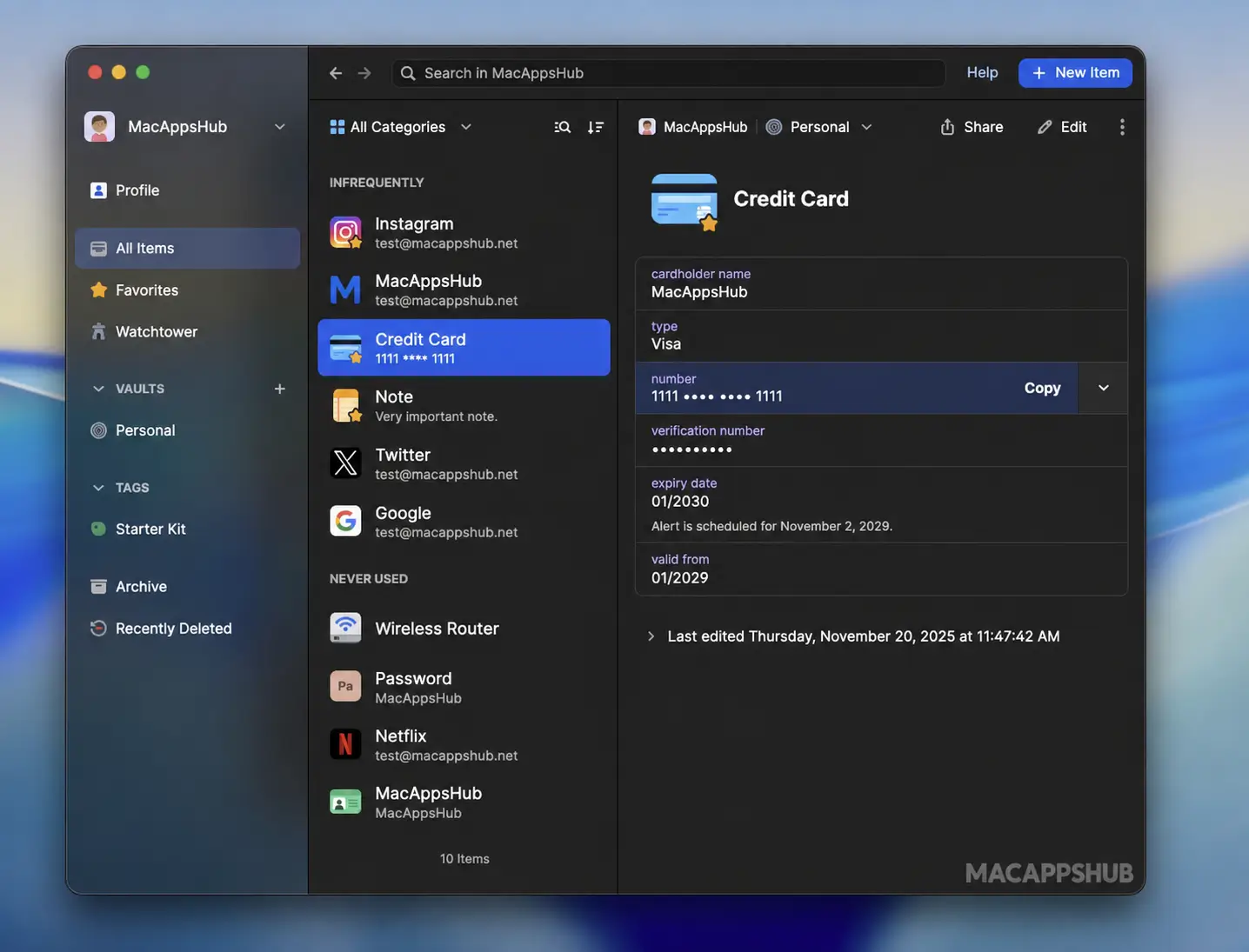
1Password Overview
1Password for Mac stores your passwords, passkeys, credit cards, and secure notes behind one master password, then autofills them wherever you need them. It unlocks with Touch ID or your Apple Watch, syncs across every device you own, and flags weak or breached passwords before they become a problem. Built by AgileBits, it's been protecting logins since 2005 and now runs as a native universal app on both Apple Silicon and Intel Macs. Freelancers juggling dozens of client logins, families sharing streaming and banking passwords, and developers managing SSH keys from the terminal all rely on it as their daily password vault.
Why Choose 1Password Mac App
Password managers live or die on trust, and 1Password has two decades of it. The zero-knowledge architecture means your account password and a separate, device-generated Secret Key both have to combine before anything decrypts, so not even 1Password can read your vault. That's not marketing copy, its math, and it's why over 200,000 businesses and millions of families still use it despite cheaper alternatives on the market. On Mac specifically, it goes further than a browser extension bolted onto a webpage: Touch ID unlock, Apple Watch approval, and Universal Autofill that works inside native Mac apps, not just Safari and Chrome tabs.
What separates this release from older copies still floating around download mirrors is how current it is. As of August 2026, 1Password added a feature called 1Password for Claude, letting Claude sign in to websites on your behalf after you approve each request, filling your login or one-time code without ever exposing the credential itself. January's update brought proper dark mode icons for macOS Tahoe, and July's release specifically improved performance on Tahoe's newer rendering engine. Developers get an SSH agent, a CLI, and a local MCP server for AI tools baked into the same app, a combination almost no other consumer password manager on the Mac bothers to ship.
Key Features
- Watchtower security alerts — flags breached websites, weak passwords, and reused credentials before they're exploited.
- Passkey and biometric support — sign in with Touch ID, Apple Watch, or a saved passkey instead of typing anything.
- Secure item sharing — send a password or document through an expiring link, even to someone without 1Password.
- 1Password for Claude — approve each request and let Claude fill logins or one-time codes without seeing the credential.
- Universal Autofill — fills logins inside native Mac apps and Terminal-based tools, not just browser tabs.
- SSH agent and developer CLI — manage SSH keys and secrets straight from the terminal, no separate keychain needed.
- Zero-knowledge encryption — a Secret Key plus your account password both have to combine locally to decrypt anything.
- Cross-platform sync — the same vault stays current on Windows, iOS, Android, Linux, and every major browser.
- Wi-Fi sharing via QR code — hand a guest network access without reading a password out loud.
- Family vault sharing — admins control who sees which shared vaults, with per-person permissions.
What's New in 1Password 8.12.40 Version
Version 8.12.40 shipped October 08, 2026, headlined by a new AI integration alongside routine fixes.
- You can now save one-time passwords in 1Password through Autofill on your Mac. In the System Settings app, navigate to General > AutoFill & Passwords > Set Up Codes In and select 1Password.
- The GitHub Actions destination in Developer > Environments now includes a button to view setup instructions.
- API Credential now appears towards the top of the New Item screen.
- We’ve improved the New Item screen so the additional item types are easier to find.
- The search field on the New Item screen now reads “Search for a website or category”.
- The export confirmation screen now includes a clearer warning about storing unencrypted files safely and a link to learn more about exporting your data.
- We’ve updated the text in the “Access your passwords everywhere” setup task to say “Set up the 1Password apps so you can recover your account if you ever get locked out”.
- We’ve made visual improvements to the Developer > Environments > Generic OIDC destination screen, including more consistent spacing between field labels and inputs and matching colors for text.
- We’ve fixed an issue where you couldn’t sign back in to your account in the 1Password app after an administrator removed and recreated it, even though you could still sign in to your account elsewhere.
- We’ve fixed an issue where Quick Access sometimes wouldn’t appear over a full-screen app or would open on a different desktop than the one you were using.
- We’ve fixed an issue where the sign-in screen wouldn’t close after you finished signing in on 1Password.com.
- We’ve fixed an issue where you wouldn’t be notified if an update failed to start after you selected Restart Now.
- We’ve fixed an issue where one-time passwords wouldn’t autofill if you had the Copy One-Time Passwords setting turned off.
- We’ve fixed an issue where an error message could remain on screen after you correctly entered your account password when exporting.
Supported macOS Versions
1Password 8.12.40 requires macOS 12 Monterey as a floor, a requirement set back in February 2025, so anyone still on Big Sur or Catalina needs an older build. It runs best on macOS 15 Sequoia and macOS 26 Tahoe, where January's update added dedicated dark mode icons and July's update specifically tuned performance for Tahoe's updated rendering behavior. Since it ships as a genuine universal binary rather than an Intel app running through Rosetta, Apple Silicon Macs handle background syncing and Watchtower scans without any translation overhead, while Intel Macs on a supported macOS version remain fully functional, just without that native Apple Silicon speed edge.
How to Download and Install 1Password on MacOS?
Installing 1Password on Mac only takes a few steps after downloading, including one quick permission it needs to run properly.
- First click on the Download button given above and complete the downloading procedure.
- Open the downloaded .zip file, then drag 1Password into your Applications folder.
- Launch 1Password from Applications. If macOS shows an "unidentified developer" warning, go to System Settings → Privacy & Security and click Open Anyway.
- Grant Accessibility and Autofill permissions when prompted, so 1Password can fill logins across your browser and other apps.
- Sign in with an existing account or start your 14-day free trial to create a new vault.
Once the initial setup is done, 1Password won't ask for these permissions again — future launches go straight to your vault.
How to Use 1Password Mac App?
- Launch 1Password and sign in, or start a free trial to set up a new account.
- Install the browser extension for Safari, Chrome, or your browser of choice and connect it to the desktop app.
- Import existing passwords from your browser or another manager like Bitwarden or LastPass.
- Turn on Touch ID unlock under Settings > Security for one-tap access.
- Use Quick Access from the menu bar, or Universal Autofill, to fill logins anywhere on your Mac.
- Check Watchtower periodically for weak, reused, or breached passwords that need updating.