
MacOSCleaner Overview
MacOSCleaner is a free, native SwiftUI system cleaner and app uninstaller built specifically for Apple Silicon Macs. Smart Cleanup scans 1,887 known path definitions across 55 categories, covering caches, browsers, package managers, and developer tools from 275-plus apps and 86 toolchains, showing a risk badge for each item before anything gets removed. A forensic app uninstaller scans up to 5 levels deep using 30 evidence types to catch leftover files, backed by a standalone orphan scanner for remnants from apps removed long ago. A Duplicate File Finder uses SHA-256 verification to confirm exact matches, and a navigable Disk Space Analyzer reports honest APFS physical sizes down to the file level. On-device Apple Intelligence explains files and processes entirely offline, and Siri Shortcuts can trigger a scan or uninstall by voice. The app runs with zero telemetry and no cloud upload, and it's free for personal use under a source-available license.
Why Choose MacOSCleaner Mac App
Commercial Mac cleaners often charge an annual subscription and quietly run background processes the whole time. MacOSCleaner takes a different approach. A native SwiftUI app built specifically for Apple Silicon scans 1,887 known cache and leftover locations across 275-plus apps, then lets you review every file with a risk badge before anything gets deleted.
On-device Apple Intelligence explains what a file or running process actually is, entirely offline, and Siri Shortcuts can trigger a scan or uninstall by voice with zero background daemons. The app is source-available under GPLv3 plus the Commons Clause, meaning it's free to use personally but not open source in the fully permissive sense, and a separate commercial license applies for business use. Since releases aren't currently code-signed by Apple, the first launch requires a one-line Terminal command to clear Gatekeeper's warning.
Key Features
- Smart Cleanup: scans 1,887 path definitions across 55 categories, covering 275-plus apps and 86 developer toolchains.
- On-device Apple Intelligence: explains files, caches, and running processes using Apple's FoundationModels, entirely offline.
- Siri and Shortcuts automation: triggers "Quick Clean," "Scan Storage," or "Uninstall App" by voice or through custom Shortcuts.
- Forensic App Uninstaller: scans up to 5 levels deep using 30 evidence types, including Bundle ID and Team ID matching.
- Post-uninstall review and orphan scanner: catches leftover files immediately after removal, plus remnants from apps uninstalled long ago.
- Duplicate File Finder: verifies exact matches using a staged size-then-SHA-256 comparison, protecting master originals.
- Navigable Disk Space Analyzer: drills into nested folders with breadcrumb navigation and honest APFS physical sizing.
- Process Manager: sorts running processes by CPU, memory, or thread count, with whitelist and blacklist controls.
- Startup Services manager: reviews and disables LaunchAgents and LaunchDaemons from user, third-party, and system sources.
- Project Build Artifacts cleanup: clears regenerable folders like node_modules and .venv with configurable age filters.
- 10-language localization: supports English, German, Japanese, French, Chinese, Italian, Portuguese, Spanish, Russian, and Ukrainian.
- Zero telemetry: runs entirely offline, with no account, cloud upload, or background daemon required.
Screenshots
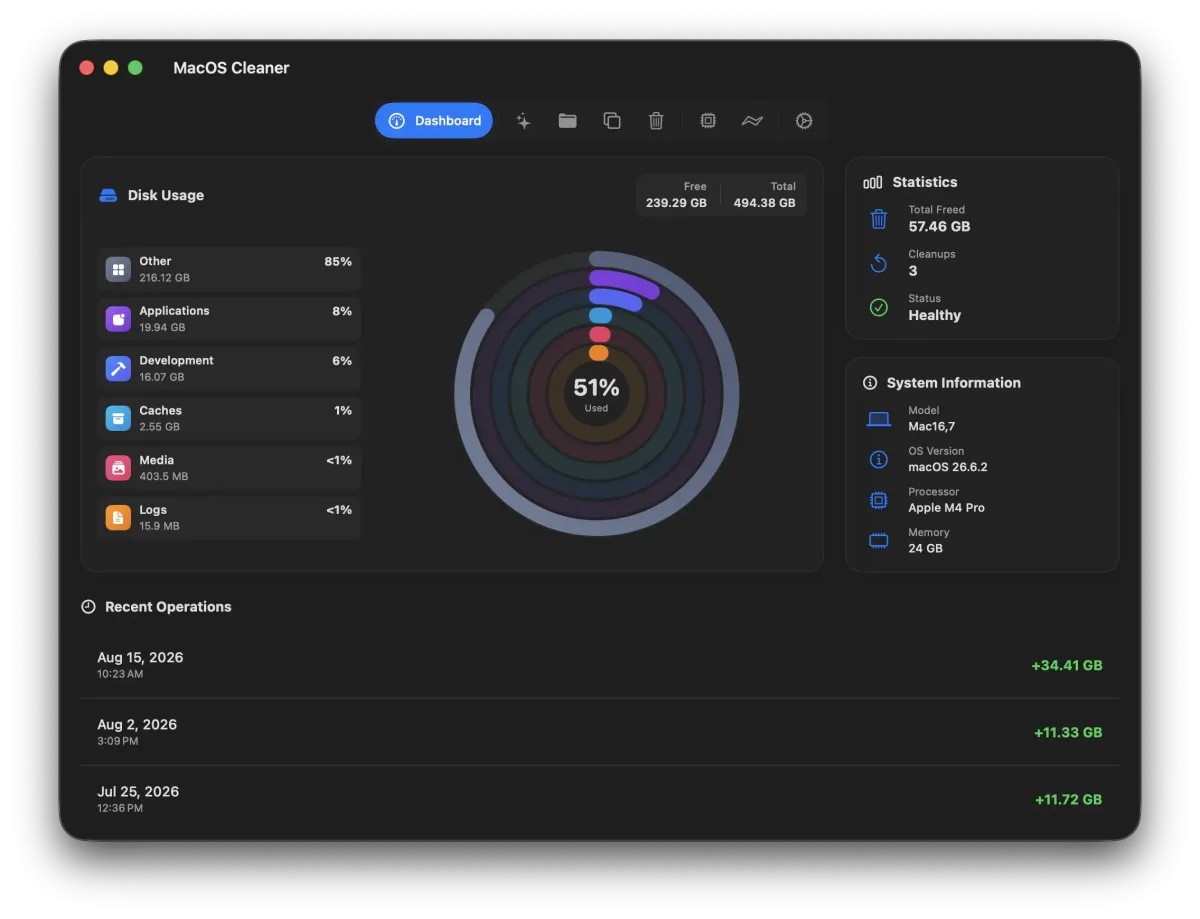
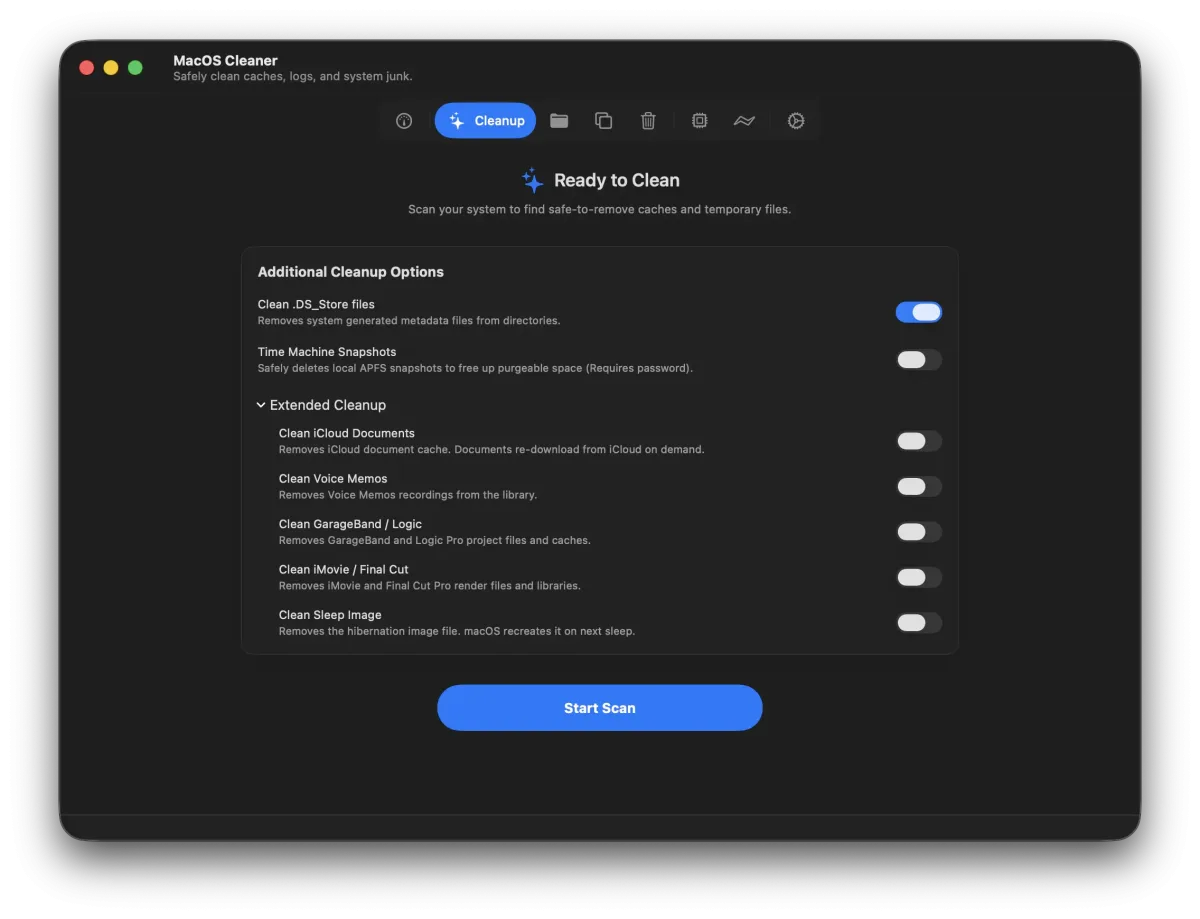
What's New in MacOSCleaner 2.2.0 Version
Version 2.2.0, released August 27, 2026, is a major update:
- Added a post-uninstall verification sheet to review leftovers immediately after removing an app
- Added a standalone orphan scanner for remnants from previously uninstalled apps, sorted into three confidence tiers
- Expanded the app knowledge base to cover more than 275 macOS applications and 1,880-plus artifact locations
- Added a dedicated Project Build Artifacts category with configurable 30, 60, 90, or 180-day age filters
- Rebuilt the Disk Space Analyzer with an interactive directory tree, breadcrumb navigation, and accurate APFS block sizing
- Added support for newer developer and AI tools, including Claude Code CLI, Goose, Continue.dev, uv, mise, and Tuist
- Replaced full Time Machine snapshot deletion with gentler thinlocalsnapshots-based thinning
Supported macOS Versions
MacOSCleaner requires macOS 26.0 or later, running on Apple Silicon Macs starting with the original M1. Scanning tens of thousands of files across 1,887 known paths is genuinely disk-intensive work, so a Mac with a faster SSD completes a full scan noticeably quicker than an older, more constrained system. The app takes advantage of multiple CPU cores by running its cleanup categories in parallel during a scan.
How to Download and Install MacOSCleaner Mac?
- Click the Download button above to safely download the setup file.
- Open the downloaded .dmg file, then drag MacOSCleaner into your Applications folder.
- If macOS reports the app as damaged or blocks it from opening, open Terminal and run: sudo xattr -r -c /Applications/MacOSCleaner.app
- Launch MacOSCleaner from Applications and grant Full Disk Access when prompted, so it can scan the whole system.
How to Use MacOSCleaner Mac?
- Open the Dashboard to see an overview of reclaimable disk space by category.
- Run Smart Cleanup, then review the risk badges before selecting which items to remove.
- Drag an app into the Forensic Uninstaller to remove it along with its leftover files.
- Open the Disk Space Analyzer to drill into folders and find exactly what's taking up space.
- Use Duplicate File Finder to locate and safely remove exact duplicate files.
- Check Process Manager and Startup Services to review what's currently running and starting automatically.
Alternatives to MacOSCleaner
OnyX: Free, long-standing Mac maintenance utility with separate builds matched to each macOS version, covering cache cleaning and system checks.
AppCleaner: Free, well-established app uninstaller for Mac that removes an app's associated files alongside the app itself.