
Photos Exif Editor Overview
Photos Exif Editor is a metadata editing app for Mac that reads and writes EXIF, GPS, IPTC, and XMP data. It works on thousands of photos at once instead of one file at a time. The app supports RAW formats straight from the camera, not just processed JPEGs. A built-in GPS editor lets you drag a pin on a map to tag a photo's location, or type coordinates in by hand. Presets save a repeated set of metadata changes for reuse across future batches. Every edit creates a backup of the original metadata for that session, giving a way to undo a mistake before closing the app.
Why Choose Photos Exif Editor Mac App
Editing photo metadata one file at a time gets old fast. Photos Exif Editor batches the whole job instead. Drag in thousands of photos, apply the same date, GPS location, or copyright notice to all of them, and move on. Presets save a repeated set of changes, so the same edit doesn't need rebuilding from scratch every time it comes up.
On Mac specifically, the app reads directly from RAW files straight off a camera, including formats from Pentax and Leica that some competing tools skip entirely. It can also import a Mac's Photos library directly, so metadata cleanup doesn't require exporting photos to a folder first. Every edit creates a backup of the original metadata during that session. That gives a way back if a batch edit goes wrong, as long as it's caught before the app closes.
Key Features
- Reads and writes EXIF, GPS, IPTC, and XMP metadata: covers the major metadata standards used across cameras and photo software.
- RAW format support: works directly with Canon CR2, Nikon NEF and NRW, Sony SR2 and SRF, Pentax PEF, and several other RAW formats.
- Batch editing: applies the same metadata changes to thousands of photos in one pass instead of file by file.
- Individual or batch deletion: removes metadata from a single photo or an entire selected batch at once.
- Date-time editing from EXIF: sets a photo's modification or original date-time, with options to increment or decrement values.
- Automatic metadata backup: saves the original metadata before writing changes, restorable within the same session.
- Custom Presets: stores a repeated set of metadata edits to apply again with one click.
- Map-based GPS editor: drags a pin on an interactive map to tag a photo's location, or accepts manually typed coordinates.
- Batch renaming: renames photos based on their EXIF location, date, time, or image dimensions.
- Wide tag coverage: edits fields like Artist, Copyright, ISO, F-Number, Focal Length, Keywords, City, and Country.
- Metadata viewer: opens a separate window showing a single photo's complete metadata at a glance.
Screenshots
What's New in Photos Exif Editor 5.0 Version
Version 5.0, released September 19, 2025, is a compatibility update:
- Compatibility fixes for the latest macOS release at the time
- Minor bug fixes and general improvements
- Apple's version history doesn't break down further specifics beyond that summary for this release.
Supported macOS Versions
Photos Exif Editor requires macOS 10.10 or later, a notably low bar that covers even decade-old Macs. Its version history shows compatibility updates tied to major macOS releases over the years, most recently for the current system. The app's job, reading and writing metadata tags, doesn't tax a Mac's hardware the way photo editing or video rendering does. A Mac from nearly any era handles it without slowdown. The one real bottleneck is importing a large Photos library directly, which can take a noticeable amount of time regardless of which Mac it's running on.
How to Download and Install Photos Exif Editor on Mac?
Photos Exif Editor is distributed only through the Mac App Store.
- Click the Download button above. It opens Photos Exif Editor's official listing on the Mac App Store.
- Click the price button to purchase, since this is a paid app rather than a free download.
- Sign in with your Apple ID if prompted.
- macOS downloads and installs Photos Exif Editor automatically in the background.
- Once installed, launch it from Launchpad or your Applications folder.
Because the App Store handles future updates automatically, there's no need to manually reinstall it each time a new version ships.
How to Use Photos Exif Editor Mac App?
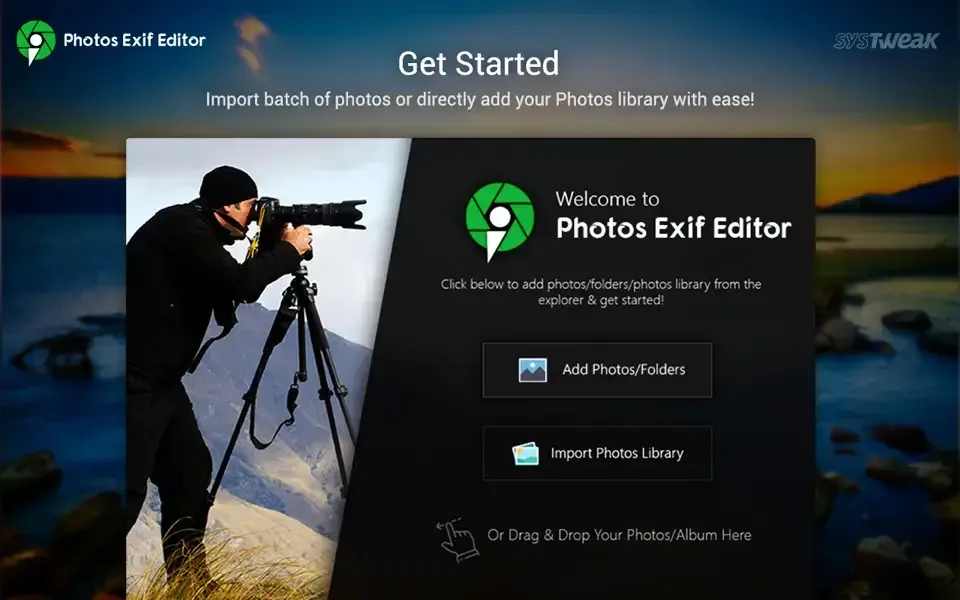
- Drag a batch of photos into the app, or import your Photos library directly.
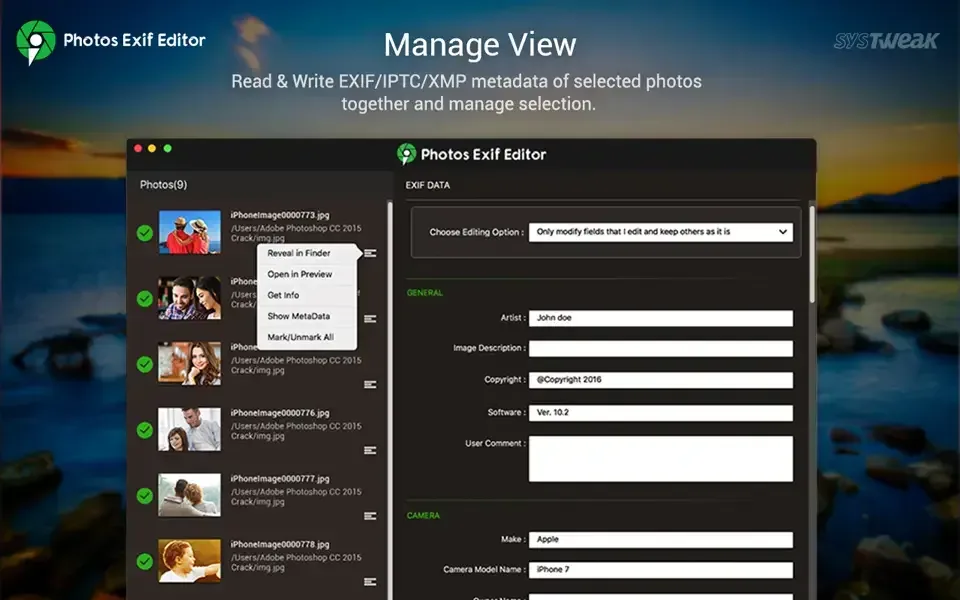
- Select one or more photos to edit at once.
- Update the EXIF, GPS, IPTC, or XMP fields you need, or apply a saved preset.
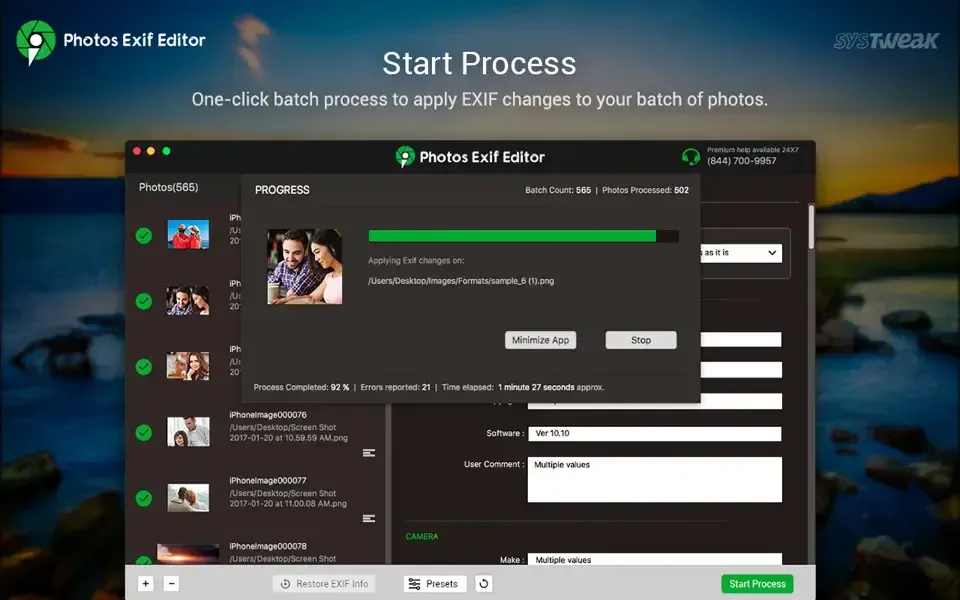
- Click Start Process to apply the changes and save the edited photos.
- Use Restore to Original if a batch edit needs undoing before closing the app.
- Save a frequently used field combination as a new preset for future batches.
Alternatives to Photos Exif Editor
ExifTool: Free, open source command-line tool that reads and writes an extremely wide range of metadata formats, actively maintained for decades.
Preview (built into macOS): Free and included on every Mac, with a basic Inspector panel for viewing and lightly editing a single photo's metadata.