Transmission for Mac Overview
Transmission is a free, open source BitTorrent client for Mac. It downloads and shares files using the BitTorrent protocol, including magnet links and .torrent files. The app runs natively on Apple Silicon, with a clean interface built to match macOS design standards. It skips the toolbars, ads, and trackers many torrent clients bundle in. Features include a web interface for remote control, peer blocklists, watch directories, and full encryption support. It's also one of the lightest BitTorrent clients around, which is why several NAS and router makers ship it as their built-in torrent tool.
Why Choose Transmission Mac App
Most BitTorrent clients bundle something extra. A toolbar. A pop-up ad. Some hidden analytics. Transmission skips all of that. It's built and maintained by volunteers, and the source code is open for anyone to inspect. There's no payware version holding features back either. Peer blocklists, the web interface, tracker editing, all of it ships in the same free build.
On Mac specifically, that openness comes with real polish. The interface uses SF Symbols and follows Apple's own UI conventions. It feels like a genuine Mac app, not a cross-platform port. A recent update even refreshed the app icon for Liquid Glass, macOS's newest visual style. That lightweight footprint is also why hardware brands like Western Digital and Zyxel ship Transmission as their built-in torrent tool.
Key Features
- Native Apple Silicon support: runs as a true native app on M-series Macs, not translated from Intel code.
- Web interface: manage torrents remotely from any browser, useful for a headless Mac or NAS setup.
- Sequential downloading: downloads pieces in order instead of at random, handy for playing a video before it finishes.
- Peer blocklists: imports a list of known bad peers and blocks them automatically.
- Watch directories: drop a .torrent file into a folder and Transmission adds it on its own.
- Full peer encryption: scrambles traffic between peers for added privacy.
- Tracker editing: add, remove, or edit a torrent's tracker list without starting the download over.
- Speed limits: set global or per-torrent upload and download caps, plus scheduled alternate limits.
- JSON-RPC 2.0 API: lets scripts and third-party apps control Transmission remotely.
- IPv6 and dual-stack tracker support: connects to trackers over IPv6 as well as IPv4.
- QuickLook previews: preview a torrent's contents in Finder before opening the app, on macOS 12 and up.
- Low Power Mode aware: won't let the Mac sleep mid-transfer, and respects Low Power Mode settings.
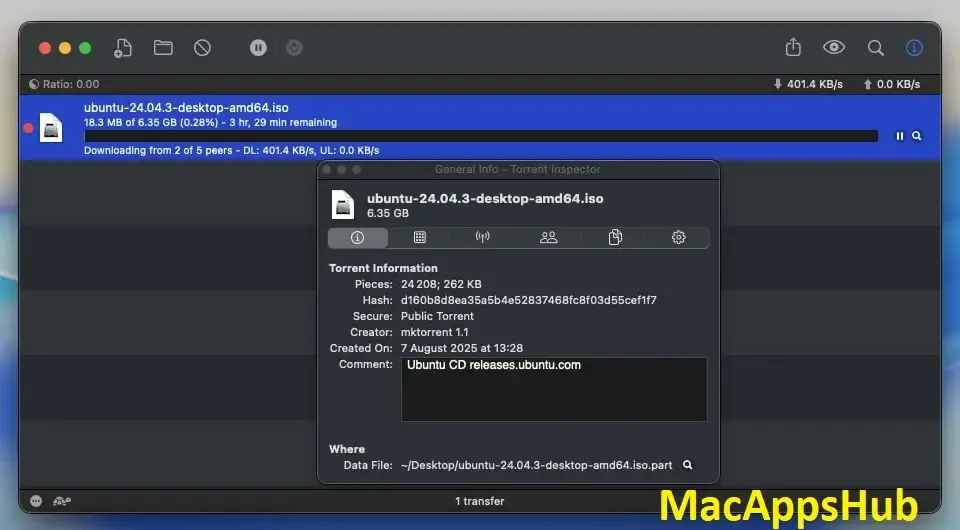
Screenshots
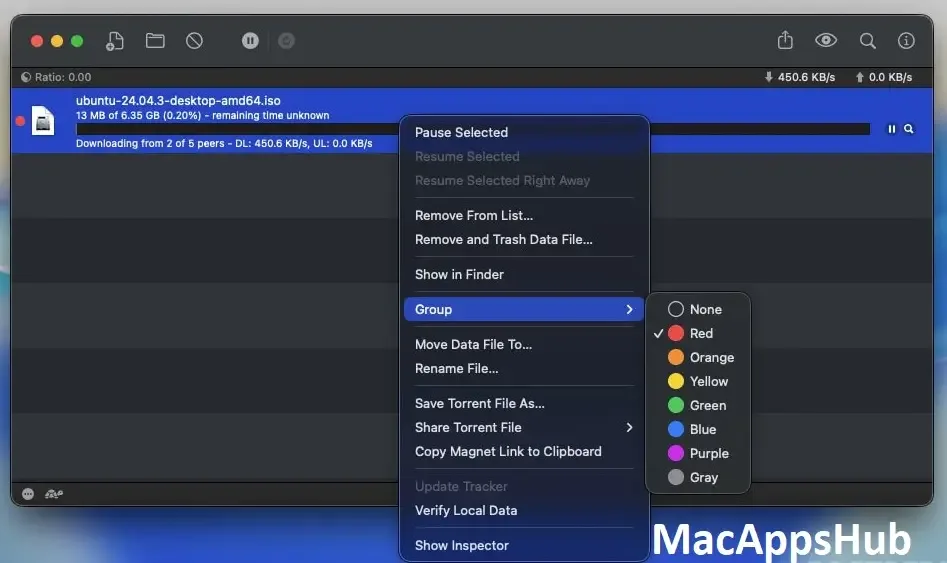
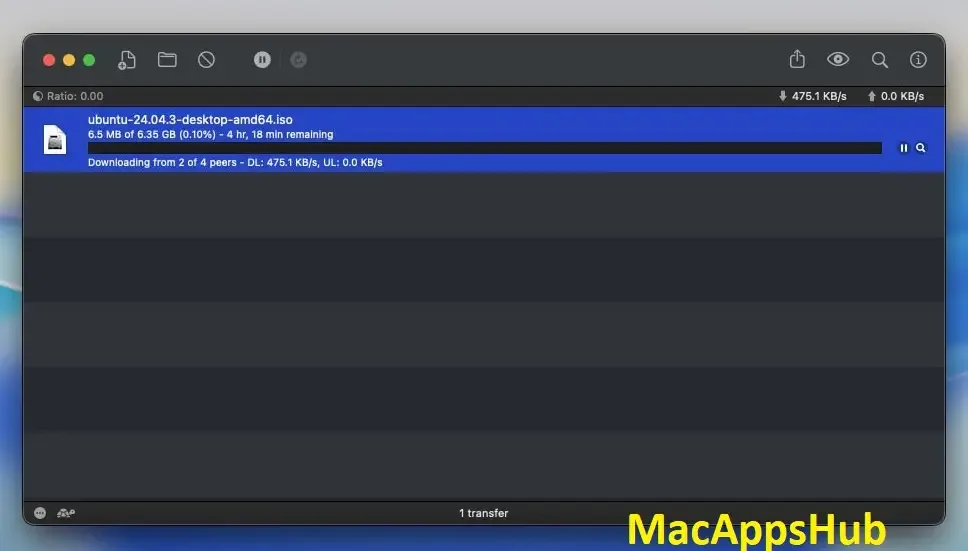
What's New in Transmission 4.1.3 version
Version 4.1.3, released June 30, 2026, is a small but important security and bugfix update:
- Fixed a CORS bug that could leak the anti-CSRF token, a real risk for anyone using Transmission's remote access feature
- Fixed a use-after-free bug in the peer connection code
- Fixed a build error affecting compiles with newer versions of the fmt library
Anyone with remote access enabled should update. That CSRF fix is the main reason this release exists.
Supported macOS Versions
Transmission requires macOS 11 or later. It runs as a universal build, native on both Apple Silicon and Intel Macs. There's no Rosetta translation layer involved, even on M-series chips. The interface also uses native macOS conventions like SF Symbols for its icons. A recent update even refreshed the app icon specifically for Liquid Glass on macOS 26 Tahoe. BitTorrent transfers lean more on network bandwidth than raw CPU power, so even an older Intel Mac handles Transmission comfortably. Encryption, DHT lookups, and disk writes barely register on modern hardware.
How to Download and Install Transmission on Mac?
Installing Transmission on Mac only takes a few steps after downloading.
- Click the Download button above to securely download the setup file OR you may get it from official website.
- Open the downloaded .dmg file, then drag Transmission into your Applications folder.
- Launch Transmission from Applications. If macOS shows an "unidentified developer" warning, go to System Settings → Privacy & Security and click Open Anyway.
- Choose a default download folder when prompted, or leave it set to your Downloads folder.
That's it. Transmission opens straight to its main torrent list, with no account or sign-in required.
How to Use Transmission Mac App?
- Open a .torrent file or paste a magnet link to add a new download.
- Choose where the files should save, then click Add to start downloading.
- Use the toolbar to pause, resume, or remove torrents individually.
- Open Preferences to set speed limits, a watch directory, or enable the web interface.
- Right-click a torrent to edit its trackers or view detailed peer information.
- Let finished torrents keep seeding for a while, sharing the file back with other peers.
Alternatives to Transmission
qBittorrent: Free, open source BitTorrent client with a built-in search engine and no ads, actively developed with frequent updates.
Deluge: Free, open source, plugin-based BitTorrent client that runs across Mac, Windows, and Linux with the same core.
Folx (Free edition): Free native Mac download manager with basic torrent support, watch-folder handling, and download tagging.