
XnView MP Overview
XnView MP is a media browser, viewer, and converter for Mac from XnSoft that supports more than 500 image formats, including camera RAW, HEIC, JPEG-XL, AVIF, and DICOM. Photos display in Thumbnail, FullScreen, or FilmStrip view, with a slideshow mode and side-by-side comparison of up to four images. Batch Convert exports selected photos to around 70 different formats at once, and Batch Rename and timestamp changing handle large libraries quickly. Editing tools cover resizing, rotating, cropping, and adjusting brightness, contrast, and gamma, including lossless JPEG rotation. EXIF, IPTC, and XMP metadata can be viewed or edited directly, and a built-in Duplicate File Finder cleans up repeated photos. The app runs as a universal binary on Apple Silicon and Intel Macs, and it's free for private, educational, and non-profit use, with a paid license required for company use.
Why Choose XnView MP Mac App
Most image viewers handle the common formats and stop there. XnView MP goes considerably further, opening more than 500 image formats, including camera RAW, HEIC, JPEG-XL, AVIF, and DICOM medical images, then exporting to around 70 different formats when a conversion is needed.
The app runs as freeware for private use, education, and non-profit organizations, with no adware or spyware bundled in. Companies do need a paid license, priced per seat and discounted at higher volumes, which is worth knowing before deploying it across a team. On Mac specifically, XnView MP ships as a universal build covering both Apple Silicon and Intel, distinct from the older XnView Classic edition that stays Windows-only.
Key Features
- 500+ supported image formats: opens camera RAW, HEIC, JPEG-XL, AVIF, DICOM, PDF, and many more formats directly.
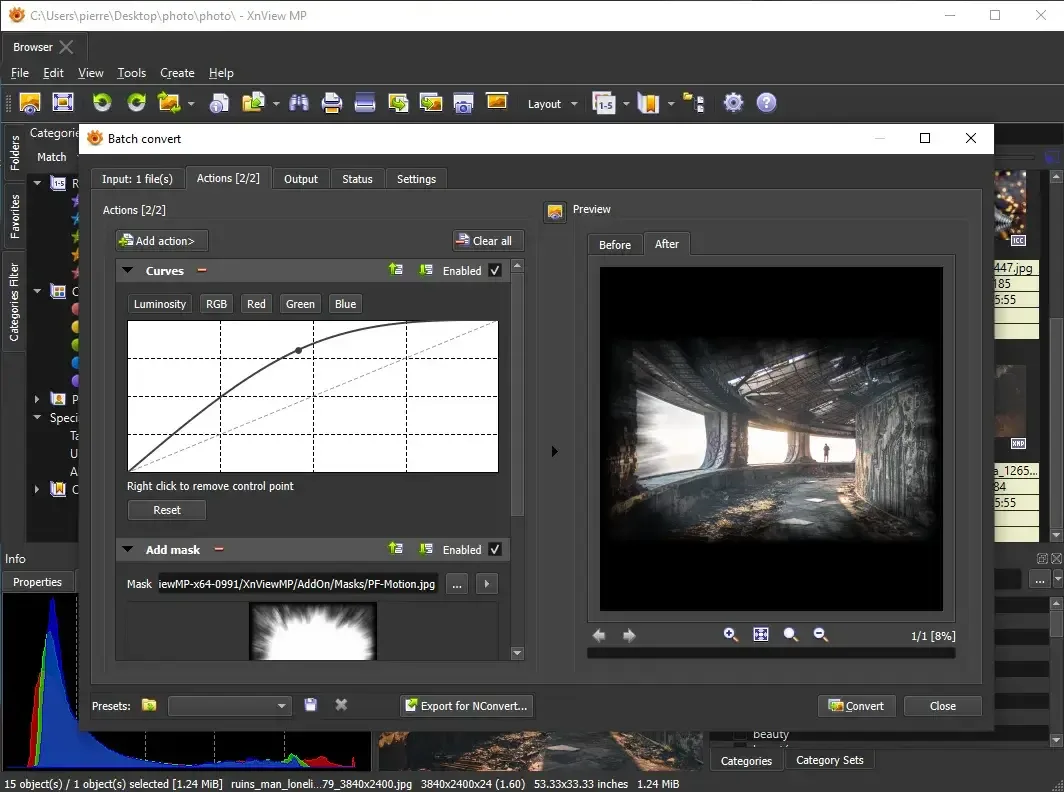
- Batch conversion: exports selected images to around 70 different file formats in one pass.
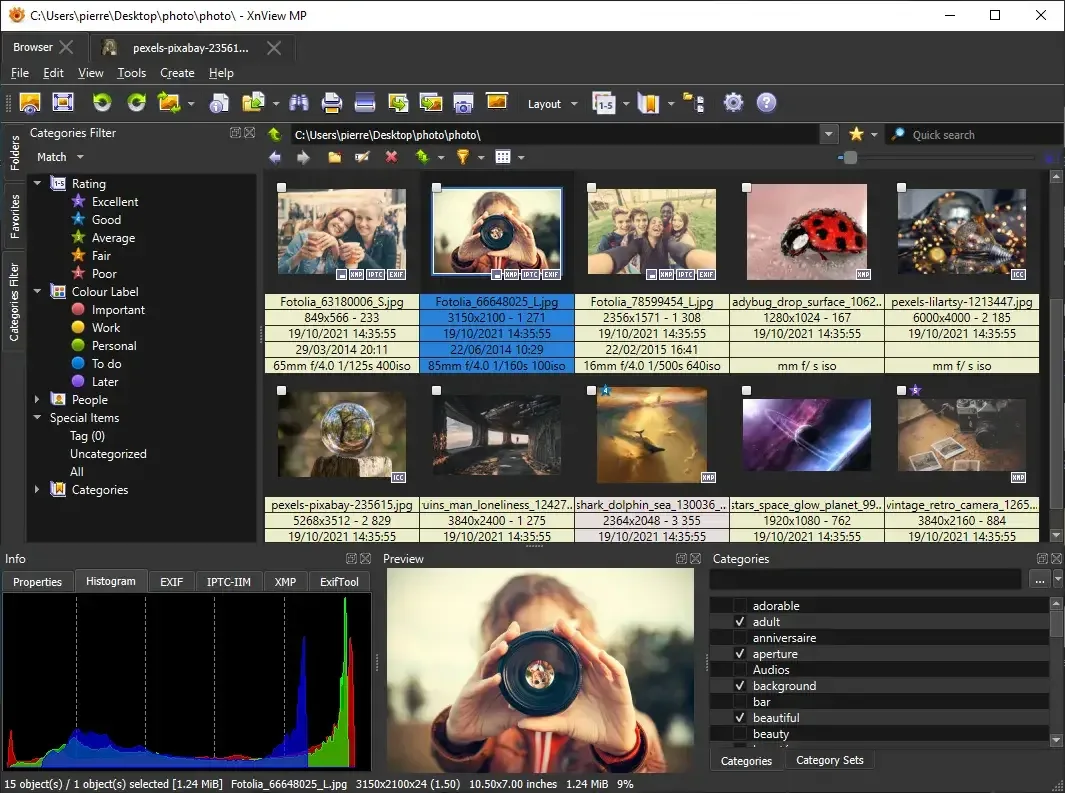
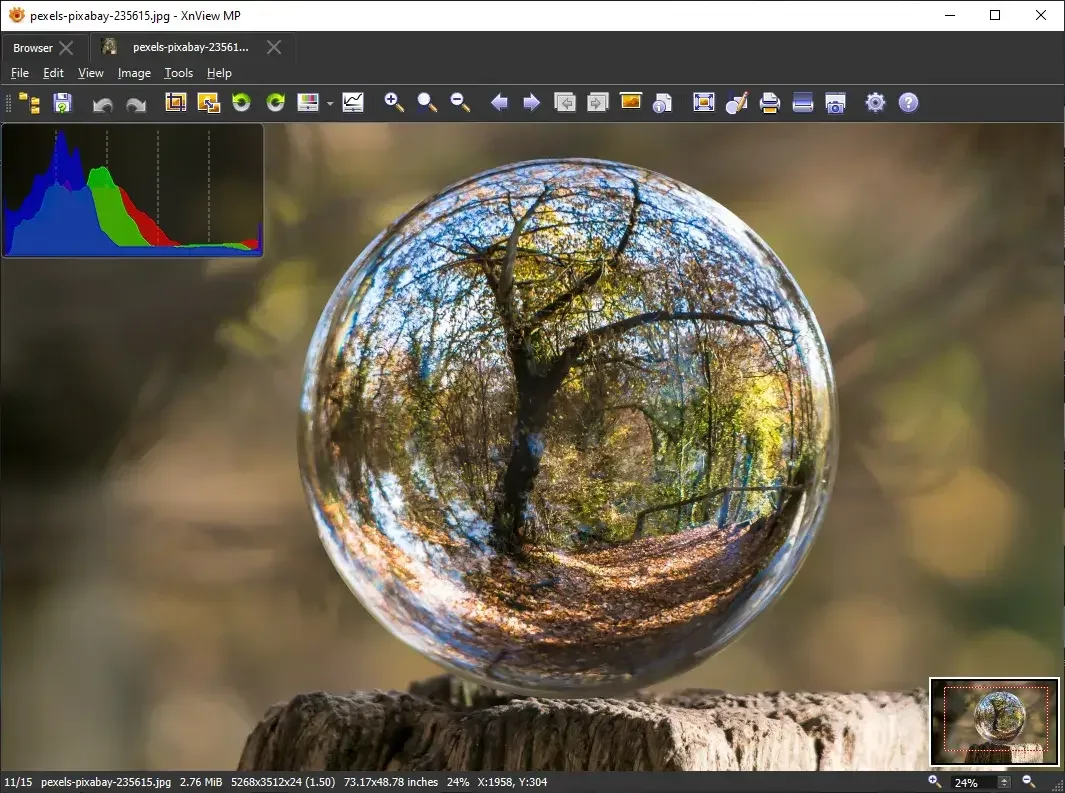
- Multiple viewing modes: switches between Thumbnail, FullScreen, and FilmStrip view, with slideshow effects included.
- Image Compare: places up to four images side by side for direct visual comparison.
- Photo editing tools: resizes, rotates, and crops images, including lossless rotation and cropping for JPEG files.
- Color and tone adjustment: modifies brightness, contrast, gamma, and color depth, with auto levels and auto contrast options.
- Metadata editing: views and edits EXIF, IPTC, and XMP metadata directly on a photo.
- Batch rename and timestamp tools: renames or re-dates large groups of files at once.
- Duplicate File Finder: locates and helps remove repeated photos across a library.
- Creation tools: builds slideshows, contact sheets, video thumbnail galleries, and image strips from a photo collection.
- Paint and annotation tools: draws lines, circles, arrows, or adds a watermark directly onto an image.
- Screen capturing and scan support: captures the screen or imports directly from a connected scanner.
Screenshots
What's New in XnView MP 1.11.7 Version
Version 1.11.7 is the current release. Detailed, itemized release notes for this specific version aren't published on the download page directly. The developer maintains a full changelog thread on XnView's own forum covering every update in detail.
Long-time users on MacUpdate describe updates arriving with substantial new features regularly, rather than the app sitting untouched between releases.
Supported macOS Versions
XnView MP requires macOS 10.13 or later and installs as a universal binary, running natively on Apple Silicon and Intel Macs alike. Opening and browsing a folder of images is lightweight work, but batch converting thousands of RAW files or large panoramas benefits from a Mac with more RAM and a faster processor, since XnView MP uses multi-core processing during heavier batch operations.
How to Download and Install XnView MP Mac?
Installing XnView MP on Mac only takes a few steps after downloading.
- Click the Download button above to safely download the setup file.
- Open the downloaded .dmg file, then drag XnView MP into your Applications folder.
- Launch XnView MP from Applications. If macOS shows an "unidentified developer" warning, go to System Settings → Privacy & Security and click Open Anyway.
- Point XnView MP at a folder of images to start browsing, since there's no separate import step.
XnView MP is free for private, educational, and non-profit use. A paid commercial license is required if the app is used within a company.
How to Use XnView MP Mac?
- Browse to a folder in the sidebar to view its images as thumbnails.
- Double-click a photo to open it in full view, or start a slideshow from the toolbar.
- Select multiple images and use Batch Convert to resize or change format for the whole selection at once.
- Open the Metadata panel to view or edit a photo's EXIF, IPTC, or XMP data.
- Use the editing tools to crop, rotate, or adjust brightness and contrast on an individual image.
- Run Duplicate File Finder to locate and clean up repeated photos across a large library.
Alternatives to XnView MP
digiKam: Free, open source professional photo management software with extensive metadata, tagging, and RAW processing tools.
qView: Free, open source image viewer for Mac designed around minimalism and everyday usability.