iShowU Studio Overview
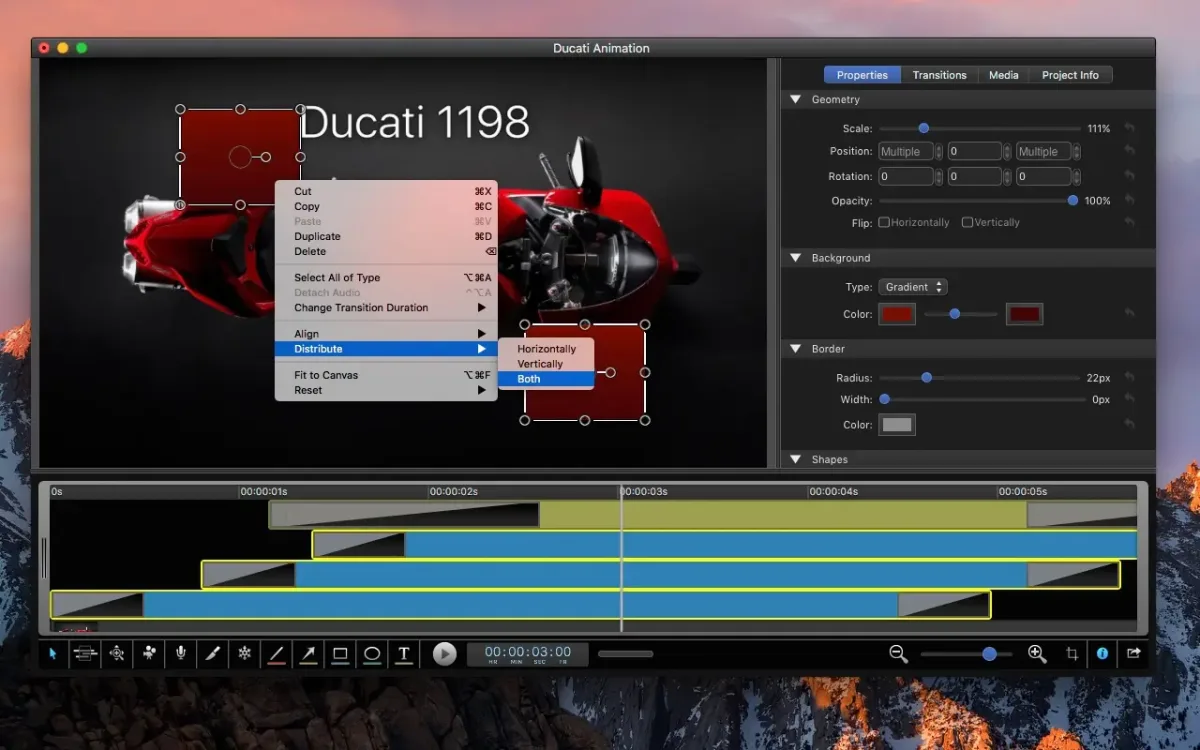
iShowU Studio is a screen recorder and video editor for Mac, combined in one app. Record a full display, a single window, or a custom area. Add your microphone, app audio, or a camera. Mouse clicks and keystrokes get recorded too, and you can edit when and how they appear afterward. Then pan, zoom, and add shapes, text, transitions, and fades in the editor. It can also record the screen of a connected iPhone or iPad. Finished videos export for QuickTime, the web, or Apple devices. They can also go straight to YouTube or Vimeo. It's built natively for Apple Silicon and Intel Macs.
Why Choose iShowU Studio Mac App
A plain screen recorder hands you a raw file. Fixing a mistake means opening another app. iShowU Studio keeps recording and editing in one place. Record first. Polish right after, without exporting anything in between.
The overlays are the standout part. Mouse highlights and keystroke animations stay adjustable once the recording ends. Hide one, move it, or change its timing. That suits tutorials, where one stray keystroke can confuse a viewer. Studio is built for people who want an editor included. Anyone who only needs a recorder can look at the developer's separate app, iShowU V6.
Key Features
- Fast screen capture: records the full screen using hardware acceleration.
- Flexible capture area: picks a full display, a single window, or a custom area.
- Audio and camera: records microphone audio, app audio, and a connected camera.
- Mouse and keyboard overlays: shows clicks and keystrokes, with edits possible after recording.
- Pan and zoom: guides the viewer to the part of the screen that matters.
- Transitions and fades: smooths the cuts between segments of a project.
- Shapes, text, and annotations: adds arrows, labels, pointers, and highlights.
- Extra media: imports pictures, movies, and audio into a project.
- Scheduled recording: sets a timer to start a recording later.
- iPhone and iPad recording: captures the screen of a connected device for app demos.
- Color-aware editing: keeps color-tagged footage accurate from import to final render.
- Direct sharing: exports for QuickTime, the web, or Apple devices, or uploads to YouTube and Vimeo.
Screenshots
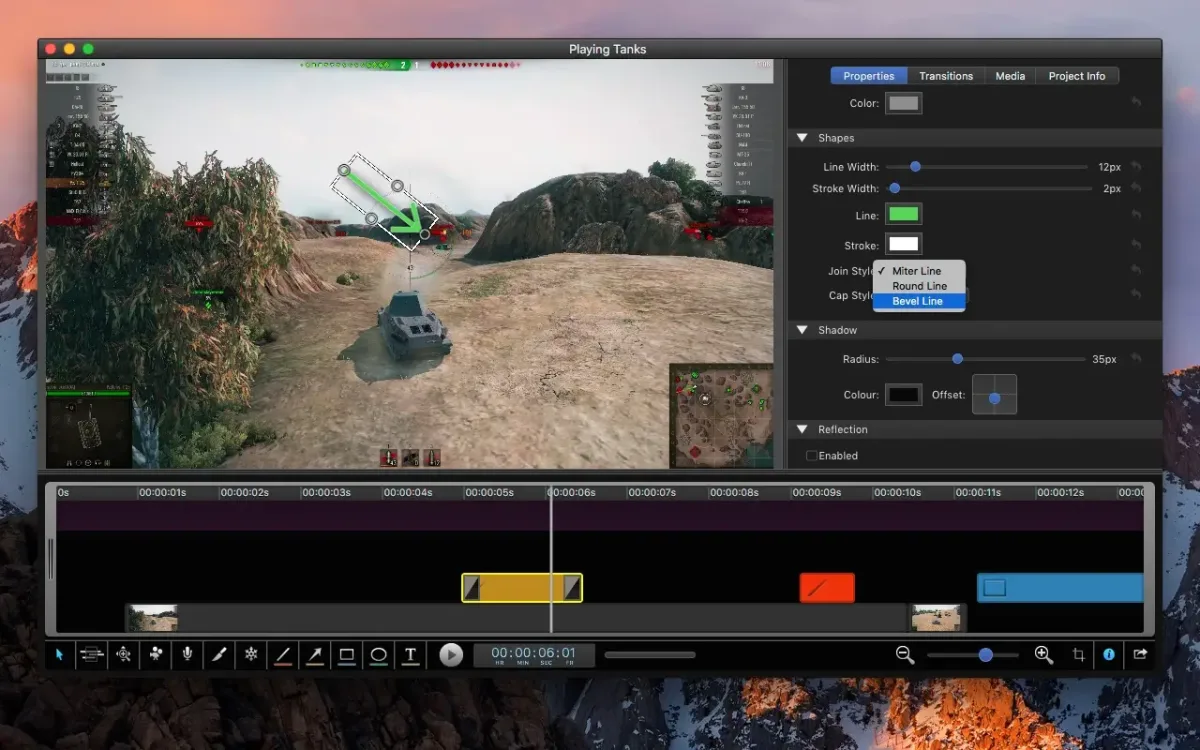
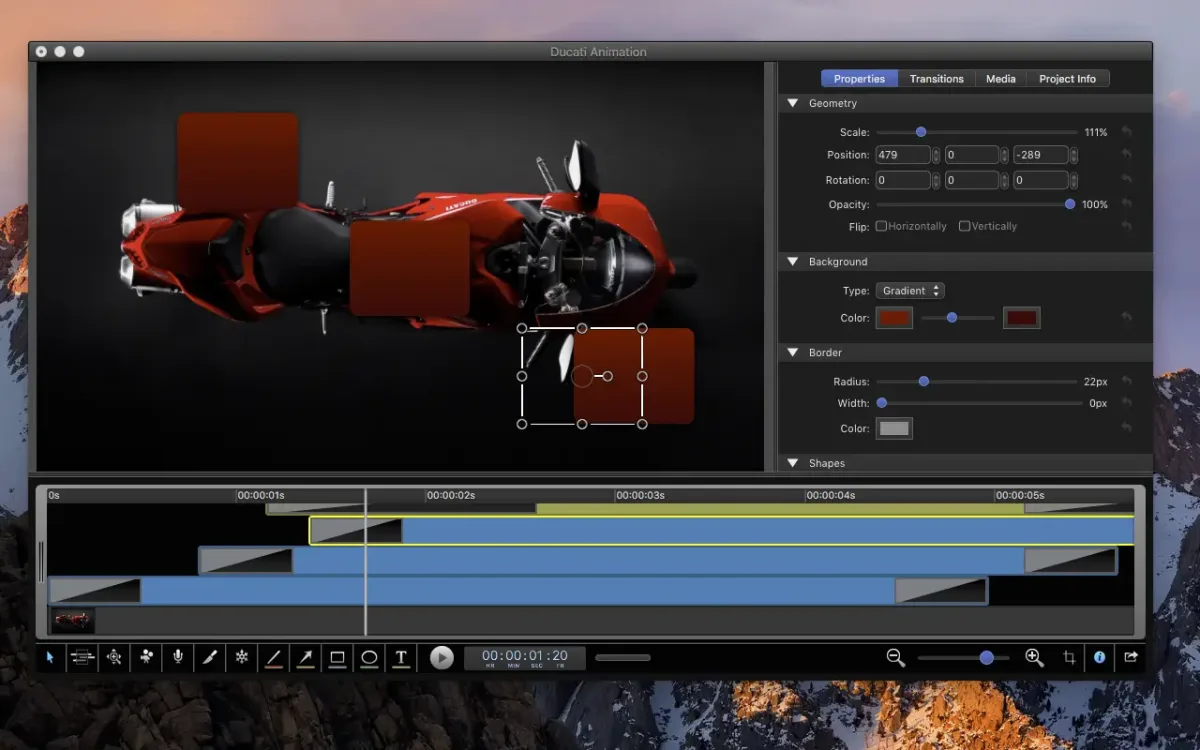
What's New in iShowU Studio 2.3.17 Version
Version 2.3.17 is a small fix release:
- Fixed a problem that sometimes affected creating GIF and PNG animations
- It's a maintenance update. No new features were added.
Supported macOS Versions
iShowU Studio needs macOS 10.14.4 or later. One universal build covers M-series and Intel Macs, so no translation layer is involved. Anyone on Mojave or earlier can get a separate older build. Recording the screen is light work. Editing and exporting long, high-resolution projects benefits from a faster Mac and more RAM.
How to Download and Install iShowU Studio Mac?
Installing iShowU Studio on Mac only takes a few steps.
- Click the Download button above to securely download the setup file.
- Open the downloaded disk image, then drag iShowU Studio into Applications.
- Launch it. If macOS shows a security prompt, open System Settings, then Privacy & Security, and click Open Anyway.
Grant the access it asks for, so it can record the screen, keypresses, and mouse clicks.
How to Use iShowU Studio Mac?
- Choose what to record: a full display, a window, or a custom area.
- Pick your sources: microphone, app audio, and a camera if you want one.
- Press Shift-Command-1 to start recording, or use the menu bar icon.
- Press Shift-Command-2 to stop. The recording opens in the editor.
- Add pan and zoom, transitions, shapes, text, or extra media.
- Adjust the mouse and keystroke overlays, then export or send the video to YouTube or Vimeo.
Alternatives to iShowU Studio
Screenshot app (built into macOS): Free and included on every Mac. Press Command-Shift-5 for basic screen recording, with no editing tools.
OBS Studio: Free, open source recording and live streaming tool with scenes and multiple sources. It focuses on capture rather than editing afterward.
iMovie: Free Apple video editor for trimming, titles, and transitions. It can't record the screen itself.