
League of Legends Overview
League of Legends for Mac is a free-to-play 5v5 MOBA where two teams of champions battle to destroy the enemy Nexus. It has a native Mac client, so no Boot Camp, Parallels, or CrossOver is needed to play. The Mac client runs on Apple's Metal graphics engine for smooth performance, even on Apple Silicon. It includes more than 140 champions, along with modes like Summoner's Rift, ARAM, and Teamfight Tactics. Embedded Vanguard handles anti-cheat without requiring extra installations. League remains free to play, with optional cosmetic purchases like champion skins.
Why Choose League of Legends for Mac
League of Legends installs and runs as a native Mac app, with no Boot Camp, Parallels, or CrossOver required. It uses Apple's Metal graphics engine, which keeps performance smooth even on an entry-level Apple Silicon Mac like the base M2 MacBook Air.
Anti-cheat is also handled cleanly. League uses Embedded Vanguard, a lightweight system built on macOS's own security tools. There's nothing extra to install and no kernel-level driver required, which keeps setup simple compared to other competitive games on Mac.
Key Features
- Native Mac client, no Boot Camp, Parallels, or CrossOver required
- Metal-based graphics engine, replacing the older OpenGL renderer
- Over 140 playable champions across multiple roles
- Summoner's Rift, the core 5v5 competitive game mode
- ARAM and ARAM: Mayhem for faster, chaotic matches
- Teamfight Tactics, an auto-battler mode within the same client
- Embedded Vanguard anti-cheat, without requiring extra installations
- Synced patch releases, so the Mac client never falls behind
- Free to play, with optional cosmetic purchases like champion skins
- Regular seasonal and competitive content updates
What's New in 26.18 Version
Recent updates to League of Legends focus on nostalgia and continued Mac performance. Recent additions include:
- League of Legends Classic, a mode bringing back the original game's early design
- Continued refinements to the Metal-based rendering engine on Mac
- Ongoing Embedded Vanguard improvements for anti-cheat coverage
- General balance changes and seasonal content updates
- Since Mac now receives patches without delay, Mac players get access to new content the same day it launches, rather than waiting for a delayed port.
Full list of changes available here
Supported macOS Versions
League of Legends runs natively on both Apple Silicon and Intel Macs through Riot's own Mac client. A 2017 or later MacBook with at least an Intel Core i5 processor and 8GB of memory can run the game, though integrated graphics like Iris Plus can feel rough at higher settings. Apple Silicon Macs perform noticeably better thanks to the Metal graphics engine, with even a base M2 MacBook Air handling team fights smoothly.
How to Install League of Legends on macOS?
Setting up League of Legends on your Mac takes just a few steps.
- Download the latest version of League of Legends for Mac.
- Open the downloaded installer file.
- Follow the on-screen instructions to complete installation.
- Create or sign in to your Riot Games account when prompted.
- Launch the game client once installation completes.
- Once installed, you can queue for a match or jump into a practice tool game right away.
Gameplay
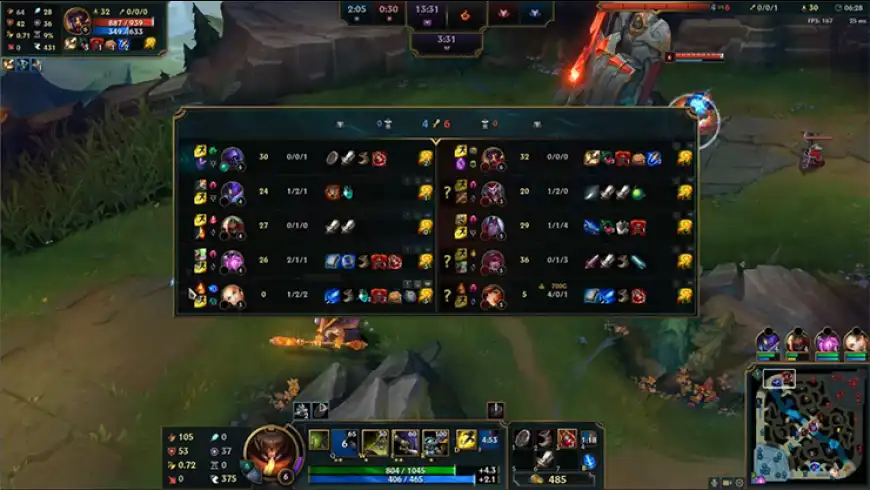
League of Legends is played in 5v5 matches on Summoner's Rift, where each player controls one champion and works with their team to push down three lanes toward the enemy Nexus. Champions gain gold and experience by defeating minions, monsters, and enemy players. That gold buys items that strengthen their build as the match progresses.
Beyond the core mode, ARAM throws both teams onto a single lane for faster, more chaotic fights. ARAM: Mayhem adds extra modifiers on top. Teamfight Tactics shifts things entirely into an auto-battler format within the same client. Matches typically run 20 to 40 minutes. Champion mastery, itemization, and team coordination all play a role in deciding the outcome.