
Moodle Overview
Moodle is a free, open source course management system that can be downloaded and run on a Mac, though it works as server software rather than a typical standalone app. It scales from a single teacher's class to a university serving 50,000 students, all on the same underlying software. Course content, lessons, and resources organize into structured pages, while assignments, quizzes, and a built-in gradebook handle student work and evaluation. Forums, chat, and a collaborative wiki cover discussion and communication inside a course. SCORM compatibility imports standardized e-learning packages built in other authoring tools, and H5P support embeds interactive exercises directly into a lesson. Cohort-based enrollment can add students to a course automatically based on rules rather than manual entry. Running Moodle requires a PHP and database environment, whether set up locally on a Mac for testing or on a web host for real students.
Why Choose Moodle Mac App
Moodle isn't a typical Mac app that opens with a double-click. It's a free, open source course management system, essentially a full web application, that runs on a server rather than as a standalone program. The Mac download packages that same software for anyone running a local web server environment or preparing files to upload to a hosting provider.
What makes Moodle worth the extra setup is scale. The same software runs a single teacher's class or a university serving 50,000 students. Course content, assignments, forums, quizzes, and grading all live in one system, accessible to students through any web browser rather than a separate app they need to install. Because Moodle handles real student data, staying on a current version matters. This release alone fixes two real security issues, including a blind SQL injection risk.
Key Features
- Structured course content: organizes lessons, resources, and activities into a clear, sequential course layout.
- Assignments and grading: collects student submissions and records marks through a built-in gradebook.
- Quizzes: supports multiple question types with automatic grading for objective questions.
- Forums and chat: covers asynchronous discussion and real-time communication inside a course.
- Collaborative wiki: lets students and teachers build shared, editable content pages together.
- SCORM compatibility: imports standardized e-learning packages created in other authoring tools.
- H5P interactive content: embeds interactive exercises and activities directly into a lesson.
- Cohort and enrollment management: adds students to a course automatically based on defined rules.
- Course calendar: schedules deadlines and events visible to both students and teachers.
- Accessibility-focused development: receives ongoing fixes for keyboard navigation, screen readers, and ARIA labeling.
- Multi-language support: operates in dozens of languages for deployments outside English-speaking regions.
- Plugin architecture: extends core functionality through official and community-built plugins.
Screenshots
What's New in Moodle 5.2.3 Version
Version 5.2.3, released September 22, 2026, includes general fixes, accessibility improvements, and two security fixes:
- Fixed a Gemini AI provider image generation issue after Google retired the API endpoint it relied on
- Fixed cohort sync repeatedly processing already-suspended enrollments
- Fixed a misalignment in the assignment submission action bar
- Corrected several keyboard navigation and screen reader accessibility issues, including in course index sections and date selector fields
- Patched a blind SQL injection risk in a profile availability condition check
- Fixed a way to bypass the login notification mechanism
- Given the security fixes in this release, updating an existing Moodle installation as soon as practical is genuinely worth prioritizing.
Supported macOS Versions
The Mac download of Moodle requires macOS 10.14 or later, though that's the smaller detail here. What actually matters is having PHP and a database talking to each other somewhere, since Moodle is code that a web server runs rather than a program the Mac itself executes. Tools like MAMP or Docker are commonly used to run it locally on a Mac for development or testing, while a production deployment for real students typically runs on dedicated hosting instead. Performance scales with server resources rather than the Mac itself in most real deployments, since the Mac is usually just where the files are prepared or tested before going live.
How to Download and Install Moodle Mac?
Getting it running means picking a computer to point a browser at, and that computer needs PHP and a database already talking to each other.
- Click the Download button above to safely download the setup file.
- Extract the downloaded archive to reveal the Moodle source files.
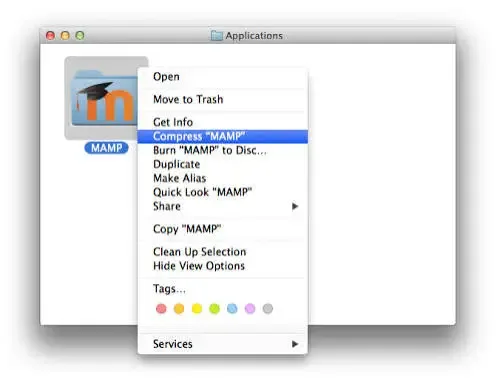
- Set up a local server environment, such as MAMP or Docker, if testing Moodle directly on the Mac.
- Follow Moodle's official installation guide to configure the database connection and complete the web-based setup wizard.
Most schools and organizations instead upload these files to a web hosting provider that already has PHP and a database configured, rather than running Moodle directly on a Mac long-term.
How to Use Moodle Mac App?
- Log in to the Moodle site through a web browser using an administrator or teacher account.
- Create a new course from the site administration or course management area.
- Add resources, assignments, quizzes, or forums to build out the course content.
- Enroll students manually, or set up a cohort sync rule to add them automatically.
- Use the built-in gradebook to review and record submitted assignments.
- Check course reports for student activity, completion, and quiz performance.
Alternatives to Moodle
BitNami Moodle Stack: The same Moodle software bundled with its required server components, simplifying local setup on a Mac considerably.
Google Classroom: Free, cloud-based course management from Google that requires no self-hosting or server setup at all.