Calibre Overview
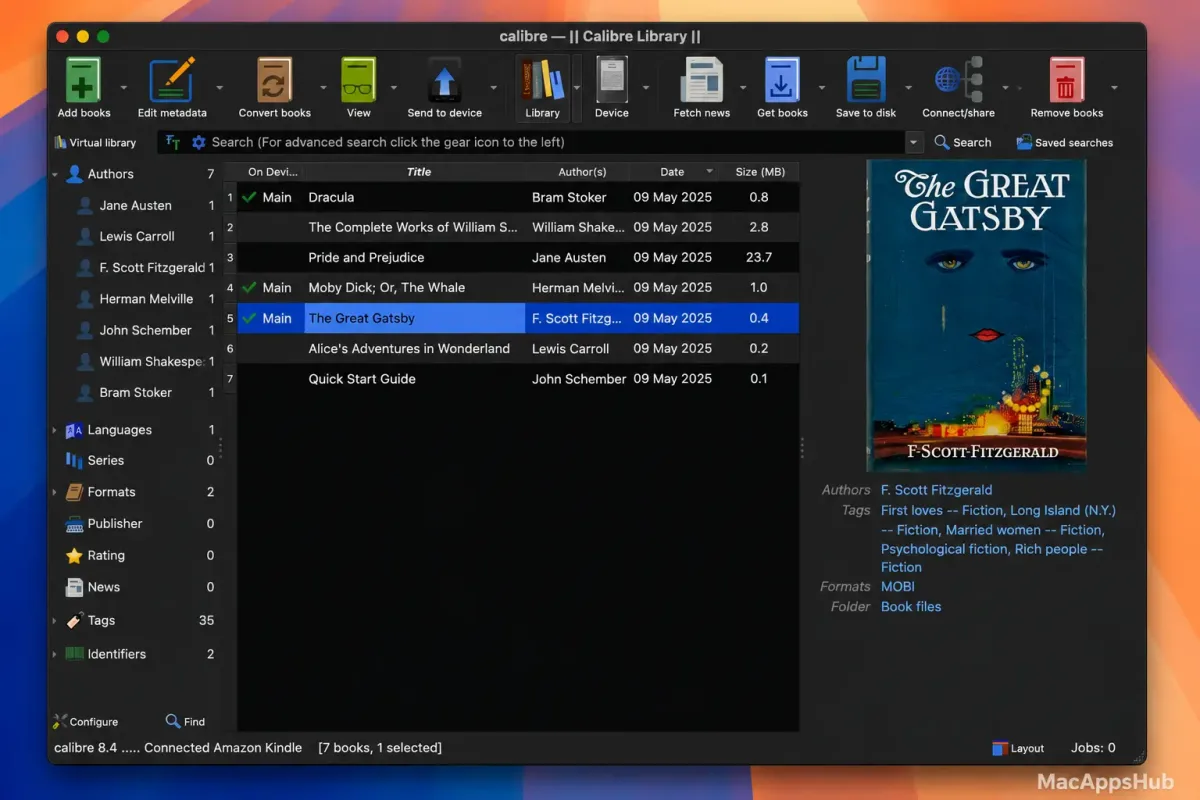
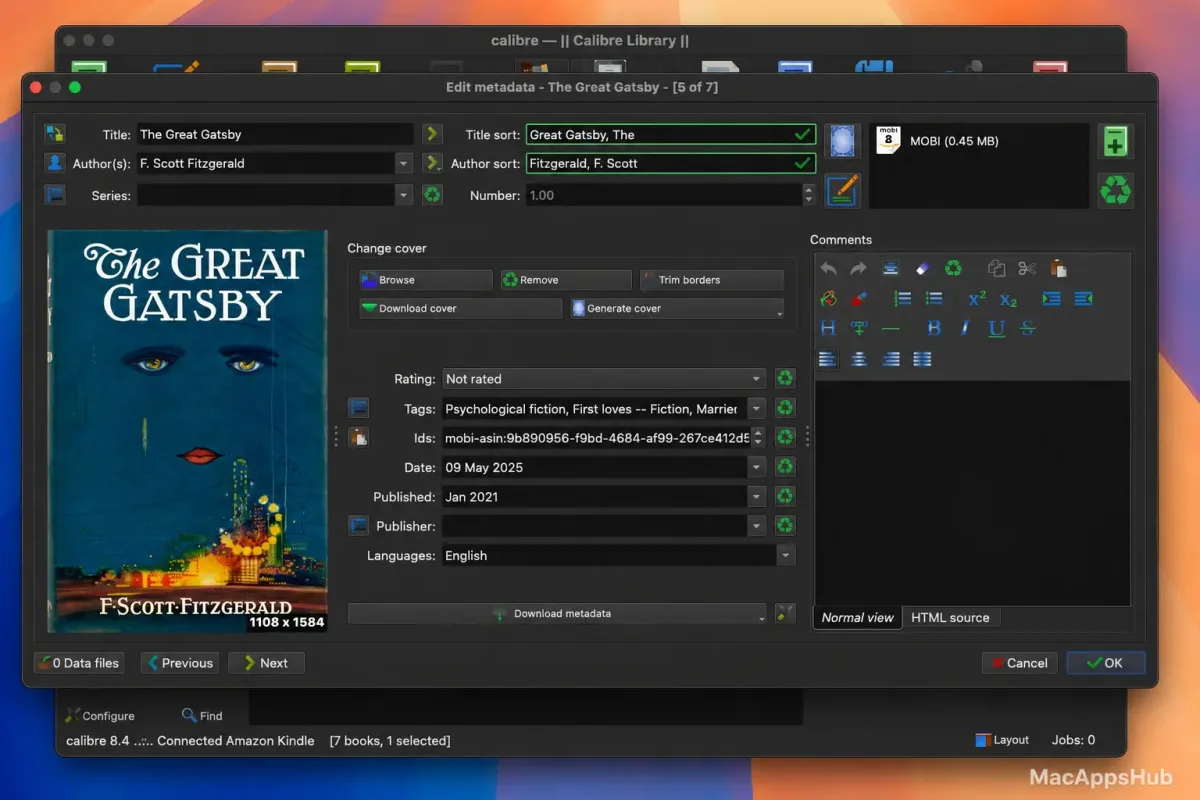
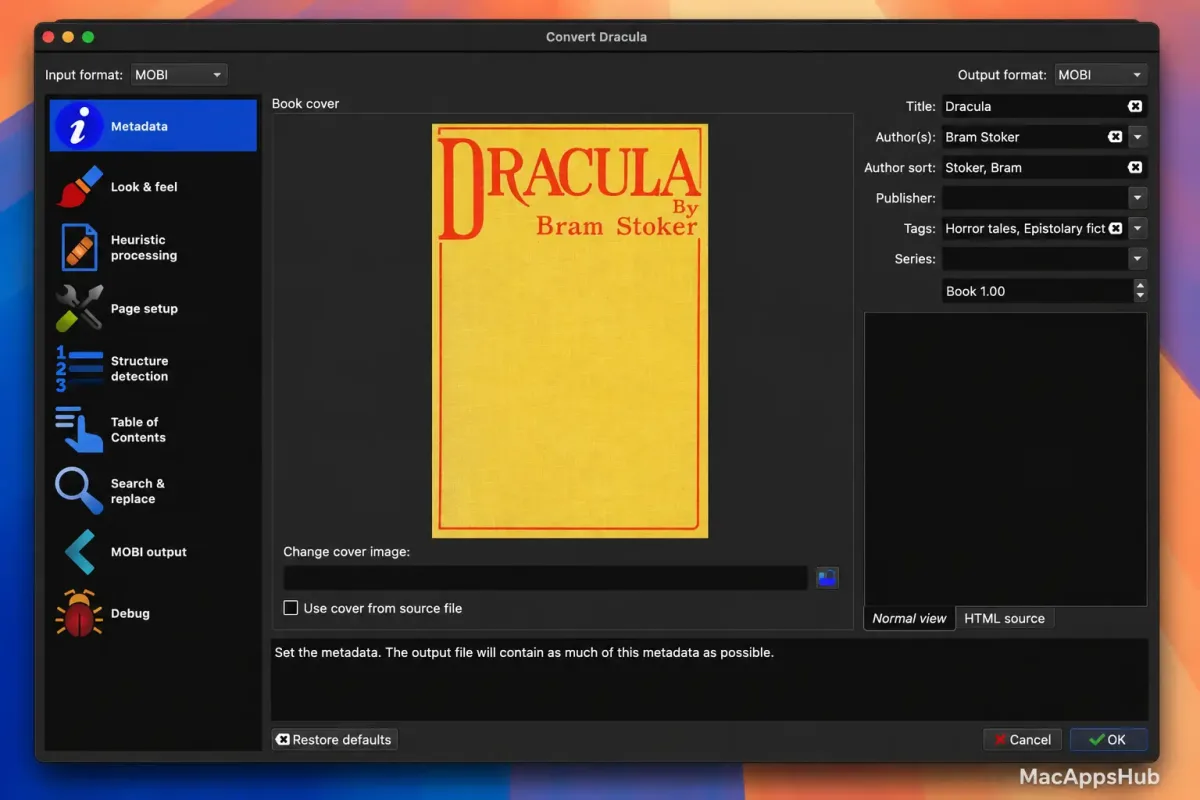
Calibre for Mac is a free, open-source e-book library manager that organizes, converts, and syncs digital books across virtually every e-reader format and device. Whatever format a book arrives in, there's a good chance it can leave in a completely different one, ready for whichever device you actually own. It manages metadata and covers for an entire library, and hands books straight to a connected e-reader without needing that device's own companion app installed. A built-in e-book viewer includes Read Aloud with a local neural voice engine, full-text search across an entire library, and an optional AI assistant for discussing or generating content related to a book. Readers organizing large digital libraries, anyone converting a book to fit a specific e-reader, and self-publishers preparing multiple output formats from one source file all rely on it as their central e-book hub.
Why Choose Calibre Mac App
A single install here covers what would otherwise take several separate apps. Library management automatically merges multiple formats of the same book into one entry, custom columns and virtual libraries let you organize and filter a collection however makes sense for you, and format conversion supports practically every e-book format still in common use. The built-in viewer goes well beyond basic page-turning, with annotations, dictionary lookup, and reading statistics included. Even reading away from your Mac doesn't mean copying files over manually first, since the library itself can be reached remotely instead.
AI features here are optional and provider-flexible rather than locked to one company's service, and the design philosophy shows in what doesn't happen: none of the AI-related code even loads until you deliberately configure a provider yourself, so someone who never touches these features carries zero extra overhead. Security patches ship with essentially every release too, since the content server and dozens of format parsers routinely handle files from sources you may not fully trust.
Features
- Universal format conversion: convert between EPUB, MOBI, AZW3, PDF, DOCX, and dozens of other e-book and document formats.
- Library management: automatically merges multiple formats of the same book into a single entry, with custom columns and tags for organization.
- Device syncing: connects directly to Kindle, Kobo, Tolino, and many other e-readers to transfer books without a separate app.
- Built-in e-book viewer: includes annotations, dictionary lookup, full-text search, and reading progress statistics.
- Neural text-to-speech: Read Aloud uses a local neural voice engine, so no cloud service or internet connection is required.
- Content server: share your library over a network or the internet, accessible from any browser or installed as a Progressive Web App.
- AI-assisted features: connect Anthropic, Google, OpenRouter, or local models via Ollama to generate book covers, discuss book content, or get recommendations.
- News download and conversion: fetch and format articles from hundreds of supported news sources into a readable e-book.
- Bookshelf view: browse a library visually with books arranged on shelves showing their spines.
- Full-text search: search the actual content of every book in a library, not just titles and metadata.
Screenshots
What's New in Calibre 9.16.0 Version
Version 9.16.0 shipped October 10, 2026 with new AI capabilities and a round of security fixes.
New features
- Read aloud: Add the high quality Kokoro voices, which sound much more natural than the Piper voices, especially for English
- To use them, select the Piper backend in the Read aloud configuration and choose one of the Kokoro voices. The voice will be automatically downloaded the first time it is used.
- News download: Support for downloading news from websites that block automated access by using the camoufox browser
- Some news sites, such as The New York Times, The Economist and The Atlantic, block all lighter weight ways of fetching their pages. Recipes for these sites now use the camoufox browser, which is automatically downloaded the first time such a recipe is run. Recipe authors can use it by setting browser_type = 'camoufox' in their recipes.
- PDF Input: Support for right-to-left text and better handling of multi-column pages
- Add support for reading images in the AVIF format
- Tag browser: A new option to sort hierarchical tags that have only children but no actual books as folders, before all other tags at their level
- Edit book: Check book: Allow skipping of problems of a particular type
- Edit book: ToC View: Indicate what ToC entries, if any, are in the file being currently edited
- Edit book: Check book: When auto fixing invalid ids also update CSS selectors
- E-book viewer: Add an option to display the immediate parent ToC section in headers/footers
- E-book viewer: Allow e-books to store up to 1MB of data persistently
- E-book viewer: Print to PDF: Allow specifying margins in metric units.
- Tag mapper and HTML/CSS transform rules: Add the ability to search the rules.
- Allow removing individual entries from the search history dropdown.
- Add a button to Preferences->Look & feel->Main interface to reset the main window layout.
- Create your own Adventure: Allow exporting and importing saved games.
- Speed up various operations on large libraries, such as startup, deleting many books, sorting by series, searching and refreshing the Tag browser.
- Kobo driver: Add support for newer firmware.
- Windows: Unregister calibre from default programs and clear its caches when uninstalling.
- DOCX Output: Make images inside links clickable.
Bug fixes
- EPUB 3 to EPUB 3 conversions: Preserve ids on nav elements so links to them continue to work.
- PDF Output: Fix some trailing content at the end of individual HTML files being lost when the files use multi column layout.
- PDF Output: Fix a regression in 9.x that caused conversion of some books with vertical writing to not work correctly.
- DOCX Output: Fix non-breaking spaces not being preserved.
- FB2 metadata: Clear series, comments, etc. from the file when they are cleared in calibre.
- E-book viewer: Fix dark mode theme color overrides conflicting with e-book CSS when the book uses filters to change image colors in dark mode.
- E-book viewer: Update the "Pages from paper edition" value faster.
- E-book viewer: Fix an error when pressing ctrl+shift.
- Layout actions: Fix saving/restoring layout not restoring which of the alternate book list visualisations is currently active.
- Book list: Respect horizontal alignment setting for all icon only column types.
- Cover grid: Fix one cover being rendered too small in some circumstances.
- Content server: Various fixes for older browsers when using the book details page in the /mobile view.
- Content server: Various security hardening fixes.
New news sources
- World Socialist by Paulb223
- Poetry Magazine by flurbs
- The Believer by flurbs
- Respekt by Vector Rilke
Improved news sources
- The New York Times
- The Economist (needs subscription)
- The Atlantic
- Reuters
- Heise
- La Jornada
- Naked Capitalism
- The Saturday Paper
Supported macOS Versions
Calibre 9.16.0 requires macOS 14.0 or later and runs as a universal binary on both Apple Silicon and Intel Macs, needing no Rosetta 2 translation on either. Format conversion and library indexing are genuinely CPU-intensive tasks, especially when processing a large batch of books at once, so Apple Silicon Macs handle bulk conversions and full-text indexing noticeably faster than older Intel machines, though Intel Macs on a supported macOS version remain fully functional for typical day-to-day use.
How to Download and Install Calibre on Mac?
Installing Calibre on Mac only takes a few steps after downloading, including one quick permission it needs to run properly.
- Click the Download button above to securely download the setup file or you may get it from official website.
- Open the downloaded .dmg file, then drag Calibre into your Applications folder.
- Launch Calibre from Applications. If macOS shows an "unidentified developer" warning, go to System Settings → Privacy & Security and click Open Anyway.
- Choose a location for your library folder when the setup wizard opens on first launch.
Once the initial setup is done, Calibre won't ask for these steps again — future launches open straight to your library.
How to Use Calibre Mac App?
- Launch Calibre and add your existing e-book files to build your library.
- Right-click a book and choose Convert books to change it into a different format for your specific device.
- Connect an e-reader via USB, or set up wireless device support, to send books directly from your library.
- Open a book in the built-in viewer to read, annotate, or use Read Aloud.
- Use the Content server to access your library from a browser on another device or over the internet.
- Configure an AI provider under Preferences if you want to use AI-assisted features like cover generation or book discussions.
Alternatives
Readest: A free e-book reader focused on a clean, modern reading experience rather than full library management and conversion.
Apple Books: Apple's free, built-in e-book app for Mac, simpler in scope with no conversion tools but tightly integrated with iCloud and other Apple devices.