
OpenNumismat Overview
OpenNumismat is a free, open source coin collection management app for Mac with more than 80 customizable fields for describing each coin. Every entry can hold up to 11 photos, added from a file, the clipboard, a webcam, a USB microscope, or downloaded directly from a URL. Grouping, filtering, and sorting make retrieving a specific coin fast even in a large catalog, and reports export to HTML, PDF, or MS Word, with custom lists exportable to Excel or CSV. A built-in image editor handles basic photo touch-ups without a separate app. Search and import tools pull coin, medal, and banknote details directly from Colnect and the American Numismatic Society's database. Statistics track live precious metal prices and overall collection value. The same app works for other collectibles too, including stamps, banknotes, postcards, and home inventories.
Why Choose OpenNumismat Mac App
A spreadsheet can track a coin collection at a basic level, but it falls apart once photos, condition grades, purchase history, and current metal value all need tracking together. OpenNumismat handles all of it in one purpose-built database, with more than 80 fields per coin covering everything from emission details to where and when it was bought.
The app connects directly to Colnect and the American Numismatic Society's database to pull in coin details automatically, cutting out a lot of manual data entry. It's also genuinely active software, not an abandoned side project. The developer shipped two full releases in September 2026 alone, adding features like multi-purchase tracking and Excel exports with embedded thumbnails. The current Mac build ships as separate downloads for Apple Silicon and Intel, so the right one installs correctly depending on the Mac in use.
Key Features
- 80+ customizable fields: describes a coin's features, condition, emission details, purchase and sale history, prices, catalog numbers, and location.
- Up to 11 photos per coin: attaches images from a file, the clipboard, a webcam, a USB microscope, or a downloaded URL.
- Grouping, filtering, and sorting: retrieves a specific coin quickly, even across a large catalog.
- Report generation: creates and prints reports, saving them as HTML, PDF, or MS Word documents.
- Custom list export: exports selected data to MS Excel, HTML, or CSV, including image thumbnails and active links.
- Coin duplication: quickly adds a similar coin based on an existing entry instead of starting from scratch.
- Batch editing: updates multiple coins at once instead of one at a time.
- Built-in image editor: performs basic photo edits directly inside the app.
- Webcam and USB microscope support: captures coin photos or scans barcodes directly from connected hardware.
- Search by image: finds visually similar coins using perceptual image hashing.
- Live precious metal pricing: calculates current collection value using up-to-date metal prices.
- External database import: pulls coin, medal, and banknote data from Colnect, the ANS database, Numista, and several other sources.
Screenshots
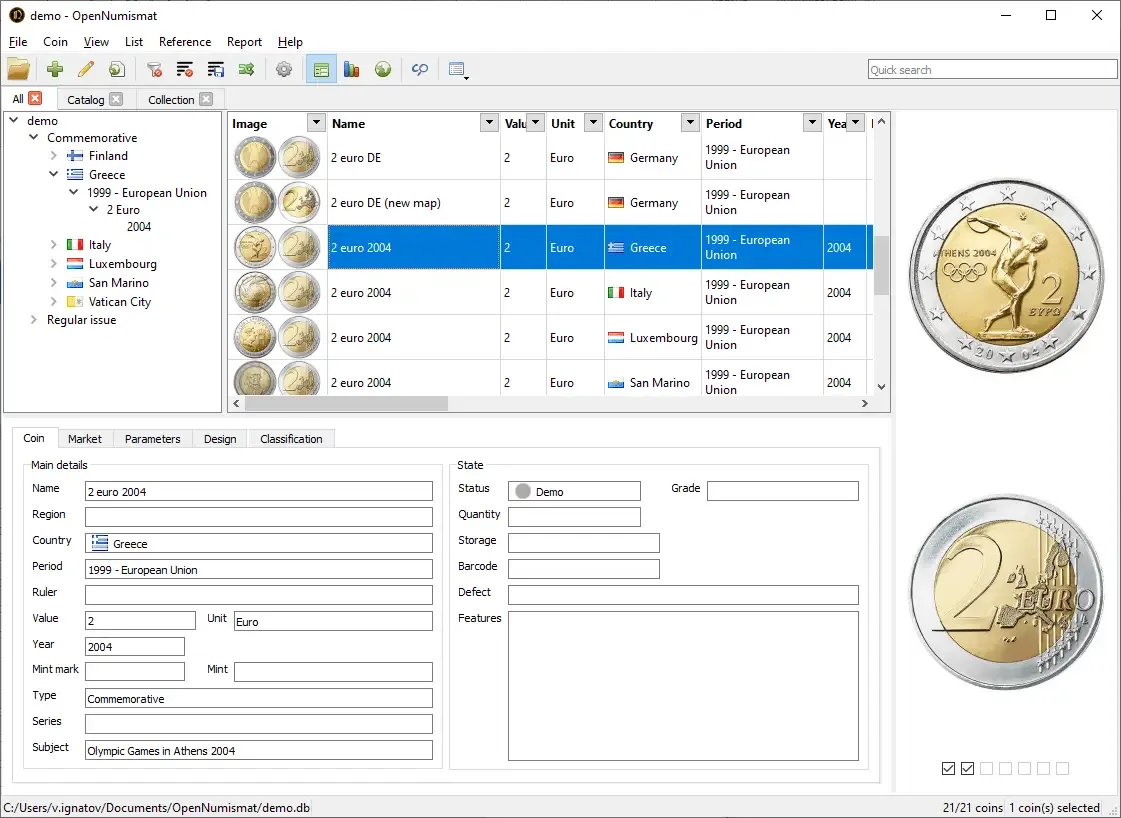
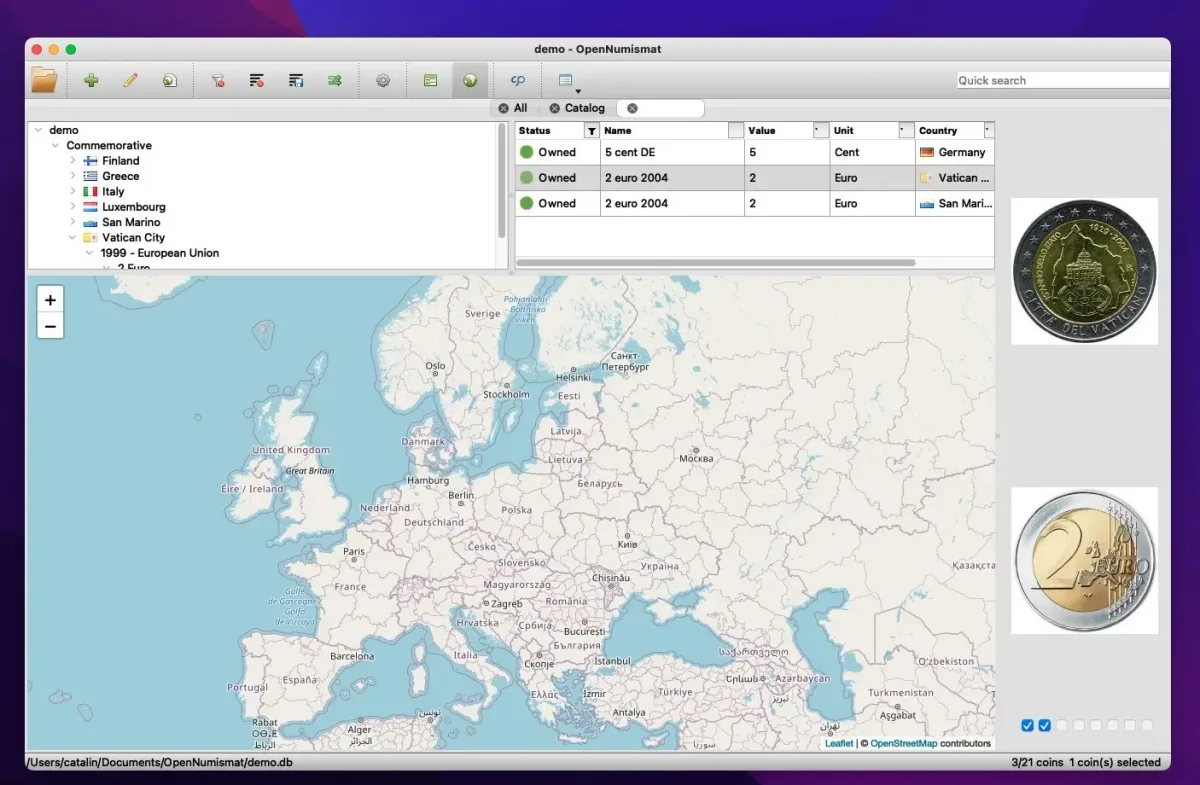
What's New in OpenNumismat 1.11.1 Version
Version 1.11.1, released September 16, 2026, is a bug-fix follow-up to 1.11.0:
- Fixed Quick search, which had broken in the previous release
- Fixed selecting coins by tags, also broken in 1.11.0
- Added bulk deletion of reference entries
- Sped up coin selection
- Improved window foreground behavior after restarting the app
- Improved several default settings and default folder names
- The larger release just before it, 1.11.0, added support for tracking multiple purchases, sales, and auction records per coin, along with automatic precious metal price calculations for statistics and Excel export that includes image thumbnails and active links.
Supported macOS Versions
OpenNumismat 1.11.1 requires macOS 15 or later, with separate downloads built specifically for Apple Silicon and Intel Macs. Anyone on an older Mac isn't left out entirely. A legacy release, version 1.8.22 from 2023, supports macOS 10.13 and later, with an even older build available for OS X 10.8 and up, though that oldest build doesn't include the Statistics feature. Managing a large collection with thousands of coins and multiple photos each benefits from more RAM and storage, since every image and field lives in a local SQLite database file.
How to Download and Install OpenNumismat Mac?
Installing OpenNumismat on Mac only takes a few steps after downloading.
- Click the Download button above, choosing the version matching your Mac's chip if prompted.
- Open the downloaded .dmg file, then drag OpenNumismat into your Applications folder.
- Launch OpenNumismat from Applications. If macOS shows an "unidentified developer" warning, go to System Settings → Privacy & Security and click Open Anyway.
- Choose to open the included demo collection or start a new, empty one on first launch.
OpenNumismat is completely free to use, with no license key, account, or in-app purchase required.
How to Use OpenNumismat Mac App?
- Create a new collection, or open the included demo collection to explore the layout first.
- Add a coin, filling in as many of the 80-plus available fields as needed.
- Attach photos from a file, the clipboard, a webcam, or a USB microscope.
- Use the search and import tools to pull matching coin details from Colnect or the ANS database.
- Apply filters, grouping, and sorting to organize a growing collection.
- Export a report or custom list to PDF, HTML, MS Word, Excel, or CSV when needed.
Alternatives to OpenNumismat
CoinManage: Free to download from the Mac App Store, with 34,000-plus coin listings, AI identification, and optional in-app purchases for premium features.
MyCoinWorX: Free, cloud-based coin collecting platform that works on Mac through a browser, with no download required.