RapidRAW Overview
RapidRAW is a free, open source RAW photo editor for Mac from developer Timon Käch. Every adjustment processes on the GPU for real-time feedback, even with multiple masks applied at once. AI-powered masking detects subjects, skies, and foregrounds automatically, and can be combined with manual masks for precise, localized edits. A built-in file browser manages an entire photo library without importing anything into a separate catalog. Edits stay non-destructive, saved to a sidecar file rather than touching the original RAW image. Batch operations apply the same adjustment to many photos at once, and a preset system saves a favorite look for instant reuse. Generative AI tools can remove objects or add new elements using text prompts, through a self-hosted or cloud-based backend. The entire app installs in under 30MB, with no subscription or license key required.
Why Choose RapidRAW Mac App
Most RAW editors ask for a lot: a subscription, a multi-gigabyte install, or a learning curve that takes weeks to get comfortable with. RapidRAW is a fraction of that size, at under 30MB, and every adjustment runs on the GPU for real-time feedback instead of waiting for a preview to catch up. AI-powered masking handles subject, sky, and foreground selection automatically, and a full preset system saves a favorite look for instant reuse.
The project comes from a single developer, Timon Käch, who started building RapidRAW as a personal challenge at 18 rather than as a funded startup, and it shows in how quickly new features ship. Camera tethering, added recently, gives real-time control over a connected camera on Mac and Linux, a feature Windows users currently miss out on. On Apple Silicon specifically, the GPU-accelerated engine built on WGPU takes full advantage of the chip's graphics performance for masking and generative edits.
Key Features
- GPU-accelerated engine: processes every adjustment on the GPU for instant, real-time feedback rather than a delayed preview.
- AI-powered masking: detects subjects, skies, and foregrounds automatically, combinable with manual masks for precise edits.
- Complete image library: browses and manages an entire photo collection through a built-in file browser, no separate catalog needed.
- Preset system: saves a favorite editing look and applies it instantly to any other photo.
- Non-destructive editing: stores every edit in a sidecar file, leaving the original RAW image completely untouched.
- Batch operations: applies the same adjustment to a whole batch of selected images at once.
- Generative AI tools: removes objects or adds new elements using text prompts, through a self-hosted or cloud AI backend.
- Professional adjustment tools: covers Tone Curves, HSL Color Mixer, Detail Enhancement, and various effects.
- Multiple mask types: combines AI-detected masks with manual and Flow Masks for localized adjustments.
- Highlight Recovery: reconstructs clipped highlights above the normal exposure range using remaining color channel data.
- Automatic image tagging: labels photos automatically using built-in, on-device AI.
- Camera tethering: gives real-time control over a connected camera directly from the app, on Mac and Linux.
Screenshots
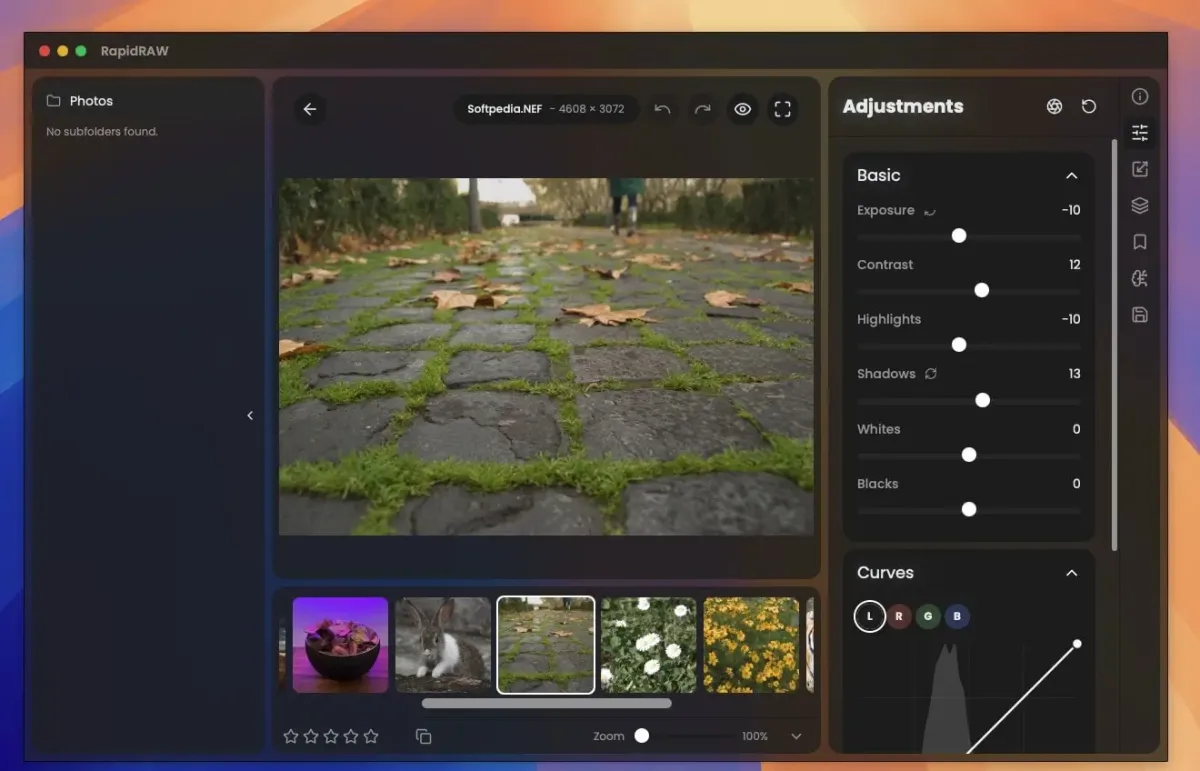
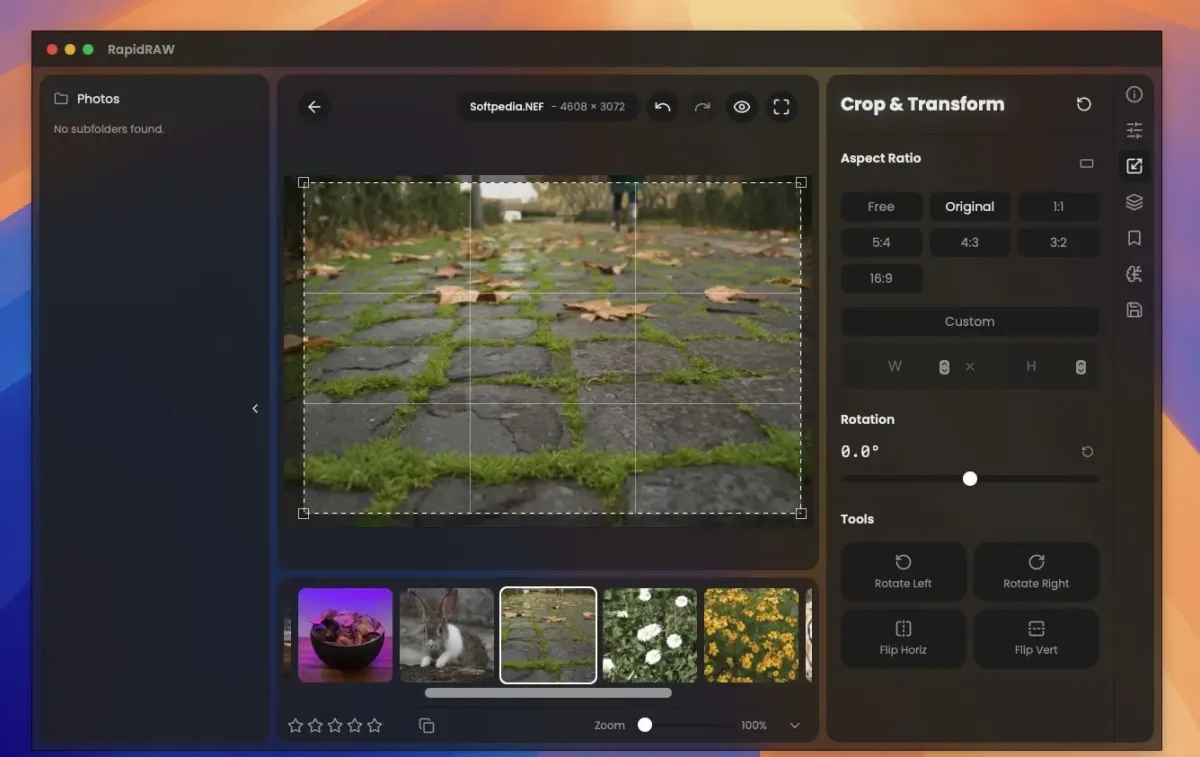
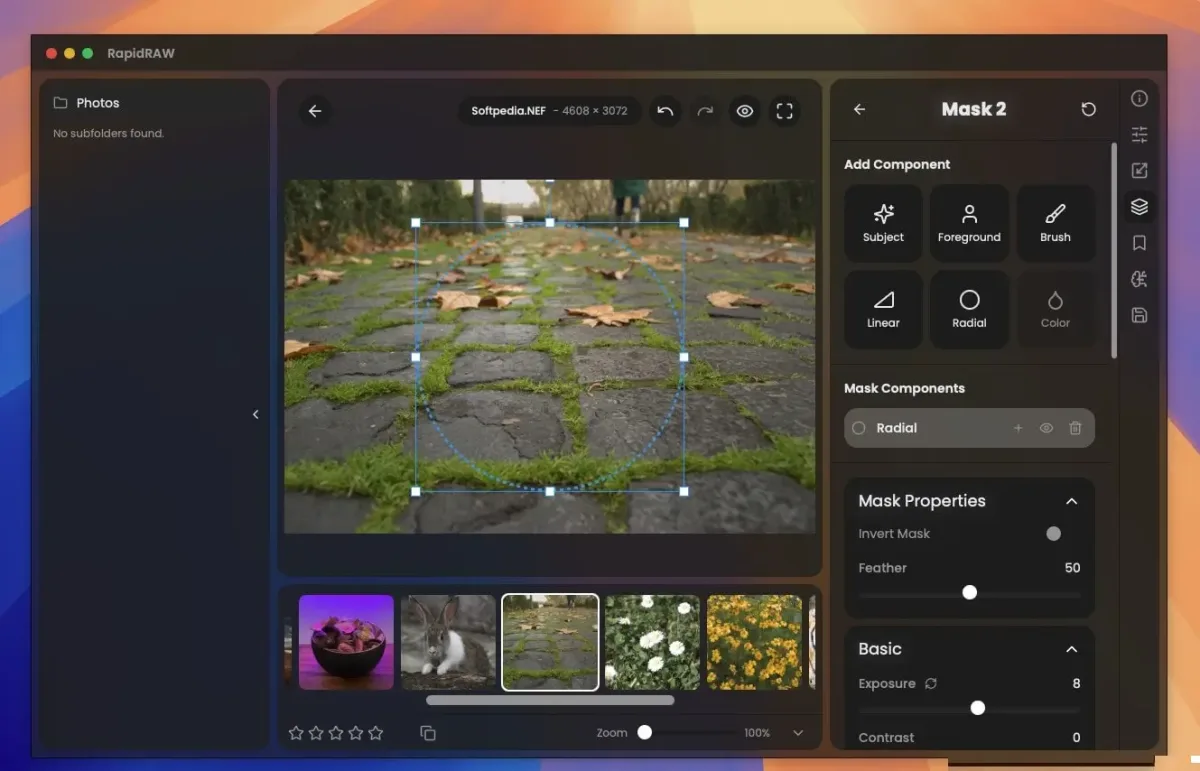
What's New in RapidRAW 1.6.4 Version
Version 1.6.4, released September 18, 2026, adds a feature the developer specifically singled out as a long-standing weak point finally getting fixed:
- Highlight Recovery, reconstructing clipped highlights above the normal exposure range using whatever color channel information remains
- According to the developer's own release notes, this was one of the harder problems in the app to solve well, and this release is the result of finally cracking it after repeated attempts.
Supported macOS Versions
RapidRAW requires macOS 13.0 or later and installs as a universal binary, running natively on Apple Silicon and Intel Macs. The entire image processing pipeline runs on the GPU through WGPU and a custom shader. A Mac with stronger graphics performance handles complex edits with multiple masks noticeably more smoothly than an older or entry-level Mac. Camera tethering and the optional self-hosted backend for generative editing also benefit from a Mac with more available memory and a capable GPU.
How to Download and Install RapidRAW on Mac?
Installing RapidRAW on Mac only takes a few steps after downloading.
- Click the Download button above to safely download the setup file.
- Open the downloaded .dmg file, then drag RapidRAW into your Applications folder.
- Launch RapidRAW from Applications. If macOS shows an "unidentified developer" warning, go to System Settings → Privacy & Security and click Open Anyway.
- Open a folder of images from the file browser to start editing, since RapidRAW browses an existing folder rather than importing into a separate library.
- RapidRAW is completely free to use, with no license key, trial limitations, or account required. An optional cloud service subscription exists only for anyone who wants AI generative editing without setting up their own hardware.
How to Use RapidRAW Mac App?
- Browse to a folder of RAW or standard image files using the built-in file browser.
- Select a photo to open it in the editor, where changes apply in real time.
- Adjust tone, color, and detail using the side panels, or apply a saved preset instantly.
- Add a mask, combining AI subject, sky, or foreground detection with manual adjustments, to edit just part of the image.
- Select multiple photos and apply the same adjustment to all of them using batch operations.
- Export the finished image once editing is done; the original RAW file stays untouched throughout.
Alternatives to RapidRAW
darktable: Free, open source RAW editor with a mature, module-based editing pipeline and long-standing active development.
RawTherapee: Free, open source RAW editor with extensive color and detail controls, actively maintained for many years.