M
Reviewed by
Matthew
Content Editor
Blender Overview
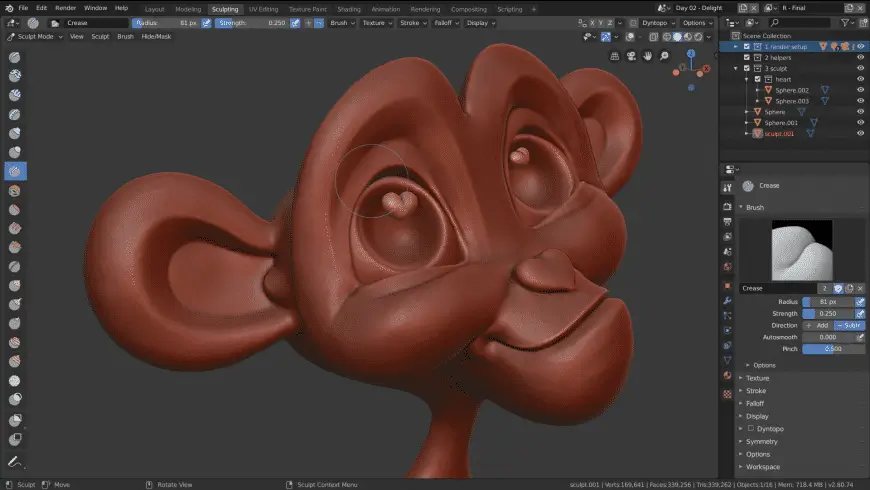
Blender for Mac is a free and open-source 3D creation suite that lets you model, sculpt, animate, render, edit videos, create visual effects, and develop 2D or 3D projects. Whether you're a beginner learning 3D design or a professional producing high-quality animations, Blender provides a complete creative toolkit for macOS.
Key Features
- Professional 3D modeling tools.
- Advanced digital sculpting.
- Real-time Eevee rendering engine.
- Photorealistic Cycles renderer.
- Character rigging and animation.
- Video editing workspace.
- Motion tracking and visual effects.
- 2D animation with Grease Pencil.
- Physics and fluid simulations.
- UV editing and texture painting.
- Python scripting support.
- Open-source and free to use.
- Optimized for Apple Silicon Macs.
- Supports industry-standard file formats.
- Regular feature updates.
What's New in 5.2.2 Version?
The latest version of Blender introduces workflow improvements, rendering enhancements, and better overall performance. Recent updates include:
- Improved viewport responsiveness.
- Faster Cycles rendering performance.
- Better Apple Silicon optimization.
- Enhanced geometry nodes workflow.
- Updated sculpting tools.
- Stability improvements and bug fixes.
- Improved GPU acceleration.
- Better compatibility with the latest macOS releases.
These improvements help creators work more efficiently while producing higher-quality 3D projects.
How to Install Blender on Mac?
Getting started with Blender is straightforward.
- Download the latest version of Blender for Mac.
- Open the downloaded .dmg file.
- Drag Blender into the Applications folder.
- Launch the application from Launchpad or Applications.
- Grant any required macOS permissions if prompted.
- Adjust your preferences, graphics settings, and workspace layout.
- Start creating your first 3D project.
Once installed, you can customize shortcuts, install add-ons, and configure rendering settings to match your workflow.