Adobe Audition Overview
Adobe Audition for Mac is a professional audio workstation combining multitrack, waveform, and spectral editing in one application, built for recording, mixing, restoring, and finishing audio content. Sound Remover analyzes a small selected sample of unwanted noise and eliminates that same sound across an entire file, while the Diagnostics panel scans a recording for the kind of defects a listener would only catch on a second pass. It integrates directly with Adobe Premiere Pro, so audio work tied to a video project moves between the two apps without exporting and reimporting files. Podcast producers recording and mixing multi-track episodes, video editors finishing audio for a Premiere Pro project, and sound designers cleaning up field recordings all rely on it as their primary audio tool.
Why Choose Adobe Audition Mac App
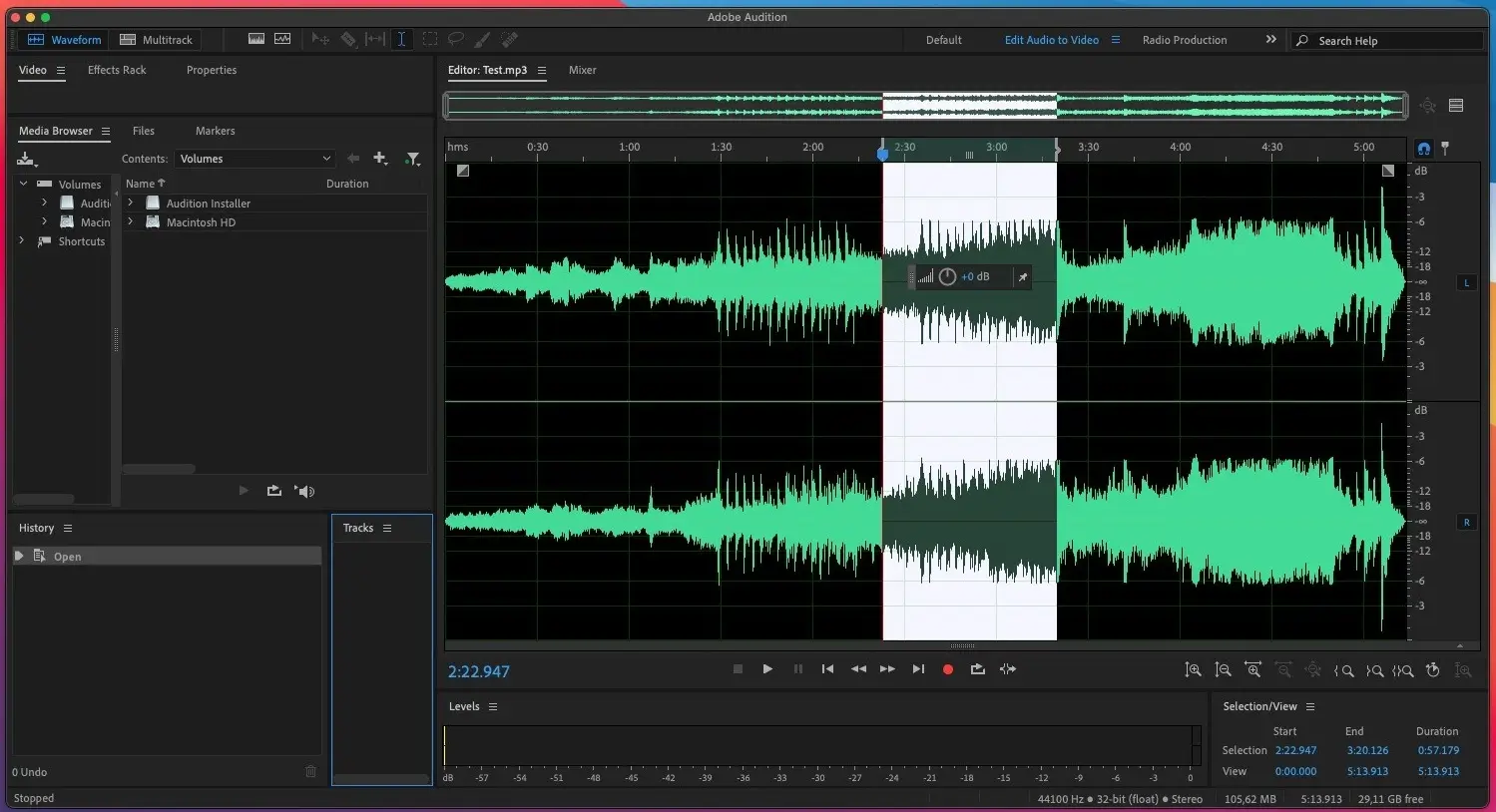
Three distinct editing views cover different parts of the same workflow: multitrack for arranging and mixing several tracks together, waveform for precise sample-level editing on a single file, and spectral display for actually seeing a noise problem instead of just hearing it. Sound Remover turns a tedious manual noise-reduction pass into a single selection-and-apply step, and the Essential Sound panel packages professional-quality dialogue, music, and effects processing into presets that don't require deep audio engineering knowledge to use well.
The features that matter most for a full production pipeline go beyond editing a single file in isolation. Remix automatically restructures a song to fit a specific target duration, useful when a piece of music needs to match an exact video length without an awkward cut. The Diagnostics panel pairs with the spectral frequency display to catch defects like clipping or dropouts that are easy to miss by ear alone. And because Audition sits inside the same Creative Cloud ecosystem as Premiere Pro and After Effects, sound effects from Adobe Stock and finished audio tracks move between apps directly, keeping video and audio work in one connected pipeline rather than a series of manual exports.
Key Features
- Multitrack, waveform, and spectral editing: arrange and mix full sessions, edit a single file sample by sample, or switch to a visual frequency display to spot problems by sight.
- Sound Remover: point it at a few seconds of hum or hiss, and it learns what to strip out of the rest of the recording automatically.
- Essential Sound panel: pick "Dialogue," "Music," or "SFX" for a track and get processing presets built around that specific content type.
- Remix: automatically restructure a song to fit a specific target duration.
- Diagnostics panel: a guided scan that flags clicks, pops, clipping, and other defects a recording might have picked up before you ever notice them by ear.
- Adobe Premiere Pro integration: move audio between Audition and Premiere directly for start-to-finish video production.
- Built-in sound effects library: access Adobe's royalty-free sound effect collection directly inside the app.
- Podcast production workflow: the same session tools used for music mixing handle a multi-guest recording just as well, from raw tracking through final export.
- Adobe Stock integration: browse and license additional sound effects and music without leaving the app.
- Restoration tools: clean up recordings with noise reduction and repair tools built specifically for dialogue and field-recording work.
What's New in Adobe Audition 26.3 Version
A detailed, macOS-specific changelog for this exact build isn't publicly confirmed. Broader recent Audition development has continued to focus on the Essential Sound panel, Diagnostics tooling, and tighter integration with the rest of Creative Cloud's video and audio apps.
Supported macOS Versions
Adobe Audition 26.3 requires macOS 12 or later and runs as a universal binary on both Apple Silicon and Intel Macs. Multitrack sessions with heavy spectral analysis and real-time effects processing benefit noticeably from Apple Silicon's performance, especially on projects with a large number of simultaneous tracks, though Intel Macs on a supported macOS version remain fully functional for smaller sessions.
How to Download and Install Adobe Audition on Mac?
Installing Adobe Audition on Mac involves signing in to an Adobe account, since it's distributed through Creative Cloud rather than a standalone installer.
- Click the Download button above to start your free trial or begin the purchase process.
- Sign in with an existing Adobe ID, or create a free one if you don't have one yet.
- Install the Creative Cloud desktop app if prompted, since Audition installs through it.
- Locate Audition in the Creative Cloud app and click Install.
- Once installation finishes, launch Audition from your Applications folder.
Because Creative Cloud manages updates centrally, new versions of Audition install through the same desktop app rather than requiring a manual download each time.
How to Use Adobe Audition Mac App?
- Launch Audition and create a new multitrack or waveform session depending on your project.
- Import audio files by dragging them into the session, or record directly using your Mac's input device.
- Use the Essential Sound panel to apply quick, professional-quality processing to dialogue, music, or effects tracks.
- Open the Diagnostics panel to automatically detect and repair clicks, pops, or other defects.
- Use Sound Remover by selecting a sample of unwanted noise, then applying the removal across the full file.
- Mix down and export your finished project, or send it directly to Premiere Pro for video integration.
Alternatives
Audacity: A free, open-source multi-track audio editor covering many of the same core recording and editing tasks without a subscription.
Ocenaudio: A free, cross-platform audio editor with real-time effect preview, suited to simpler editing and cleanup tasks.