
BiblioteQ Overview
BiblioteQ is a free, open source library management and cataloging suite for Mac, built with a Qt interface and connecting to PostgreSQL or SQLite databases. It catalogs far more than books, covering DVDs, journals, magazines, music CDs, video games, and photograph collections in one system. The SRU and Z39.50 protocols retrieve bibliographic data directly from library servers, pulling in details for books, journals, and magazines automatically. MARC21 and UNIMARC record syntaxes are supported alongside cover image retrieval from Amazon and Open Library. Patron records track loans, reservations, and overdue items, and PostgreSQL connections support administrator roles with row-level security for multi-user institutional access. Files like PDFs can be attached directly to a cataloged item, and CSV import and export handle bulk data. The current LTS release targets macOS 15 as a Universal Binary, running natively on Apple Silicon and Intel Macs.
Why Choose BiblioteQ Mac App
A spreadsheet can list a few dozen books, but it falls apart once cover images, patron records, and MARC cataloging standards enter the picture. BiblioteQ handles all of it. Cataloging books, journals, magazines, DVDs, music CDs, video games, and even photograph collections all live in one professional-grade library management suite, free and open source under the BSD license.
The project's official SourceForge listing shows no updates since 2020, but that page itself points to GitHub as the current home, where development has actually continued at a genuinely rapid pace, with dozens of releases shipping throughout 2026 alone. Support for the SRU and Z39.50 protocols pulls in bibliographic data from library servers directly, and PostgreSQL connections support row-level security policies for institutions managing patron privacy carefully.
Key Features
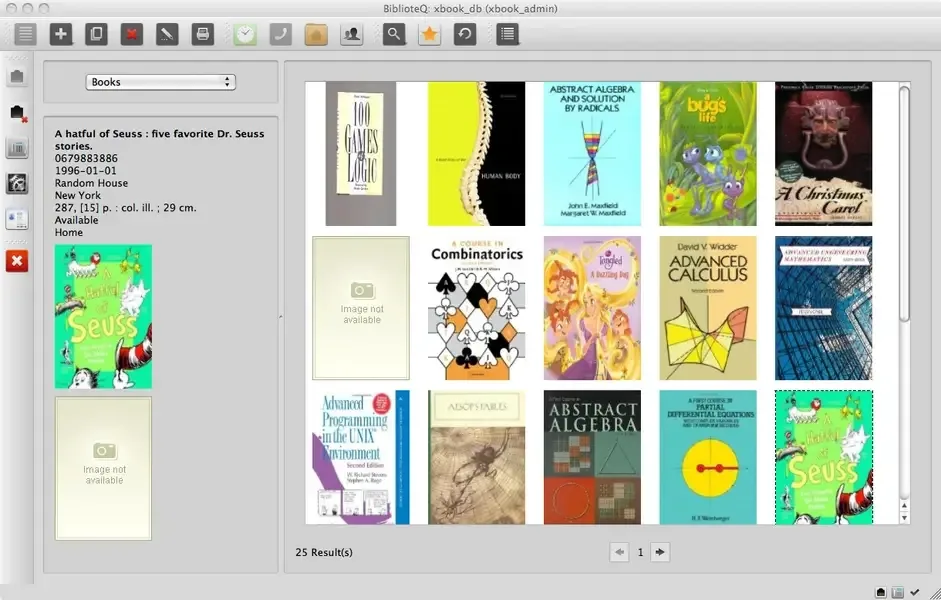
- Multi-format cataloging: organizes books, DVDs, journals, magazines, music CDs, video games, and photograph collections in one system.
- MARC21 and UNIMARC support: reads and parses standard library record syntaxes used by professional cataloging systems.
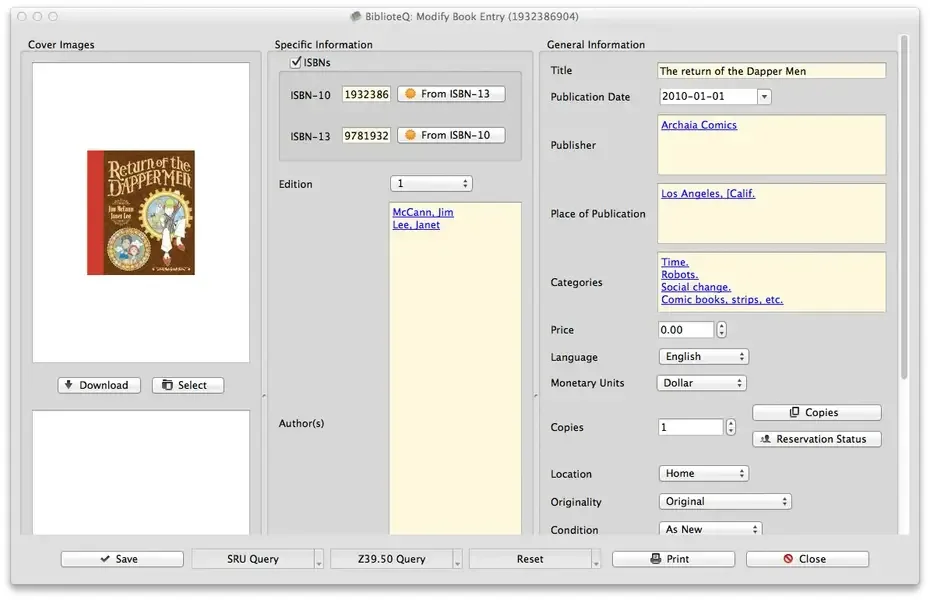
- SRU and Z39.50 protocol lookups: retrieves bibliographic data for books, journals, and magazines directly from library servers.
- Automatic cover image retrieval: pulls cover art from Amazon and Open Library instead of requiring a manual upload.
- Patron management: tracks who has borrowed, reserved, or requested a specific item, including overdue listings.
- PostgreSQL with row-level security: supports multi-user access with administrator roles and privacy-focused database policies.
- SQLite support: runs as a simple, self-contained local database for personal or small-scale use.
- File attachments: attaches PDFs and other documents directly to a cataloged item, with a built-in PDF reader.
- CSV import and export: brings in existing collection data in bulk or exports a view for use elsewhere.
- Custom SQL queries: searches the catalog using direct SQL for genuinely advanced filtering needs.
- Internationalization: supports Arabic, Czech, Dutch, French, German, Greek, Hungarian, Polish, Portuguese, and Russian, alongside English.
- Cross-platform availability: runs on Windows, Linux, BSD, Raspberry Pi, and several other architectures beyond Mac.
Screenshots
What's New in BiblioteQ 2026.09.15 Version
Version 2026.09.15 is the current LTS release, built for Kubuntu 26.04, macOS 15 Universal, PiOS 13 ARM64, and Windows 11:
- Added a lite, read-only version of the Batch Activities Browser for guest and patron PostgreSQL accounts
- Added the ability to export photograph collections through the Batch Activities Browser
- Added wildcard searches directly from the main window's search function
- The macOS release is now signed
Supported macOS Versions
The current LTS release of BiblioteQ targets macOS 15 as a Universal Binary, running natively on Apple Silicon and Intel Macs. Cataloging and searching a library database is lightweight work for any Mac's processor, so hardware speed has little practical bearing on day-to-day use. A stable internet connection matters more, since Z39.50 and SRU protocol lookups depend on communicating with remote library servers to retrieve data.
How to Download and Install BiblioteQ Mac?
BiblioteQ's source code and additional platform builds are also available directly from its GitHub repository. Installing the direct download only takes a few steps.
- Click the Download button above to safely download the setup file.
- Open the downloaded file and follow the installer's on-screen instructions.
- Launch BiblioteQ from Applications. If macOS shows an "unidentified developer" warning, go to System Settings → Privacy & Security and click Open Anyway.
Choose SQLite for a simple local database, or connect to an existing PostgreSQL server for multi-user access.
How to Use BiblioteQ Mac?
- Create a new SQLite database, or connect to a PostgreSQL server, from the initial setup screen.
- Add a new item, choosing its type, such as book, DVD, or music CD, to start cataloging.
- Use the Z39.50 or SRU search to pull in bibliographic details automatically instead of entering them by hand.
- Attach a cover image, PDF, or other file directly to a cataloged item.
- Add patron records to track who has borrowed, reserved, or requested a specific item.
- Run a custom SQL query or use the Batch Activities Browser to search, import, or export data in bulk.
Alternatives to BiblioteQ
calibre: Free, open source e-book management software with strong metadata handling, more focused on digital books than physical collections.
Libib: Free, web-based personal library cataloging tool for tracking books, movies, music, and games without installing anything.