
Cisdem VideoPaw Overview
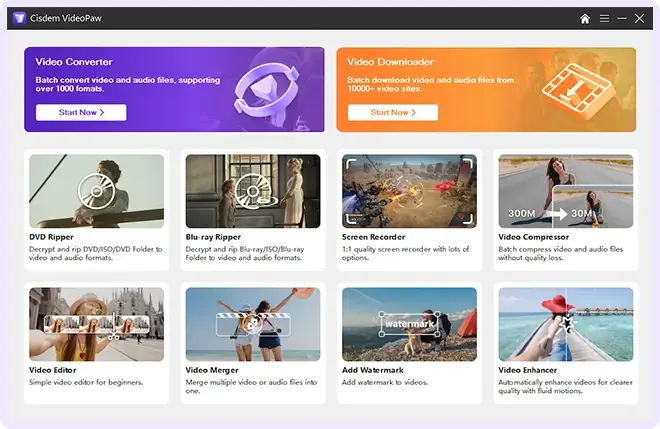
Cisdem VideoPaw is an all-in-one video toolkit for Mac. It started as Cisdem Video Converter and now covers more jobs. It converts video and audio in batches between MP4, MOV, MKV, AVI, and many other formats. It handles 4K and 8K files with codecs such as H.264, H.265, VP9, AV1, and ProRes. A compressor shrinks large files. Batch mode and device presets speed up big libraries. A downloader saves videos from supported sites. A disc ripper reads DVDs and Blu-rays you own. A screen recorder captures your display, webcam, and audio. An AI enhancer upscales low-resolution footage to HD or 4K. Version 11.0.0 runs on macOS 10.15 or later with Apple silicon and Intel support.
Key Features
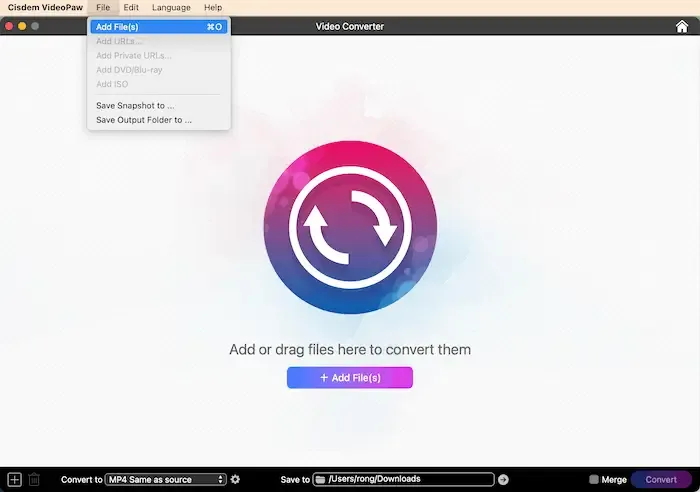
- Batch conversion: converts video and audio among 1,000+ formats, including MP4, MOV, MKV, and AVI.
- High-resolution support: handles 8K, 4K, and 1080p files.
- Modern codecs: supports H.264, H.265, VP9, AV1, and ProRes.
- Video compressor: reduces file size in bulk, with control over format, resolution, codec, and frame rate, plus a preview before export.
- Video downloader: saves videos, playlists, and M3U8 or MPD streams from supported sites, with stream, audio track, and subtitle selection.
- DVD and Blu-ray ripping: converts discs you own to MP4, MKV, or WebM, keeping titles, audio tracks, and subtitle streams.
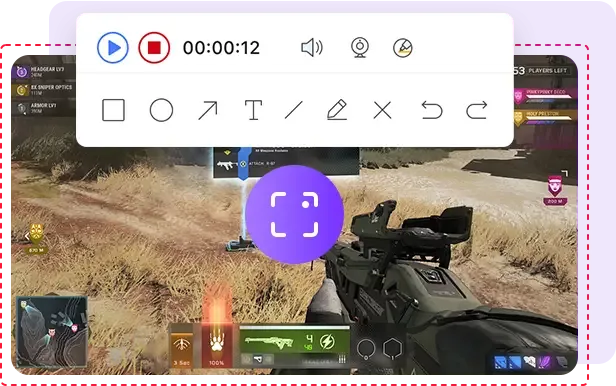
- Screen recorder: captures a full screen or custom region, plus webcam and audio, with annotation tools and scheduled recording.
- AI Video Enhancer: upscales footage to HD or 4K and reduces noise and grain.
- Basic editor: trims, merges, crops, adds subtitles, and applies watermarks.
- Built-in media player: plays files and discs inside the app.
- Device presets: exports with settings for popular devices.
Screenshots
What's New in Cisdem VideoPaw 11.0.0 Version
- Redesigned the user interface for an improved experience.
- Enhanced the video editing module.
- Added support for Dark Mode.
- Updated the device list.
- Fixed some crash issues.
How to Download and Install Cisdem VideoPaw Mac?
Installing Cisdem VideoPaw on Mac takes a couple of minutes.
- Click the Download button above to safely download the setup file.
- Open the downloaded file, then move Cisdem VideoPaw into your Applications folder.
- Launch Cisdem VideoPaw from Applications. If macOS asks you to confirm opening an app downloaded from the internet, click Open.
- Allow Screen Recording and Microphone access if macOS prompts you, so the screen recorder works.
- Choose a tool from the start screen, such as Convert, Compress, or Download.
Alternatives to Cisdem VideoPaw
HandBrake: Free, open-source video transcoder that converts video from nearly any format to modern codecs, though it focuses on conversion and does not record the screen or download videos.
VLC: Free, open-source media player for Mac with a Universal build for Apple silicon and Intel. It plays almost any file and is useful for quick checks before you convert.