CleanShot X Overview
CleanShot X is a screen capture app for Mac that takes screenshots, records video, and annotates both. It captures areas, windows, and full screens, and it handles scrolling pages in one long image. Recordings export as MP4 or GIF, with webcam, click highlights, and keystroke display. Version 5.0 added Studio Mode for trimming and Smart Zooms. Annotation tools cover markup, redaction, spotlight, and backgrounds. Text Recognition copies text from images on your Mac. Pin screenshots keeps a capture floating above other windows. CleanShot Cloud shares captures by link. The app is made only for macOS. Version 5.0.1 requires macOS 13 or later. It suits support teams, writers, and developers who share captures daily.
Why Choose CleanShot X Mac App
The built-in macOS screenshot tool is fast, but it stops at the capture. CleanShot X carries on after the click. Right after a capture you can annotate it, crop it, add a background, or copy it. Capture History keeps past captures within reach, so a screenshot from last week is still easy to find. For people who explain things visually every day, that saves many small trips between apps.
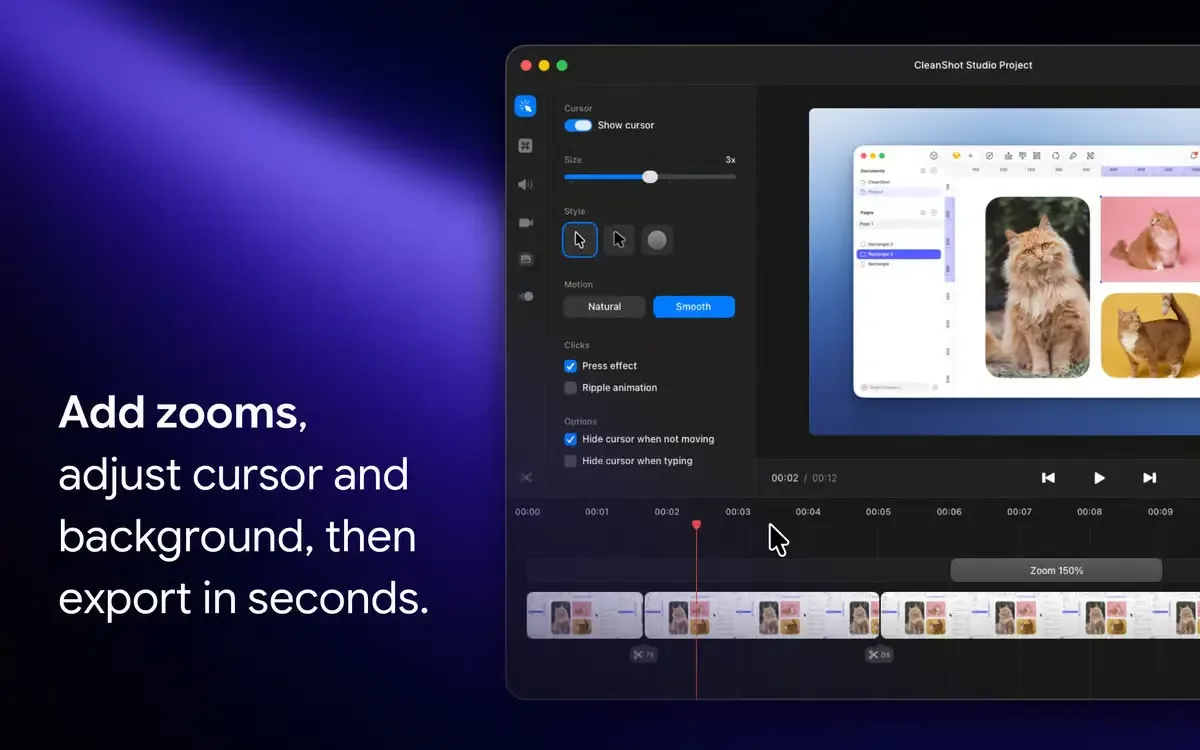
Recording is the other strength. Version 5.0 introduced Studio Mode, a new video editor with Smart Zooms that follow your cursor. You can smooth shaky cursor movement, add motion blur, and place a background behind the recording, much like a screenshot. Cursor size, keystrokes, and camera can be changed after you finish recording. Export uses hardware encoding for speed. The developer also cites ISO 27001 certification for its cloud service and runs a bug bounty program.
Key Features
- Screenshots and scrolling capture: grabs areas, windows, and full pages that scroll.
- Capture History: finds and reuses past captures.
- Pin to screen: keeps a screenshot floating above other windows.
- Screen recording: saves MP4 or GIF with webcam, click highlights, keystrokes, voice, and system audio.
- Studio Mode: trims, zooms, and edits recordings with Smart Zooms and cursor cleanup.
- Annotation tools: offers markup, redact, spotlight, outline steps, highlight text, and crop.
- Background tool: adds one of 20 backgrounds, plus padding, shadows, and custom presets.
- Text Recognition: copies text from images and reads QR codes on your Mac.
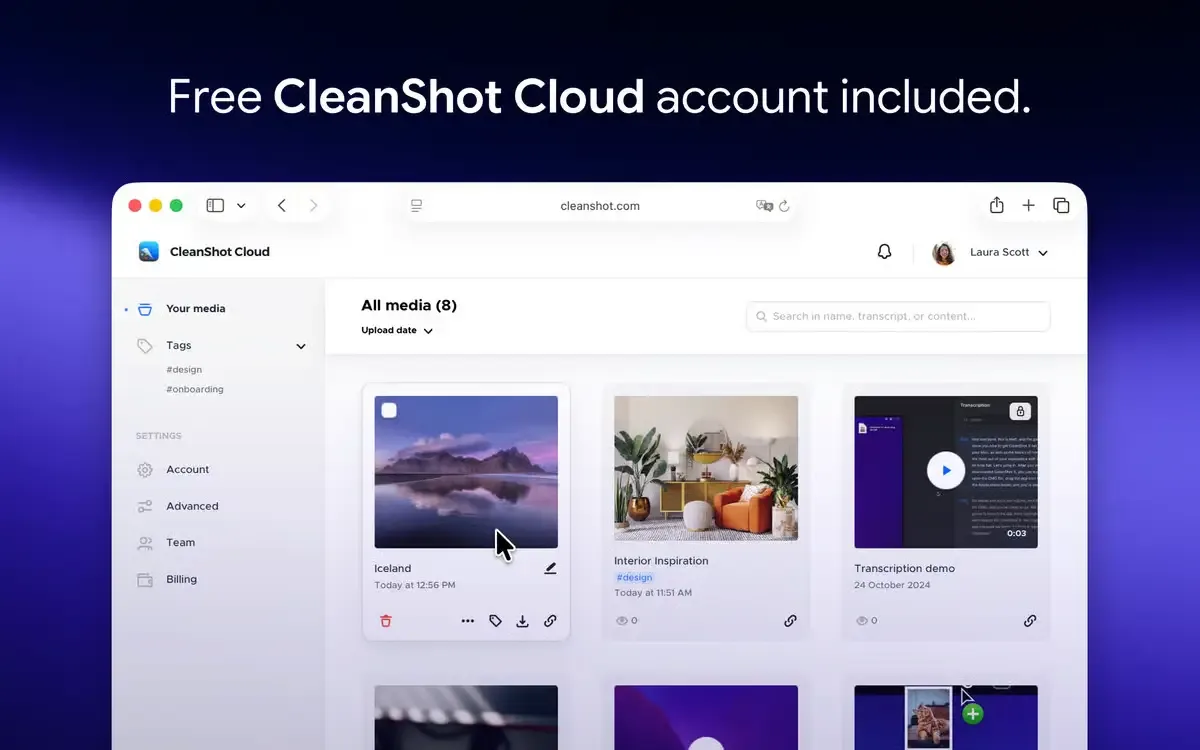
- CleanShot Cloud: shares a capture with a link and collects comments.
- Automatic transcripts: the developer lists them as part of CleanShot Cloud.
Screenshots
What's New in CleanShot X 5.0.1 Version
CleanShot X 5.0.1, released September 18, 2026, is a small maintenance update:
- Minor bug fixes and improvements
- The larger changes arrived in version 5.0 on September 1, 2026:
- Studio Mode and a brand-new video editor
- Smart Zooms that follow your cursor
- Trim and fine-tune tools for recordings
- Smooth cursor movement
- Cinematic motion blur
- Backgrounds for recordings
- Cursor size, keystrokes, and camera adjustable after recording
- Fast rendering with hardware encoding
- A redesigned app settings window
- Version 4.8.11, also released September 18, 2026, improved compatibility with macOS Golden Gate. Updating from an older 4.x build brings all of these changes together.
Supported macOS Versions
CleanShot X requires macOS 13.0 or newer. Some OCR languages may need the latest macOS release. The developer does not say whether the app is native for Apple silicon or Intel, so check this after installing. Older Macs have options. Version 4.8.10 was the last to support macOS Catalina, and 4.8.4 was the last for Mojave. The developer can supply those older downloads on request. RAM and storage needs are not listed. Hardware encoding speeds up video export on modern Macs, and a recording with many effects takes longer to render on older hardware.
How to Download and Install CleanShot X Mac?
Installing CleanShot X on Mac takes a couple of minutes.
- Click the Download button above to download the setup file.
- Open the downloaded file, then move CleanShot X into your Applications folder.
- Launch CleanShot X from Applications. If macOS asks you to confirm opening an app downloaded from the internet, click Open.
- Allow Screen Recording access in System Settings if macOS prompts you, so the app can capture your screen.
- Enter your license, then check the capture shortcuts in the app settings.
- CleanShot X is then ready for your first capture.
How to Use CleanShot X Mac?
- Press your capture shortcut and choose an area, window, or full screen.
- Open the capture in the annotation tools.
- Add markup, redaction, a spotlight, or a background, then crop if needed.
- Copy the result, save it, or share it with a CleanShot Cloud link.
- Choose the scrolling capture mode to grab a long web page or chat.
- Start a screen recording and add the webcam, keystrokes, or click highlights.
- Open the recording in Studio Mode to trim it and add Smart Zooms.
Alternatives to CleanShot X
Shottr: Free to use, with area, window, and fullscreen capture, scrolling capture, OCR, and annotation. It runs on macOS Catalina or later, though it periodically asks you to consider buying it.
macOS Screenshot: Built into macOS and free, it captures the screen and records video from the Command, Shift, and 5 shortcut. It has fewer annotation and editing tools. It is listed from general knowledge, so check its options on your macOS version.