WALTR PRO Overview
WALTR PRO is a file transfer and conversion tool for Mac from Softorino that moves music, video, books, and more directly onto an iPhone or iPad, without needing iTunes. Files can transfer wirelessly over Wi-Fi through the app's Universal Connection Bridge, skipping a cable connection entirely. AI-powered metadata filling adds missing artwork, titles, and genre information automatically during a transfer. Formats that an iPhone or iPad doesn't natively support convert and transfer in a single step, covering dozens of music, video, book, and subtitle formats. Hi-Res audio up to 192kHz and 4K video at up to 60 frames per second both transfer without quality loss. A local conversion mode makes files Apple-compatible on the Mac itself without sending them anywhere. It's built for Intel-based Macs, running on Apple Silicon through Rosetta 2.
Why Choose WALTR PRO Mac App
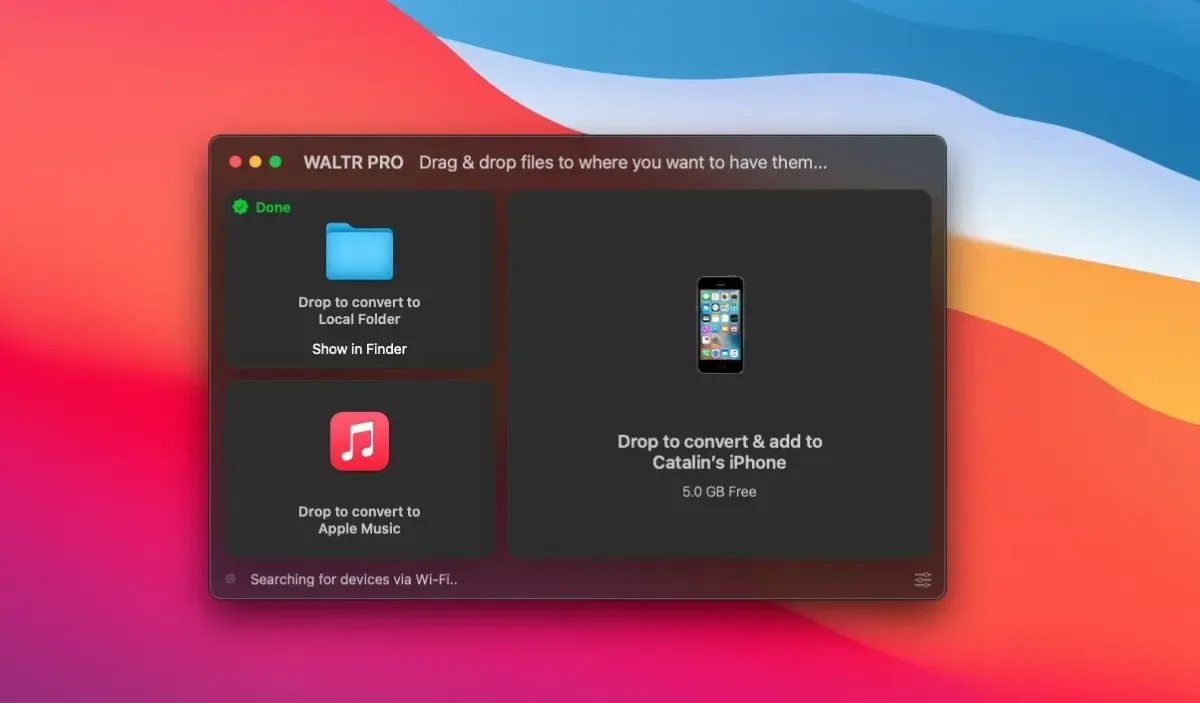
AirDrop can't always send a video file, and iTunes-style syncing feels like overkill for moving a handful of songs. WALTR PRO skips both problems. Drag a file onto the app, pick an iPhone or iPad as the destination, and it converts and transfers the file in one step, without needing a supporting third-party app already installed.
Wireless transfer over Wi-Fi and AI-powered metadata filling save real manual effort compared to older sync methods. Long-time reviewers consistently praise its performance and ease of use, though pricing has drawn recurring criticism, and the app doesn't currently support managing or building playlists directly on a connected device.
Key Features
- Drag-and-drop file transfer: moves music, video, books, and more directly onto an iPhone or iPad, no iTunes required.
- Wi-Fi wireless transfer: sends files over a Universal Connection Bridge without a cable connection.
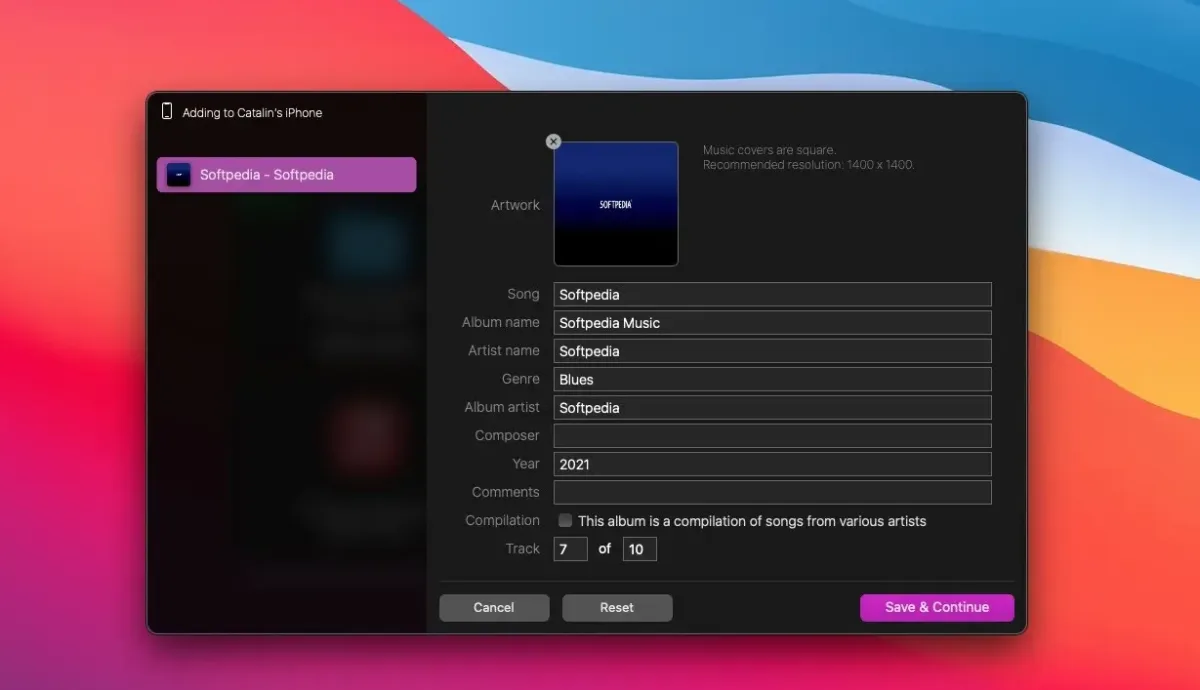
- AI-powered metadata filling: looks up missing cover art, titles, and genre tags on its own, so files land properly labeled.
- Simultaneous conversion and transfer: converts unsupported formats on the fly while sending them to a device.
- Extensive format support: covers dozens of music, video, book, and subtitle formats in one app.
- Hi-Res Audio support: transfers audio up to 192kHz without a quality drop.
- 4K video transfer: moves 2160p resolution video at up to 60 frames per second.
- Custom ringtone creation: renames M4A audio to M4R, including ringtones longer than 30 seconds.
- Audiobook support: transfers M4B files with chapter markers intact.
- Forced subtitle conversion: applies a proprietary technique aimed at broader subtitle format compatibility.
- Local-only conversion mode: makes a file Apple-compatible directly on the Mac without transferring it anywhere.
- Intel-based build: runs natively on Intel Macs, with Apple Silicon Macs relying on Rosetta 2 translation.
Screenshots
What's New in WALTR PRO 4.1.3 Version
Version 4.1.3 is the current release. Detailed, itemized release notes for this specific version weren't published separately.
Recent major versions have focused on Wi-Fi transfer speed and AI-powered metadata filling.
Supported macOS Versions
WALTR PRO requires macOS 10.14 or later and is built as an Intel 64-bit app. Apple Silicon Macs run it through Rosetta 2, the translation layer macOS provides for Intel-only software, rather than natively. Converting large 4K video files or Hi-Res audio in bulk is genuinely demanding work. A Mac with a faster processor completes big batches noticeably quicker than an older or entry-level system.
How to Download and Install WALTR PRO Mac?
Installing WALTR PRO on Mac only takes a few steps after downloading.
- Click the Download button above to safely download the setup file.
- Open the downloaded file, then drag WALTR PRO into your Applications folder.
- Launch WALTR PRO from Applications. If macOS shows an "unidentified developer" warning, go to System Settings → Privacy & Security and click Open Anyway.
Connect an iPhone or iPad via cable or Wi-Fi, then start the free trial or enter a purchased license.
How to Use WALTR PRO Mac?
- Connect an iPhone or iPad to the Mac, either by cable or over Wi-Fi.
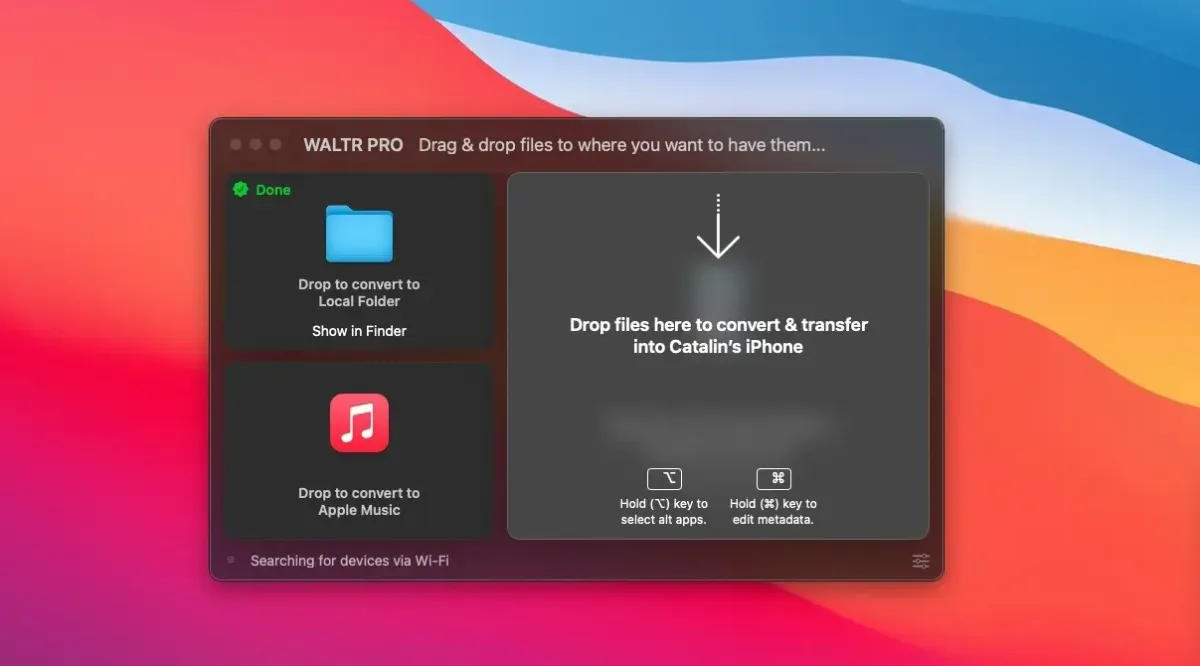
- Drag a music, video, book, or other supported file directly onto the WALTR PRO window.
- Choose the connected device, a USB drive, or a local folder as the destination.
- Let WALTR PRO convert and transfer the file automatically in one step.
- Use "Fill Metadata with AI" to add missing artwork, titles, or genre information.
- Check the target app, such as Apple Music or Apple Books, to confirm the file arrived correctly.
Alternatives to WALTR PRO
Finder's File Sharing (built into macOS): Free and included on every Mac, handling basic file transfer to a connected device's compatible apps, with far less format conversion than WALTR PRO offers.