
Taphouse Overview
Taphouse is a native Homebrew GUI for Mac from Multimodal Solutions that wraps the brew command line in a visual app. It browses more than 14,000 formulae and casks, showing descriptions, dependencies, and disk impact before installing anything. Homebrew services like Postgres or Redis start, stop, and restart with color-coded status, and a Cleanup tool reclaims space from old versions and cache. A built-in CVE scanner checks installed packages against known security vulnerabilities. Time Machine-style restore points save a snapshot before every upgrade, so a broken update can be rolled back instantly. Apple Silicon Migration finds Intel apps still running under Rosetta and offers native ARM replacements. The core app, including installs, updates, and cleanup, stays free forever, with a one-time Pro upgrade unlocking the deeper tools.
Why Choose Taphouse Mac App
Homebrew itself lives entirely in Terminal. Every install, update, or cleanup means typing a command and reading scrolling text. Taphouse wraps that same brew binary in a native SwiftUI window instead. Browsing 14,000-plus formulae and casks, checking what's outdated, and cleaning up disk space all happen visually, with the terminal still available side by side whenever a command is faster.
What sets Taphouse apart from other Homebrew GUIs is depth most of them skip entirely. Security gets a real look, not just an afterthought, and a Mac quietly still running an Intel build under emulation gets flagged with a native replacement one click away. Upgrades stop being a leap of faith too, since a snapshot exists to fall back on if one goes wrong. It's also under genuinely active development, with dated changelog entries showing updates arriving multiple times a week rather than occasionally.
Key Features
- Visual package browser: searches 14,000-plus formulae and casks, with descriptions, dependencies, and disk impact shown upfront.
- One-click install and uninstall: runs the underlying brew command automatically, with real-time progress and logs.
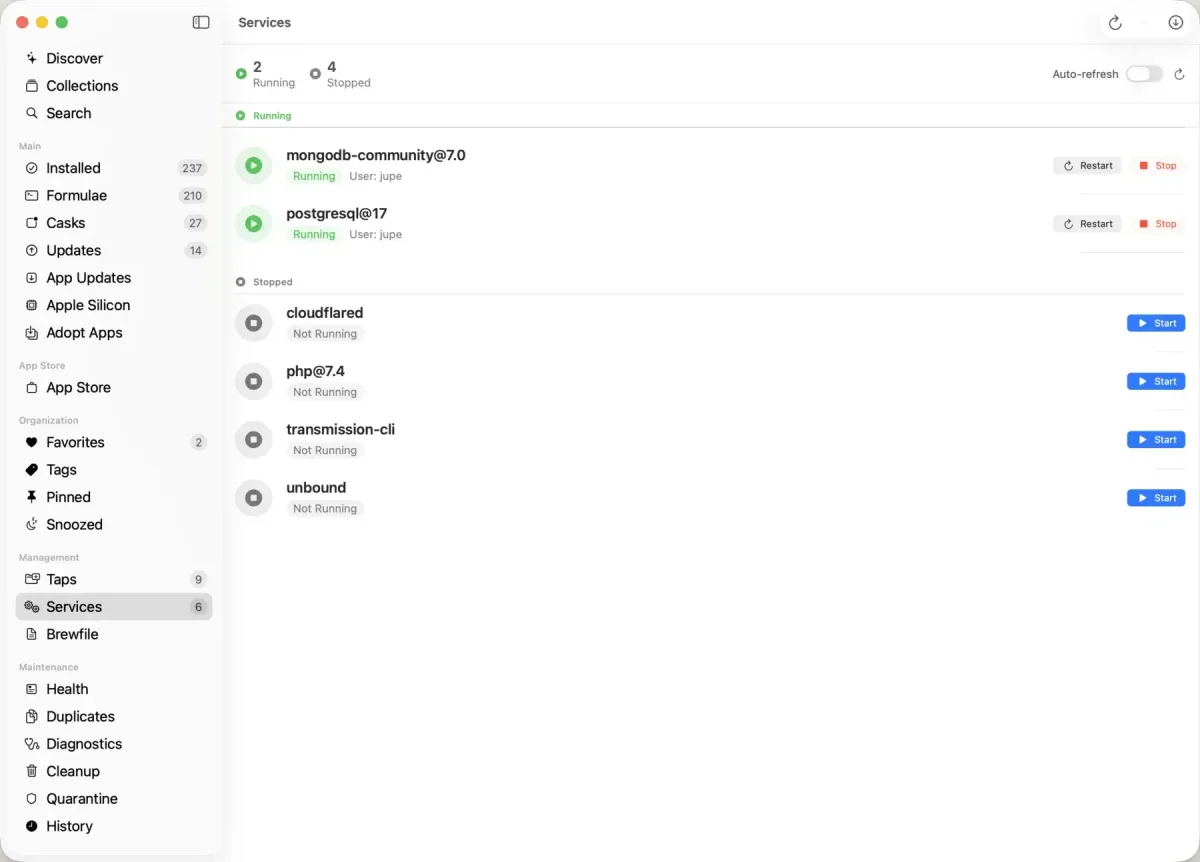
- Service management: starts, stops, and restarts Homebrew services like Postgres and Redis, with color-coded status.
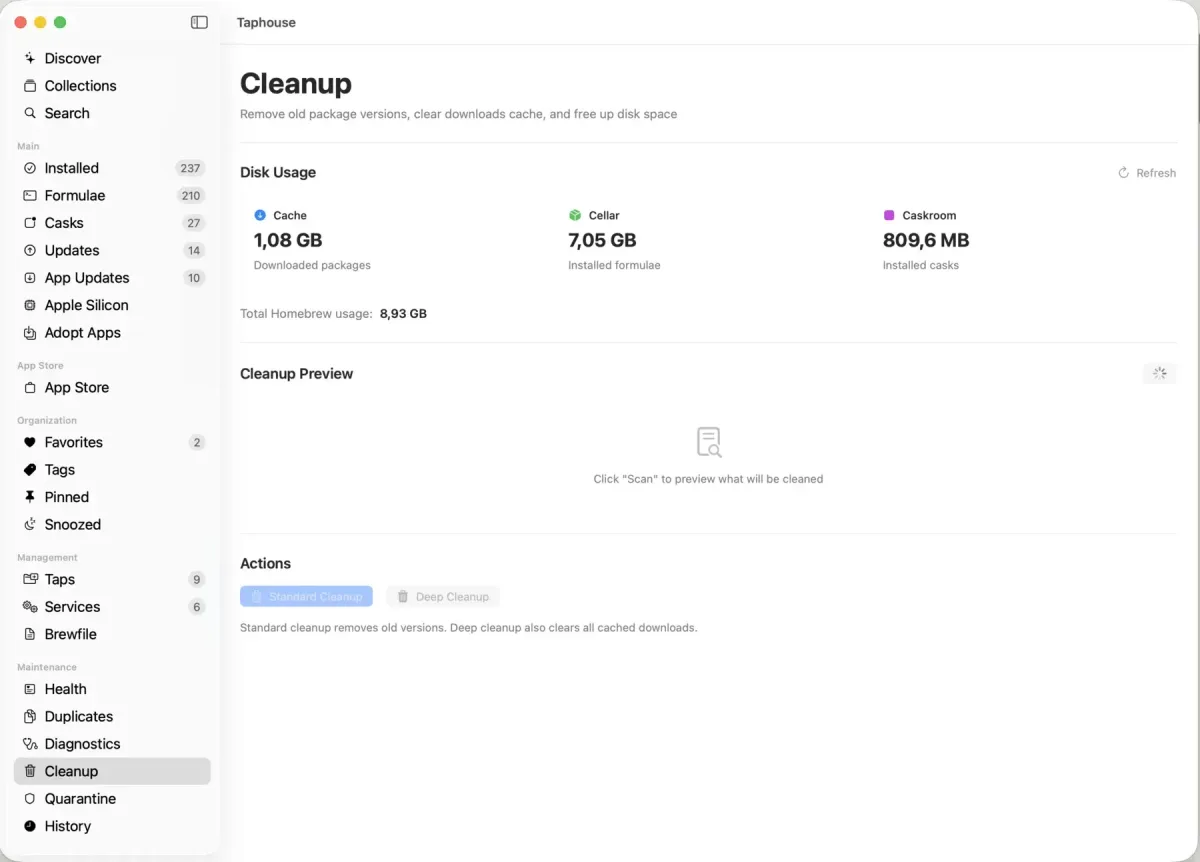
- Cleanup and disk usage: shows what's eating storage and reclaims space from old versions, cache, and orphaned dependencies.
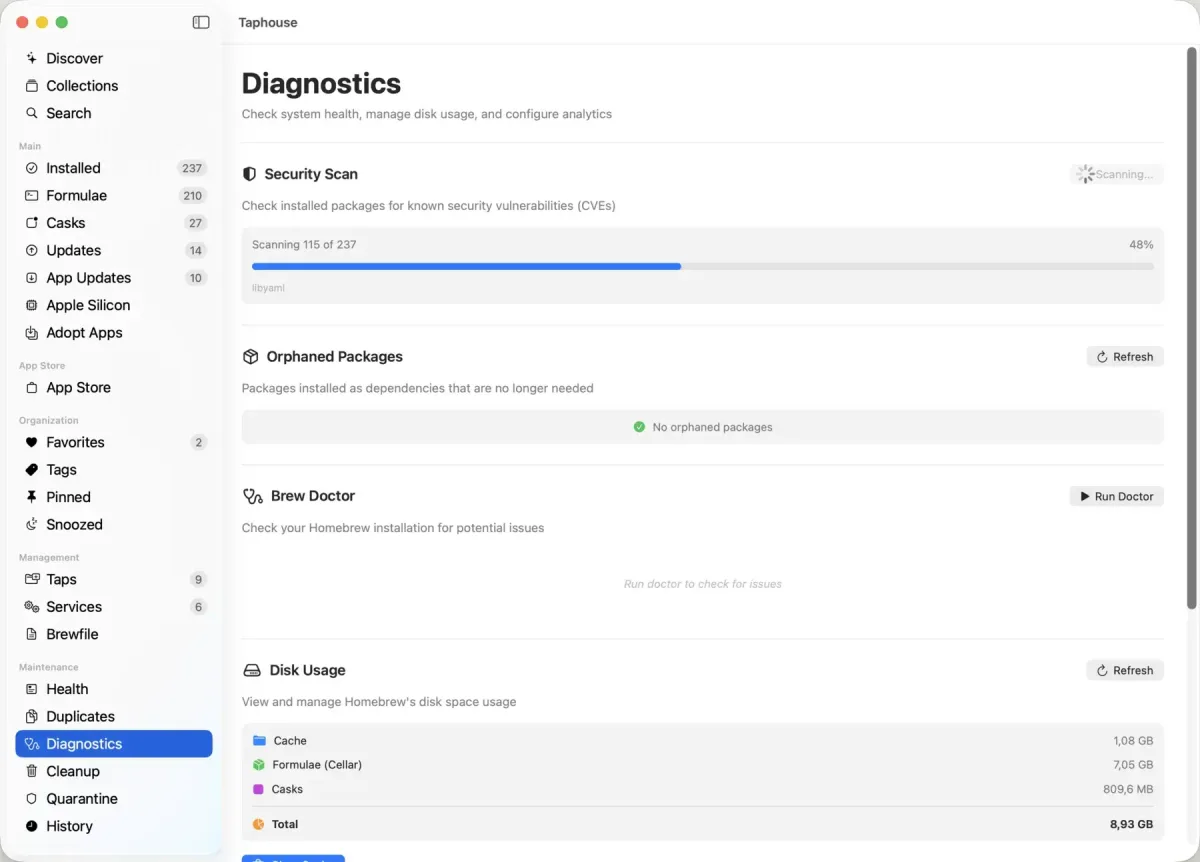
- CVE security scanner: cross-references installed packages against published vulnerabilities, with severity and fix versions shown.
- Time Machine restore points: saves a snapshot before every upgrade, with one-click rollback to the exact previous version.
- Apple Silicon Migration: finds Intel apps still running under Rosetta and offers native ARM replacements.
- Release notes preview: reads a package's changelog, sourced live from GitHub Releases, before deciding to update.
- Health dashboard: summarizes outdated, vulnerable, and orphaned packages alongside cache size and an overall health score.
- Quarantine manager: clears macOS Gatekeeper quarantine flags from installed apps without touching Terminal.
- Snooze updates: pushes a stubborn update out a day, a week, a month, or until the next version ships.
- Adopt existing apps: brings manually installed apps under Homebrew's management for easier future updates.
Screenshots
What's New in Taphouse 1.5.8.4 Version
Version 1.5.8.4, released September 17, 2026, is a same-day bug fix:
- Fixed a regression from the previous release that broke Cleanup, Uninstall, and update detection all at once
- The more substantial recent release, 1.5.8 (September 10), added a "Browse All" view covering Homebrew's entire catalog by category, plus a "Recently Added" feed showing apps newly published to Homebrew in the last 7, 30, or 90 days.
Supported macOS Versions
Taphouse requires macOS 14 or later and ships as a universal binary, running natively on Apple Silicon (M1 through M4) and Intel Macs. The Apple Silicon Migration tool, a Pro feature, specifically looks for Intel-only apps still running through Rosetta translation and offers to replace them with native ARM builds where Homebrew has one available. Taphouse mostly triggers and monitors Homebrew's own commands rather than doing heavy processing itself, so even a modest Mac runs it comfortably. The practical bottleneck is usually Homebrew's own download and compile speed, not Taphouse.
How to Download and Install Taphouse on Mac?
Taphouse can also be installed with its own Homebrew cask. Installing the direct download only takes a few steps.
- Click the Download button above to safely download the setup file.
- Open the downloaded file, then drag Taphouse into your Applications folder.
- Launch Taphouse from Applications. If macOS shows an "unidentified developer" warning, go to System Settings → Privacy & Security and click Open Anyway.
- Follow the guided setup if Homebrew itself isn't installed yet. Taphouse walks through installing it step by step.
The core app, including package browsing, installs, services, and cleanup, stays free forever. A one-time Pro upgrade unlocks the remaining advanced tools.
How to Use Taphouse Mac App?
- Search the package browser for a formula or cask, then click Install to run the brew command automatically.
- Open the Updates section to see every outdated package at once, and select which ones to update.
- Check Services to start, stop, or restart any running Homebrew service.
- Open Cleanup to see disk usage by package and reclaim space from old versions and cache.
- Run the CVE scanner from Diagnostics to check installed packages against known vulnerabilities.
- Turn on Time Machine restore points in Settings so a bad upgrade can be rolled back with one click.
Alternatives to Taphouse
Cork: Free Homebrew GUI for Mac with services management and disk cleanup, actively developed since 2024.
Cakebrew: Free, long-standing Homebrew GUI for Mac focused on formula management, actively maintained since 2017.