DjVu Reader Pro Overview
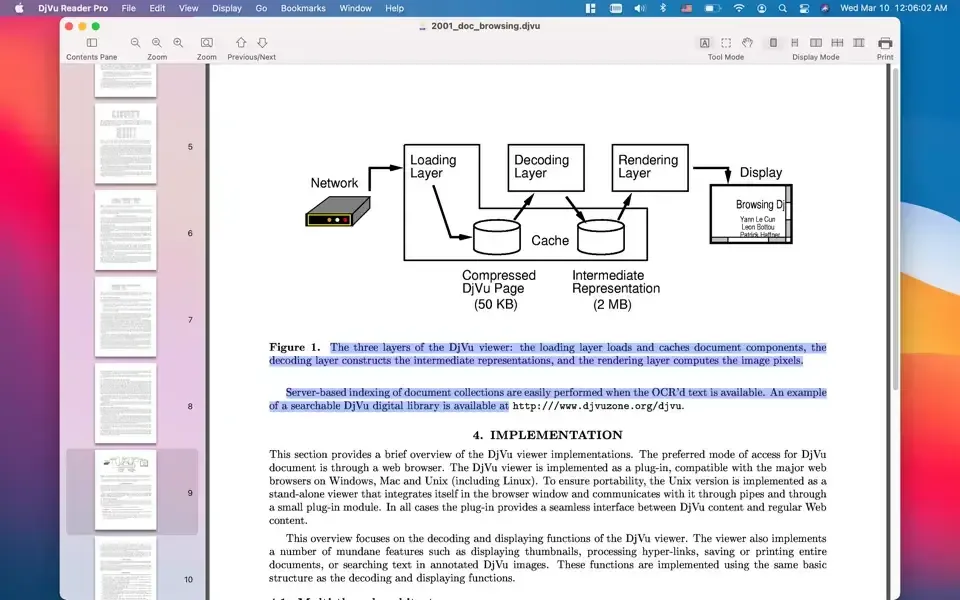
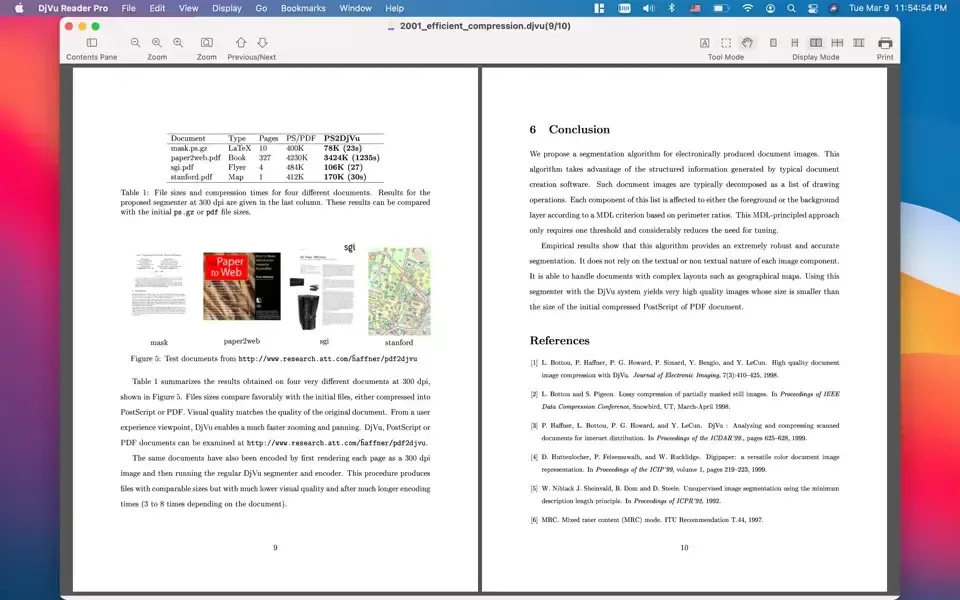
DjVu Reader Pro is a document reader for Mac that opens the DjVu format, something Preview and most Mac apps can't read at all. It handles large DjVu files quickly, with text selection and full-text search built in. A batch converter turns multiple DjVu files into PDFs at once, preserving bookmarks in the process according to user reviews. Seven display modes cover everything from single-page reading to continuous two-page scrolling. Bookmarks, an editable outline, and a toggleable Contents Pane make navigating longer scanned documents easier. Files export to PDF or TXT, and printing is supported directly. It's a one-time paid purchase on the Mac App Store, with no free tier to test first.
Why Choose DjVu Reader Pro Mac App
DjVu shows up mostly in scanned academic papers, textbooks, and archival documents, and macOS has no native way to open it. Preview won't touch it. Most general-purpose readers skip it entirely. DjVu Reader Pro fills that specific gap: open a DjVu file, read it with the same conveniences a PDF reader offers, and convert it to PDF or TXT when a more universal format is needed.
The batch converter is where it earns its keep for anyone with more than a few files. According to a long-time user review, it's the first DjVu-to-PDF converter they tried that actually preserved bookmarks through the conversion, something several competing tools reportedly lose. For anyone digitizing or archiving a personal library of scanned DjVu documents, that detail alone can save hours of manually rebuilding navigation afterward.
Key Features
- Fast DjVu opening: loads and scrolls through large DjVu files without the lag some viewers show on bigger documents.
- Live Text: freely selects visible text on a scanned page, extending beyond just the document's underlying text layer.
- Text selection: selects and copies text directly from a DjVu document.
- Full-text search: finds specific words or phrases anywhere within an open document.
- Batch DjVu-to-PDF conversion: converts multiple DjVu files to PDF in one pass, reportedly preserving bookmarks along the way.
- Multi-file opening: opens several DjVu documents at once through a redesigned startup window with drag-and-drop support.
- Export to PDF and TXT: saves a document in a more widely supported format when needed.
- Bookmarks management: marks specific pages or sections for quick return later.
- Editable outline: adds or adjusts a document's table of contents directly inside the app.
- Seven display modes: switches between Single Page, Single Page Continuous, Two Page, Two Page Continuous, Horizontal Continuous, Page Breaks, and Book Mode.
- Page rotation: rotates a single page or the entire document, left or right.
- 17-language interface: displays menus and controls in 17 major languages.
Screenshots
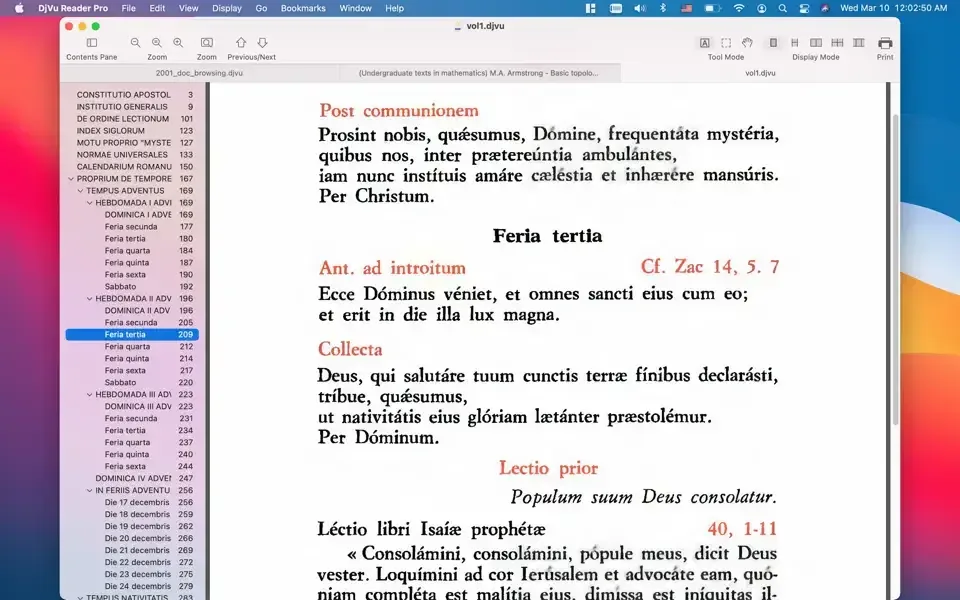
What's New in DjVu Reader Pro 2.7.2 Version
Version 2.7.2, released within the past few days, is a substantial update:
- New startup window showing recent documents, with drag-and-drop and multi-file opening support
- Live Text added, letting you freely select any visible text in a document, including scanned pages
- New toolbar items for Zoom, Rotation, Language, and Print, making those controls quicker to reach
- Interface now supports 17 major languages, up from just English and Russian
- Improved multi-document opening flow
- Other bug fixes and stability improvements
- Live Text in particular is a meaningful addition. It extends text selection to visible text on a page the way Apple's own apps handle scanned images, rather than relying only on the document's underlying text layer.
Supported macOS Versions
DjVu Reader Pro requires macOS 10.15 or later, and the developer states it's compatible with the latest macOS release. Recent updates back that up. Live Text, added in version 2.7.2, relies on newer system frameworks, and a new startup window and toolbar redesign shipped alongside it, both signs the app is being actively tested against current macOS versions rather than left untouched. The app's core job, rendering and converting DjVu files, is lightweight enough that Mac hardware speed matters far less here than on a video or photo editor.
How to Download and Install DjVu Reader Pro Mac?
Installing DjVu Reader Pro on Mac takes under a minute through the App Store, with no separate download or setup involved.
- Click the Download button above. It opens DjVu Reader Pro's official listing on the Mac App Store.
- Click the price button to purchase, since this is a paid app rather than a free download.
- Sign in with your Apple ID if prompted.
- macOS downloads and installs DjVu Reader Pro automatically in the background.
- Once installed, launch it from Launchpad or your Applications folder.
Because the App Store handles future updates automatically, there's no need to manually reinstall it if a new version does ship.
How to Use DjVu Reader Pro Mac App?
- Open a DjVu file directly, or drag one onto the app's icon.
- Choose a display mode, such as Single Page or Two Page Continuous, from the View menu.
- Use the Find pane to search for specific text within the document.
- Add bookmarks or edit the outline for quick navigation through longer documents.
- Select File, then Export, to save the document as a PDF or TXT file.
- Open the batch converter to turn multiple DjVu files into PDFs at once.
Alternatives to DjVu Reader Pro
DjVuLibre / DjView: Free, open source DjVu viewer, though its Homebrew installer was disabled in September 2026 and some Apple Silicon Macs report display rendering issues.
DjVu.js (browser-based): Free and runs entirely in a browser with no installation, though scrolling can lag, making it better suited to a single quick look than daily reading.