Pages Overview
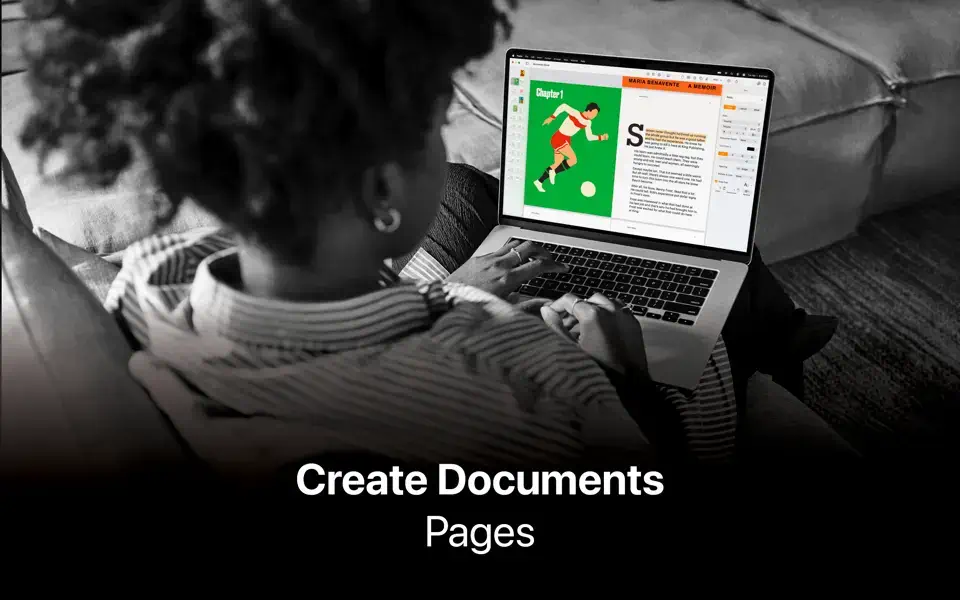
Pages for Mac is Apple's free word processor and page layout app, built for everything from a simple report to a visually rich newsletter, brochure, or resume. It combines standard document editing with lightweight desktop publishing, so images, tables, charts, and shapes drop directly onto the page instead of fighting a rigid text-only layout. Pages opens and saves Microsoft Word files, supports real-time collaboration through iCloud, and includes Apple Intelligence Writing Tools for proofreading, rewriting, and summarizing text at no extra cost. Students writing assignments, small businesses producing marketing materials, and anyone who wants a genuinely free alternative to a Word subscription all use it as their go-to Mac document editor.
Why Choose Pages for Mac App
Most word processors treat layout as an afterthought bolted onto a text editor. Pages does both natively: drag in images, movies, audio, tables, charts, or shapes, and the page adapts instead of forcing everything into a fixed text column. Real-time collaboration through iCloud means multiple people can edit the same document, leave comments, and track changes without emailing files back and forth, and opening or exporting Microsoft Word files works well enough for most everyday documents without needing Word installed at all.
What matters most right now is what's actually free versus what isn't. Apple Intelligence Writing Tools, built directly into Pages, proofread, rewrite, summarize, and compose text at no cost beyond the free app itself. Academic and technical writers get LaTeX and MathML equation support plus EndNote citation integration on Mac, again with no subscription required. The optional Apple Creator Studio subscription exists for a different kind of user entirely, someone who wants a deeper creative toolkit layered on top of everyday documents, and it's genuinely optional rather than a paywall blocking core functionality.
Key Features
- Word processing + page layout: build everything from simple documents to visually rich brochures, newsletters, and resumes in the same app.
- Real-time collaboration: edit the same document with others via iCloud, with comments and change tracking.
- Microsoft Word compatibility: open, edit, and save DOCX files, plus export to Word, RTF, TXT, and PDF.
- EPUB book creation: design interactive eBooks and publish them directly to Apple Books.
- Apple Intelligence Writing Tools: proofread, rewrite, summarize, and compose text, included free.
- Academic writing tools: LaTeX and MathML equation support, plus EndNote citation integration on Mac.
- Image and background editing: remove and mask image backgrounds without leaving the document.
- Table of contents, footnotes, and endnotes: built-in tools for longer, structured documents.
- Cross-device continuity: start a document on iPhone or iPad and finish it on Mac via iCloud.
- Optional Apple Creator Studio integration: subscribers get premium templates, Content Hub stock content, AI image generation, and round-trip editing with Pixelmator Pro.
What's New in Pages 15.3.1 Version
Version 15.3.1 shipped August 4, 2026, and Apple's own release notes describe it simply as bug fixes and performance improvements, with no detailed public changelog for this specific build.
The more substantial recent changes landed in version 15.3 the month before: Apple Creator Studio subscribers gained the ability to open an image from Pages directly in Pixelmator Pro and see the edited result reflected back in the document, plus a tool for generating custom, editable shapes from a text description. For everyone, regardless of subscription, replacing images in a document from the Content Hub got easier.
Supported macOS Versions
Pages 15.3.1 requires macOS 15.6 or later, a notably recent requirement confirmed directly on its Mac App Store listing. It runs as a universal binary on both Apple Silicon and Intel Macs, and since document editing and layout work aren't demanding tasks for either chip, performance stays smooth regardless of which Mac it's running on. Anyone on an older macOS release will need to update before installing the current version.
How to Download and Install Pages on Mac?
Installing Pages on Mac takes under a minute through the App Store, no separate download, unzip, or drag-and-drop needed.
- Click the Download button above, it opens Pages' official listing on the Mac App Store.
- Tap Get to install the free app.
- Sign in with your Apple ID if prompted.
- macOS downloads and installs Pages automatically in the background.
- Once installed, launch it from Launchpad or your Applications folder.
Because the App Store handles future updates automatically, you won't need to manually reinstall Pages each time a new version ship.
How to Use Pages Mac App?
- Launch Pages and choose a template, or start with a blank document.
- Add text, images, tables, charts, or shapes by dragging them directly onto the page.
- Use Comments and Change Tracking under the Review menu when collaborating with others.
- Turn on Apple Intelligence Writing Tools to proofread, rewrite, or summarize a passage.
- Share the document via iCloud for real-time collaboration, or export it as PDF, Word, or EPUB.
- Subscribe to Apple Creator Studio from within the app if you want premium templates or Content Hub assets.
Alternatives
LibreOffice Writer: A free, open-source word processor with broad Microsoft Word compatibility and no subscription of any kind.
Google Docs: A free, browser-based word processor built around real-time collaboration, accessible from any device with a browser.