OffShoot for Mac Overview
OffShoot is a verified media offload and backup tool for Mac. It was formerly known as Hedge. Plug in a camera card and copy it to several drives at the same time. Every file gets checked with checksums, so a bad copy never goes unnoticed. Cascading copies to your fastest drive first, which frees the card sooner. Stop a big offload and resume it later. Presets add metadata and sort files into folders. Transfer Logs and Reports document what went where. The Pro version adds S3 destinations, ASC MHL verification, Codex support, and scripting. OffShoot runs natively on Apple Silicon and Intel Macs.
Why Choose OffShoot Mac App
Finder tells you a copy finished. It doesn't prove the copy is correct. For camera cards, that gap is risky. One damaged file can mean a lost shot. OffShoot checks every transfer with checksums and writes a log of the result. You know the footage landed intact before the card gets wiped.
The rest of the app is built for the set and the edit suite. Copy one card to three drives at once. Cascade to a fast drive first, then to slower ones. Pause a huge offload and pick it up later. The standard version covers verified backups. Pro adds extras for larger productions. You can try those during the trial before buying.
Features
- Verified transfers: checks every copy with checksums against the source and the destination.
- Simultaneous backups: copies one or more sources to every destination at the same time.
- Cascading transfers: copies to your fastest drive first, then to slower ones, so the source frees up earlier.
- Stop and Resume: picks a stopped or failed transfer back up without redoing settings.
- Duplicate detection: copies only what's new when a transfer starts again.
- Presets and organization: prompts for metadata, then filters, renames, and sorts files into folders.
- Logs and Reports: records each transfer and builds reports with your own logo, notes, and clip thumbnails.
- Finder integration: sends files to OffShoot's copy engine from the right-click menu.
- Card health tools: checks the remaining life of OWC and ProGrade cards, and sanitizes them.
- ASC MHL verification (Pro): creates and verifies Media Hash Lists, which Netflix requires.
- Codex and ALEXA 35 support (Pro): offloads Codex mags, including ARRIRAW and ALEXA 35 HDE files.
- Cloud and tape destinations: sends transfers to S3 storage with Pro, and archives to LTO through Canister.
Screenshots
What's New in OffShoot 26.3 version
- Added Canister integration, which archives to LTO automatically after each successful transfer
- Network drives, S3 buckets, and FUSE mounts can now be hidden, just like local drives
- Fixed uploads to Quantum ActiveScale and Object Matrix Perifery failing with error 50002
- Fixed a crash when changing destinations while reviewing a preset
- Fixed Project License activation sometimes failing with a 406 error
- Fixed S3 bucket folder names showing twice in the header
- Fixed edits to an active preset not applying to sources already set
Supported macOS Versions
OffShoot needs macOS 12 or later. It's a universal build, so Apple Silicon and Intel Macs run it natively. It supports macOS 27 Golden Gate. Transfer speed depends mostly on your card reader and drives. A fast reader and fast destination drives make the biggest difference.
How to Download and Install OffShoot on Mac?
Installing OffShoot on Mac takes a few steps.
- Click the Download button above to safely download the setup file.
- Open the downloaded disk image, then drag OffShoot into Applications.
- Launch it. If macOS shows a security prompt, open System Settings, then Privacy & Security, and click Open Anyway.
How to Use OffShoot Mac App
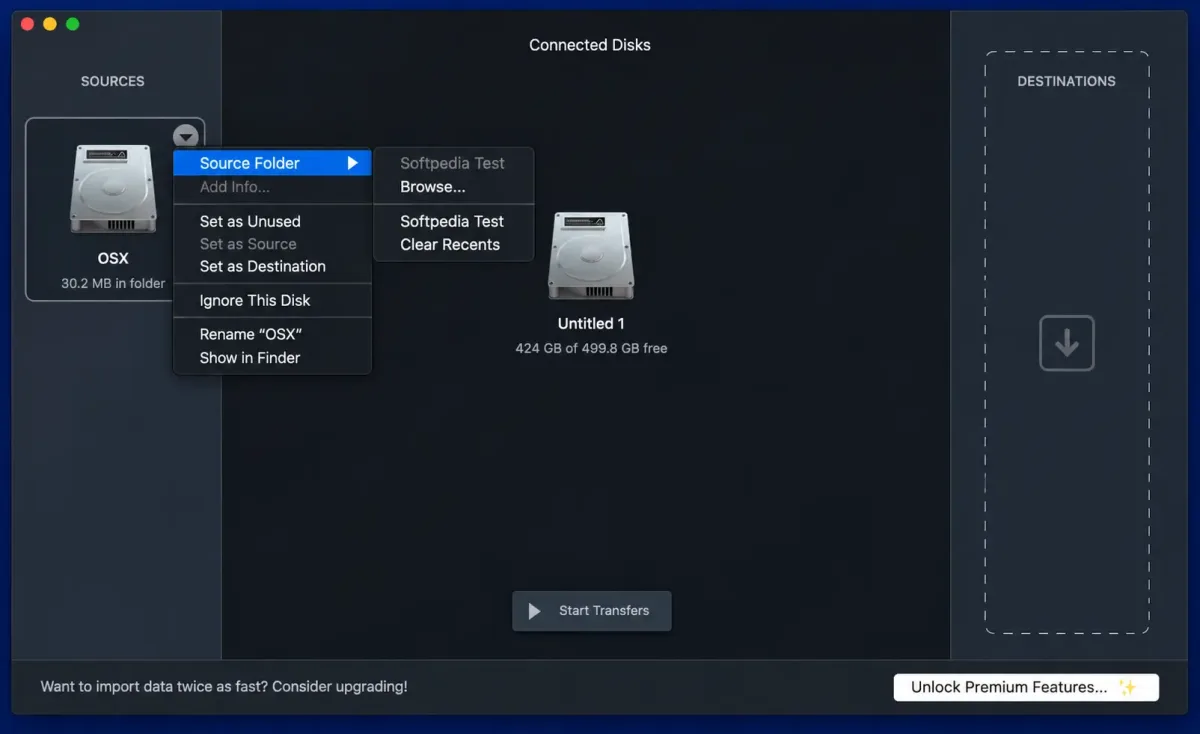
- Plug in a camera card or drive. OffShoot scans your Mac and shows every connected disk.
- Drag the card to Sources, or right-click it and set a folder as the source.
- Drag one or more drives to Destinations. Add a cascading destination for a fast drive first.
- Add a Label or fill in preset elements to name the offload.
- Add the transfer, then press Start Transfers.
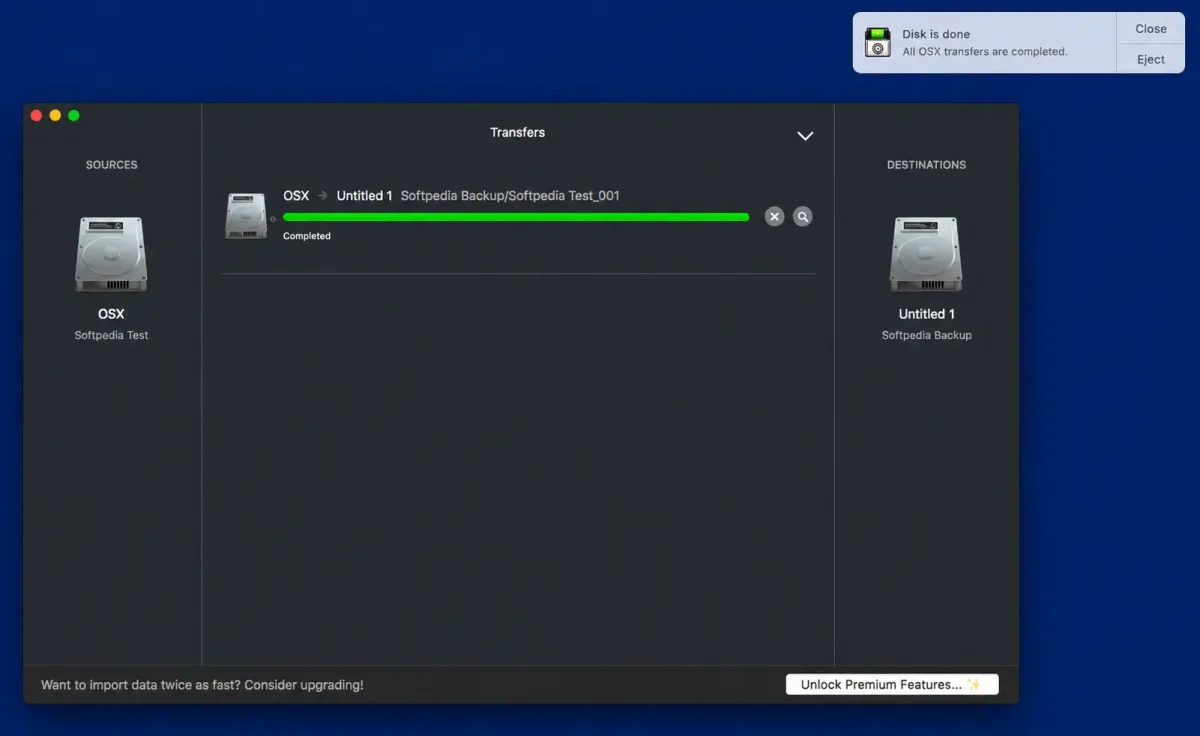
- Watch progress in the main window, and wait for the Notification Center alert. Check the Transfer Log before ejecting the card.
Alternatives to OffShoot
DaVinci Resolve (Clone Tool): Free to download. Its Clone Tool makes checksum-verified copies of camera media, though it sits inside a full editing suite.
Ingesto: Free camera card offload tool for Mac. It copies to multiple drives at once and verifies files with checksums such as xxHash.