Novabench Overview
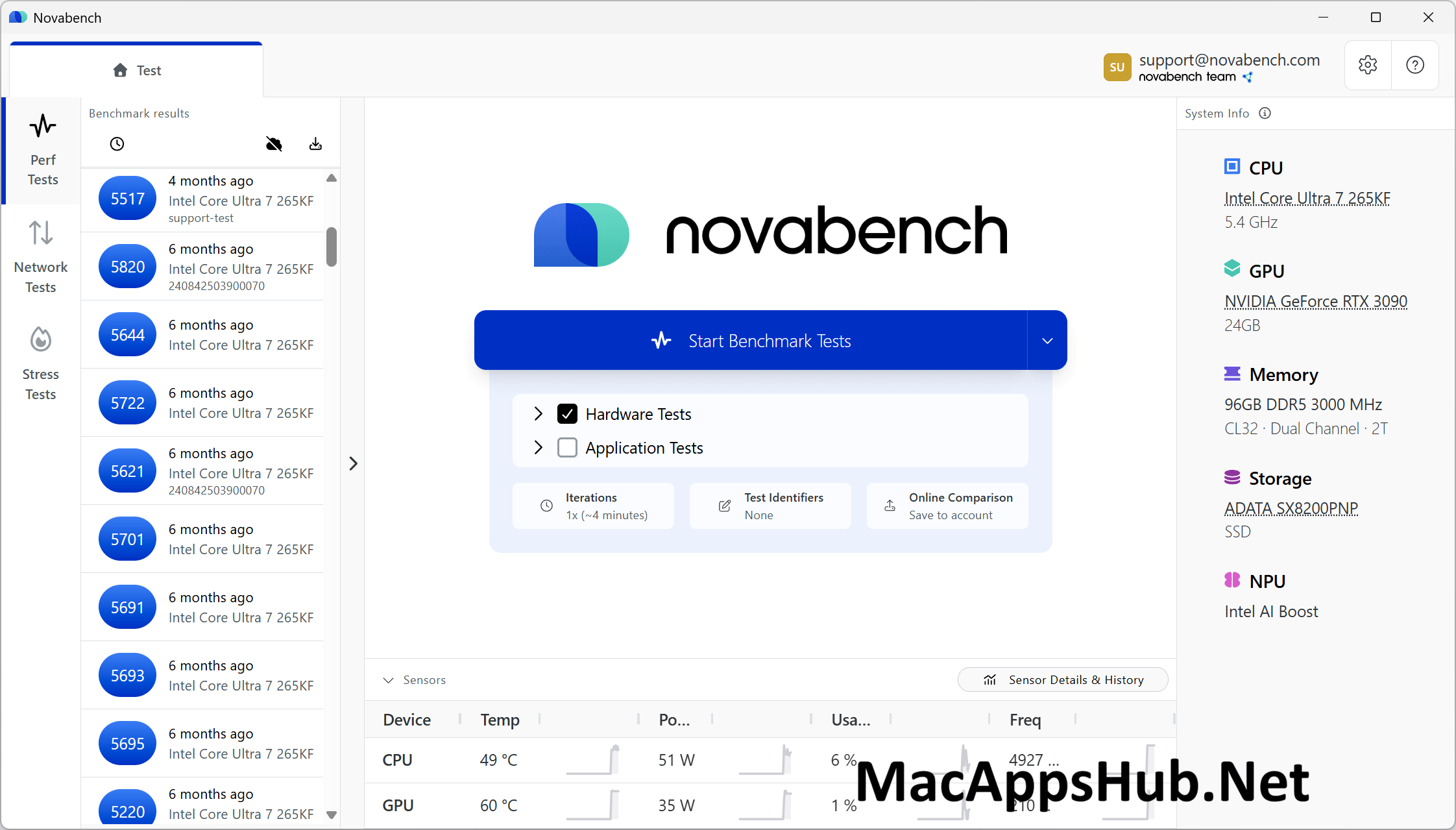
Novabench for Mac tests your CPU, GPU, memory, storage, and NPU in just a couple of minutes, then hands you an overall score you can compare against millions of other results in its public database. The free tier already covers the full benchmark suite, network testing, and stress testing, with no ads anywhere in the app. An Explain feature breaks down what your results actually mean instead of leaving you staring at raw numbers, and Portable mode lets you run it without installing anything at all. Anyone troubleshooting a Mac that feels slower than it should, sellers checking hardware condition before listing a machine, and people just curious how their setup stacks up all reach for it.
Why Choose Novabench Mac App
A lot of benchmark tools either paywall the basics or bury the app in ads while you wait for a test to finish. Novabench's free tier skips both: full CPU, GPU, memory, storage, and NPU benchmarks, network testing with DNS and traceroute analysis, and stress testing are all included at no cost, with nothing to sit through and no account required just to run a test. Results can be submitted to a public database with millions of entries, so you're not just getting a number, you're seeing exactly where your Mac stands against comparable hardware. The Explain feature takes it further, turning raw scores into plain-language insights about what's actually limiting your system's performance.
The version 6 redesign brought changes that matter specifically for current Mac hardware. NPU benchmarking now measures your Neural Engine directly, relevant given how much Apple Silicon leans on it for on-device machine learning tasks. Everything reports through a single unified results view instead of scattering CPU, GPU, and storage scores across separate screens, and Portable mode means you can test a Mac you're about to sell or troubleshoot without leaving software installed on it afterward. A recent update added PDF export for sharing a full report, and dark mode now matches your system appearance instead of sticking out with a fixed light interface.
Key Features
- Full hardware benchmark suite: tests CPU, GPU, memory, storage, and NPU performance in a few minutes.
- Explain feature: analyzes your results and gives plain-language insights and recommendations, not just raw scores.
- Network testing: run speed tests, DNS benchmarks, and traceroute analysis alongside hardware tests.
- Stress testing: pushes your Mac under sustained load with throttle detection to reveal real-world performance.
- Public results database: compare your score against millions of submitted results from similar hardware.
- Sensor monitoring: track temperature, power draw, and other system sensors in real time.
- Portable mode: run Novabench with no install required, useful for testing a Mac before a sale.
- PDF export and reporting: export and print test results for sharing or record-keeping.
- Scheduled tests (Plus): run recurring benchmarks automatically to track performance trends over time.
- Dark mode interface: matches your system appearance instead of a fixed light theme.
What's New in Novabench 6.1.2 Version
Version 6.1.2 shipped July 6, 2026 with reporting and reliability improvements.
- Adds PDF export and printing of test results.
- Redesigns the share sheet for easier sharing of results.
- Fixes a storage test issue on some systems that may have caused higher than expected scores.
- Minor fixes and improvements throughout.
- It follows a run of substantial updates: version 6.1.0 added battery rundown testing for Pro users and improved NPU hardware compatibility, and version 6.0.0 delivered the full redesign, adding NPU benchmarking, network testing, application tests, and the Explain feature.
Supported macOS Versions
Novabench 6.1.2 requires macOS 11 Big Sur as a floor and runs cleanly through macOS 26 Tahoe. As a universal binary, it benchmarks both Apple Silicon and Intel Macs natively, and the NPU test specifically targets Apple Silicon's Neural Engine, so M-series Macs get a benchmark dimension that simply doesn't apply to older Intel hardware. Whether you're on an M4 Mac or an aging Intel model, the app itself runs identically; what changes is what your results actually show about the hardware underneath.
How to Download and Install Novabench on Mac?
Installing Novabench on Mac only takes a few steps after downloading, including one quick permission it needs to run properly.
- First click on the Download button given on this page that is fully secure and complete the downloading procedure.
- Open the downloaded .dmg file, then drag Novabench into your Applications folder.
- Launch Novabench from Applications. If macOS shows an "unidentified developer" warning, go to System Settings → Privacy & Security and click Open Anyway.
- Grant any permissions macOS requests for sensor and hardware access, so Novabench can read accurate system data.
- Click Run Test to start your first benchmark.
Once the initial setup is done, Novabench won't ask for these permissions again, future launches go straight to the test screen.
How to Use Novabench Mac App?
- Launch Novabench and click Run Test to start the full benchmark suite.
- Wait one to two minutes while it tests your CPU, GPU, memory, storage, and NPU.
- Review your overall score and compare it against the public results database.
- Open Explain to see plain-language insights about what your results actually mean.
- Run a network test separately to check DNS response times and connection speed.
- Export your results as a PDF, or submit them to the database to compare against similar systems.