
OmniFocus Overview
OmniFocus is a task manager for Mac from The Omni Group. It handles projects, tags, due dates, and repeating tasks in one place. Perspectives let you build custom views of your work. Forecast shows what is due and what is coming. A weekly review keeps projects from going stale. A keyboard shortcut sends a new thought straight to the Inbox. Your data syncs across Apple devices and a web version, so tasks follow you. Shortcuts actions, Omni Automation, and optional Siri AI support extend it further. Version 4.9.3 runs on macOS 15.2 or later. It suits people who follow a Getting Things Done style workflow and need more depth than a simple to-do list.
Why Choose OmniFocus Mac App
A basic to-do app gives you one long list. OmniFocus gives you structure. Projects can hold actions in sequence or in parallel, so a plan shows only the next step that matters. Tags add context, such as a place, a person, or an energy level. Together they let you ask a better question than "what is on my list?" You can ask "what can I finish in twenty minutes?"
Perspectives are the second reason. A perspective is a saved view that groups tasks by the rules you set. You can build one for work due this week, another for waiting-on items, and a third for flagged tasks. The Perspectives Bar keeps them one click away, and macOS 27 shows it as a sidebar. Forecast then lays out due items alongside your calendar, so a busy day is visible before it arrives.
Automation is the third. OmniFocus works with Shortcuts, and Omni Automation lets you script it with JavaScript. Version 4.9 added Siri AI support in beta, so Siri can create reminders, set due dates, and summarize finished work. An optional Apple Intelligence date parser handles phrases the built-in parser cannot read. The whole app is translated into eleven languages.
Key Features
- Projects and actions: organizes work into projects with sequential or parallel actions, plus folders to group them.
- Tags: labels tasks by context, person, location, or any category you choose.
- Perspectives: saves custom views that filter and group tasks, shown in a Perspectives Bar.
- Forecast: shows due and upcoming items next to your calendar events.
- Review: guides a regular check of each project so nothing is forgotten.
- Quick Entry: captures a task into the Inbox with a keyboard shortcut from any app.
- Flexible repeats: supports repeat schedules, including monthly options on chosen days of the week.
- Notifications: sends deadline reminders through macOS.
- Shortcuts actions: includes actions to add, edit, find, and delete items.
- Omni Automation: scripts the app with JavaScript and plug-ins, with an API for searching its documentation.
- Siri AI (Beta): works with reminders, projects, and folders, including due dates, flags, notes, and repeats.
- Connected Folders: attaches files from folders on your Mac, replacing Linked Folders.
- Widgets and Control Center: shows status at a glance and opens perspectives from system controls.
- Sync: keeps data aligned across your Apple devices and a web version.
Screenshots
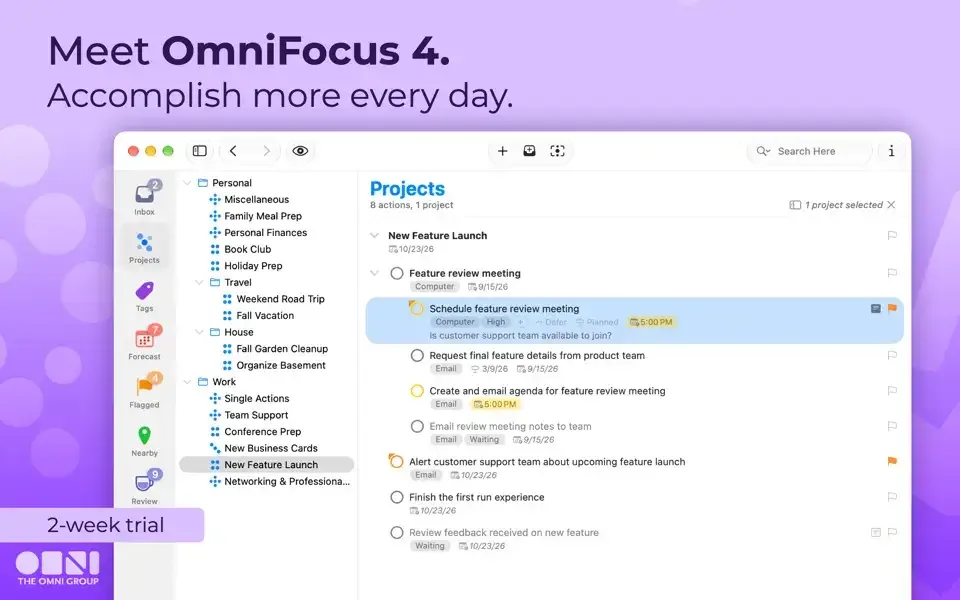
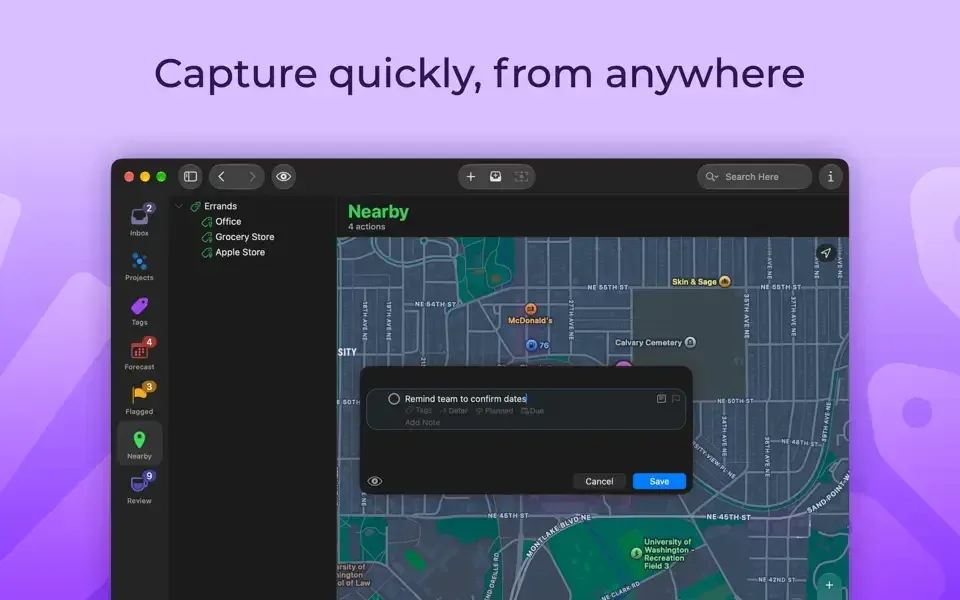
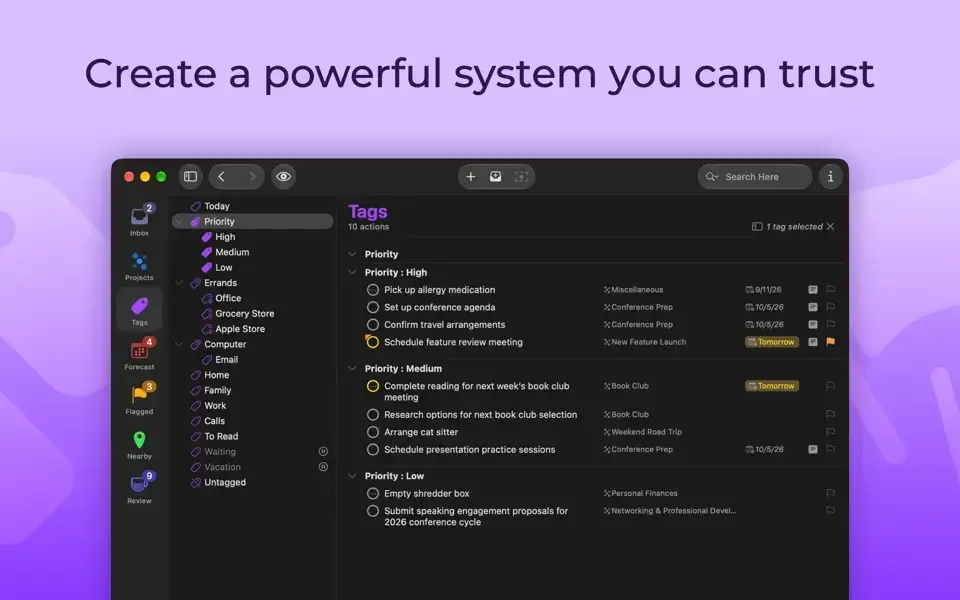
What's New in OmniFocus 4.9.3 Version
- Siri AI (Beta) reminder links now point to any URL found in an item's note, instead of the reminder in OmniFocus
- Changes to date parsing settings for Apple Intelligence (Beta) take effect more quickly
- Fixed a crash when entering natural language in the next review field, where Apple Intelligence date parsing is not supported
- Full compatibility with macOS 27
- Siri AI support in beta and optional Apple Intelligence date parsing
- New Edit Action and Delete Actions in Shortcuts, and Find Projects out of beta
- Connected Folders replacing Linked Folders
- A Forecast sidebar calendar updated to match Liquid Glass
- More widget sizes and interactive status circles that can be turned off
Supported macOS Versions
OmniFocus 4.9.3 requires macOS 15.2 or later. Version 4.9 added full compatibility with macOS 27, and version 4.9.2 fixed a hang on macOS 26, so recent system releases are covered. The developer does not list RAM or processor requirements, and the app is light enough for any Mac that meets the macOS floor. Apple Intelligence date parsing needs a compatible device and is optional. If your Mac cannot run macOS 15.2, The Omni Group says an older OmniFocus version may work and points to its downloads archive. The beta Siri AI features follow the capabilities of your system release.
How to Download and Install OmniFocus Mac?
Installing OmniFocus on Mac takes under a minute, and syncing your tasks is optional.
- Click the Download button above to safely download the setup file.
- Open the downloaded file, then move OmniFocus into your Applications folder.
- Launch OmniFocus from Applications. If macOS asks you to confirm opening an app downloaded from the internet, click Open.
- Choose how to start. Begin the free trial, or enter a license.
- Set up sync if you want your tasks on other Apple devices.
OmniFocus then opens to an empty Inbox, ready for your first task.
How to Use OmniFocus Mac?
- Press your Quick Entry shortcut to drop a task into the Inbox from any app.
- Open the Inbox and move each item into a project, adding a due date or tag.
- Create a project and choose whether its actions run in sequence or in parallel.
- Build a perspective in the Perspectives Bar for the view you check most, such as work due this week.
- Open Forecast to see what is due and plan the day around your calendar.
- Run a review on a regular schedule to update projects and clear stale tasks.
- Try a Shortcuts action or Siri request once your basic setup is working.
Alternatives to OmniFocus
Apple Reminders: Free and built into macOS, with lists, due dates, tags, and sync across Apple devices, though it lacks perspectives, sequential projects, and scripting.
Super Productivity: Free, open-source task manager with timeboxing, a Pomodoro timer, and issue integrations for GitHub, GitLab, and Jira. It keeps tasks on your device by default and needs no account.