Smart Zipper Pro Overview
Smart Zipper Pro extracts and creates archives on Mac. It handles over 30 formats. RAR, RAR5, 7z, ISO, CAB, Zip, StuffIt, Tar, Gzip, Bzip2, and more all open in one app. Creating a new archive works just as easily. Pick 7z, Zip, Gzip, Tar, or Bzip2, with six compression levels to choose from. AES-256 encryption protects an archive with a real password. Different files inside the same archive can even carry different passwords. Preview images and files inside an archive before extracting anything. Split a large archive into smaller pieces. Add new files to an existing one without rebuilding it from scratch. A recent update optimized the app specifically for Apple Silicon.
Why Choose Smart Zipper Pro Mac App
macOS opens Zip files fine. RAR, 7z, and a dozen other formats? Not without help. Smart Zipper Pro handles all of it in one app. Extract a RAR file someone sent you. Create a password-protected 7z archive to send back. One tool covers both directions.
A recent update optimized the app specifically for Apple Silicon. It runs natively on M-series Macs now, not just Intel. Beyond basic zip and unzip, it goes deeper too. Preview a file inside an archive before extracting it. Split a huge archive into smaller pieces. Add new files to an existing archive without rebuilding the whole thing. Different files inside one archive can even carry different passwords.
Key Features
- Extracts 30+ formats: opens RAR, RAR5, 7z, ISO, CAB, Zip, StuffIt, Lzma, Tar, Gzip, Bzip2, PAX, MSI, Arj, and Z files.
- Creates archives: compresses files into 7z, Zip, Gzip, Tar, or Bzip2 format, with six compression levels.
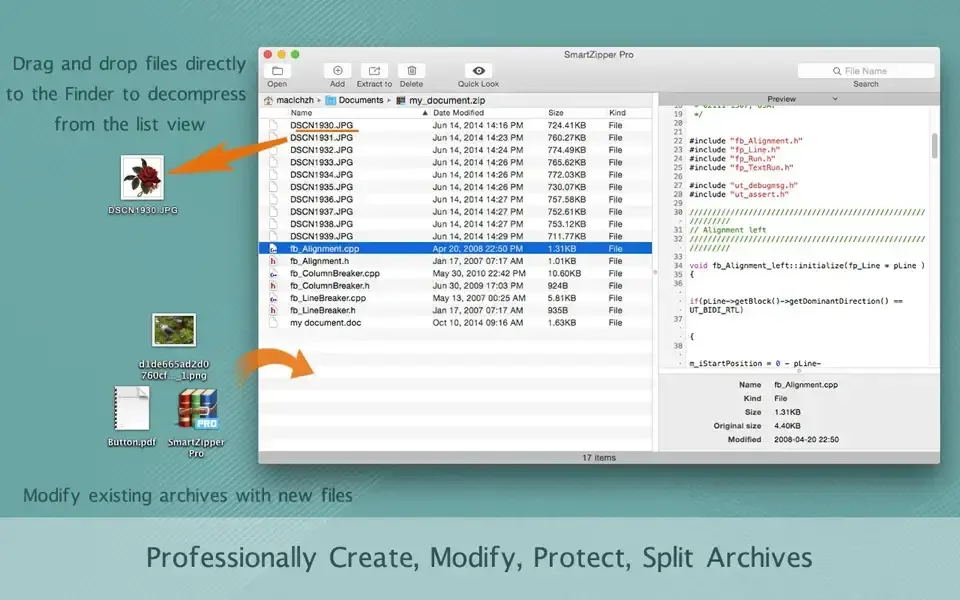
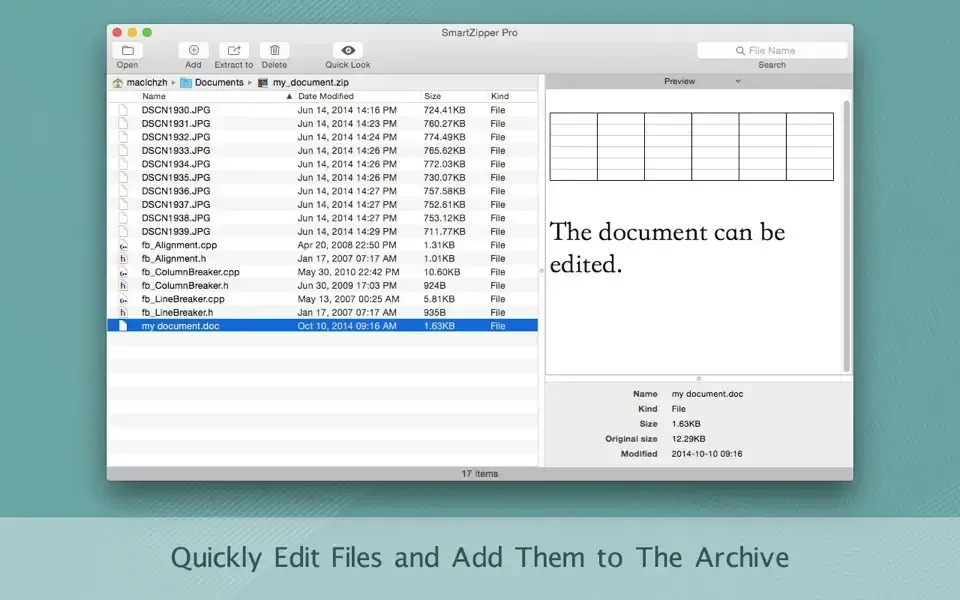
- Revises existing archives: adds, updates, or removes files from an archive without re-archiving everything.
- AES-256 encryption: protects an archive with strong, standard password encryption.
- Multi-password extraction: handles different files inside the same archive protected by different passwords.
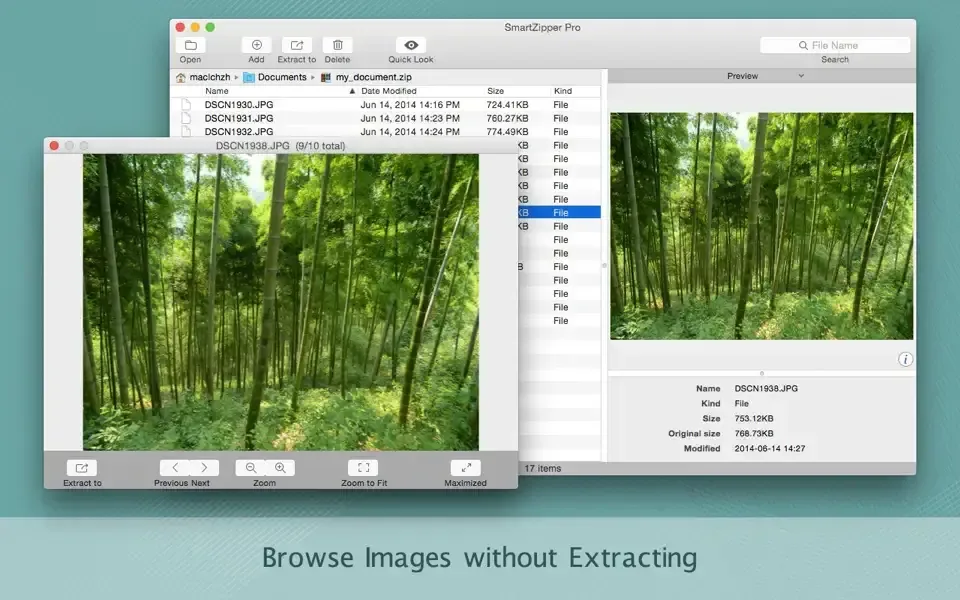
- Preview without extracting: browses images and files inside an archive before pulling anything out.
- Splits large archives: breaks one big archive into several smaller pieces.
- Filters unwanted files: excludes specific files or file types when building a new archive.
- Drag-and-drop decompression: drags an archive straight to Finder to extract it from the list view.
- Finder context menu shortcuts: adds right-click options for quick access without opening the app first.
- Media and EXIF details: shows EXIF data for images and detailed info for audio and video files.
- Apple Silicon optimization: runs natively on M-series Macs as of the latest update.
Screenshots
What's New in Smart Zipper Pro 4.0.0 Version
Version 4.0.0 is a short but meaningful update:
- Now optimized for Apple Silicon
- Various bug fixes and improvements
- It's a maintenance release focused on performance. The core toolset stays the same.
Supported macOS Versions
Smart Zipper Pro needs macOS 10.13 or later. The latest version runs natively on Apple Silicon, with continued support for Intel Macs. Compressing or extracting a small archive is quick work on any supported Mac. A very large archive, especially one with thousands of small files, benefits from a faster processor and more available storage.
How to Download and Install Smart Zipper Pro Mac?
Smart Zipper Pro is also on the Mac App Store. The direct download takes just a few steps.
- Click the Download button above to safely download the setup file.
- Open the downloaded file, then drag Smart Zipper Pro into Applications.
- Launch it. If macOS shows a security prompt, open System Settings, then Privacy & Security, and click Open Anyway.
- Try it free first, or buy an in-app purchase for full features.
No account is required just to start extracting archives.
How to Use Smart Zipper Pro Mac?
- Drag an archive file onto Smart Zipper Pro, or open it from the app directly.
- Preview files inside the archive before deciding to extract anything.
- Select specific files to extract, or extract the whole archive at once.
- To create an archive, select files in Finder and choose a format and compression level.
- Add a password if the archive needs AES-256 protection.
- Use the Finder context menu for quick access without opening the app first.
Alternatives to Smart Zipper Pro
The Unarchiver: Free and widely used, handling most common archive formats including RAR and 7z.
Keka: Free, open source archive tool for Mac supporting Zip, 7z, RAR extraction, and more.