
Bandizip Overview
Bandizip is an all-in-one archive tool for Mac from Bandisoft. It opens and extracts more than 30 formats, including RAR, RAR5, RAR7, 7Z, ALZ, and EGG, alongside standard ZIP files. Compression uses multi-core processing, running up to 6 times faster than Finder's built-in compression on the same files. Archives can be encrypted with AES256 and protected with a password, and files inside an existing ZIP can be added, deleted, or renamed without extracting and recompressing everything. A built-in image viewer previews photos inside an archive without extracting them first, and a Repair Archive tool recovers usable data from a corrupted ZIP file. Finder's right-click menu gets direct compress and extract options. It's a one-time paid purchase, with a separate subscription edition, Bandizip 365, also available.
Why Choose Bandizip Mac App
macOS handles ZIP files natively but stumbles on almost everything else. RAR, 7Z, ALZ, and dozens of other formats need a separate app, and even ZIP support in Finder lacks basics like password protection or splitting a large archive into smaller pieces. Bandizip covers all of it in one app. Over 30 extraction formats, encrypted compression, and the ability to edit a ZIP archive's contents directly instead of extracting and recompressing it.
On Apple Silicon specifically, that multi-core advantage really shows: a large folder that takes Finder several minutes to zip up finishes in a fraction of the time once every CPU core gets put to work. Bandizip also skips uploading anything anywhere. According to its own App Store privacy disclosure, the app collects no user data at all. For anyone who regularly receives RAR files from Windows users or needs to password-protect an archive before sending it, that combination of format support and local-only processing covers a genuine gap in what macOS handles on its own.
Key Features
- 30+ format extraction: opens RAR, RAR5, RAR7, 7Z, ALZ, EGG, TAR, ISO, and dozens of other archive formats.
- Multi-core compression: splits compression work across every available CPU core, running up to 6 times faster than Finder.
- AES256 encrypted archives: creates password-protected ZIP and 7Z archives using strong encryption.
- Multi-volume archive splitting: breaks a large archive into smaller pieces, useful for email attachment size limits.
- High-capacity compression: compresses and extracts files larger than 4GB without extra configuration.
- ZIP file editing: adds, deletes, or renames files inside an existing ZIP archive without extracting and recompressing everything.
- Built-in image viewer: previews photos and images inside an archive without extracting them first.
- Password Manager: stores frequently used archive passwords for faster access later.
- Archive repair: analyzes a corrupted ZIP file and recovers as much usable data as possible.
- Password recovery: recovers a forgotten archive password using an optimized brute-force search.
- Finder Services menu integration: adds compress and extract options directly to Finder's right-click menu.
- Checksum and hash tools: calculates and compares file hashes to verify an archive's integrity.
Screenshots
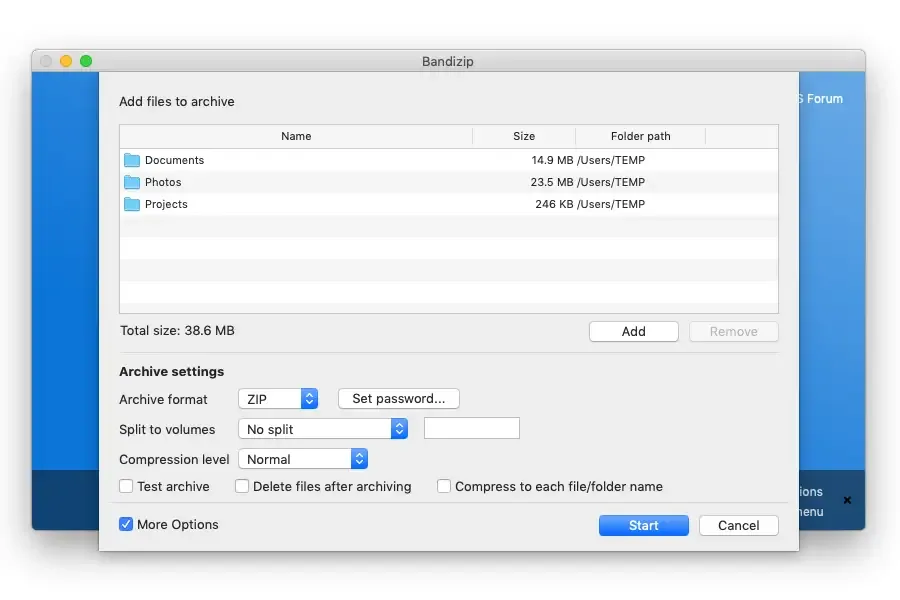
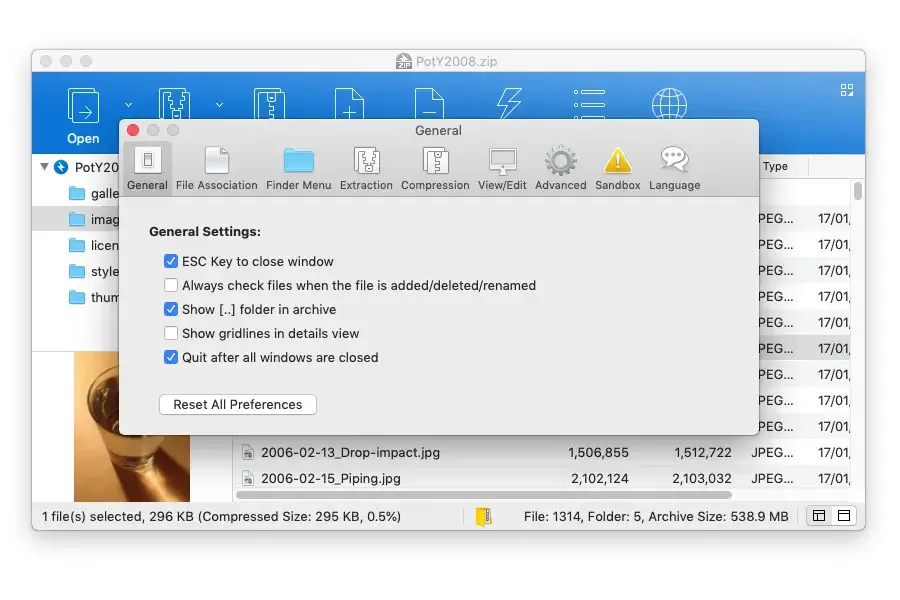
What's New in Bandizip 7.39 Version
Version 7.39, released September 8, 2026, is a security-focused update:
- Fixed multiple security-related vulnerabilities
- Improved the method for updating file sizes when selecting a folder
- Adjusted the order of the compression format list when creating an archive
- Other minor UI improvements and stability enhancements
- The previous release, 7.38, added the ability to resume interrupted password recovery tasks and support for opening files from the command line using "/open."
Supported macOS Versions
Bandizip requires macOS 11.0 (Big Sur) or later, with official support confirmed through Monterey, Ventura, Sonoma, Sequoia, and the current macOS 26 (Tahoe). Version history shows the developer specifically patched crashes on macOS 12 (Monterey) and fixed a launch failure on macOS 10.13 (High Sierra) in past updates, before settling on the current, higher minimum. Multi-core compression is where hardware matters most. Bandizip splits compression work across every available CPU core, so a Mac with more cores compresses large files noticeably faster than one with fewer, especially compared to Finder's single-threaded approach.
How to Download and Install Bandizip Mac?
Installing Bandizip on Mac only takes a few steps after downloading.
- Click the Download button above to securely download the setup file.
- Open the downloaded file, then drag Bandizip into your Applications folder.
- Launch Bandizip from Applications. If macOS shows an "unidentified developer" warning, go to System Settings → Privacy & Security and click Open Anyway.
Purchase and enter a license when prompted to unlock the full app, since Bandizip doesn't include a free tier.
Once activated, Bandizip is ready to use immediately, with its Finder integration and menu options available right away.
How to Use Bandizip Mac App?
- Right-click any file or folder in Finder and choose Compress to create a new archive.
- Double-click a RAR, 7Z, ZIP, or other supported archive to open it directly in Bandizip.
- Drag selected files out of an open archive to extract just those files.
- Set a password and enable AES256 encryption from the Compress window if the archive needs protecting.
- Use the Password Manager to save a frequently used password for faster access later.
- Open the Repair Archive tool if a ZIP file won't open correctly, to recover whatever data is still intact.
Alternatives to Bandizip
The Unarchiver: Free Mac extraction tool that opens a wide range of archive formats, though it focuses on extraction rather than compression.
Keka: Free, open source Mac archiver that handles both compression and extraction across formats like ZIP, 7Z, and RAR.