TickTick Overview
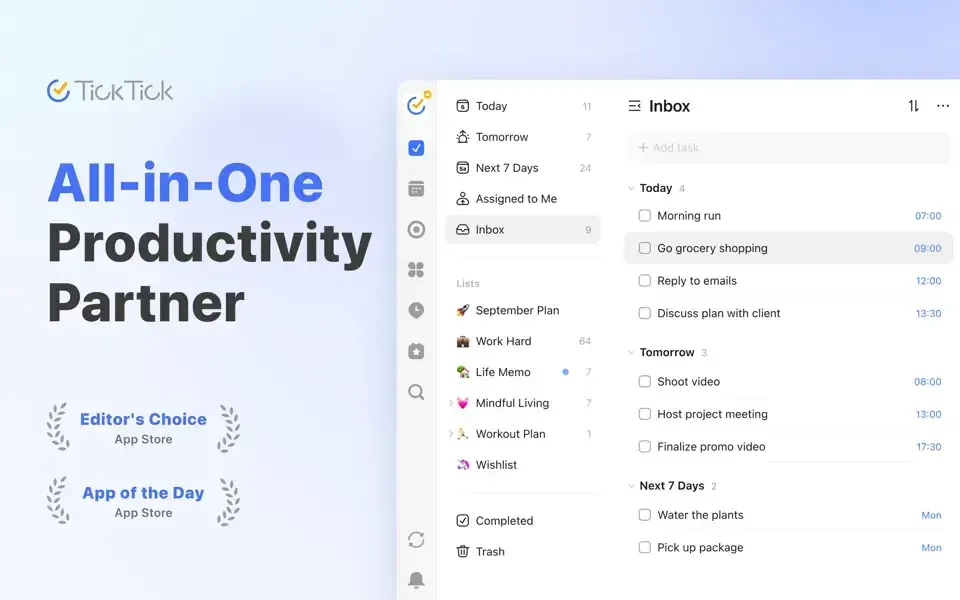
TickTick is a task management and to-do list app for Mac that syncs across more than 10 platforms, including iPhone, iPad, Apple Watch, and the web. Quick capture works through a browser plugin, email, a global desktop shortcut, or voice input, and natural language processing sets a task's date and time just by typing it in plain language. Tasks organize through Lists, Tags, and smart Filters, viewable as a simple List, a Kanban board, or a project Timeline. Reminders cover repeat schedules, email notifications, and location-based alerts, and a full calendar shows Yearly, Monthly, Weekly, or Agenda views. Built-in productivity tools include a Habit Tracker, a Pomodoro Timer, and the Eisenhower Matrix for prioritizing what matters most. A new AI Assistant can create tasks, break a project into steps, and organize a list from a single typed instruction. The core app is free, with a Premium subscription unlocking additional features.
Why Choose TickTick Mac App
A sticky note or a basic Reminders list works fine until tasks start piling up across work, personal errands, and long-term goals at once. TickTick brings all of it together. Quick capture from a browser, email, or a global keyboard shortcut, natural language date parsing, and views that range from a simple list to a full Kanban board or project timeline.
The newest version adds a built-in AI Assistant, so a rough plan typed in one sentence turns into an actual set of organized tasks rather than staying a vague note. Long-time users on Mac consistently point to the same reasons for sticking with it: a menu bar dropdown, the ability to hide the Dock icon entirely, and the combination of lists, tags, and smart filters working together rather than forcing a choice between them.
Key Features
- Quick task capture: adds tasks through a browser plugin, email, right-click menus, widgets, or a global desktop shortcut.
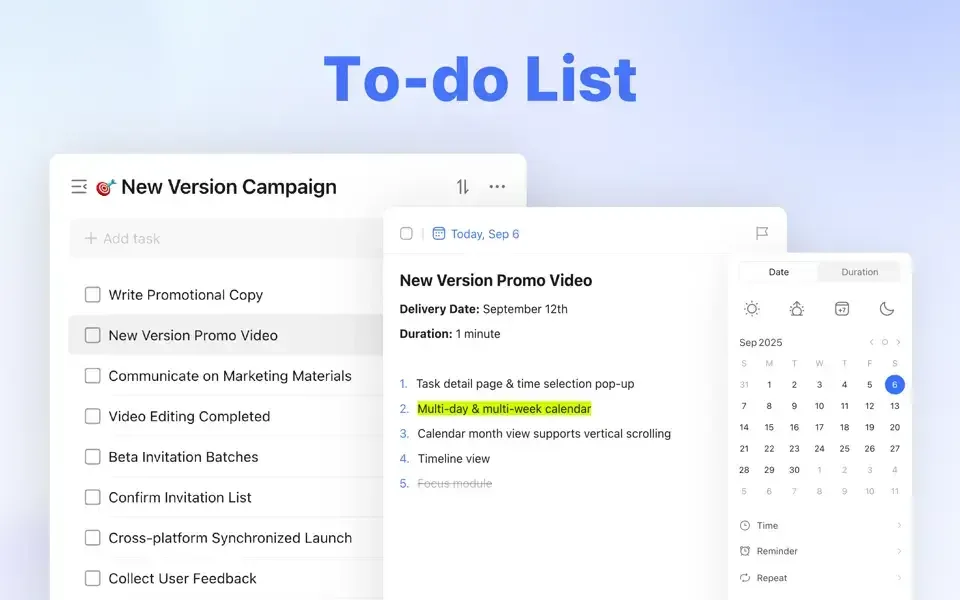
- Natural language processing: identifies a task's date and time automatically just from typing it in plain language.
- Voice input: dictates a task, which converts automatically to text.
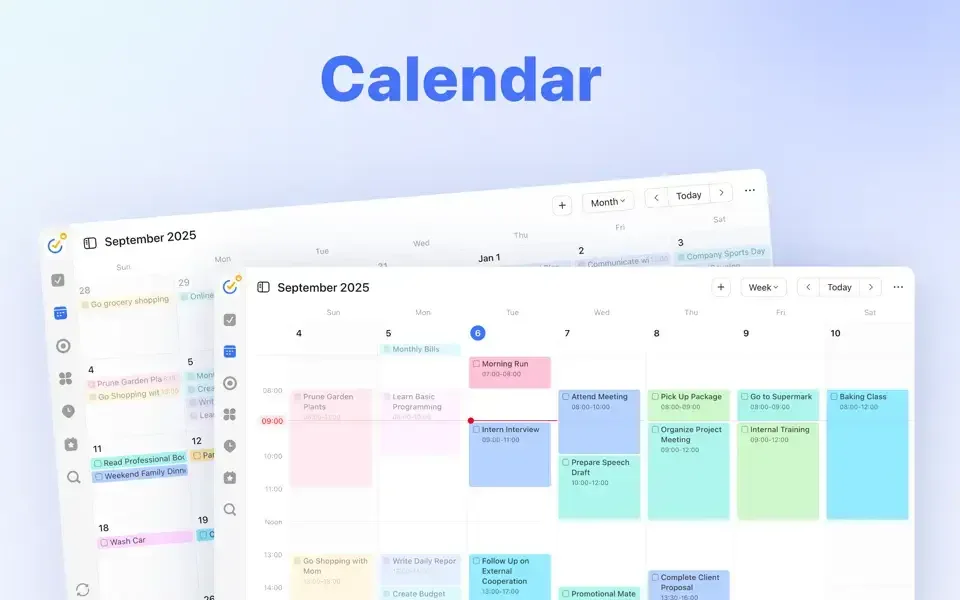
- Multiple calendar views: displays tasks in Yearly, Monthly, Weekly, Agenda, Multi-Day, or Multi-Week layouts.
- Three task view modes: switches between a simple List, a Kanban board, or a project Timeline.
- Smart filters and tags: organizes tasks beyond basic lists for faster retrieval.
- Flexible reminders: covers Repeat Reminders, Email Reminders, Location Reminders, and Daily Reminders.
- Habit Tracker: tracks detailed statistics and feedback to help build consistent habits.
- Pomodoro Timer: breaks work into focused intervals to reduce procrastination.
- Eisenhower Matrix: prioritizes tasks by urgency and importance directly inside the app.
- AI Assistant: turns a plain-language instruction into a structured set of tasks, ready to work from immediately.
- Collaboration: shares lists and assigns tasks to others for shared projects.
Screenshots
What's New in TickTick 8.2.30 Version
Version 8.2.30, released September 25, 2026, adds a genuinely new capability:
- Added an AI Assistant that creates tasks, breaks down projects, and organizes lists from a single typed instruction
- The developer describes this as part of an ongoing series of regular updates aimed at making the app smoother and more stable over time.
Supported macOS Versions
TickTick requires macOS 12 or later and runs as a universal build on both Apple Silicon and Intel Macs. Task management itself is lightweight for any Mac's processor, so hardware speed makes little difference to daily use. The AI Assistant and cross-device sync both depend on a stable internet connection, since task processing and syncing happen through TickTick's own servers rather than entirely on the Mac.
How to Download and Install TickTick Mac?
TickTick is also available for iPhone, iPad, Apple Watch, Android, Windows, Linux, and as a browser extension, syncing across all of them. Installing the Mac version only takes a few steps.
- Click the Download button above to safely download the setup file.
- Open the downloaded file, then drag TickTick into your Applications folder.
- Launch TickTick from Applications. If macOS shows an "unidentified developer" warning, go to System Settings → Privacy & Security and click Open Anyway.
Sign up for a free account, or sign in if one already exists, to enable sync across devices.
How to Use TickTick Mac?
- Press the global shortcut or click New Task to add a task, typing naturally to set a date or time automatically.
- Organize tasks into Lists, and apply Tags or Filters to group related items across lists.
- Switch between List, Kanban, or Timeline view depending on how the work is best visualized.
- Set a reminder type, such as Repeat Reminder or Location Reminder, for tasks with a deadline.
- Use the Pomodoro Timer to focus on a single task for a set period without distraction.
- Describe a larger project to the AI Assistant in one sentence and let it turn that into a working task list.
Alternatives to TickTick
Todoist: Free-tier task manager with a clean interface, natural language input, and cross-platform sync, actively maintained for years.
Microsoft To Do: Free task manager from Microsoft with list sharing, smart suggestions, and sync across Mac, Windows, and mobile devices.