Final Draft Overview
Final Draft for Mac is screenwriting software built specifically for movie scripts, TV episodics, and stage plays. It automatically paginates and formats your script to industry standards as you write. This removes the need to learn screenplay formatting rules yourself. It combines word processing with professional formatting in one self-contained package. Final Draft 13 supports real-time collaboration, but only with other Final Draft 13 users, not older versions like FD11 or FD10. It can import text-based PDFs, though not PDFs scanned from paper or photographed script pages. A separate app called Final Draft Go handles iPad and iPhone use, since the numbered desktop versions don't run on those devices.
Why Choose Final Draft for Mac
Final Draft remains the format most professional productions expect scripts in. That industry standard is its main draw. You can install it on as many computers as you own, but only run it on two at the same time. Signing out on one device frees up a seat for another, so switching between a desktop and laptop doesn't require a separate license.
It's worth knowing this before buying: user reviews over the years show a consistent pattern of complaints about price relative to competitors. Some users specifically mention Fade In, priced at roughly a third of Final Draft's cost, and Highland 2, which offers a free tier some reviewers found more convenient. Export options are also limited. Final Draft exports scripts to RTF, without native Scrivener or Word format support. If you already use one of those tools in your workflow, that's worth checking before you commit.
Key Features
- Automatic script formatting to industry standards as you type
- Real-time collaboration with other Final Draft 13 users
- Auto-Hide Scene Numbers, hiding overlapping scene numbers automatically
- Text-based PDF import for bringing scripts in from other programs
- Script templates for film, TV, and stage formats
- Install on unlimited computers, with two simultaneous active sessions
- Integration with Final Draft Go for continuing work on iPad or iPhone
- Big Break Screenwriting Contest access for submitting your scripts
- Industry-standard formatting recognized across professional productions
What's New in 13.3.3 Version
Final Draft 13.3.3 focuses on scene number readability. Recent changes include:
- A new Auto-Hide Scene Numbers option under Scene Numbers > Options
- Right-side scene numbers now hide automatically when they overlap the Scene Heading
- The setting is off by default and saves per document
- Minor bug fixes
- This update is a small, focused improvement rather than a major overhaul, keeping scripts cleaner without changing your existing formatting workflow.
Supported macOS Versions
Final Draft 13 requires macOS 10.15 or later. It runs natively on both Intel and Apple Silicon Macs. The download is a moderate 124.61 MB. Since collaboration only works between Final Draft 13 users, it's worth confirming which version your collaborators are running before starting a shared project.
How to Install Final Draft on macOS?
Setting up Final Draft on your Mac takes just a few steps.
- Download the latest version of Final Draft for Mac.
- Open the downloaded installer file.
- Follow the on-screen instructions to complete installation.
- Launch Final Draft from your Applications folder.
- Sign in with your Final Draft account to activate your license.
- Once activated, you can create a new script and start writing right away.
How to Use Final Draft Mac?
- Open Final Draft and choose a template for your script format.
- Start typing; Final Draft formats scene headings, dialogue, and action automatically.
- Use Tools > Collaboration if you want to work with another Final Draft 13 user.
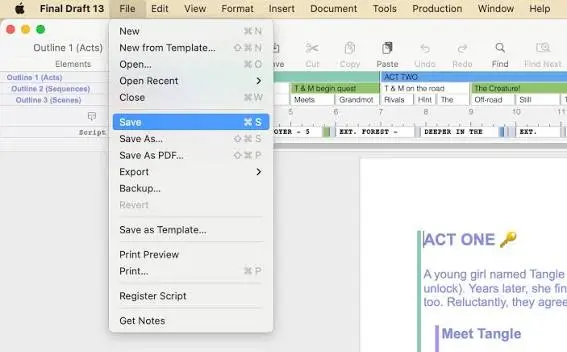
- Import a text-based PDF through File > Open if you're bringing in an existing script.
- Export your finished script to PDF or another supported format when ready.