Beyond Compare Overview
Beyond Compare for Mac is a professional file and folder comparison tool designed for users who need to compare, merge, and synchronize data accurately. Whether you're working with source code, project files, backups, or documents, it helps identify differences quickly while reducing manual work. The latest version supports modern macOS releases and delivers excellent performance on both Apple Silicon and Intel-based Macs.
Key Features
- Compare files and folders with high accuracy.
- Synchronize directories using flexible rules.
- Merge text and source code efficiently.
- Supports Apple Silicon and Intel Macs.
- Compare ZIP archives without extracting files.
- Built-in FTP and SFTP comparison support.
- Advanced filtering for faster file analysis.
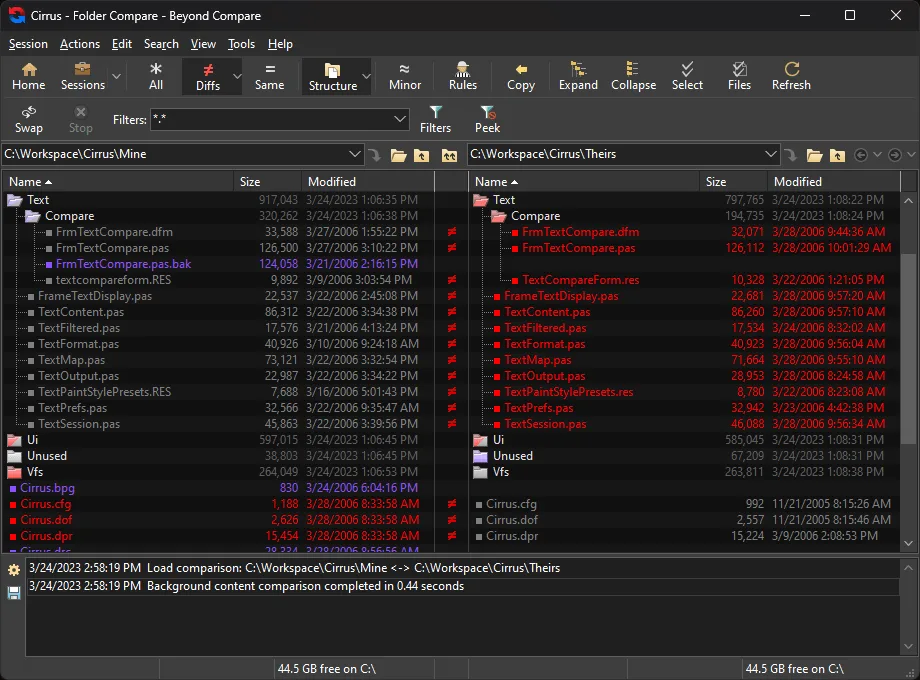
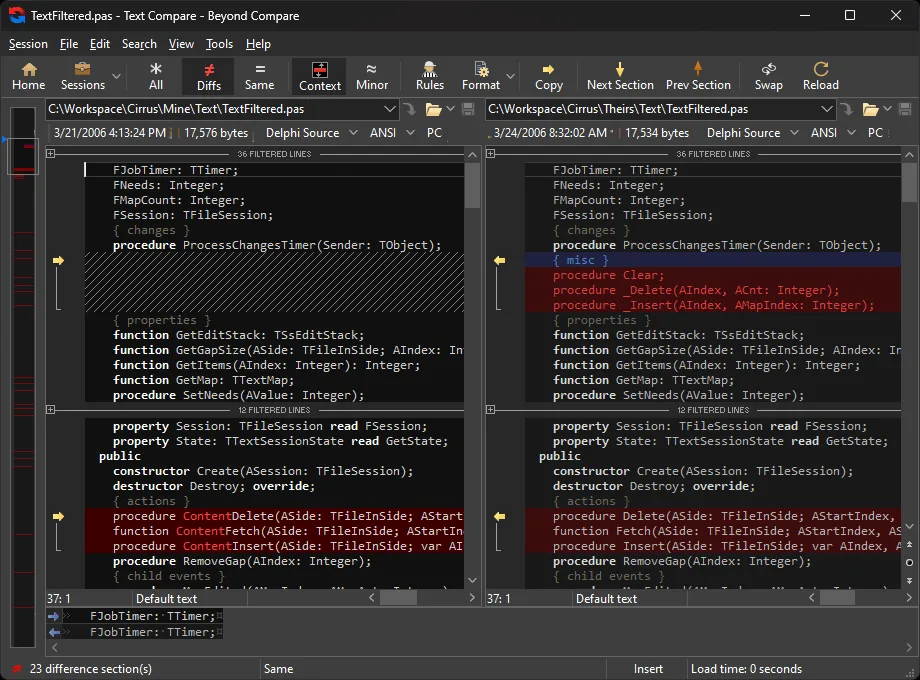
- Detect differences using color-coded highlights.
- Compare images and binary files.
- Create snapshots for offline comparisons.
- Custom comparison rules for different workflows.
- Save comparison sessions for future use.
- Fast search and navigation tools.
- Secure handling of project files.
- Regular updates with compatibility improvements.
Screenshots
What's New in the 5.2.6 Latest Version?
The latest version of Beyond Compare focuses on improving performance, compatibility, and workflow efficiency for macOS users.
Notable Changes
- General polish, stability improvements, and vulnerability fixes.
Cloud Services
- Windows: MIME types for uploaded files are determined from the system database instead of a custom mime.types file.
- Command Line
- Linux: Fixed command injection vulnerability in launcher script. Found by Vulcanix using GLM from Z.AI.
- Installer
- Windows: Uninstaller now only removes the "ExePath" and "Version" registry values under the version-agnostic "Software\Scooter Software\Beyond Compare" if they match the version that's being uninstalled.
Misc
- Linux: Fixed Help showing incorrectly or blank when the system web browser runs in a sandbox.
Text Compare
- Fixed "Align with Marked" when mouse is released over gutter.
- Third Party Libraries
- Updated 7-zip to 26.03. Fixes CVE-2026-58052.
Crashes
- Fixed Text Views crash when un-indenting a block of text.
- Fixed Table Compare crash when mouse is released over column header during "Align With"
- macOS: Fixed crash when opening Check for Updates dialog.
Who Should Use Beyond Compare for Mac?
Beyond Compare MacOS is designed for users who need more than a standard file manager. Its advanced comparison engine makes it especially useful for professionals who work with changing files every day. This software is an excellent choice for:
- Software developers comparing source code.
- Web developers managing website files.
- System administrators maintaining backups.
- IT professionals synchronizing servers.
- Technical writers tracking document revisions.
- Designers organizing multiple project versions.
- Business users managing shared folders.
- Anyone who frequently compares or merges files.
If you only perform occasional file comparisons, a simpler utility may be sufficient. However, users handling large projects or multiple file versions will appreciate the speed and precision Beyond Compare offers.
How to Install Beyond Compare on Mac?
Installing Beyond Compare is straightforward and only takes a few minutes.
- Download the latest version of Beyond Compare for Mac.
- Open the downloaded .dmg installer.
- Drag the application into the Applications folder.
- Launch Beyond Compare from Launchpad or Applications.
- Grant any required macOS permissions.
- Activate your license or continue with the trial version.
- Start creating comparison sessions for files, folders, or directories.
Once installed, you can immediately begin comparing local files, external drives, network folders, or remote servers.