Farrago Overview
Farrago is a soundboard app for Mac from Rogue Amoeba. It turns a keyboard, mouse, MIDI controller, or Stream Deck into instant playback triggers for sound bites, effects, and music clips. Sounds organize into tiles, grouped into unlimited Sets by show, mood, or category, with Grid or List layouts depending on the job. A built-in editor trims audio and adds fades directly on a tile, no separate audio app required. Smart Sets update automatically based on rules like play count, and locked Sets protect a shared setup with a password. Search pulls in new sounds from the Freesound database or Apple Loops from GarageBand and Logic Pro. The free download runs as a full trial; a one-time purchase unlocks it permanently.
Why Choose Farrago Mac App
Cueing sound effects, music stings, or pre-recorded segments during a live show usually means either juggling a media player by hand or building something custom. Farrago turns that into pressing a key. Assign a sound to a tile, trigger it with a keystroke or MIDI note, and it plays instantly. Sets keep a big library organized by show or mood, and Smart Sets take that further, automatically grouping tiles based on rules like how often they've been played.
The current version brings a genuinely useful editor upgrade for anyone fine-tuning sounds before a show. Selections in the built-in editor now have draggable handles and can be made entirely from the keyboard, with playback able to loop just the selected portion while adjusting it. Combined with confirmed support for macOS 27, the newest macOS release, it's clear this isn't a soundboard app coasting on its original design. It's still being actively refined for how people use it today.
Key Features
- Keyboard-based instant playback: turns any key into a soundboard trigger, playing a tile the instant it's pressed.
- Grid and List modes: organizes tiles in a visual grid for quick access, or a sequential list for scripted, ordered playback.
- Sets and Smart Sets: groups sounds into unlimited custom Sets, or builds Smart Sets that update automatically based on rules like play count.
- Lockable Sets: password-protects a Set to prevent accidental changes in a shared environment.
- Built-in audio editor: trims a sound, adds fades, or cuts out a section directly on its tile.
- Preview device: tests a sound on a secondary output device before it goes out live.
- Freesound search: finds and downloads new sound effects from the Freesound.org database without leaving the app.
- Apple Loops support: pulls loops from GarageBand and Logic Pro directly into a Set.
- Hardware control: triggers and controls playback via MIDI, OSC, or Elgato Stream Deck hardware.
- Shortcuts integration: automates playback and set configuration through the macOS Shortcuts app.
- Session and Lifetime play counts: tracks how often a tile has played, both for the current session and across all time.
- On-tile emoji and color: labels tiles visually for faster recognition during fast-paced use.
Screenshots
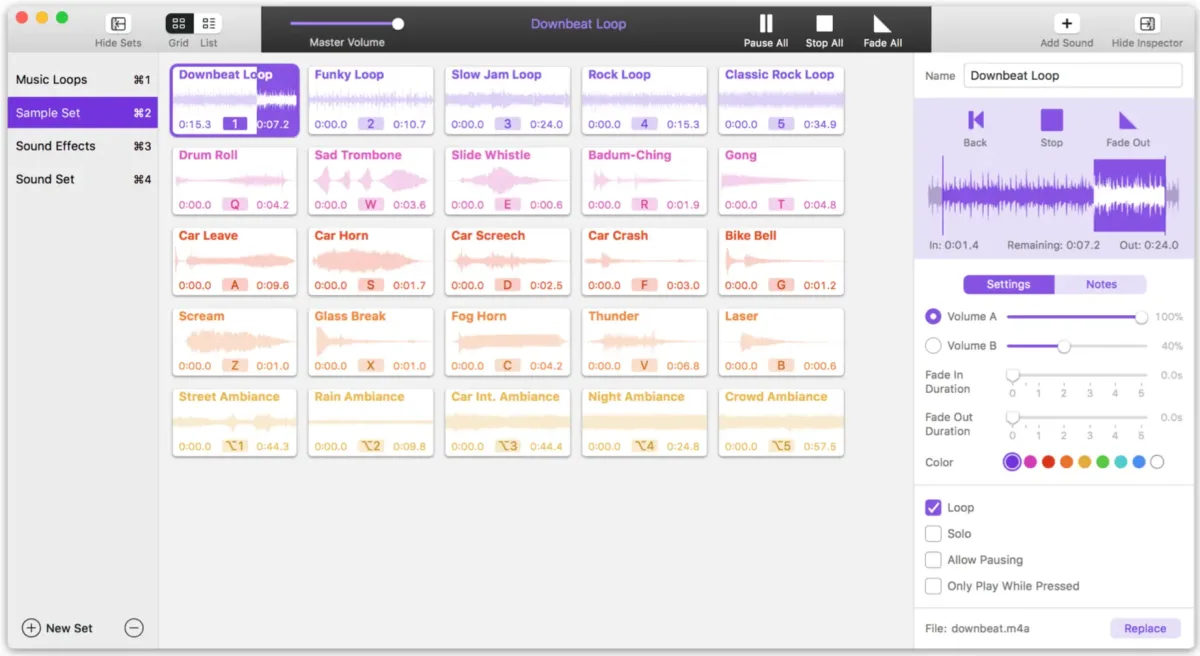
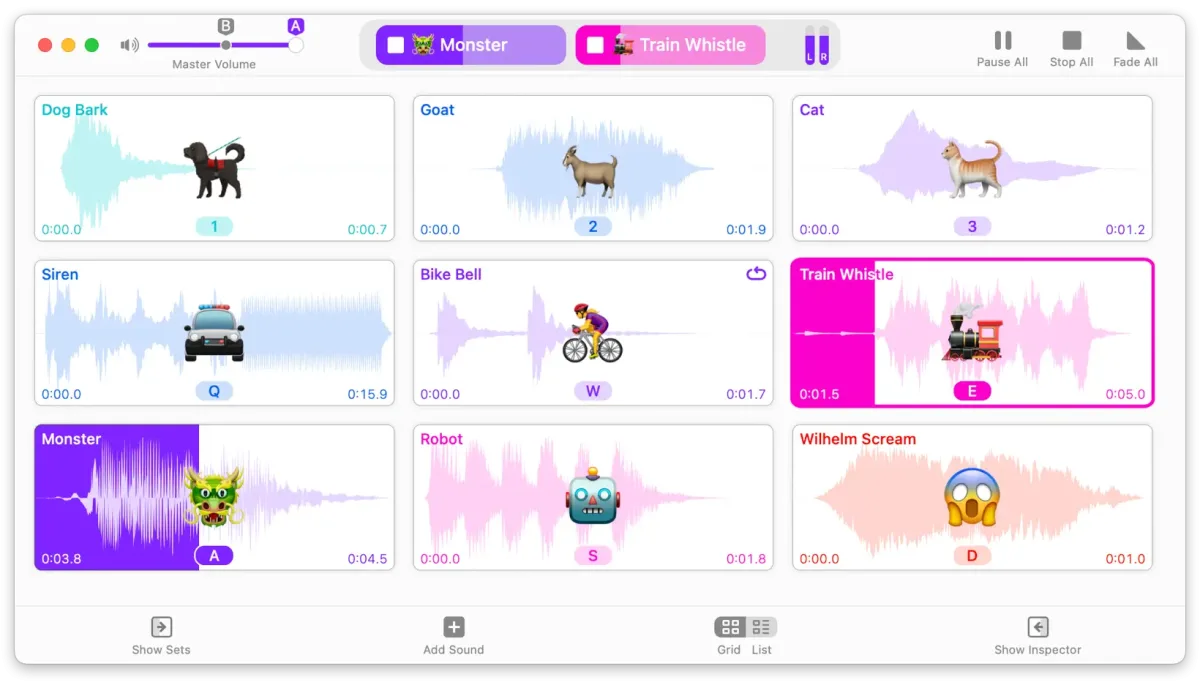
What's New in Farrago 2.2.0 Version
Version 2.2.0, released September 9, 2026, adds:
- Confirmed support for macOS 27 (Golden Gate), with no launch warning and no known compatibility issues
- Substantial Shortcuts enhancements, including new "Play Sound Set" and "Configure Sound Set" actions, an option to wait for playback to finish, and the ability to assign a tile's color via Shortcuts
- Editor improvements: draggable selection handles, keyboard-based selection using the I and O keys, playback limited to the current selection, and a new loop-playback option
- Smarter Smart Sets, with a new Session Play Count tracked alongside the renamed Lifetime Play Count
- Less intrusive update notifications, replacing a pop-up dialog with a small indicator in the main window
- An updated ffmpeg backend, jumping from a very old 2.6.2 to 8.1.2 to fix longstanding import bugs
- macOS 14 or higher is now required to run this version.
Supported macOS Versions
Farrago 2.2.0 requires macOS 14 or later, a minimum raised specifically for this release. It runs as a universal build on Apple Silicon and Intel Macs alike, with confirmed support for macOS 27 (Golden Gate) and no known compatibility issues reported on that release. Soundboard playback itself is lightweight work for a Mac's processor, so hardware speed rarely becomes a bottleneck during normal use. Where a faster Mac helps more is in the built-in editor, since waveform rendering and timeline zooming benefit from extra CPU headroom when working with larger audio files.
How to Download and Install Farrago on Mac?
Installing Farrago on Mac only takes a few steps after downloading.
- Click the Download button above to safely download the setUp file.
- Open the downloaded file, then drag Farrago into your Applications folder.
- Launch Farrago from Applications. If macOS shows an "unidentified developer" warning, go to System Settings → Privacy & Security and click Open Anyway.
- Grant any permissions Farrago requests, such as Local Network Access, so OSC and hardware control features work correctly.
Farrago opens as a full trial with no missing features. Purchasing a license later unlocks it permanently through the License window.
How to Use Farrago Mac App?
- Drag audio files into a new Set to create tiles, or import an existing sound set.
- Assign each tile a keyboard shortcut, color, or emoji from the Inspector.
- Trigger a tile by clicking it, pressing its shortcut, or using MIDI, OSC, or a Stream Deck.
- Open a tile's editor to trim audio or add fades before using it live.
- Organize tiles into multiple Sets, or build a Smart Set based on a rule like play count.
- Switch to List Mode instead of Grid Mode for sequential playback during a scripted show.
Alternatives to Farrago
Soundplant: Trial download that turns a Mac keyboard into a sound-triggering instrument, with a paid unlock for full functionality.
SparkFX: Mac-only freemium soundboard with a grid-based interface, color-coded clips, and set lists.
Sound Show: Freemium soundboard for live performances and broadcasts, with support for displaying images and video alongside audio.