GoodTask Overview
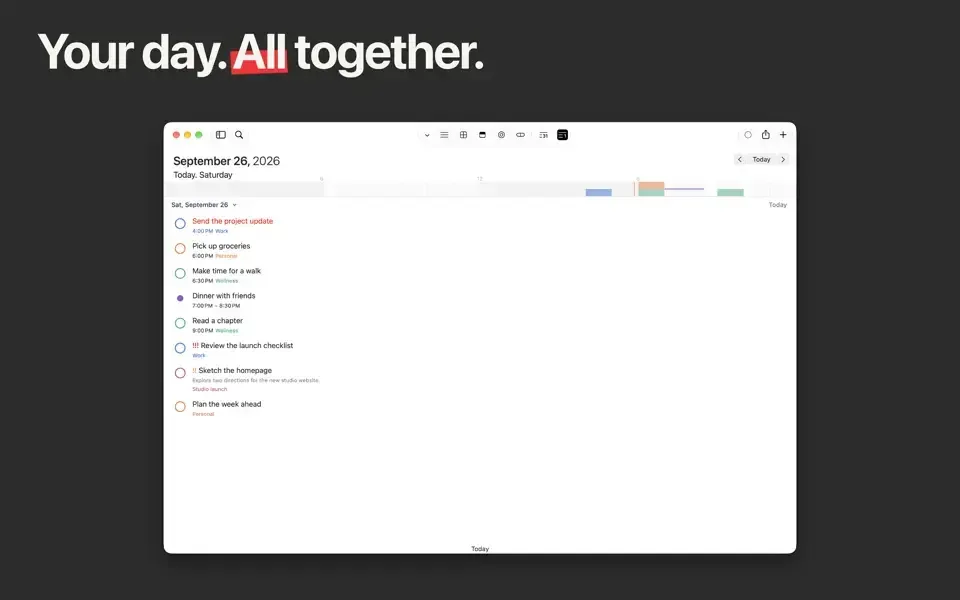
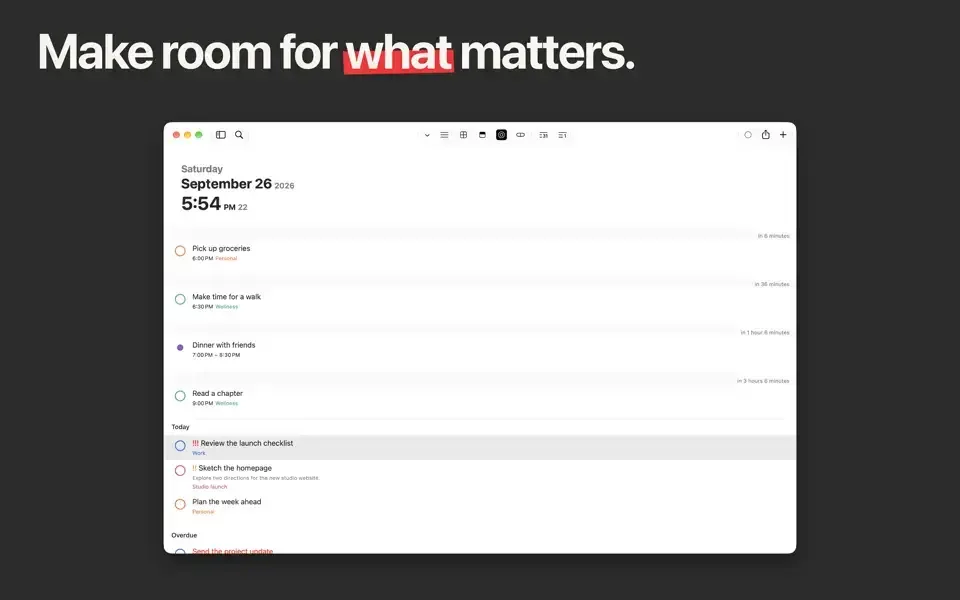
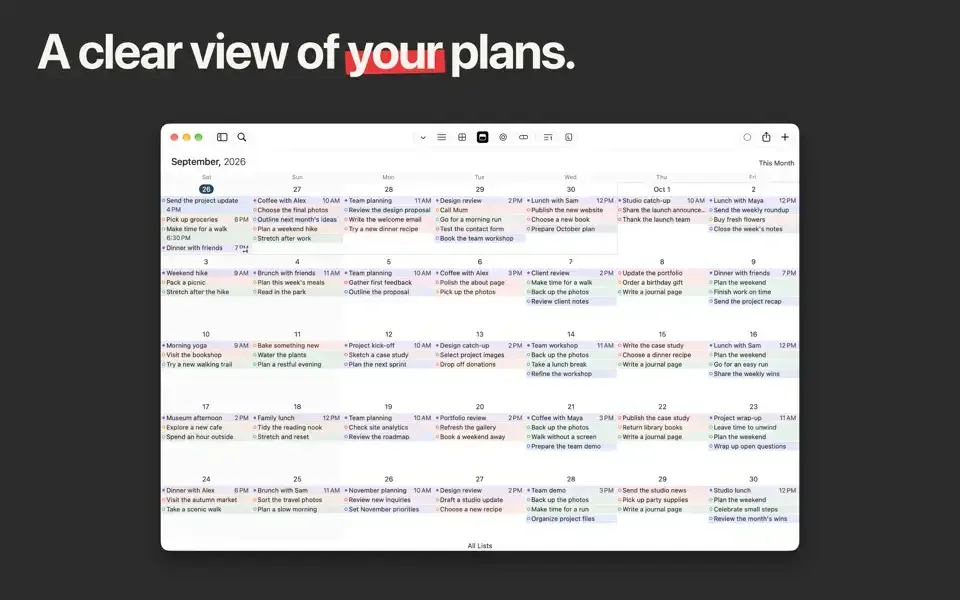
GoodTask is a task manager for Mac built directly on top of Apple's Reminders and Calendar, rather than a separate proprietary database. Tasks added through Siri or the Reminders app show up inside GoodTask automatically, and every change stays synced back through iCloud. Smart Lists filter and combine tasks by dates, priorities, and tags, surfacing overdue items, errands, or the next steps in a project. The Today Page builds a daily plan from tasks, templates, and AI-assisted suggestions, while Next Page focuses on one task or subtask at a time with a built-in timer. Work can be viewed as a list, calendar, Kanban board, four-quadrant priority matrix, or day-by-day project timeline. Quick Actions reschedule, reprioritize, or tag tasks in one click, and bulk actions edit several tasks at once. A newer Smart Capture feature turns typed text or a photo into an editable task draft using on-device Apple Intelligence.
Why Choose GoodTask Mac App
Apple's own Reminders app covers the basics, but stops well short of what a serious task management workflow needs. GoodTask adds Smart Lists, custom views, and Quick Actions on top of that same data, so every task the app touches remains a normal Reminders item underneath, still reachable through Siri dictation or any other app that talks to Reminders.
A recent update added Smart Capture, so a quick photo of a whiteboard or a pasted paragraph of notes can be handed off to on-device Apple Intelligence and come back as an editable task, ready to review before saving. AI-assisted suggestions on the Today Page round out that same planning-focused push. Long-time users consistently point to the same reason for staying with GoodTask over the years: it stays out of the way as a useful front end for Reminders, rather than becoming a system to manage on its own.
Key Features
- Built on Reminders and Calendar: reads and writes directly to Apple's own databases instead of a separate proprietary one.
- Smart Lists: filters and combines tasks from multiple lists and calendars by date, priority, and tags.
- Today Page: builds a daily plan from tasks, templates, and configurable suggestions, with start and end notes.
- Smart Capture: hands a block of text or a photo to on-device Apple Intelligence and gets back a ready-to-edit task draft.
- Next Page: focuses on one task or subtask at a time, with a built-in timer for focus sessions.
- Multiple views: switches between List, Day, Week, Month, Kanban board, Matrix, and Project View.
- Quick Actions: reschedules tasks, changes priority, moves lists, or adds tags in a single click.
- Bulk actions: edits several tasks at once instead of one at a time.
- Subtasks and Templates: breaks larger work into steps and reuses saved routines or checklists.
- Attachment support: drags files from Finder or pastes images directly onto a task, with a gallery view.
- Menu bar access: checks tasks, completes items, or adds a calendar event without opening the main window.
- Customizable widgets: displays lists, calendar, matrix, or next-task views directly on the desktop.
Screenshots
What's New in GoodTask 8.4.6 Version
Version 8.4.6, released within the past day, focuses on widgets and list organization:
- Added a Font Size option for widgets, adjustable from 50% to 120%
- Option-click a group's disclosure button in Lists to expand or collapse every group at once
- List View now remembers which sections were collapsed for each list between sessions
- A more substantial recent update added Smart Capture and Today Page AI Suggestions, both powered by on-device Apple Intelligence, alongside expanded Siri and Shortcuts actions for tasks, lists, and calendar events.
Supported macOS Versions
GoodTask requires macOS 12.0 or later, with its newest Apple Intelligence features, including Smart Capture and AI-assisted task suggestions, requiring a more recent macOS release with Apple Intelligence enabled. Since the app works as a front end for Apple's own Reminders and Calendar databases, most day-to-day tasks stay lightweight regardless of hardware. Large libraries with many attachments, widgets, and custom views benefit from more available RAM.
How to Download and Install GoodTask Mac?
GoodTask is also available on the Mac App Store. Installing the direct download only takes a few steps.
- Click the Download button above to safely download the setup file.
- Open the downloaded file, then drag GoodTask into your Applications folder.
- Launch GoodTask from Applications. If macOS shows a security prompt, go to System Settings → Privacy & Security and click Open Anyway.
Grant access to Reminders and Calendars when prompted, since GoodTask reads and writes directly to those databases.
How to Use GoodTask Mac?
- Choose which existing Reminders lists and calendars to show inside GoodTask.
- Create a Smart List to combine or filter tasks by tags, dates, or priority.
- Open the Today Page to build a daily plan from tasks, templates, and suggested items.
- Set up a Quick Action for a task change made often, such as rescheduling or adding a tag.
- Switch between List, Kanban, Matrix, or Project View depending on how the work is best organized.
- Add a widget to the desktop to keep a list, calendar, or next task visible at a glance.
Alternatives to GoodTask
Reminders (built into macOS): Free and included on every Mac, covering basic to-do lists and Siri integration without GoodTask's added views and automation.
TickTick: Free-tier task manager with natural language input, multiple view modes, and cross-platform sync.