MiaoYan Overview
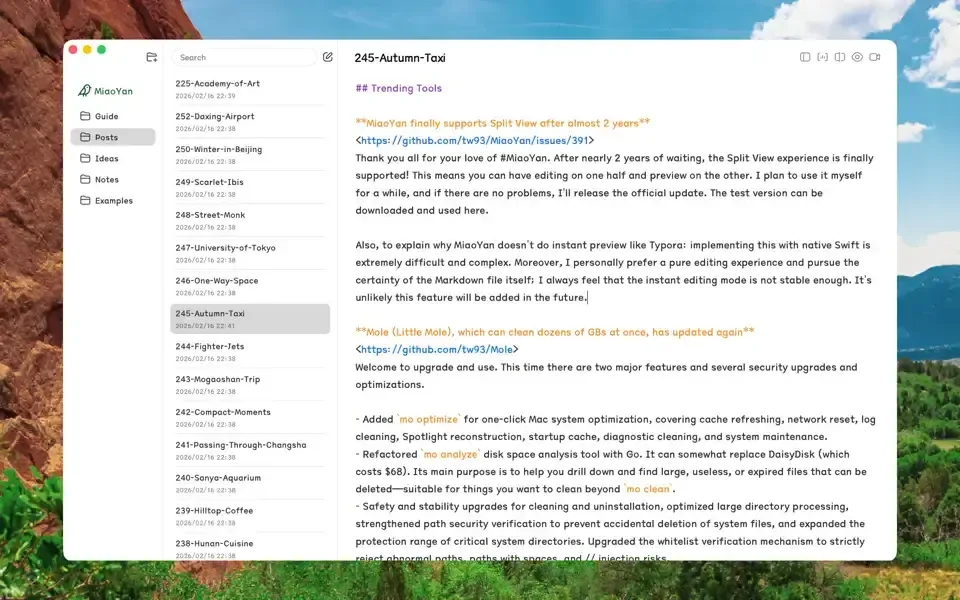
MiaoYan is a free, open source Markdown editor for Mac built natively in Swift instead of Electron. Files save directly to a folder chosen on the Mac, with no note data collected by the developer, and cross-device sync left to a tool like iCloud Drive or Nutstore. A three-column layout keeps folders, notes, and the editor together, with Split mode pairing live preview to 60fps bidirectional scroll sync. Wikilinks and backlinks connect related notes automatically, and LaTeX, Mermaid, and PlantUML render directly inside the editor. A Presentation mode turns a Markdown document into a slideshow, and version history keeps track of earlier drafts. A built-in command-line interface handles document operations outside the app itself. The entire app installs through a direct download, the Mac App Store, or Homebrew.
Why Choose MiaoYan Mac App
Most Markdown editors push toward one of two extremes: a WYSIWYG editor that hides the raw file, or a plugin-heavy knowledge base that takes over a Mac's resources. MiaoYan sits in between, keeping pure Markdown source editing paired with a live preview, built natively in Swift instead of running on Electron.
Compared with Typora, MiaoYan skips WYSIWYG editing entirely, keeping the raw Markdown source visible alongside its preview for anyone who wants direct control over the file. Compared with Obsidian, there's no Electron runtime and no plugin ecosystem to manage, just a native app with local files and a focused set of built-in features. Files stay in whatever folder is chosen on the Mac, with cross-device sync left to iCloud Drive, Nutstore, or another sync tool of choice.
Key Features
- Local-first storage: keeps every note as a plain file in the folder you point it to, nothing routed through a server first.
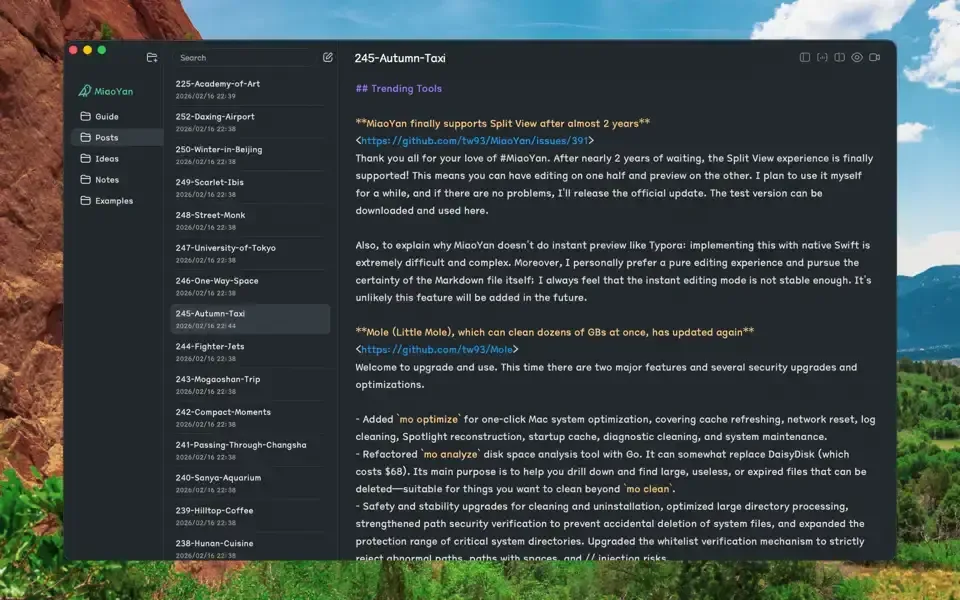
- Three-column layout: organizes folders, a notes list, and the editor together in one clear view.
- Native Swift build: runs without an Electron runtime, keeping the app fast and lightweight.
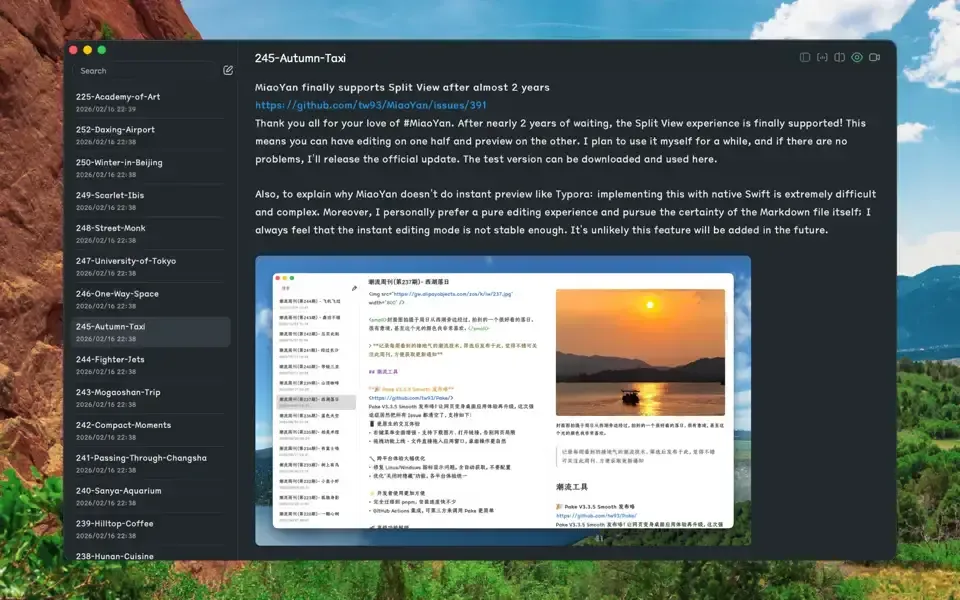
- Split-mode live preview: pairs real-time preview rendering with 60fps bidirectional scroll sync.
- Wikilinks and backlinks: connects related notes together, tracking backlinks automatically.
- LaTeX support: renders mathematical notation directly inside a Markdown document.
- Mermaid and PlantUML support: turns text-based diagram syntax into rendered flowcharts and diagrams.
- Presentation mode: turns a Markdown document into a slideshow for presenting directly from the file.
- Version history: keeps track of earlier drafts of a document.
- Auto-formatting: cleans up document formatting automatically as you write.
- Command-line interface: performs document operations from the terminal, outside the app itself.
- Dark mode and distraction-free writing: matches the system appearance and hides interface clutter while writing.
Screenshots
What's New in MiaoYan 4.3.2 Version
Version 4.3.2, released September 22, 2026, is a small font-handling fix:
- Corrected a font selection so it applies to an entire line, including English text, which the previous version had handed off to the system font instead
- Removed the ability to select category headers like "Recommended," "Chinese," and "Latin" in the font picker as if they were actual fonts
- MiaoYan ships frequent, focused updates like this one rather than infrequent, large releases.
Supported macOS Versions
MiaoYan requires macOS 12.0 or later and runs as a universal build on both Apple Silicon and Intel Macs. The app is built natively with Swift rather than a cross-platform framework like Electron, so it stays lightweight regardless of which Mac it's running on. Even large Markdown files with LaTeX equations or Mermaid diagrams render quickly without the overhead common to web-based note apps.
How to Download and Install MiaoYan Mac?
MiaoYan can also be installed through the Mac App Store or Homebrew. Installing the direct download only takes a few steps.
- Click the Download button above to safely download the setup file.
- Open the downloaded file, then drag MiaoYan into your Applications folder.
- Launch MiaoYan from Applications. If macOS shows an "unidentified developer" warning, go to System Settings → Privacy & Security and click Open Anyway.
- Choose a folder on first launch where MiaoYan should store its Markdown files.
MiaoYan is completely free to use, with no account, license key, or in-app purchase required.
How to Use MiaoYan Mac App?
- Create a new folder inside MiaoYan, or point it to an existing folder of Markdown files.
- Click New to start a note, typing Markdown directly in the editor pane.
- Toggle Split mode to see a live preview update as you type.
- Use double bracket syntax to create a wikilink to another note, building backlinks automatically.
- Insert LaTeX equations or Mermaid diagrams directly in the Markdown source when needed.
- Switch to Presentation mode to turn a Markdown document into a slideshow.
Alternatives to MiaoYan
MarkEdit: Free, open source Markdown editor for Mac with a similarly lightweight, native approach to plain-text writing.
Obsidian: Free for personal use, Electron-based note-taking app with a large plugin ecosystem, useful for anyone who wants more extensibility than MiaoYan offers.