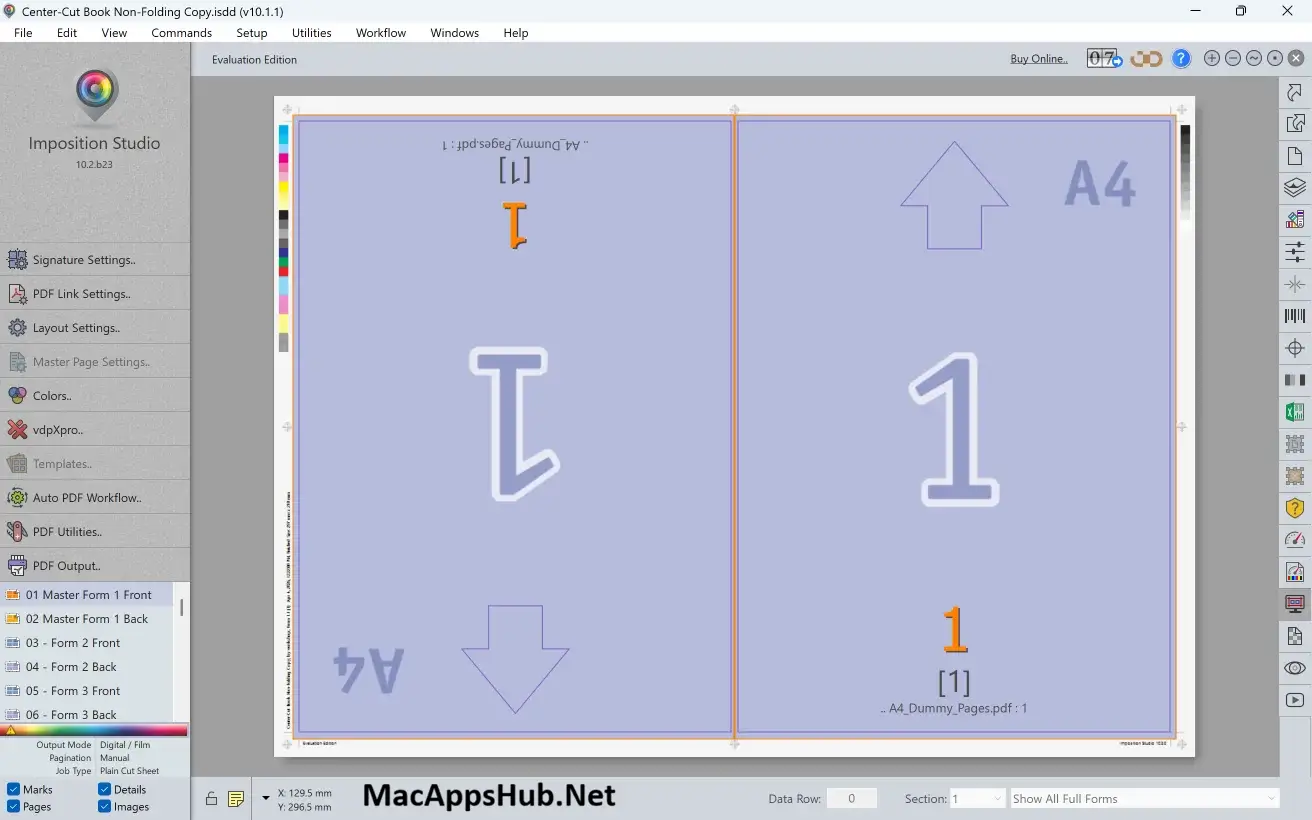
Imposition Studio Overview
Imposition Studio for Mac turns regular PDF files into print-ready imposed layouts for books, booklets, step and repeat, gang run, cut and stack, and CTP output, all from one standalone application. It doesn't need InDesign, Acrobat, or any plugin to run; you feed it a PDF and it handles pagination, creep control, binding, and output formatting on its own. Version 10 added vdpXpro, a variable data printing module that merges personalized text, images, and barcodes directly into the imposition process. Print shop operators running daily job queues, prepress technicians handling book and booklet work, and packaging producers imposing die-cut layouts all use it to move a finished PDF from file to press.
Why Choose Imposition Studio Mac App
Most PDF imposition tools handle one or two layout types well and leave the rest to a separate plugin or app. Imposition Studio covers N-up, step and repeat, gang run, cut and stack, and full book or booklet imposition, including perfect binding, saddle stitching, and section sewing with automatic creep control, all inside one standalone application. It also bundles tools most competing imposition software leaves out entirely: a PDF Optimizer for reducing file size and fixing missing fonts, built-in color grading and correction, PDF special effects, an overlay tool, and preflight reports that catch problems before a job reaches the press.
The version 10 release added vdpXpro directly into the imposition workflow, letting personalized text, images, PDF files, and barcodes merge into a layout without switching to a separate variable data application. Hot folder-based automation and reusable templates mean a print shop running the same job types daily doesn't need to rebuild a layout from scratch each time. The license itself stays a genuine one-time purchase rather than a subscription, with tiered future-update plans, so a studio only pays for the update coverage it actually needs instead of a forced recurring fee. It's also actively maintained for current macOS, with dedicated interface support already shipped for macOS 26 Tahoe.
Key Features
- N-up, Step and Repeat, Gang Run, and Cut and Stack modes: cover the full range of common print layouts in one app.
- Book and booklet imposition: supports perfect binding, saddle stitching, and section sewing with automatic creep control.
- vdpXpro variable data printing: merge personalized text, images, PDF files, and barcodes directly into the imposition.
- PDF Optimizer: reduce file size, convert color modes, and replace missing fonts before output.
- Hot folder automation: set up watched folders that automatically impose incoming PDFs using saved templates.
- Preflight checking: catch missing fonts, transparency issues, and color problems before a job hits the press.
- CTP, film, and digital output modes: output directly for plate setters, image setters, or digital presses.
- OMR marks and dynamic barcode support: add registration and tracking marks automatically to layouts.
- Nested packaging layouts: impose interlocking die-cut packaging designs, not just flat sheets.
- PDF utilities suite: combine, split, rotate, extract, and convert PDF pages without a separate tool.
What's New in Imposition Studio 10.4.1 Version
Version 10.4.1 shipped August 11, 2026, focused on vdpXpro reliability and localization fixes.
- Fixed a permission error when creating the Troubleshooting Report on macOS.
- Fixed a number format error on systems that use a comma as the decimal separator.
- Fixed an error that skipped the first data row when "Has Header Row" was selected in vdpXpro.
- Fixed a link settings error that prevented links from updating on the first refresh.
- Fixed an error that caused only the first data row to print in vdpXpro.
- Fixed an invalid access error that could cause the app to close unexpectedly on some macOS systems.
- Improved localizations across multiple languages.
- It follows version 10.4.0, released August 1, 2026, which added PDF/X and PDF/A compliant output alongside broader JDF and CF2 cutting-format support.
Supported macOS Versions
Imposition Studio 10.4.1 supports macOS 11 Big Sur through macOS 26 Tahoe, giving it one of the wider compatibility ranges among current prepress tools, useful for print shops still running slightly older Macs on the production floor. Dedicated interface support for Tahoe's new visual effects was added in a late-2025 build, so it's already tuned for the newest macOS release rather than just tolerating it. As a universal binary, Apple Silicon Macs handle large multi-page book impositions and PDF optimization noticeably faster than older Intel hardware, though Intel Macs on a supported macOS version remain fully functional for typical job sizes.
How to Download and Install Imposition Studio on Mac?
Installing Imposition Studio on Mac only takes a few steps after downloading, including one quick permission it needs to run properly.
- First click on the Download button given on this page that is fully secure and complete the downloading procedure.
- Open the downloaded .zip file, then drag Imposition Studio into your Applications folder.
- Launch Imposition Studio from Applications. If macOS shows an "unidentified developer" warning, go to System Settings → Privacy & Security and click Open Anyway.
- Grant folder access when prompted, so Imposition Studio can read and write your PDF files and hot folders.
- Start your 7-day free trial, or enter your license details if you've already purchased.
Once the initial setup is done, Imposition Studio won't ask for these permissions again, future launches go straight to the layout editor.
How to Use Imposition Studio Mac?
- Launch Imposition Studio and start your 7-day free trial, or activate with a purchased license.
- Import your source PDF and choose an imposition mode, N-up, step and repeat, gang run, or book and booklet.
- Apply a reusable template, or build a custom layout with the signature layout editor.
- Run Preflight Checking to catch missing fonts or color issues before output.
- Set your output mode (digital, film, or CTP) and export the imposed PDF.
- For personalized jobs, open vdpXpro to merge variable text, images, or barcodes into the layout.