Smart Zipper Pro Overview
Smart Zipper Pro is an archive manager for Mac that opens, previews, and creates compressed files. It extracts RAR, 7z, ZIP, ISO, CAB, TAR, and more than twenty other formats. You can browse an archive and pull out only the files you need. Quick Look previews let you check a photo or document without extracting it first. The app also builds 7z, ZIP, TAR, GZIP, and BZIP2 archives with six compression levels. AES-256 encryption protects archives with a password. Large archives can be split into volumes and merged again. All processing happens on your Mac, so files are never uploaded.
Why Choose Smart Zipper Pro Mac App
macOS opens ZIP files without help. RAR, 7z, CAB, and ISO files are a different story. Smart Zipper Pro covers them in one window, and it also creates new archives. That two-way ability matters. You can extract a RAR file from a client and send back a password-protected 7z in the same app.
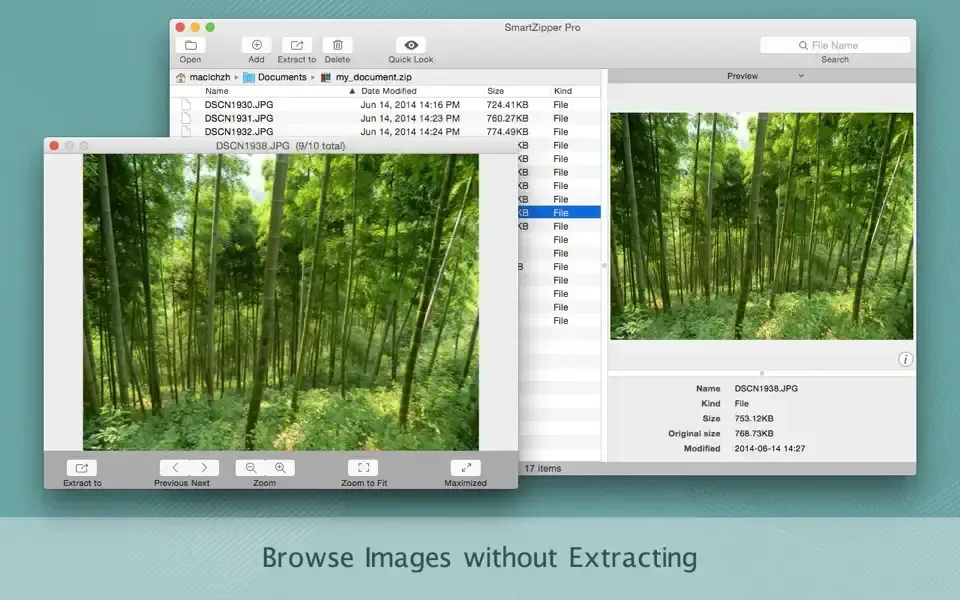
The second reason is control over what comes out. Many unarchivers extract everything first and ask questions later. Smart Zipper Pro lets you browse the archive, search for a file name, and extract only the items you pick. Filename filters trim the list further. Quick Look, image previews, and a hex dump let you inspect a file before it touches your disk.
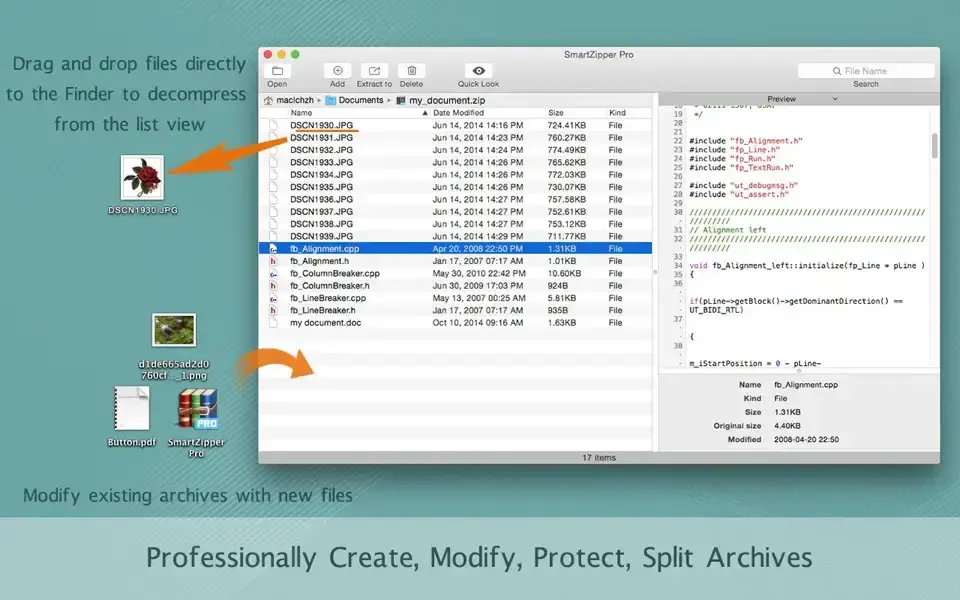
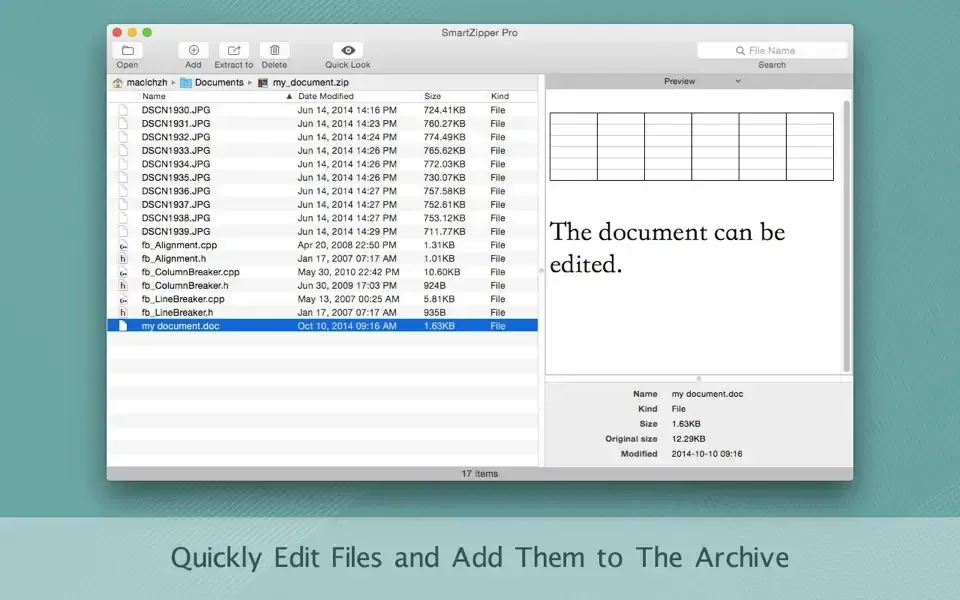
The third reason is editing. You can add, remove, or change files inside an existing archive by dragging and dropping, rather than rebuilding it. Tabs and dual-pane browsing help when you handle several archives at once. Privacy is part of the design too. The developer states that archives are processed locally on your Mac, so no file is uploaded anywhere. Free updates come with the lifetime license.
Key Features
- Wide format support: opens ZIP, RAR, 7z, ISO, CAB, StuffIt, LZMA, TAR, GZIP, BZIP2, PAX, MSI, ARJ, and Z files.
- Archive creation: builds 7z, ZIP, TAR, GZIP, and BZIP2 archives at six compression levels.
- AES-256 encryption: protects archives with password encryption.
- Selective extraction: browses an archive and extracts only the files you choose.
- Quick Look and hex preview: previews pictures, documents, and raw data without extracting.
- Search and filename filters: finds files in a long archive and filters out ones you do not need.
- In-place editing: adds, removes, or edits files inside an existing archive by drag and drop.
- Split and merge: breaks a large archive into volumes and joins them again.
- Tabs and dual-pane browsing: lets you compare or move files between archives.
- Finder integration: adds right-click options for compressing and extracting from Finder.
- Dock icon drop: extracts or compresses files dragged onto the app icon.
- Local processing: keeps every operation on your Mac.
Screenshots
What's New in Smart Zipper Pro 4.0.1 Version
The software engine was upgraded for better stability and compatibility
- Files dragged onto the Dock icon are now handled differently
- Unspecified bugs were fixed
Supported macOS Versions
Smart Zipper Pro supports macOS 10.13 (High Sierra) or later, which is a wide range. The Universal Binary runs natively on Apple silicon and also supports Intel Macs. Older Intel Macs remain a good fit, because compressing or extracting a small archive uses little processing power. The developer does not list RAM requirements. A very large archive, or one with thousands of small files, finishes faster on a modern processor with free storage space. The installer is about 12.7 MB, which is small for an archive tool. Splitting a big archive into volumes also helps when disk space is tight.
How to Download and Install Smart Zipper Pro Mac?
Installing Smart Zipper Pro on Mac takes under a minute.
- Click the Download button above to safely download the setup file.
- Open the downloaded file, then move Smart Zipper Pro into your Applications folder.
- Launch Smart Zipper Pro from Applications. If macOS asks you to confirm opening an app downloaded from the internet, click Open.
- Choose whether to enable the Finder right-click options if the app offers them.
- Drag an archive onto the window to confirm it opens.
The trial has no time limit on extraction, so you can open and extract files right away.
How to Use Smart Zipper Pro Mac?
- Open an archive from the File menu, or drag it onto the window or Dock icon.
- Browse the file list and use the search box to find a specific file.
- Select an item and press Space to preview it with Quick Look.
- Choose the files you want and extract them to a folder.
- To create an archive, drag files into the app and pick a format such as 7z or ZIP.
- Set a compression level and add a password if the archive needs AES-256 protection.
- Turn on splitting if the archive must fit smaller parts, then save it.
Alternatives to Smart Zipper Pro
The Unarchiver: Free app that opens RAR, 7z, ZIP, CAB, ISO, and many older formats on macOS 10.13 or later, but it only extracts and cannot create archives.
Keka: File archiver for macOS that creates 7Z, ZIP, TAR, and other formats and extracts RAR, with optional tips instead of a fixed price.