
Monolingual Overview
Monolingual removes unused language files from macOS to reclaim disk space. macOS ships with resources for dozens of languages most people never use. Each one sits on your drive, spread across System folders and installed apps. Monolingual finds these files and deletes them. It often frees up several hundred megabytes, without touching the one language you actually use. It can also strip unneeded CPU architectures from universal binaries for extra savings. A built-in blacklist protects sensitive apps from being touched. The app respects code signing too, so removing files doesn't break an app's signature. The current version requires Apple Silicon and macOS 27, with no Intel support. Separate legacy builds cover older Intel Macs going all the way back to Mac OS X Tiger. The whole app is free and open source.
Why Choose Monolingual Mac App
macOS ships with language files for dozens of languages most people never use. Each one takes up real disk space, spread across System folders and installed apps. Monolingual finds these files and removes them, reclaiming hundreds of megabytes without touching the language you actually use.
Version 2.0.1 fixes something that really mattered. The version right before it couldn't remove files at all. A bug broke its privileged helper installation. That's fixed now. The current build only runs on Apple Silicon Macs with macOS 27 or later. That's a real limitation worth knowing before downloading. Separate legacy builds cover older Intel Macs, all the way back to Mac OS X Tiger.
Key Features
- Removes unused language files: deletes localization resources for languages you don't use, reclaiming disk space.
- Strips unneeded architectures: removes unused CPU architecture slices from universal binaries for extra savings.
- Code-signing safe: preserves files listed in a bundle's CodeResources, so an app's signature stays valid.
- Smart architecture handling: avoids stripping architectures that other, non-universal apps on the system still need.
- Customizable search paths: adds or excludes specific folders from where Monolingual looks for files to remove.
- Blacklist protection: skips certain apps and files known to break if their language resources are touched.
- Trash option: moves removed files to the Trash instead of deleting them immediately.
- Detailed logging: records every operation to a local log file for review afterward.
- Privileged helper tool: uses a proper, authenticated helper to make changes, rather than running the whole app as admin.
- Fully open source: publishes complete source code on GitHub under the GPL-3.0 license.
Screenshots
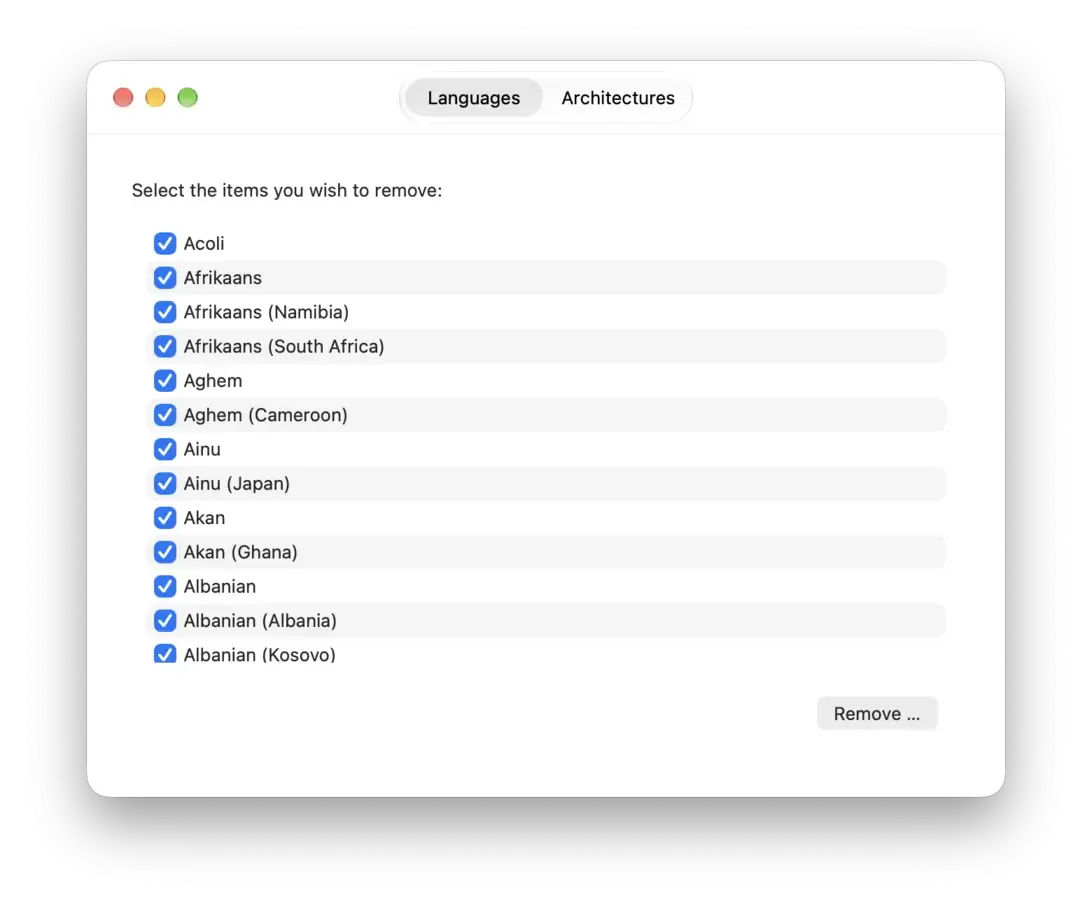
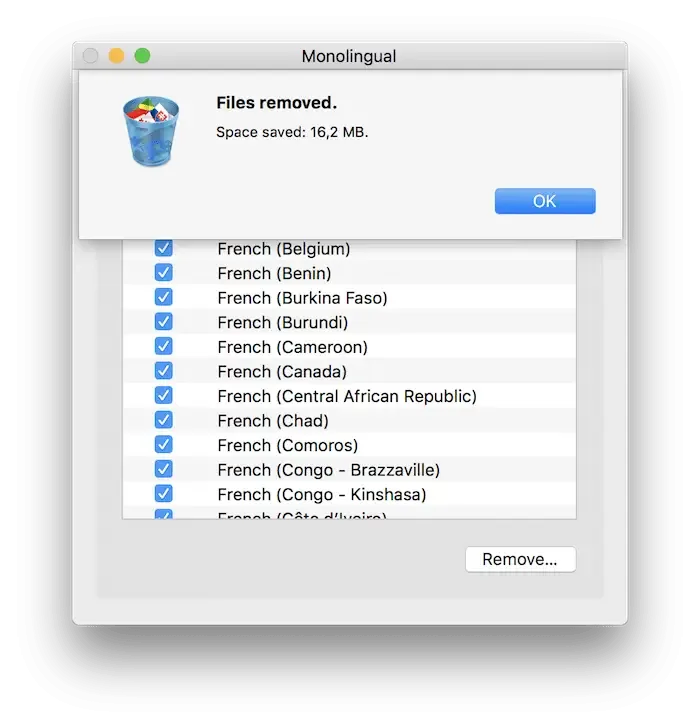
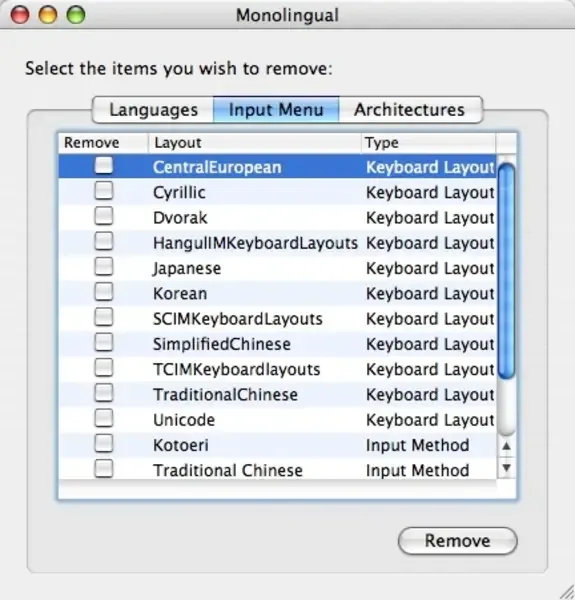
What's New in Monolingual 2.0.1 Version
Version 2.0.1 is a critical fix release:
- Monolingual can remove files again. A bug had prevented its privileged helper, the part that actually deletes files, from installing correctly
- Existing saved folders reset to the defaults. A change in how preferences are stored means any custom folder added before this update needs to be added again
- Thinning a very large universal binary no longer crashes the app
- The downloaded disk image now installs correctly even on a Mac that's offline or behind a restrictive network
- If the previous version failed with a "Failed to install helper utility" error, this update is the fix. Real user reports from this week confirm it's working again.
Supported macOS Versions
The current version of Monolingual requires macOS 27 or later, running exclusively on Apple Silicon Macs. There's no Intel build for this version. Anyone on an older system or an Intel Mac needs one of the separate legacy builds, which together cover every macOS release back to Mac OS X Tiger. Removing language files and thinning binaries is lightweight work. Hardware speed matters far less than simply meeting the OS and chip requirement.
How to Download and Install Monolingual Mac?
Monolingual's source code is also available on GitHub for anyone who wants to build it themselves. Installing the current release only takes a few steps.
- Click the Download button above to safely download the setup file.
- Open the downloaded disk image, then drag Monolingual into Applications.
- Launch it, then enter an administrator password when asked. Monolingual needs this to install a privileged helper that does the actual file removal.
- Choose which languages to keep, then review the folders Monolingual will scan before starting.
If the app reports a "Failed to install helper utility" error, make sure you're running 2.0.1 or later. That exact bug was fixed in this release.
How to Use Monolingual Mac?
- Open Monolingual and review the list of installed languages.
- Check the box next to each language you want to keep, leaving the rest unchecked.
- Add a custom folder to the search path if you want Monolingual to scan beyond the defaults.
- Choose whether removed files go to the Trash or get deleted immediately.
- Click the remove button, then enter your administrator password to confirm.
- Check the log file afterward to see exactly what was removed and how much space was reclaimed.
Alternatives to Monolingual
OmniDiskSweeper: Free disk-space visualization tool for Mac that shows what's taking up space, though it doesn't target language files specifically.
GrandPerspective: Free, open source disk usage visualizer for Mac, useful for manually finding and clearing out space-wasting files.