
Agena Overview
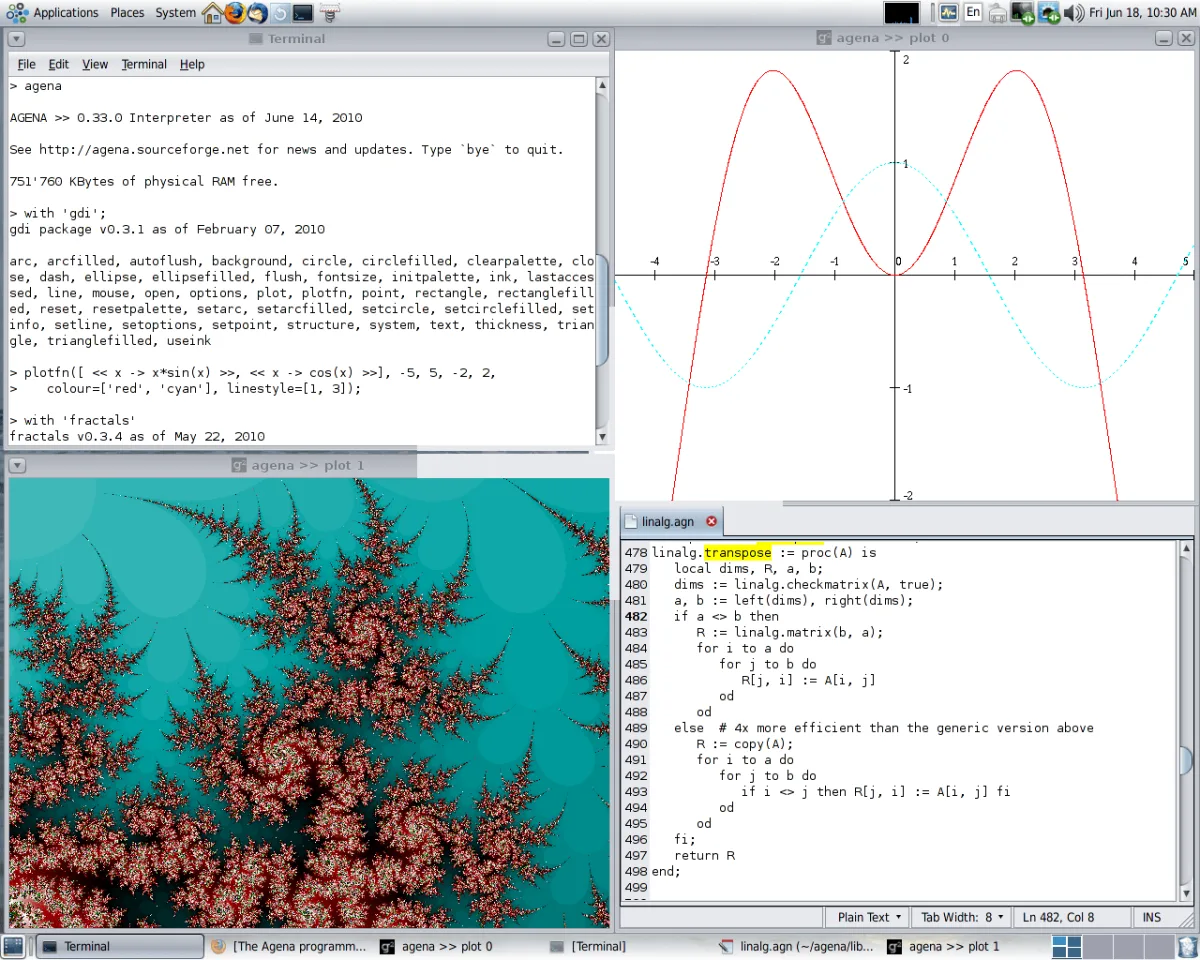
Agena is a free, open source procedural programming language for Mac, built on the ANSI C source code of Lua with syntax influenced by Algol 68, Maple, and SQL. It ships with AgenaEdit, a bundled editor featuring syntax highlighting and an integrated environment, so nothing extra needs installing to start writing code. Rich data types include rational and complex numbers, tables, sets, sequences, registers, and several kinds of linked lists, most inherited from Lua. Built-in packages cover undergraduate Calculus, Linear Algebra, and Statistics, making it practical for coursework rather than just a teaching toy. File format support extends to XML, JSON, CSV, INI, gzip, tar, and dBASE III/IV, alongside IPv4 and IPv6 network data transfer. The language also runs on Windows, Linux, OS/2, DOS, Solaris, and Raspberry Pi. The current Mac build is Intel-only, so Apple Silicon Macs run it through Rosetta 2.
Why Choose Agena Mac App
Learning a new programming language usually means picking between something too simple to be useful or too complex to pick up quickly. Agena sits in between. Its syntax borrows a simplified structure from Algol 68, with practical elements taken from Maple, Lua, and SQL, built specifically to be readable without sacrificing real capability for science, education, and scripting.
The language ships with AgenaEdit, an editor with syntax highlighting and an integrated environment, so nothing extra needs installing just to start writing code. Built-in undergraduate Calculus, Linear Algebra, and Statistics packages make it a genuinely practical choice for coursework or self-study, not just a toy language. There's a real trade-off on newer Macs, though: no native Apple Silicon binary exists yet, so M-series chips fall back on emulation rather than running the language directly.
Key Features
- Algol 68-inspired syntax: combines a simplified procedural structure with elements borrowed from Maple, Lua, and SQL.
- Built on Lua's source code: inherits performance and core language design from Lua's ANSI C implementation.
- Bundled AgenaEdit editor: provides syntax highlighting and an integrated environment for writing and running scripts immediately.
- Rich data types: supports rational and complex numbers, tables, Cantor sets, sequences, registers, pairs, multisets, and various linked lists.
- Full flow control: covers if/case/for/while loops and try/catch exception handling, plus unique extras like relaunch and redo statements.
- Arbitrary precision math library: handles calculations requiring more precision than standard floating-point arithmetic.
- Undergraduate math packages: includes built-in Calculus, Linear Algebra, and Statistics libraries for coursework and self-study.
- Graphics capabilities: renders basic graphics on Mac OS X, Windows, Linux, and Solaris.
- Network data transfer: supports IPv4 and IPv6 networking directly from a script.
- Broad file format support: reads and writes XML, JSON, CSV, INI, gzip, tar, and dBASE III/IV files.
- Package management system: loads libraries and assigns short names to package procedures in one step.
- Cross-platform availability: runs on Windows, Mac OS X, Linux, OS/2, DOS, Solaris, and Raspberry Pi.
Screenshots
What's New in Agena 7.10.5 Version
Version 7.10.5, released September 22, 2026, is the current build. Detailed, itemized release notes for this specific version weren't published on the developer's site; the general change log covering the 7.10 line is available as a separate download from the project's SourceForge page.
Agena has been in intermittent but ongoing development for many years, with the project recently also being mirrored on GitHub and added to Rosetta Code's collection of programming examples.
Supported macOS Versions
Agena's Mac package is built for Intel Macs specifically, with no separate Apple Silicon binary currently offered. Anyone on an Apple Silicon Mac needs Rosetta 2 installed to run it, since macOS translates Intel binaries automatically once Rosetta is present. Agena's own workload, running scripts and mathematical calculations, is lightweight for any modern Mac, so translation overhead from Rosetta has little practical effect on day-to-day scripting.
How to Download and Install Agena Mac App?
Installing Agena on Mac only takes a few steps after downloading.
- Click the Download button above to safely download the setup file.
- Open the downloaded .pkg file and follow the installer's on-screen instructions.
- If macOS shows an "unidentified developer" warning, go to System Settings → Privacy & Security and click Open Anyway.
- On an Apple Silicon Mac, install Rosetta 2 if prompted, since the installer is built for Intel.
Agena is completely free to use, with no license key, account, or in-app purchase required.
How to Use Agena Mac?
- Open AgenaEdit, the bundled editor, from the Applications folder.
- Write a script using Agena's syntax, saving it with the .agn file extension.
- Run the script directly from AgenaEdit's integrated environment to see the output immediately.
- Load a built-in package, such as the Statistics or Linear Algebra library, for specialized calculations.
- Use the save and read functions to store data between sessions.
- Check the bundled Primer and Reference documentation for syntax details while writing more advanced scripts.
Alternatives to Agena
Python: Free, widely used, actively maintained general-purpose programming language with extensive documentation and community support.
Processing: Free, open source programming language and environment aimed at visual arts, creative coding, and education.