Grammarly Desktop Overview
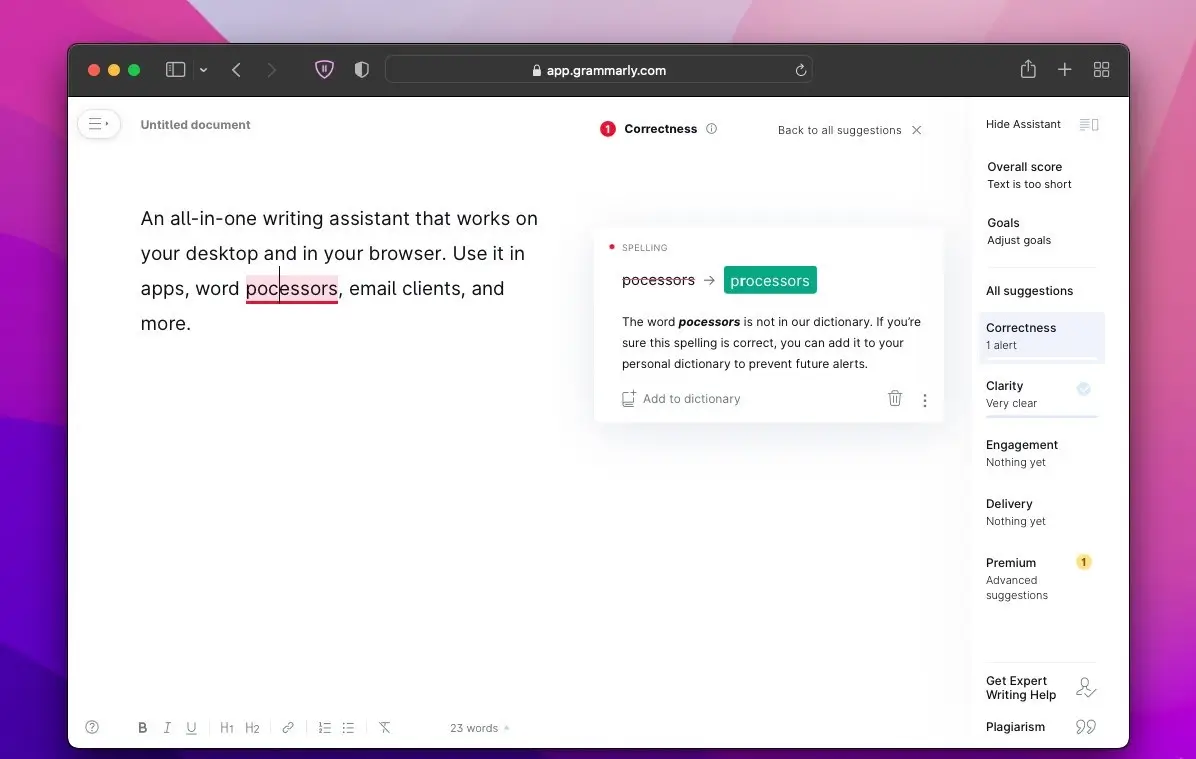
Grammarly Desktop for Mac is a writing assistant that checks grammar, spelling, and tone directly inside whatever app you're already using, instead of requiring a separate browser tab. Once you download Grammarly on your Mac, whether it's a MacBook Air, MacBook Pro, or Mac Studio, it works across more than one million apps and programs, including Word, Pages, Mail, Slack, and most web browsers, showing suggestions right where you're typing. Beyond basic corrections, it rewrites full sentences for clarity, detects the tone of your message before you send it, and generates first drafts of emails, reports, or outlines using generative AI. A quick toggle lets you turn it off in any specific app if you prefer privacy for that piece of writing. It suits students, professionals, and anyone who writes across many different apps and wants consistent suggestions without constantly copying text elsewhere.
Why Choose Grammarly Desktop for Mac?
A detail many reviews still get wrong is who actually owns Grammarly today: since late 2025, it's been part of the Superhuman Platform, sharing a company umbrella with Superhuman Mail and Coda. That matters most if you're troubleshooting account settings or billing, since some of it now runs through the broader Superhuman ecosystem rather than Grammarly alone.
Team pricing changed too. What used to be a separate Business tier now lives inside Pro, which covers teams on its own, with larger organizations routed to a custom-priced Enterprise plan instead. If you're comparing costs against an older review that still lists a standalone Business plan, that number is outdated.
Key Features
- Native suggestions inside your everyday apps, not limited to a browser extension
- Real-time grammar, spelling, and punctuation correction as you type
- Tone detector that flags how a message is likely to come across before you send it
- Full sentence rewrites for clarity and conciseness with one click
- Generative AI drafting for emails, reports, outlines, and quick replies
- Plagiarism checker available on paid plans for academic and professional writing
- AI content detector for identifying likely AI-generated text
- AI humanizer for softening text that reads as overly robotic or generated
- Per-app privacy toggle to disable suggestions instantly for sensitive writing
- AI agents including Citation Finder, AI Grader, Reader Reactions, and Resume Builder
What's New in 1.199.0 Version
Detailed release notes for this specific build weren't published. The most substantial recent changes are business and structural rather than feature-level:
- Now operates under the Superhuman Platform, following the 2025 restructuring that also brought in Superhuman Mail and Coda.
- Team pricing consolidated: the old Business tier is gone, with its capabilities now built into Pro, and larger accounts routed to Enterprise.
- New AI agents rolled out, including Citation Finder, AI Grader, and Reader Reactions.
- Monthly AI prompt allowances expanded, with Pro getting significantly more than Free.
- The former Premium plan was renamed to Pro, with its core feature set unchanged.
Supported macOS Versions
Grammarly Desktop for Mac requires macOS 10.15 or later and runs on both Apple Silicon and Intel Macs without separate builds. Suggestions rely on cloud-based language processing, so a steady internet connection is required even though everything appears directly inside your local apps. No unusual hardware requirements apply beyond a reasonably current version of macOS, a base MacBook Air handles it exactly as well as a Mac Studio, since the heavy processing happens on Grammarly's servers, not your Mac.
How to Install Grammarly Desktop on Mac?
- Go to Grammarly's official desktop download page to download Grammarly on your Mac or you may Click the download button above to get the installer for your Mac securely.
- Open the downloaded file once it finishes downloading
- Follow the on screen prompts to install the app on your Mac
- Sign in with your Grammarly account or create a new one
- Grant the permissions it requests so suggestions appear inside your other apps
How to Use Grammarly Desktop on Mac?
- Open any app where you normally write, such as Mail, Word, or a browser
- Watch for underlined suggestions as Grammarly checks grammar and spelling in real time
- Click the tone indicator to see how your writing is likely to come across
- Use the rewrite suggestion feature when a full sentence needs clearer phrasing
- Try the generative AI tools when you want a quick draft instead of a blank page
- Turn off Grammarly for a specific app from its menu if you want privacy for that writing
Alternatives
LanguageTool: A free, open-source-based grammar and style checker with a genuine Mac desktop app, standing out for supporting 30+ languages rather than English alone.
ProWritingAid: A free-tier writing assistant focused on deeper style and readability analysis, popular with long-form writers like novelists and bloggers.