Mailbutler Overview
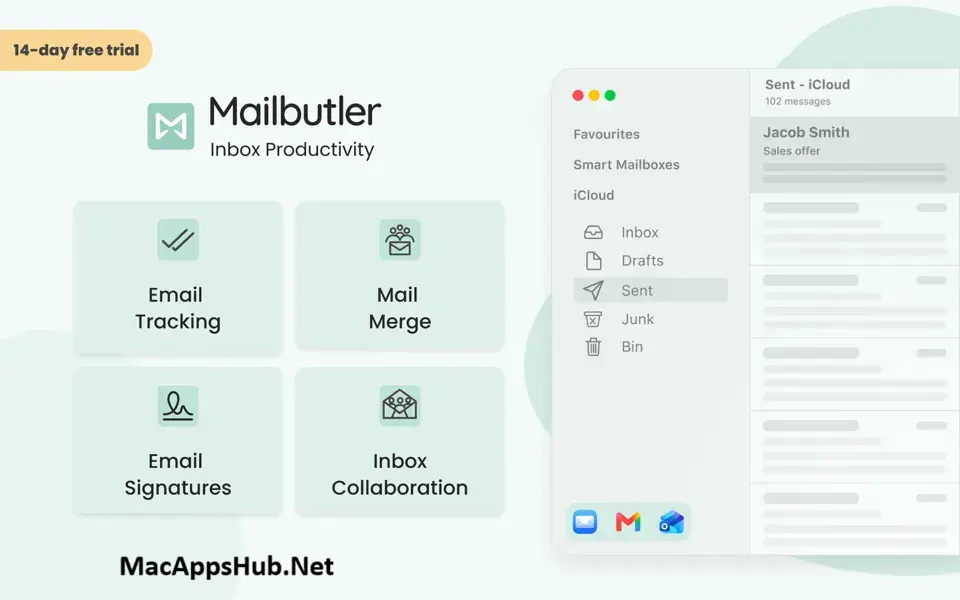
Mailbutler for Mac layers productivity tools directly on top of Apple Mail, Gmail, or Outlook, rather than asking you to switch to a separate inbox app. Email tracking shows when a message was opened and links were clicked, without needing the recipient's approval, and an AI-powered Smart Assistant called Maia can draft, summarize, improve, or translate a message without leaving your inbox. Mail Merge pulls personalized data from your contacts or CRM into templated emails, and Smart Send Later schedules messages to go out even if your Mac is offline at the time. Freelancers who need to know when a client actually opened a proposal, small teams sharing a support inbox, and anyone tired of retyping the same email with slightly different details all add it to their existing mail client instead of switching tools entirely.
Why Choose Mailbutler Mac App
Working across three different mail clients on the same team usually means someone gets left out of whatever productivity tool everyone else is using. Mailbutler sidesteps that by working consistently across Apple Mail, Gmail, and Outlook, so a mixed team still shares the same tracking, templates, and automation regardless of who's using which client. Email tracking doesn't require the recipient to approve anything, and for messages sent to multiple people, per-recipient tracking shows exactly who opened it, from where, and on what device. Smart Send Later and Cloud Delivery mean a scheduled email actually goes out at the right time even if your Mac is asleep or offline when the moment arrives.
The Smart Assistant, branded Maia, is the feature getting the most active development right now: it drafts replies based on a few keywords, corrects spelling and tone, summarizes long threads into notes, and scans your inbox for actionable to-dos it can save as tasks. On the security side, Mailbutler is ISO/IEC 27001 certified and GDPR compliant, with servers based in Frankfurt, Germany, and it doesn't store or analyze your email content by default. Even when you do use Smart Assistant, only the email body is sent to OpenAI for processing, with email addresses replaced by dummy variables first.
Key Features
- Cross-client compatibility: works consistently across Apple Mail, Gmail, and Outlook, so mixed teams stay in sync.
- Email tracking: know the moment a message is opened, plus which links get clicked and from where, with no opt-in required from the recipient.
- Smart Assistant (Maia): turns a few keywords into a drafted reply, shortens long threads into notes, and flags action items sitting in your inbox.
- Smart Send Later: schedule emails with Cloud Delivery, so they send even if your Mac is offline at the scheduled time.
- Mail Merge: pull personalized contact data from Apple, Google, or Outlook Contacts, HubSpot, Salesforce, or a CSV file into templated emails.
- Inbox Collaboration: assign emails to teammates, see collaborator status, and share notes and tasks on shared inboxes.
- Custom email signatures: build fully custom HTML signatures with marketing elements like CTA buttons and social links.
- Automations: build workflows that tag emails, add notes or tasks, or apply signatures automatically based on triggers.
- Snooze: temporarily hide less urgent emails and have them reappear at a time you choose.
- Smart Follow-ups: automatically flags tracked emails needing a follow-up as high, medium, or low urgency.
What's New in Mailbutler Build 10430 Version
Improved:
- Reimplemented the system permissions onboarding flow for improved transparency, user experience, and reliability (Apple Mail Extension).
- Alert when open compose windows still show your previous signature after a signature change and need to be closed and reopened (Apple Mail Extension).
Fixed:
- Fixed occasional crashes that could occur while running in the background (Apple Mail Extension).
- Fixed rare crashes that could occur when loading email metadata in the background (Apple Mail Extension).
- Fixed "Hide other recipients" having no effect when sending to multiple recipients (Apple Mail Extension).
- Fixed the recipient's name being dropped from the to header when "Hide other recipients" is active (Apple Mail Extension).
- Fixed an issue where interacting with the date picker in the date selector caused the Send Later modal to close.
- Fixed notifications not opening the related email in Mail when clicked (Apple Mail Extension).
Supported macOS Versions
Mailbutler requires macOS 13 as a floor and runs cleanly through macOS 26 Tahoe. As a universal binary, it works natively on both Apple Silicon and Intel Macs, and since it functions as a lightweight plugin layered on top of your existing mail client rather than a full standalone app, it stays light regardless of which chip your Mac has.
How to Download and Install Mailbutler Mac?
Installing Mailbutler on Mac takes under a minute through the App Store, no separate download, unzip, or drag-and-drop needed.
- Click the Download button above, it opens Mailbutler's official listing on the Mac App Store.
- Tap Get to install the free app.
- Sign in with your Apple ID if prompted.
- macOS downloads and installs Mailbutler automatically in the background.
- Once installed, launch it and connect your Apple Mail, Gmail, or Outlook account to finish setup.
Because the App Store handles future updates automatically, you won't need to manually reinstall Mailbutler each time a new version ships.
How to Use Mailbutler Mac?
- Start your 14-day free trial to unlock every feature with no credit card required.
- Turn on Email Tracking to see when your sent messages are opened or links are clicked.
- Use Mail Merge to send personalized bulk emails pulled from your contacts or CRM.
- Try Smart Assistant (Maia) to draft, summarize, or improve a message directly in your inbox.
- Set up Automations to tag, assign, or follow up on emails automatically based on triggers you define.