
Rambox Overview
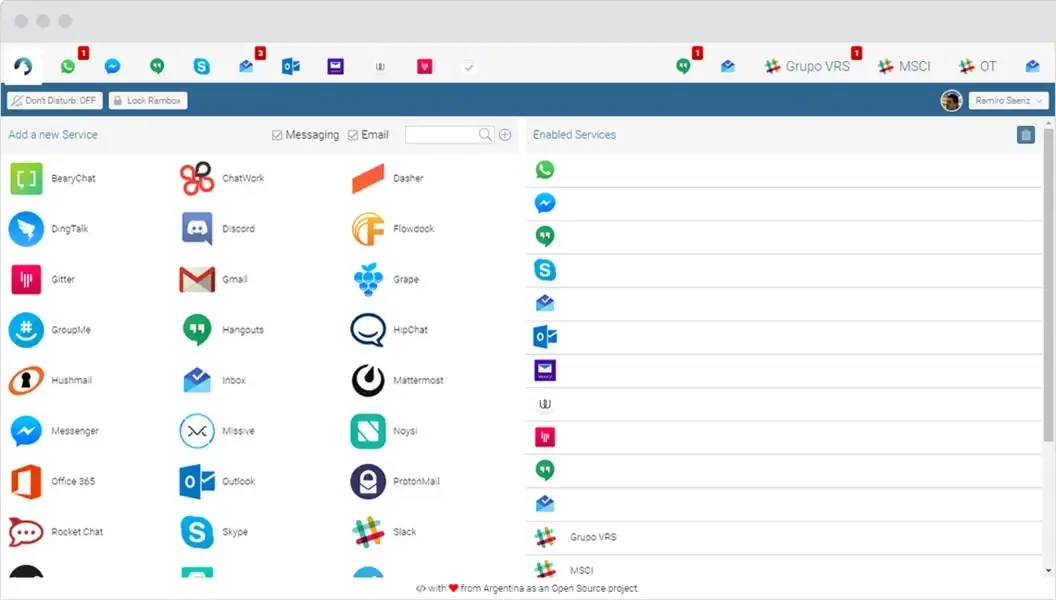
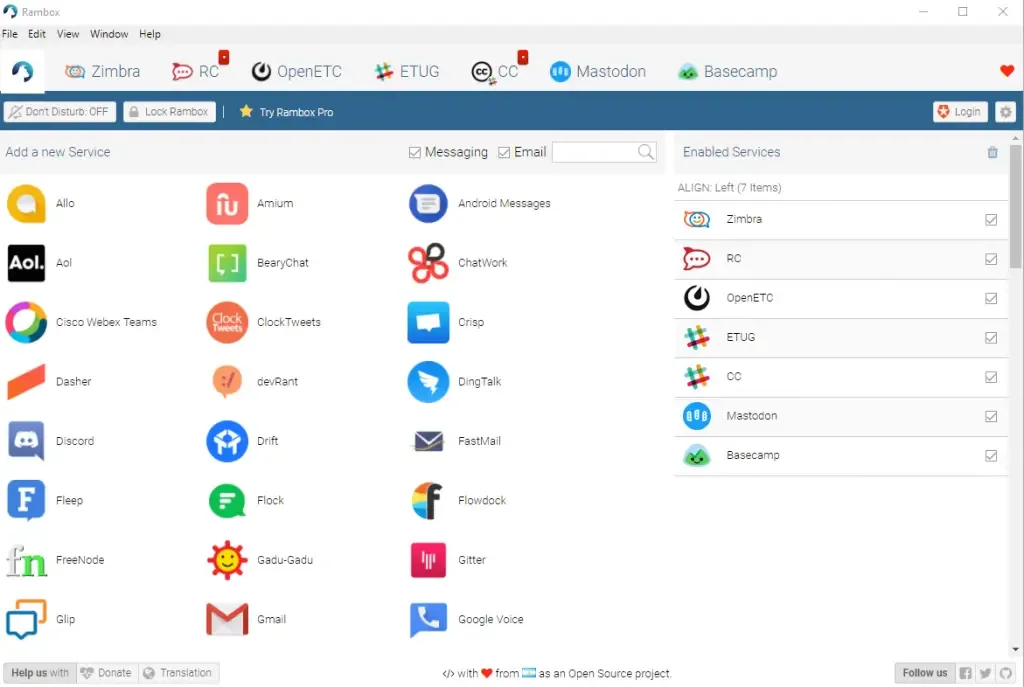
Rambox is a workspace app for Mac that puts your web apps in one window. Gmail, Slack, WhatsApp, Telegram, and Google Calendar sit in one sidebar. Custom web apps join them there too. Each app runs as its own service. That lets you sign in to several accounts of the same app at once. Workspaces group apps by project, role, or client. Notifications, sounds, and a passkey lock are set per service. Rambox 3 adds a Command Center, Unified Search, and an AI side panel. It ships as one Universal build for Apple Silicon and Intel Macs on macOS 12.0 or later.
Why Choose Rambox Mac App
Switching between browser tabs is where focus goes to die. A work Gmail, a personal Gmail, a client Slack, and a WhatsApp chat all want attention, and each one hides inside a different window. Rambox pulls them into one place. Every app keeps its own session, so a second Gmail login never kicks out the first. That is the feature people usually come for.
Rambox also tries to protect your attention. Notifications can be turned on or muted per service. A focus and pomodoro panel helps when you need quiet time. Apps you rarely open can hibernate, which frees memory without logging you out. If a screen is left open on a shared desk, a temporary passkey locks the interface.
Rambox 3 reshapes the whole experience. The Command Center and Unified Search let you find messages and events across several services from one box. A Notification Center collects alerts in one list. Six themes and a new sidebar layout let you tune how the window looks. Rambox LLC states that it does not store the credentials you use inside your apps.
Key Features
- Multiple accounts per app: runs several logins of the same service side by side, each with its own session.
- Workspaces: groups apps by project, role, or client, and switches between groups quickly.
- Custom apps: adds any web service by entering its URL, beyond the built-in app list.
- Per-service notifications: turns alerts on or off for each service, and mutes sounds globally.
- Notification Center: gathers alerts from every app in one panel.
- Unified Search: searches across connected services, including Google Calendar, from one field.
- Command Center: opens a quick launcher for finding apps and switching between them.
- AI side panel: adds an assistant panel next to your apps.
- Focus and pomodoro panel: supports timed work sessions inside the app.
- Hibernation: puts unused apps to sleep to save memory, with an auto wake-up interval.
- Passkey lock: locks the interface temporarily when you step away.
- Quick View and tray panel: peeks at an app or checks alerts without opening the full window.
- Themes and layouts: offers six themes, a Split sidebar layout, and an optional address bar.
- Optional account sync: carries your configuration to other computers after you sign in.
Screenshots
What's New in Rambox 3.1.0 Version
New:
- Basic plan: when a trial or subscription ends, or an account moved from Rambox 2 lands on Basic, a wizard explains what Pro included and lets you choose, once, the workspace your plan keeps.
Improvements:
- Rambox keeps working offline for up to 48 hours on the last license the server confirmed, with a countdown banner, and checks again as soon as the connection is back. While offline, only the license banner is shown.
- Basic plan: apps in locked workspaces open their settings read-only and no longer count towards the app limit.
- A disabled workspace can be selected in the sidebar and shows an Enable button; disabling the workspace you are in switches to that view right away.
- Unified Search: disconnecting or deleting an app revokes Rambox's access at the provider (Google, Slack, GitHub, Notion, Asana and Discord), unless another app still uses the same account.
- Unified Search: Google Calendar search covers every calendar in your list, including shared and subscribed ones.
- Unified Search: the settings card says your data stays on your computer and links the privacy policy, and the provider sign-in tab always shows its address bar with the full URL.
- Windows: a left click on the tray icon brings up Rambox, and a right click opens or closes the tray panel.
- Console: an account that has not moved to Rambox 3 yet is taken to the move wizard before using the console; "Not now" signs you out.
- Sign-in: signing in with an email or Google account that has no Rambox account takes you to sign-up with the email filled in, instead of "Invalid email or password."
- Sign-in: "Resend email" on the verification page has a 60-second cooldown with a countdown, and asks you to wait a minute instead of showing a server error.
Fixes:
- Fixed HTTPS certificate errors being ignored.
- Fixed the telemetry opt-out not being honored by the app for personal accounts.
- Fixed startup errors caused by settings saved by an earlier version.
- Fixed a deleted workspace coming back in the sidebar after a plan change.
- Fixed the license banner countdown not being shown.
- Fixed the "subscription expired" dialog downgrading the license when you had just paid with it open.
- Fixed an error when pressing Enter or Esc while renaming an app.
- Fixed the proxy test in an app's settings not receiving the app's URL.
- Windows: Fixed the tray panel and the Command Center flickering when shown.
- Console: Fixed moving the account to Rambox 3 from the web signing you out right after.
- Console: Fixed billing and checkout showing an error for accounts not yet moved to Rambox 3.
- Sign-in: Fixed "Forgot password" sending several reset emails on repeated clicks.
- Sign-in: Fixed sign-up failing for people who created their login in Rambox 2.7 but never finished the account.
Known issues:
- Windows: right-clicking the tray icon can also open the Windows taskbar menu.
- Linux: We are working to provide the installers ASAP.
Supported macOS Versions
Rambox 3.1.0 lists macOS 12.0 (Monterey) or later as its minimum. One build covers Apple Silicon and Intel Macs, so there is no separate download to choose. Earlier release notes mention a macOS Tahoe detection fix and a GPU crash fix for Tahoe, which suggests the app is kept current with newer macOS releases. The developer does not publish RAM or storage requirements. Because each service runs as its own web view, memory use grows with the number of active apps. Hibernation helps on Macs with less memory. The installer is about 224 MB, which is large for a utility, so leave some free space before installing.
How to Download and Install Rambox Mac?
Installing Rambox on Mac takes a few minutes, including a short first-run setup.
- Click the Download button above to safely download the setup file.
- Open the downloaded .dmg file, then drag Rambox into your Applications folder.
- Launch Rambox from Applications. If macOS asks you to confirm opening an app downloaded from the internet, click Open.
Follow the onboarding screens and allow the permissions Rambox asks for, such as notifications.
How to Use Rambox Mac?
- Click the add button and pick a service from the app list, or enter a URL for a custom app.
- Sign in to that service inside Rambox. Add the same app again to log in with a second account.
- Rename each entry, such as Work Gmail and Personal Gmail, so accounts are easy to tell apart.
- Group related apps into a workspace and switch between workspaces from the sidebar.
- Open the settings for each service to set its notifications and sounds.
- Use the Command Center or Unified Search to jump to an app or find a message or event.
- Start the focus panel for a timed session, or set a passkey lock before you step away.
Alternatives to Rambox
Ferdium: Free, community-built workspace app with a public GitHub project, sidebar services, workspaces, hibernation, and anonymous use that keeps data on your Mac.
Safari Add to Dock: Built into recent macOS versions, it turns a website into its own dock app with its own window, though it offers no shared workspace or unified search.