
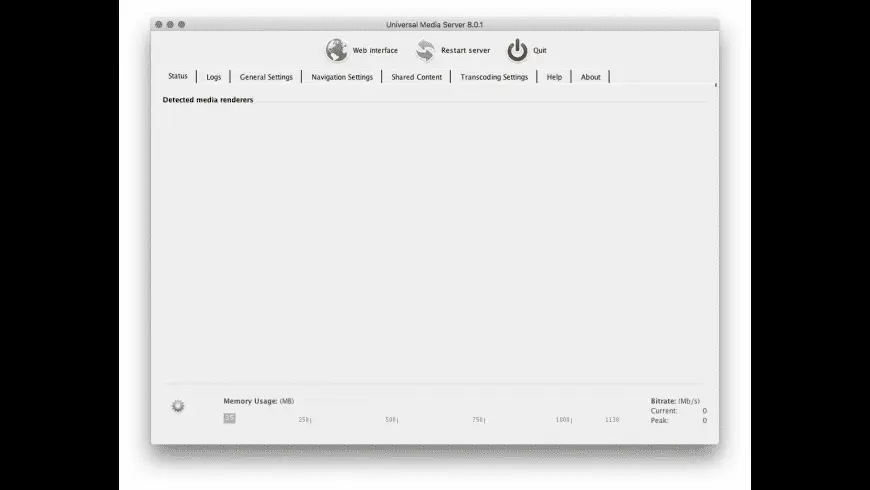
Universal Media Server Overview
Universal Media Server for mac often shortened to UMS, is a free, open-source DLNA and UPnP media server that turns your Mac into a streaming hub for your home network. It originated as a fork of PS3 Media Server and now streams to smart TVs, game consoles, Roku devices, and mobile apps, transcoding files on the fly using FFmpeg, MEncoder, tsMuxeR, and VLC-based tools. Version 15.7.0, the current public release, added folder-flattening for browsing subdirectories, automatic thumbnails for internet playlists, and Lucene-based audio search. A newer 15.8.0 build with backup/restore support is already out too, though it's available first to Patreon subscribers before a later public release. Mac downloads come as separate builds for Apple Silicon and Intel, rather than one shared installer.
Why Choose Universal Media Server for Mac
Commercial media server apps often lock features behind subscriptions or limit how many devices can connect. UMS doesn't do either, since it's fully open source and free, with no device caps or paywalled features. It also supports an unusually wide range of playback hardware, including older PS3 and Xbox 360 consoles alongside modern smart TVs, which matters if your household has a mix of older and newer streaming devices.
Two things are worth knowing specifically as a Mac user before installing. First, since UMS is written in Java, your Mac needs a Java runtime installed for it to launch; most builds handle this automatically, but it's the reason installation takes slightly longer than a typical native Mac app. Second, because UMS runs a local server to stream content, macOS will likely prompt you to allow network connections through your firewall the first time you launch it, and you'll need to approve that prompt for devices on your network to actually find and play your media.
Key Features
- DLNA and UPnP streaming to smart TVs, consoles, and mobile devices
- Real-time transcoding powered by FFmpeg, MEncoder, tsMuxeR, and VLC
- Automatic metadata lookup through TMDB, Discogs, and MusicBrainz
- Support for subtitles, including soft and hard subtitle rendering
- Multiple audio track selection for multi-language media files
- Built-in web interface for browsing and playing media from a browser
- YouTube channel and podcast support through yt-dlp integration
- Automatic device detection with optimized profiles per device
- Support for a wide range of media renderers, from older consoles to current smart TVs
- Cross-platform codebase shared across macOS, Windows, and Linux
What's New in 15.8.1 Version
Universal Media Server 15.8.1, the current public release, focuses on browsing and search improvements. Recent changes include:
General
- Fixed folder.jpg not being used as default thumbnail for video files (#1440).
- Fixed startup on Linux with JDK 21+
- Improved security of Windows installer.
Translation updates via Crowdin
- Dutch (100%)
- English (United Kingdom) (71%)
- Finnish (70%)
- Slovak (48%)
Dependencies
- Bump @types/lodash from 4.17.24 to 4.17.25 (#6290)
- Bump @types/react from 19.2.17 to 19.2.18 (#6283)
- Bump actions/setup-node from 6 to 7 (#6248)
- Bump actions/setup-node from 6 to 7 (#6248)
- Bump axios from 1.16.0 to 1.18.1 (#6249)
- Bump brace-expansion from 1.1.14 to 1.1.18 (#6256, #6271)
- Bump ch.qos.logback:logback-classic from 1.5.38 to 1.6.1 (#6275)
- Bump ch.qos.logback:logback-core from 1.5.38 to 1.6.1 (#6275)
- Bump com.auth0:java-jwt from 4.5.2 to 4.6.0 (#6251)
- Bump com.github.oshi:oshi-core from 7.3.2 to 7.4.2 (#6276)
- Bump com.twelvemonkeys.imageio:imageio-batik from 3.13.1 to 3.14.0 (#6265)
- Bump com.twelvemonkeys.imageio:imageio-bmp from 3.13.1 to 3.14.0 (#6265)
- Bump com.twelvemonkeys.imageio:imageio-core from 3.13.1 to 3.14.0 (#6265)
- Bump com.twelvemonkeys.imageio:imageio-hdr from 3.13.1 to 3.14.0 (#6265)
- Bump com.twelvemonkeys.imageio:imageio-icns from 3.13.1 to 3.14.0 (#6265)
- Bump com.twelvemonkeys.imageio:imageio-iff from 3.13.1 to 3.14.0 (#6265)
- Bump com.twelvemonkeys.imageio:imageio-jpeg from 3.13.1 to 3.14.0 (#6265)
- Bump com.twelvemonkeys.imageio:imageio-metadata from 3.13.1 to 3.14.0 (#6265)
- Bump com.twelvemonkeys.imageio:imageio-pcx from 3.13.1 to 3.14.0 (#6265)
- Bump com.twelvemonkeys.imageio:imageio-pict from 3.13.1 to 3.14.0 (#6265)
- Bump com.twelvemonkeys.imageio:imageio-pnm from 3.13.1 to 3.14.0 (#6265)
- Bump com.twelvemonkeys.imageio:imageio-psd from 3.13.1 to 3.14.0 (#6265)
- Bump com.twelvemonkeys.imageio:imageio-sgi from 3.13.1 to 3.14.0 (#6265)
- Bump com.twelvemonkeys.imageio:imageio-tga from 3.13.1 to 3.14.0 (#6265)
- Bump com.twelvemonkeys.imageio:imageio-tiff from 3.13.1 to 3.14.0 (#6265)
- Bump com.twelvemonkeys.imageio:imageio-webp from 3.13.1 to 3.14.0 (#6265)
- Bump commons-logging:commons-logging from 1.3.6 to 1.4.0 (#6277)
- Bump de.sfuhrm:radiobrowser4j from 3.3.1 to 3.4.0 (#6250)
- Bump js-yaml from 4.2.0 to 4.3.1 (#6272)
- Bump NSIS from 3.11 to 3.12
- Bump org.eclipse.jetty:jetty-client from 12.1.10 to 12.1.11 (#6247)
- Bump org.eclipse.jetty.ee10:jetty-ee10-servlet from 12.1.10 to 12.1.11 (#6247)
- Bump org.eclipse.jetty.ee10.websocket:jetty-ee10-websocket-jakarta-server from 12.1.10 to 12.1.11 (#6247)
- Bump org.eclipse.jetty.http2:jetty-http2-server from 12.1.10 to 12.1.11 (#6247)
- Bump org.jsoup:jsoup from 1.22.2 to 1.23.1 (#6285)
- Bump org.junit.jupiter:junit-jupiter-api from 6.1.1 to 6.1.2 (#6264)
- Bump org.junit.jupiter:junit-jupiter-engine from 6.1.1 to 6.1.2 (#6264)
- Bump postcss from 8.5.14 to 8.5.25 (#6266)
- Bump react-dom from 19.2.7 to 19.2.8 (#6283)
- Bump react from 19.2.7 to 19.2.8 (#6283)
- Bump tar from 7.5.16 to 7.5.22 (#6258, #6267)
- Removed Apache commons-lang v2
Supported macOS Versions
Universal Media Server runs on both Intel and Apple Silicon Macs, but unlike many modern Mac apps, it ships as two separate downloads rather than one universal binary an Apple Silicon (ARM64) build around 212MB, and an Intel (64-bit) build around 218MB. Since it depends on a Java runtime, performance and startup time can vary slightly depending on which Java version is installed alongside it. If playback or transcoding feels slow, checking for a Java update is often a faster fix than adjusting UMS itself.
How to Install?
Setting up Universal Media Server on your Mac takes a few extra steps compared to a typical app.
- Download the latest version of Universal Media Server for Mac.
- Open the downloaded installer package.
- Follow the on-screen setup instructions to complete installation.
- Launch Universal Media Server from your Applications folder.
- Allow the app through your Mac's firewall when prompted, so devices on your network can connect.
- Point UMS to the folders containing your videos, music, and photos.
Once set up, compatible devices on your network should detect your media server automatically.
How to Use Universal Media Server?
- Open Universal Media Server and add the folders you want to share.
- Let UMS scan your media and pull in matching metadata and artwork.
- Open a DLNA or UPnP-compatible app on your TV, console, or phone to find your server.
- Select a movie, show, or song to begin streaming or transcoding automatically.
- Use the built-in web interface if you want to browse or play media from a browser instead.