
Auth Ally for Mac Overview
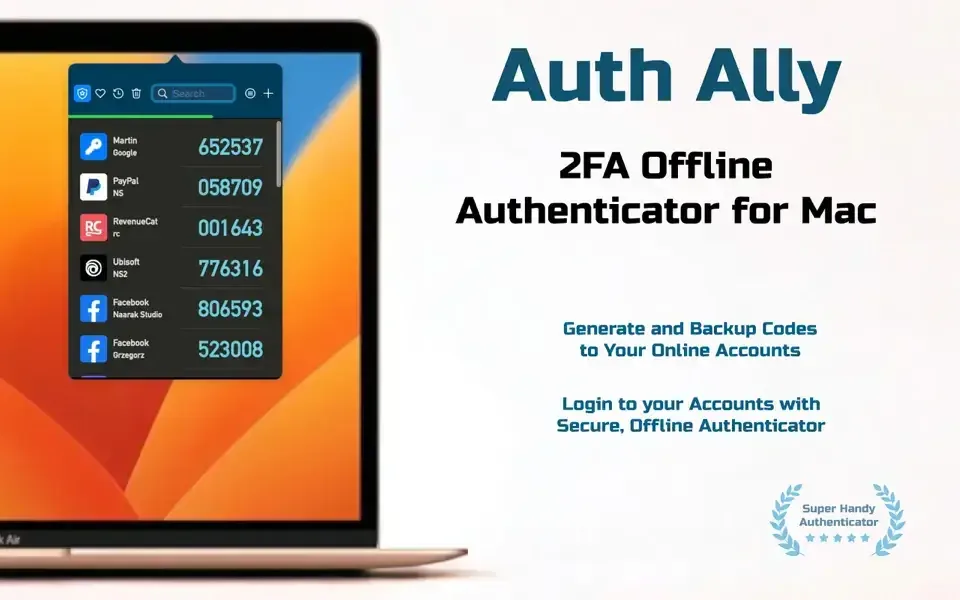
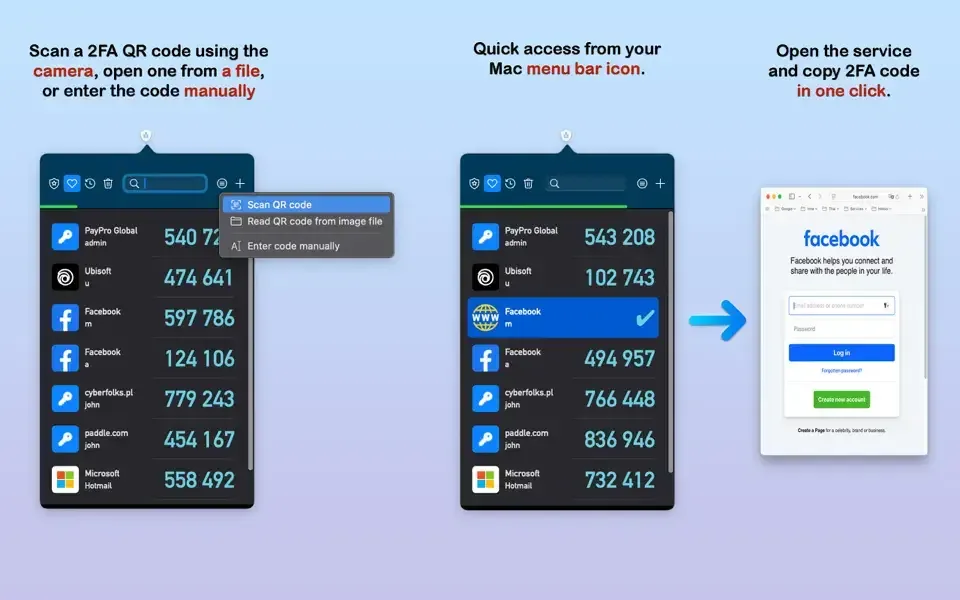
Auth Ally is a two-factor authentication app for Mac. It generates TOTP codes for logging into your online accounts. The app lives in your Mac's menu bar. It works fully offline. Your codes never touch the internet. Add an account by scanning a QR code with your Mac's camera. You can also import from Google Authenticator or type a secret key by hand. Click an account and its code copies straight to your clipboard. Paste it with Cmd+V and you're in. Encrypted backups and iCloud sync keep your accounts safe across every Mac you own.
Why Choose Auth Ally Mac App
Most people keep their 2FA codes on their phone. That means picking up your phone every time you log into your Mac. Auth Ally skips that step entirely. Codes live right in your menu bar, ready the moment you need one. No phone, no app switching, no typing six digits by hand.
The app is built for Mac specifically, not ported over from a phone. It uses your Mac's own camera to scan QR codes when you add a new account. It's also fully compatible with macOS Tahoe and Apple Silicon chips, so there's nothing to translate or work around on a newer Mac.
Key Features
- Offline code generation: creates TOTP codes with no internet connection needed.
- Menu bar access: sits in your Mac's menu bar for one-click access to any account.
- QR code scanning: adds new accounts using your Mac's built-in camera, or by opening a saved QR code image file.
- Google Authenticator import: brings in accounts from apps that support standard export formats.
- Manual key entry: type a secret key by hand if a QR code isn't available.
- One-click copy: copies a code to your clipboard the moment you select an account.
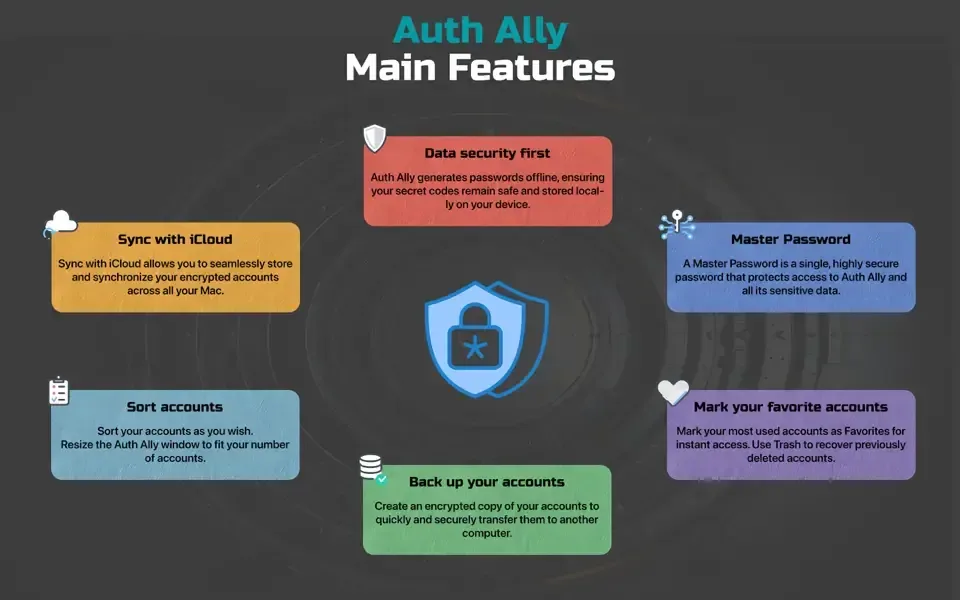
- Encrypted backups: creates a secure copy of your accounts to move to another Mac.
- iCloud Sync: keeps your accounts synced and encrypted across every Mac you own.
- Master Password: locks the entire app behind one password.
- Account groups: sorts accounts into All, Favorites, Recents, and Trash for quick access.
- Resizable window: adjusts to fit however many accounts you have.
- Wide TOTP compatibility: works with any service that supports standard two-factor codes.
Screenshots
What's New in Auth Ally 2.5.1 version
Version 2.5.1, released in August 2026, is a small maintenance update:
- Compatibility fixes for the latest macOS release
- Improved URL icon import, so account icons pull in more reliably
- General bug fixes
Naarak Studio doesn't publish a detailed public changelog beyond these App Store release notes, so anyone wanting more specifics can reach out to the developer directly.
Supported macOS Versions
Auth Ally requires macOS 10.15 or later. It runs on both Intel and Apple Silicon Macs, with no separate version to choose between. The developer states it's fully compatible with macOS Tahoe. The app's job is small: generate a code, copy it, done. That means even an older Intel Mac runs it without any strain. A newer Mac won't feel noticeably faster here. The workload is tiny either way.
How to Download and Install Auth Ally On Mac?
Auth Ally is also available on the Mac App Store. Installing the direct download version only takes a few steps.
- Click the Download button above to securely download the setup file OR you may get it from official website.
- Open the downloaded .dmg file, then drag Auth Ally into your Applications folder.
- Launch Auth Ally from Applications. If macOS shows an "unidentified developer" warning, go to System Settings → Privacy & Security and click Open Anyway.
- Grant camera access when prompted, so Auth Ally can scan QR codes when you add a new account.
Set a Master Password on first launch. From then on, Auth Ally opens straight to your account list.
How to Use Auth Ally Mac App?
- Click the plus button to add your first account.
- Scan a QR code with your Mac's camera, open a saved QR code file, or enter a secret key by hand.
- Click an account whenever you need its code. It copies to your clipboard instantly.
- Paste the code with Cmd+V into the login field.
- Mark accounts you use often as Favorites for quicker access.
- Turn on iCloud Sync in settings if you use more than one Mac.
Alternatives to Auth Ally
Apple Passwords: Free and built into macOS Sonoma and later, generating verification codes for any account already saved in your passwords.
Ente Auth: Free, open source, end-to-end encrypted 2FA app with a native Mac client and optional cloud sync.
TwoFac: Free, open-source authenticator with a native macOS app, importing accounts from Google Authenticator, 2FAS, and Ente Auth.