Smooze Pro Overview
Smooze Pro is a scroll and mouse enhancement app for Mac from Segev Sherry. It animates scrolling in every app, turning the abrupt jumps of a plain scroll wheel into smooth, trackpad-like motion. Grab & Drag & Throw lets you scroll by grabbing anywhere on screen, with momentum that carries on after you let go, just like flicking a trackpad. Mouse buttons can trigger gestures, shortcuts, or specific apps, and Auto Scroll moves the page hands-free with one click. Settings apply per app and per display, so scrolling can behave differently in one program than another, or on an external monitor versus a laptop screen. Disabling scroll acceleration is free permanently, with no trial needed.
Why Choose Smooze Pro Mac App
A basic scroll-wheel mouse feels clunky on a Mac by default. Scrolling jumps in big steps, acceleration makes fine control unpredictable, and there's no trackpad-style momentum. Smooze Pro fixes all of that at once. Every app gets smooth, animated scrolling, acceleration can be turned off entirely, and Grab & Drag & Throw brings trackpad-like momentum scrolling to a plain mouse.
The app is genuinely lightweight, using a small percentage of CPU even during heavy use, and it collects no user data at all, according to its own App Store privacy disclosure. A laptop connected to one external monitor at the desk and none on the go can carry two entirely different scroll setups without any manual switching. One real-world use case that comes up often among users: setting a different scroll direction for a mouse versus a trackpad, since Apple doesn't offer that split natively.
Key Features
- Animated Scroll: replaces abrupt, stepped scrolling with smooth, continuous motion in every app.
- Grab & Drag & Throw: grabs anywhere on screen with a mouse button to scroll, with a throw gesture that adds trackpad-like momentum.
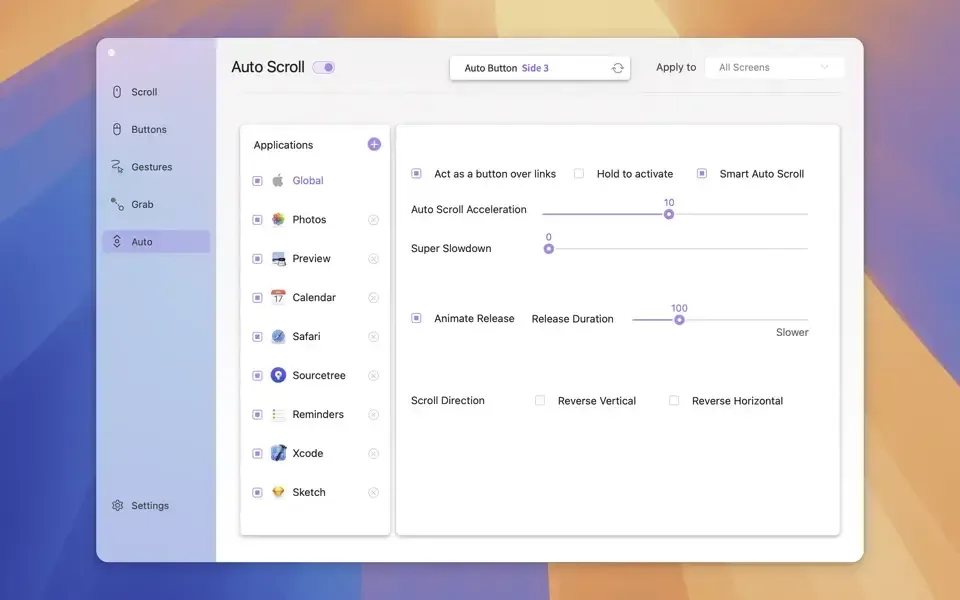
- Auto Scroll: scrolls hands-free after a single click, until clicked again to stop.
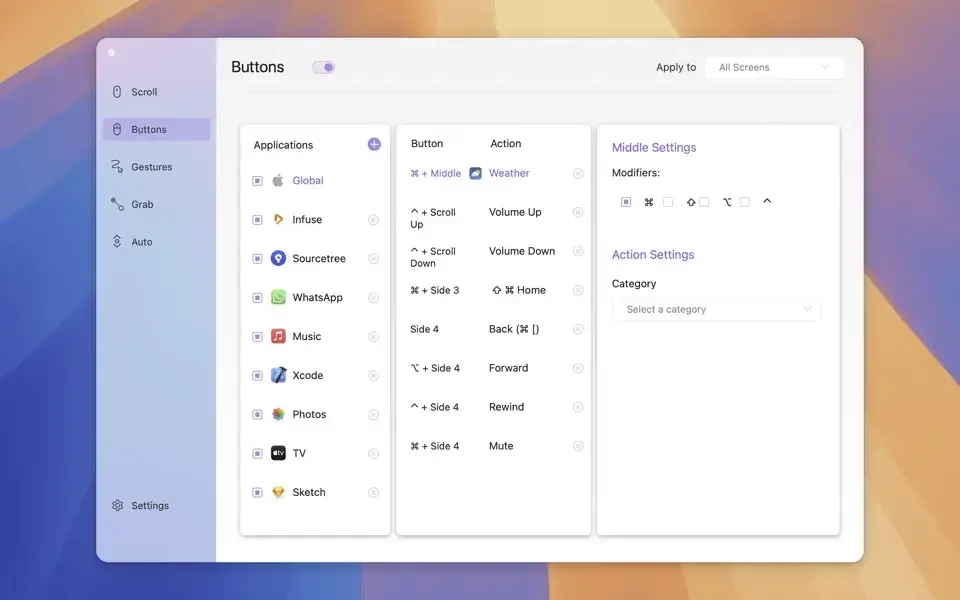
- Mouse button actions: attaches any mouse button to a gesture, keyboard shortcut, or specific app.
- Gestures and Rocker gestures: assigns custom gestures to buttons for quicker access to frequent actions.
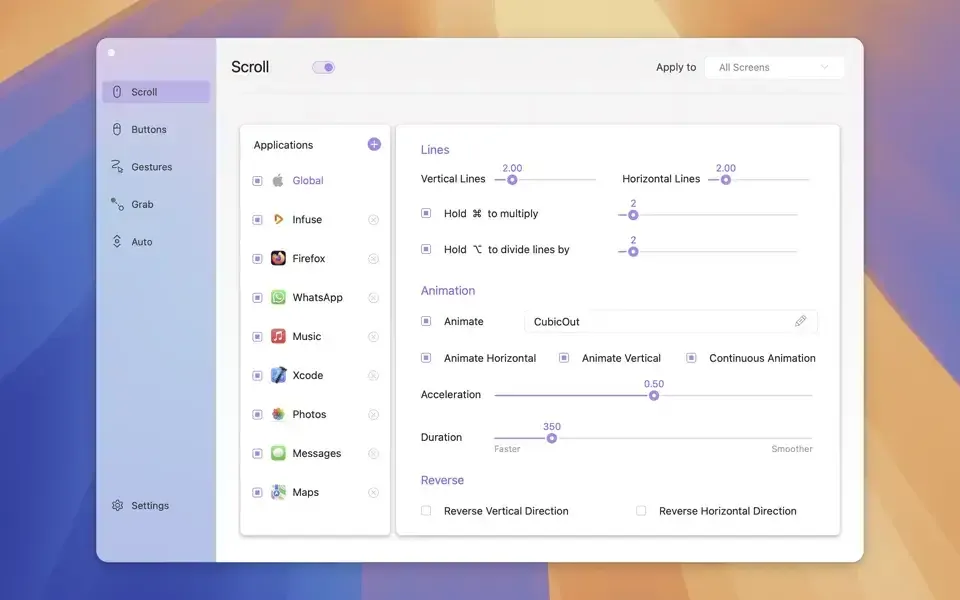
- Per-app, per-display settings: configures scroll and button behavior independently for each app and each connected display.
- High FPS rendering: synchronizes scroll animation to the display's own refresh rate for smoother motion.
- CPU-friendly design: stays light on system resources even during heavy, continuous scrolling.
- Disable scroll acceleration: turns off acceleration and sets a fixed number of lines per scroll tick, free permanently.
- Independent scroll direction: sets a different scroll direction for a mouse than for a trackpad, a split macOS doesn't offer on its own.
- No data collection: doesn't collect or transmit any user data, per its own App Store privacy label.
Screenshots
What's New in Smooze Pro 2.2.8 Version
Smooze Pro's current version is 2.2.8. The developer's published release notes for recent point releases are limited to brief bug-fix summaries rather than itemized changes, and detailed notes for the two most recent patches aren't published yet. Earlier updates in the 2.2.x line focused on stability and bug fixes rather than new features, with per-app, per-display settings and the core gesture and Auto Scroll tools already well established in the app.
Supported macOS Versions
Smooze Pro requires macOS 13.5 or later for its current release, though the developer states broader compatibility back to macOS Catalina 10.15 for earlier or free versions of the app. It's confirmed compatible with macOS Sequoia and runs natively on Apple Silicon. Smooze Pro's job is intercepting and animating scroll input, and it's designed to be extremely lightweight. It uses only a small percentage of CPU even during heavy scrolling. Hardware speed makes little practical difference once a Mac meets the minimum OS requirement.
How to Download and Install Smooze Pro Mac?
Smooze Pro is also available on the Mac App Store. Installing the direct download only takes a few steps.
- Click the Download button above to securely download the setup file.
- Open the downloaded file, then drag Smooze Pro into your Applications folder.
- Launch Smooze Pro from Applications. If macOS shows an "unidentified developer" warning, go to System Settings → Privacy & Security and click Open Anyway.
- Grant Accessibility permission when prompted, so Smooze Pro can detect scroll input and mouse button presses.
Pro features run as a 7-day trial. After that, a one-time purchase unlocks Smooze Pro permanently, while the free scroll-acceleration toggle keeps working regardless.
How to Use Smooze Pro Mac App?
- Open Smooze Pro's preferences from the menu bar icon.
- Turn on Animated Scroll for smooth scrolling in every app.
- Assign a mouse button to a gesture, shortcut, or app under the Buttons tab.
- Set up Auto Scroll or Grab & Drag & Throw if hands-free or trackpad-style scrolling is useful.
- Adjust settings per app or per display under the relevant tab if different behavior is needed in different contexts.
- Disable scroll acceleration and set a fixed number of lines per tick from the free settings panel.
Alternatives to Smooze Pro
Mos: Free, open source scroll-smoothing utility for Mac with independent scroll direction and per-app settings, often compared directly to Smooze.
LinearMouse: Free, open source mouse and trackpad utility for Mac with per-device settings, button remapping, and acceleration control.