Neon Vision Editor Overview
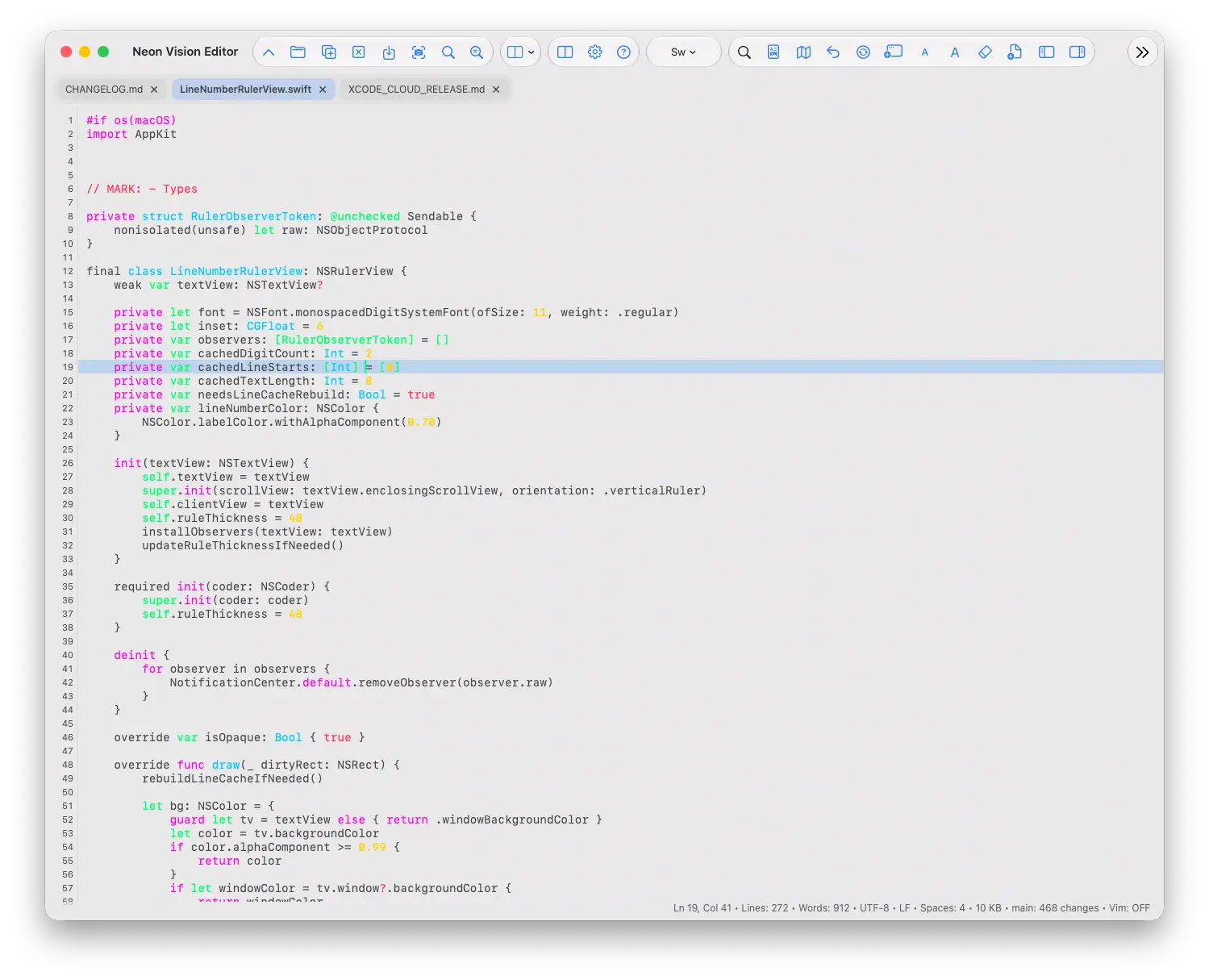
Neon Vision Editor for Mac is a native Swift editor for code, Markdown, and text files, built to open instantly and stay minimal rather than growing into a full IDE. It supports syntax highlighting across dozens of languages and formats, including Swift, Python, JavaScript, TypeScript, SQL, and TeX/LaTeX, alongside Markdown, HTML, and SVG previews with PDF export. A macOS-only project sidebar adds Git change review and a real terminal alongside file browsing, and documents stay in sync across devices through iCloud Drive or a network folder without uploading content to a separate cloud service. The same core editor also runs on iPhone, iPad, and Apple Vision Pro. Everything works locally with no telemetry by default, and optional AI assistance, through Apple Intelligence or a provider you configure yourself, only activates once you turn it on. It suits developers, writers, and sysadmins who want a fast, native alternative to Electron-based editors or full IDE setups.
Why Choose Neon Vision Editor Mac App
The command-line helper is worth knowing about if you work from Terminal often. The optional nve command opens files directly from a shell prompt, and it's built with a genuinely limited permission model: it calls macOS's own Launch Services through /usr/bin/open rather than reading file contents itself, and needs no Full Disk Access, Accessibility permission, administrator rights, or background service to function.
Large files are handled through a purpose-built rendering approach rather than a generic text view. A Core Text-based virtualized viewport draws only the visible lines of a document, so scrolling through a large file stays responsive without the app ever loading the entire document into memory at once. Files at 100 MB or more open as a clearly marked, read-only partial preview instead, protecting memory while still letting you inspect the content.
Key Features
- Broad syntax highlighting — dozens of languages and formats, including Swift, Python, JavaScript, TypeScript, SQL, and TeX/LaTeX and Typst markup.
- Git change review and Terminal — see what changed in a project without ever opening a separate Git client or Terminal window first.
- Shared file sync — keep a document open across devices via iCloud Drive or a network folder, with Keep Local, Reload from Disk, or Compare options if a conflict appears.
- Cross-platform reach — the same editor core runs on iPhone, iPad, and Apple Vision Pro, not just Mac.
- Contextual AI assistant — ask questions about the current file, a selection, or project structure, using Apple Intelligence or a provider you configure yourself.
- Native virtualized rendering — large files render through a Core Text-based viewport that only draws visible lines, keeping scrolling responsive without loading the entire document into memory.
- Markdown project preview — a searchable card view of a project's Markdown files, showing excerpts, headings, file size, and thumbnails.
- Regex Find and Replace — includes Replace All, plus an indexed Find in Files for larger projects.
- 20 built-in editor themes — from Neon Glow and Cyber Lime to Dracula, Nord, and Tokyo Night, with custom color support.
- Command-line helper (direct build only) — types like nve README.md right in Terminal do exactly what double-clicking the file would, just without leaving the shell.
What's New in 1.8.6 Version
Fixed
- Fixed Finder files and project folders not opening when no editor window was available.
- Fixed clipped or missing text when viewing long unwrapped lines on iPhone and iPad, including unusually large single-line files, without modifying saved content.
- Fixed macOS file routing across Spaces, empty-window handling, Command-arrow navigation, and document-tab reordering.
- Restored side-by-side Markdown editing and preview, with the formatting toolbar kept inside the editor.
Added
- Added complete rendered Markdown previews for documents up to 8 MB.
- Added structured JSON previews and syntax-colored YAML previews for large documents.
- Added macOS options to open files on the current desktop and keep an empty window after closing the last tab.
- Added a configurable default Markdown mode for editing or full-window reading, with toolbar and keyboard switching.
Improved
- Improved large-file editing and syntax highlighting. Supported text documents below 100 MB now remain complete and editable across platforms.
- Improved theme updates, syntax formatting, scrolling performance, and responsiveness in macOS Settings.
- Improved the iPhone and iPad toolbars with reorderable actions, readable adaptive glass, optional larger symbols, hardware-keyboard shortcuts, and better cursor visibility.
- Optimized the macOS release for Apple Silicon. Intel Macs must remain on an earlier compatible version.
Supported macOS Versions
The direct macOS build requires macOS 14.6 or later, though the developer targets macOS 26 Tahoe as the primary platform, with macOS Sequoia also supported. Apple Silicon is the actively tested configuration; Intel Macs run the app, but complete Intel validation isn't currently the developer's primary focus, so occasional rough edges are more likely there than on Apple Silicon.
How to Install Neon Vision Editor on Mac?
Setting up Neon Vision Editor on your Mac takes just a few steps, with a choice of install methods.
- Download the latest version of Neon Vision Editor for Mac from the button above, or install via Homebrew by running brew install neon-vision-editor in Terminal.
- If you downloaded the file directly, open the installer or disk image.
- Drag the Neon Vision Editor icon into your Applications folder.
- Launch Neon Vision Editor from your Applications folder.
- Grant any permissions macOS requests on first launch, such as access to iCloud Drive or local folders.
Once installed, you can open a file or project and start editing right away.
How to Use Neon Vision Editor Mac App?
- Open a file or folder to see syntax highlighting activate automatically based on file type.
- Use Quick Open to jump straight to a specific file in a larger project.
- Check the Git tab in the sidebar to review local changes, if the folder is a Git repository.
- Turn on Markdown preview when writing notes or documentation to see rendered output alongside your text.
- Open a document already synced through iCloud Drive to pick up editing from another device automatically.
- Enable the AI assistant in Settings only if you want optional AI suggestions or contextual answers while working.
Alternatives
CodeEdit: A free, open-source code editor built specifically for macOS, focused on a native experience rather than a cross-platform base.
Zed: A free, high-performance code editor built around real-time collaboration, with a from-scratch native architecture.
CotEditor: A free, lightweight, Mac-native plain text editor, simpler in scope but with a much longer track record of stability.