
NetNewsWire Overview
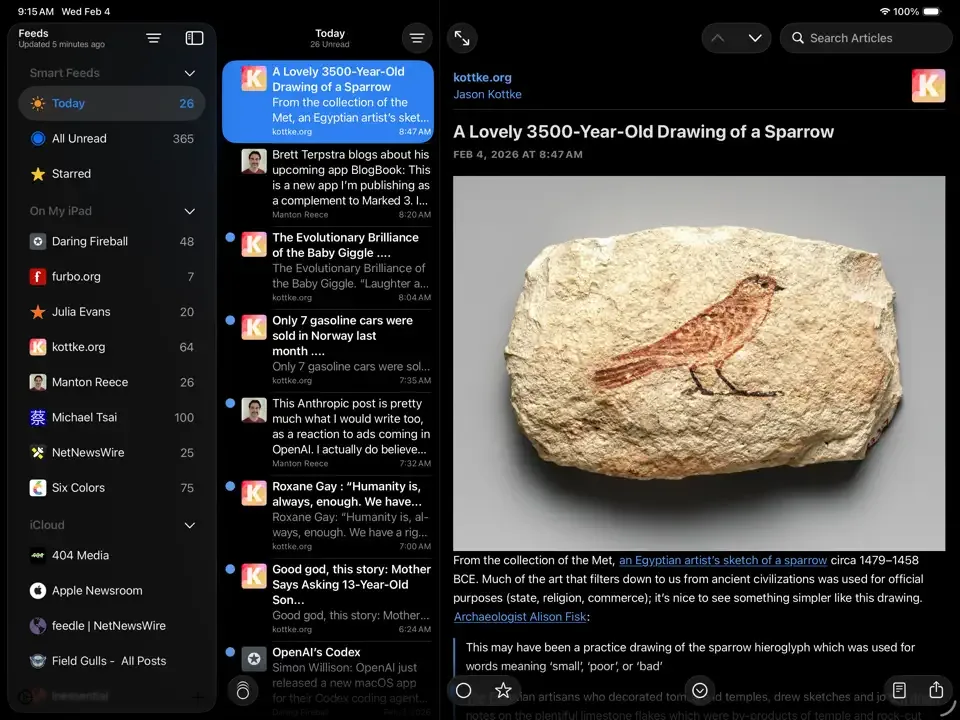
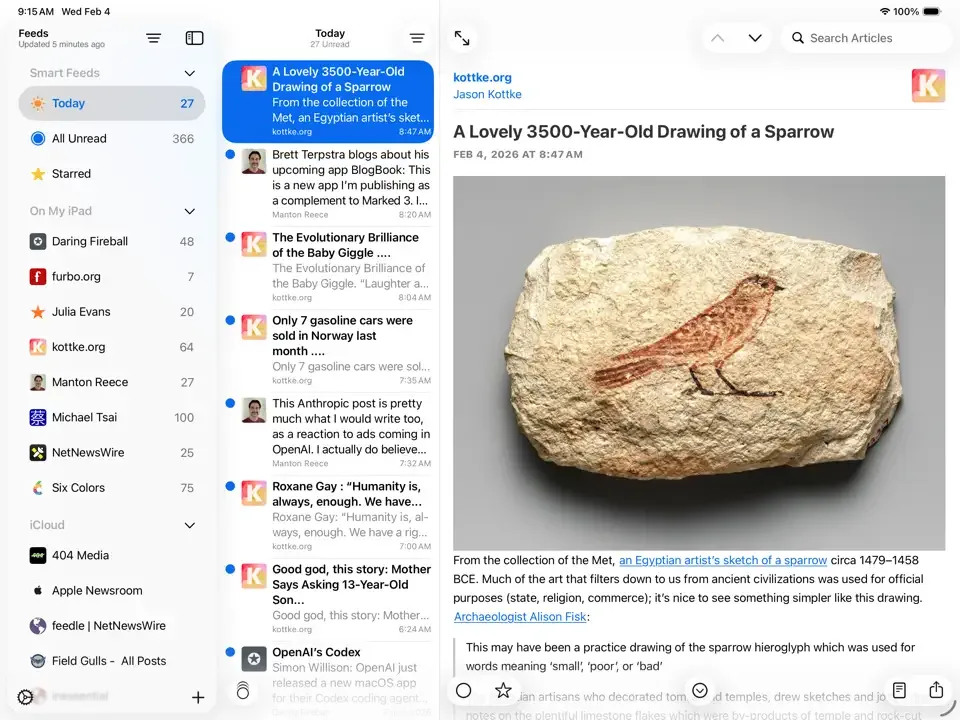
NetNewsWire is a free and open source RSS reader for Mac. Point it at your favorite blogs and news sites. It pulls in new articles automatically. It keeps track of what you've already read. No algorithm decides what you see. You do. Feeds can be added through a Safari extension or by typing in a URL directly. Sync works through iCloud, or through services like Feedbin, Feedly, BazQux, Inoreader, NewsBlur, The Old Reader, and FreshRSS. Articles can be starred, shared to apps like Mail and Notes, and read in a clean, distraction-free Reader view. Smart feeds show everything unread, or just today's articles. Folders keep a long feed list organized. On Mac, it supports multiple windows, a customizable toolbar, and AppleScript.
Why Choose NetNewsWire Mac App
Checking ten different sites for new articles gets old fast. Social media hands that job to an algorithm instead, and the algorithm decides what you see. NetNewsWire skips both problems. Tell it which blogs and sites you follow. It brings the new articles to you, in order, with nothing hidden.
Tech writers have praised it for staying fast and stable while still feeling like a real Mac app. One longtime reviewer said it acts exactly the way a modern Mac app should. Another called it simple, clear, and quick. It's completely free. The full source code sits out in the open on GitHub, so anyone can look at how it works.
Key Features
- RSS and Atom support: pulls articles from blogs and news sites using either feed format.
- Safari extension: adds a feed to NetNewsWire straight from a webpage in Safari.
- Direct feed downloading: adds a feed by typing or pasting its URL, no extension needed.
- Multi-service sync: works with iCloud, Feedbin, Feedly, BazQux, Inoreader, NewsBlur, The Old Reader, and FreshRSS.
- Reader view: strips away ads and clutter so an article reads cleanly.
- Customizable article themes: changes how articles look to match your reading preference.
- Sharing: sends an article to Mail, MarsEdit, Micro.blog, Notes, or Messages.
- Single-key shortcuts: moves through articles fast without touching the mouse.
- Starred articles and smart feeds: saves articles for later, with All Unread and Today views built in.
- Folders: groups related feeds together for a long or growing subscription list.
- Multiple accounts: manages more than one sync account at the same time.
- AppleScript support: automates NetNewsWire tasks on Mac through scripts.
Screenshots
What's New in NetNewsWire 7.1.5 Version
Version 7.1.5 is a small fix:
- Fixed a bug from 7.1.4 where the app didn't ask for notification permission on launch, which meant new users saw no unread count on the Dock icon
- It's a quiet update. No new features here, just a fix that matters for anyone setting the app up fresh.
Supported macOS Versions
NetNewsWire needs macOS 15 or later. It runs natively on both Apple Silicon and Intel Macs. Checking feeds and pulling in new articles is light work. Hardware speed barely matters. A stable internet connection matters more, since background refresh depends on it.
How to Download and Install NetNewsWire Mac?
NetNewsWire is also on the Mac App Store, plus iPhone and iPad. The direct download takes just a few steps.
- Click the Download button above to safely download the setup file.
- Open the downloaded file, then drag NetNewsWire into Applications.
- Launch it. If macOS shows a security prompt, open System Settings, then Privacy & Security, and click Open Anyway.
- Allow notifications when asked, so unread counts show up correctly.
That's it. No account is needed just to start reading feeds.
How to Use NetNewsWire Mac?
- Click the plus button to add a feed by URL, or use the Safari extension from a webpage.
- Sort feeds into folders if you follow more than a handful.
- Click a feed or folder to see its unread articles.
- Star an article to save it, or switch to Reader view for a cleaner read.
- Turn on sync with iCloud or a service like Feedbin if you read on more than one device.
- Use single-key shortcuts to move through articles without reaching for the mouse.
Alternatives to NetNewsWire
Vienna: Free, open source RSS reader for Mac with a long track record and a simple, native interface.
RSS Guard: Free feed reader for Mac supporting RSS, Atom, JSON feeds, and several web-based services.