
Pacifist for Mac Overview
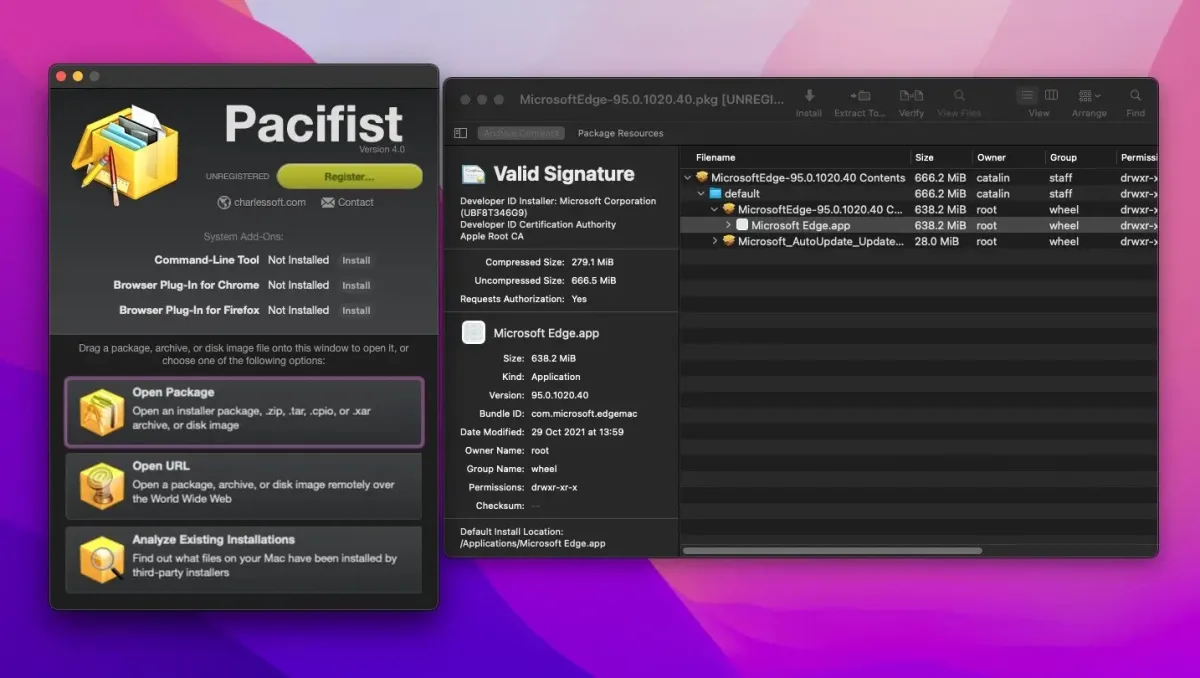
Pacifist is a multi-tool for macOS package files, disk images, and archives. Open a .pkg installer and see every file inside before anything installs. Extract just the file you need instead of running the whole installer. It also opens .dmg disk images, .zip, .tar, .xar, and other archives. Install scripts and package resources are open to inspection, so you can judge a package before trusting it. Search Receipts shows which installer put a file on your Mac. A QuickLook preview shows archive contents right in Finder. Pacifist can even peek inside a .zip over the web without downloading all of it. A command-line tool is included. It runs natively on Apple Silicon and Intel Macs.
Why Choose Pacifist Mac App
Say you deleted Preview by mistake. Reinstalling all of macOS to get one app back is overkill. Pacifist opens the macOS installer instead. Pull out only that app and put it back. The rest of your system stays untouched.
The other half is trust. Installer packages can run scripts with administrator rights. Pacifist shows those scripts and the full file list first. Then you decide. The 4.x rewrite in Swift made it faster across multiple threads, and it's tuned for Apple Silicon. Pacifist is built for people who want to know exactly what's inside an installer.
Features
- Package browsing: opens .pkg installers and lists every file, with path, size, owner, and permissions.
- Single-file extraction: extracts or installs one file or folder instead of the whole package.
- Wide format support: opens .dmg images, asset catalogs, Mac OS 9 Installer Tome files, .zip, .tar, .tar.gz, .tar.bz2, .xar, and .yaa archives.
- Script inspection: shows install scripts and other package resources before you trust a package.
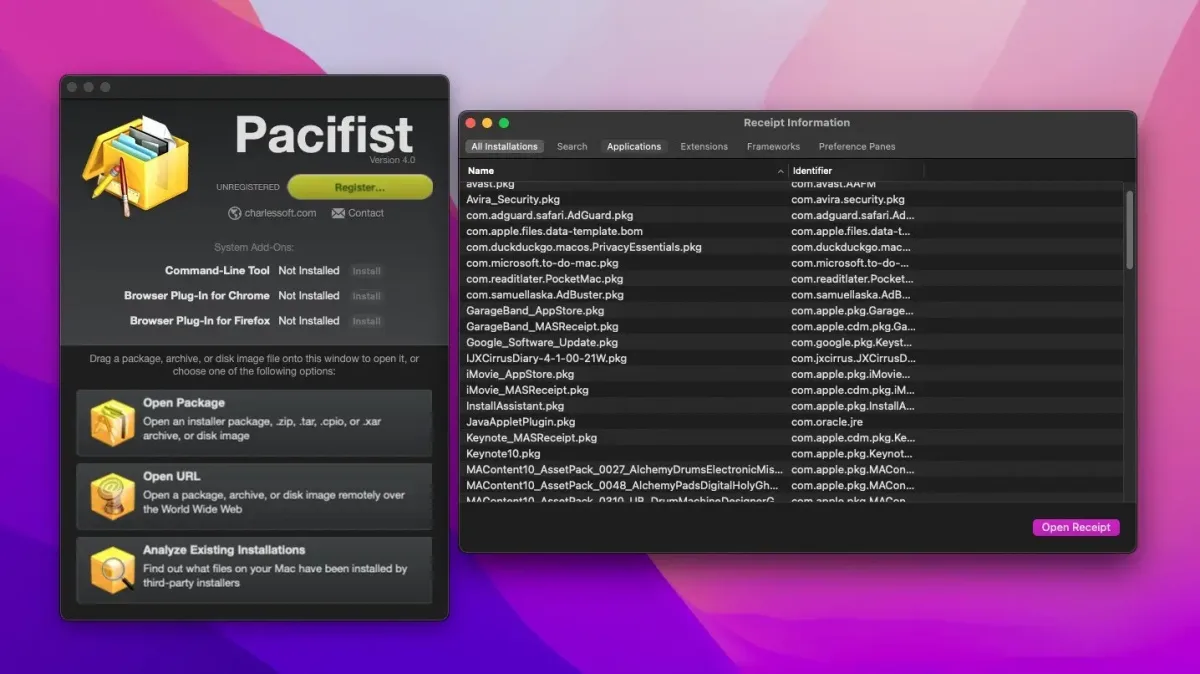
- Search Receipts: traces a file back to the package that installed it, which helps when fixing a broken system.
- Installation analysis: examines existing installs, including kernel extensions, to show who installed what.
- Apple installer access: opens macOS installers so you can pull out specific system files.
- Open URL: reads .zip and some other archives over the web without downloading the entire file.
- QuickLook preview: shows archive contents directly from the Finder.
- Command-line interface: views and extracts files from Terminal for automation.
- Verification: checks checksums for all file types, including symbolic links and Mach-O binaries.
- Extraction options: sets administrator privileges as the default and turns off the automatic Finder reveal.
Screenshots
What's New in Pacifist 4.1.5 version
- Added support for macOS 27 ("Golden Gate") and its packages
- Added support for lzraven-encrypted packages (macOS 27 and later only)
- Switched to diskutil instead of hdiutil to attach disk images on macOS 27 and later
- Bug fixes
Supported macOS Versions
Pacifist requires macOS 12.0 or later. One universal build serves both chip types. It supports macOS 27 Golden Gate. Separate older versions exist for systems that can't run the current one. Opening a package is light work for any supported Mac. A very large installer, like a full macOS installer, benefits from fast storage and plenty of free space.
How to Download and Install Pacifist on Mac?
Installing Pacifist on Mac takes a few steps.
- Click the Download button above to download the setup file.
- Unzip the downloaded file, then drag Pacifist into Applications.
- Launch it. If macOS shows a security prompt, open System Settings, then Privacy & Security, and click Open Anyway.
How to Use Pacifist Mac App
- Drag a .pkg, .dmg, or archive onto the Pacifist icon in the Dock.
- Browse the contents in the window that opens, or search for a specific file.
- Open the Resources tab to read install scripts before you trust a package.
- Select a file or folder, then extract it to a place you choose, or install it directly.
- Use Search Receipts to find which installer wrote a file already on your Mac.
- Choose Open URL to look inside an online .zip without downloading all of it.
Alternatives to Pacifist App
Suspicious Package: Free app for inspecting .pkg installers. Shows file lists, scripts, and signatures before you install. It focuses on .pkg files.
pkgutil (built into macOS): Free Terminal tool from Apple. Expands installer packages into folders. It has no graphical interface.