
Outline Overview
Outline is a note-taking app for Mac that works like paper: type anywhere on a page and move blocks around freely, organized into notebooks, sections, and pages. It opens Microsoft OneNote files directly, including .one, .onepkg, and .onetoc2 formats from OneNote 2010 and later, without needing Microsoft's own app installed. Pages support text, to-do lists, tables, PDFs, images, attachments, and drawings all in one place. Notes store locally by default rather than being tied to one cloud provider, with optional sync to Dropbox, Box, iCloud, OneDrive, WebDAV, or SharePoint. AES-256 encryption and Touch ID protect individual sections containing sensitive information. iPad and iPhone companion apps extend access with full offline support. This direct download requires a Pro annual subscription; a free tier with Standard and Pro monthly options is also available separately through the Mac App Store.
Why Choose Outline Mac App
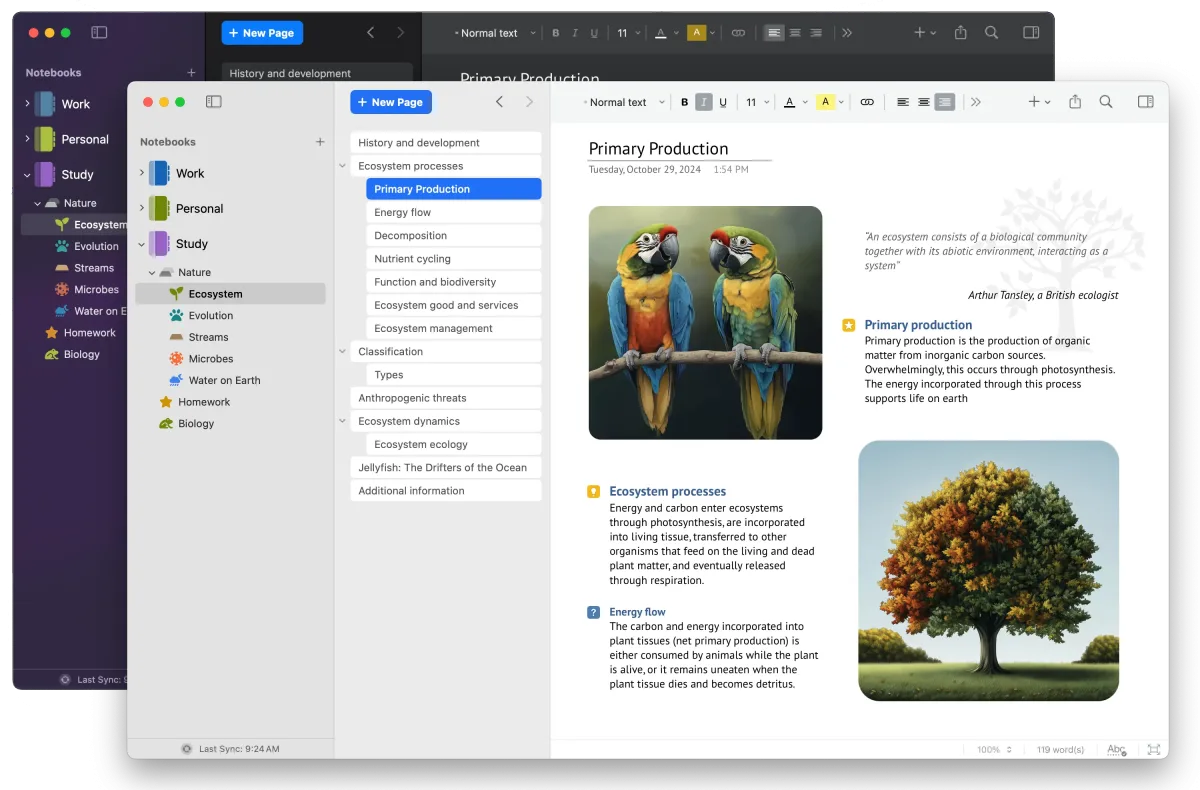
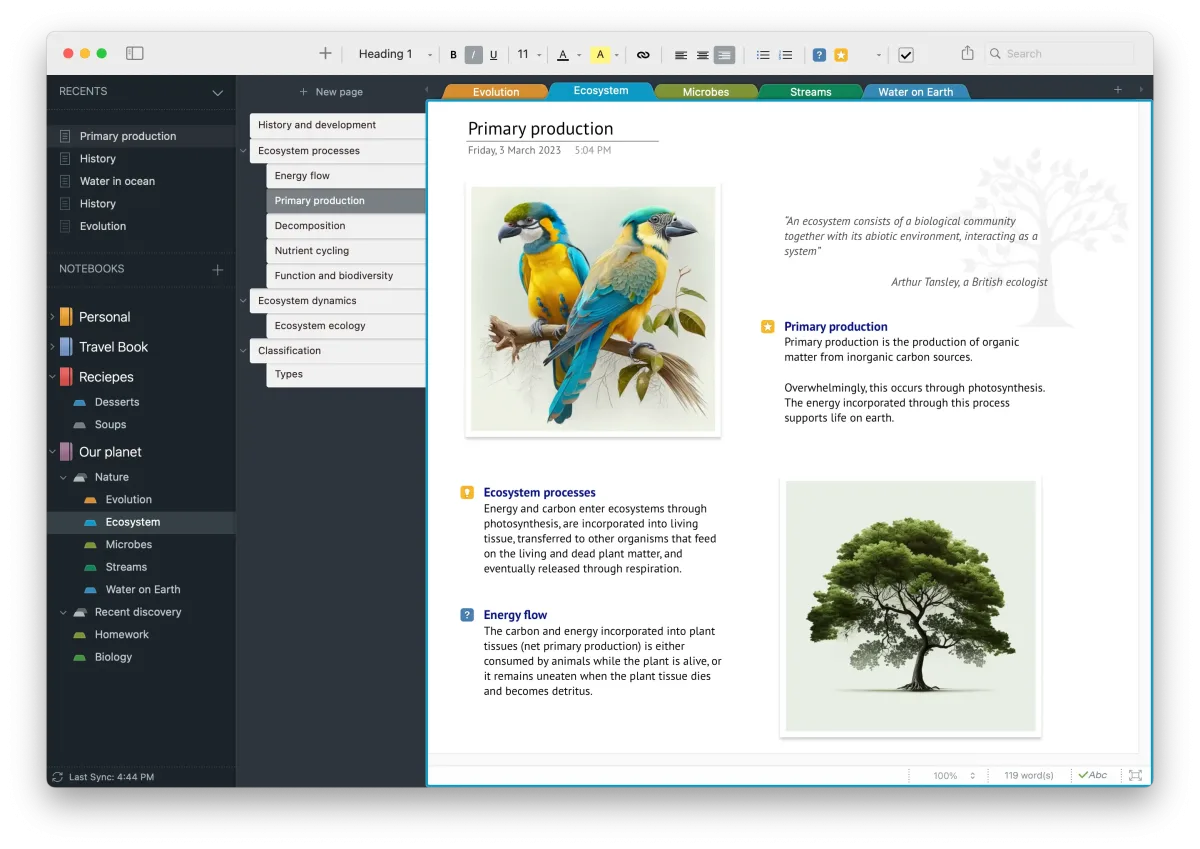
Most Mac note apps lock you into their own format or a specific cloud service. Outline works more like actual paper. Type anywhere on a page, move blocks around freely, and organize everything into a hierarchical structure of notebooks, sections, and pages, without being tied to Apple's own Notes ecosystem.
What sets Outline apart is genuine OneNote compatibility. It opens .one, .onepkg, and .onetoc2 files directly, working with OneNote 2010-era notebooks and later without needing Microsoft's own app installed. A recent major update introduced a free tier alongside the existing subscription plans, a real change from the app's earlier paid-only model. Notes stay stored locally by default rather than tied to one company's cloud, with optional syncing to Dropbox, iCloud, OneDrive, or a self-managed WebDAV server.
Key Features
- Free-form page layout: starts typing anywhere on a page and rearranges blocks freely, similar to writing on paper.
- Rich text editing: applies fonts, colors, alignment, and formatting with native macOS keyboard shortcuts.
- Hierarchical notebook structure: organizes content into notebooks, sections, and pages for clear navigation.
- Multiple content types: combines text, to-do lists, tables, PDFs, images, attachments, and drawings on a single page.
- AES-256 encryption: protects individual sections containing sensitive information.
- Touch ID and passcode lock: secures the app or specific notebooks using biometric or PIN authentication.
- Local-first storage: keeps notebooks on the Mac by default, independent of any single cloud provider.
- Built-in backup: restores previously deleted content, even from long ago.
- Inter, intra, and wiki linking: connects related notes together with tags and flexible search across pages.
- Flexible cloud sync: syncs notebooks through Dropbox, Box, iCloud, OneDrive, WebDAV, SharePoint, or a chosen folder.
- Full OneNote compatibility: opens and edits .one, .onepkg, and .onetoc2 files from OneNote 2010 and later.
- iPad and iPhone apps: extends access to notebooks with full offline support on other Apple devices.
Screenshots
What's New in Outline 6.2609.2 Version
Version 6.2609.2, released September 20, 2026, is a small maintenance update:
- Fixed a memory issue
- Outline uses a year-month version numbering scheme, so 6.2609.2 reflects a build from September 2026. The more substantial recent change was the Version 4 release, which introduced the current free tier alongside Standard and Pro subscription plans.
Supported macOS Versions
The current release of Outline requires macOS 15 or later. Older Mac builds remain available directly from the developer for anyone on an earlier system: one build for macOS Sonoma 14 and Sequoia 15, another for Ventura 13 and Sonoma 14, one covering Big Sur 11 through Ventura 13, and a final legacy build for High Sierra, Mojave, and Catalina. Syncing large notebooks with many attachments, PDFs, and images benefits from a faster Mac and a stable connection to whichever cloud service is chosen for backup.
How to Download and Install Outline Mac?
Outline's direct download from the developer is set up specifically for the Pro annual subscription plan. Anyone wanting the free tier instead should get Outline through the Mac App Store. Installing the direct download only takes a few steps.
- Click the Download button above to safely download the setup file.
- Open the downloaded file, then drag Outline into your Applications folder.
- Launch Outline from Applications. If macOS shows an "unidentified developer" warning, go to System Settings → Privacy & Security and click Open Anyway.
- Purchase a Pro annual subscription through the Outline Store when prompted, since this build doesn't include the free tier.
Anyone who already has a Pro annual subscription can sign in immediately. Everyone else can grab the free tier separately from the Mac App Store.
How to Use Outline Mac App?
- Create a new notebook, then add sections and pages to organize it.
- Click anywhere on a page to start typing, or drag in images, PDFs, and other attachments.
- Open an existing OneNote file (.one, .onepkg, or .onetoc2) directly from the File menu.
- Set up sync with a cloud service like Dropbox, iCloud, or OneDrive from Preferences.
- Enable Touch ID or a passcode lock for sections containing sensitive information.
- Use tags, links, and the search bar to navigate quickly across a large notebook collection.
Alternatives to Outline
Microsoft OneNote: Free, Mac-native note-taking app directly from Microsoft, ideal for anyone who doesn't need Outline's other features beyond OneNote compatibility.
Apple Notes (built into macOS): Free and included on every Mac, covering basic note-taking without OneNote file support.