
Viper FTP Overview
Viper FTP is a file transfer app for Mac from Naarak Studio, formerly known as ViaFTP. It connects to FTP, FTPS, SFTP, and WebDAV servers, along with Amazon S3, Google Drive, and Dropbox, plus one-way uploads to YouTube. Folder Observer watches a chosen local folder and pushes anything new straight to a remote destination without prompting. Server groups let a single upload go out to multiple servers at once. Files can be previewed, edited remotely in a preferred editor, or encrypted individually with AES-256 for extra protection. A Transfer Queue and History Log track active and past activity, and Bonjour scanning finds FTP servers already on the local network.
Why Choose Viper FTP Mac App
A lot of FTP clients handle one server at a time and call it done. Viper FTP treats file transfer more broadly. Server groups let one upload go out to several servers at once. Folder Observer keeps a local folder synced to a remote one automatically. Support extends past FTP into WebDAV, Amazon S3, Google Drive, Dropbox, and even one-way YouTube uploads.
Formerly known as ViaFTP, the app carries that name change in the background of several older reviews, but the current Viper FTP is fully compatible with macOS Tahoe and runs natively on Apple Silicon. Files can be edited remotely in whatever local editor is preferred, with changes saved straight back to the server. AES-256 encryption adds a way to password-protect individual sensitive files, whether they're about to be transferred or already sitting on a remote server.
Key Features
- Multi-protocol support: connects to FTP, FTPS, SFTP, and WebDAV servers, plus Amazon S3, Google Drive, and Dropbox.
- YouTube upload integration: uploads videos directly to a connected YouTube account from within the app.
- Folder Observer: links a local folder to a remote destination, automatically uploading new additions in the background.
- Batch upload to multiple servers: sends one upload to several servers at once using a saved server group.
- AES-256 file encryption: encrypts or decrypts individual files with a password, right from the file's context menu.
- Instant search: finds files by name or filters by type, searching both local and remote locations at once.
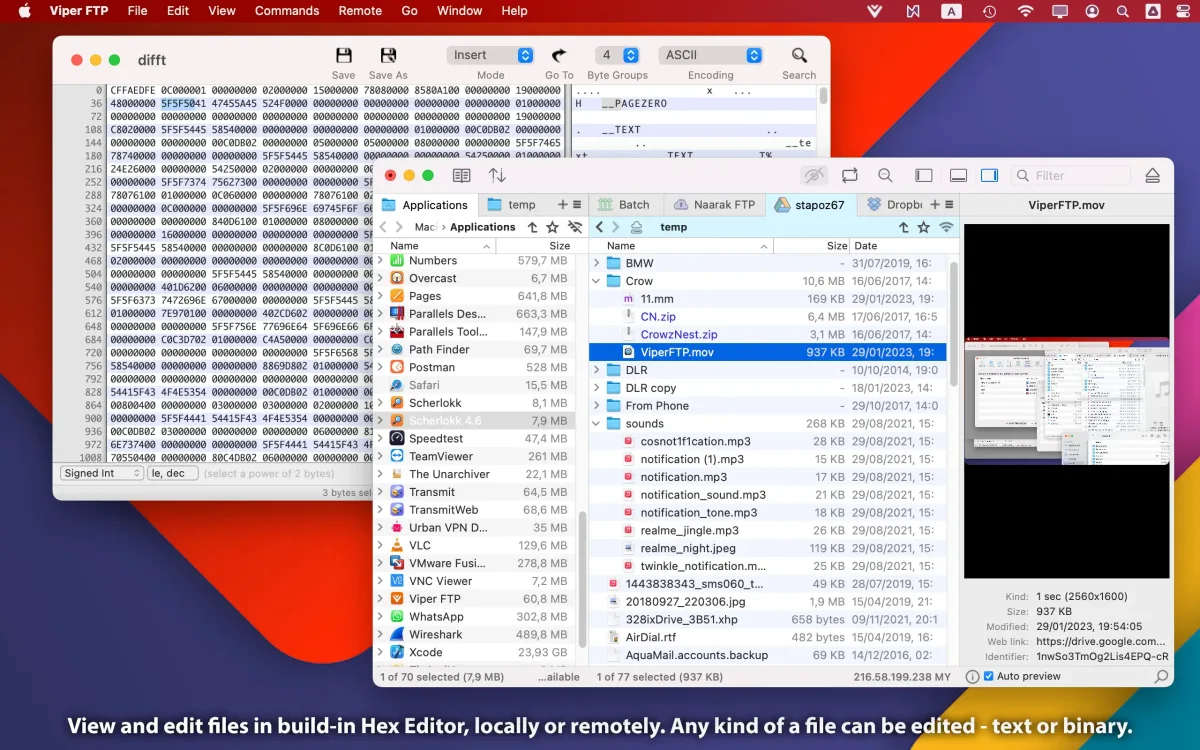
- Universal file preview: previews images, videos, audio, and documents without leaving the app, whether stored locally or remotely.
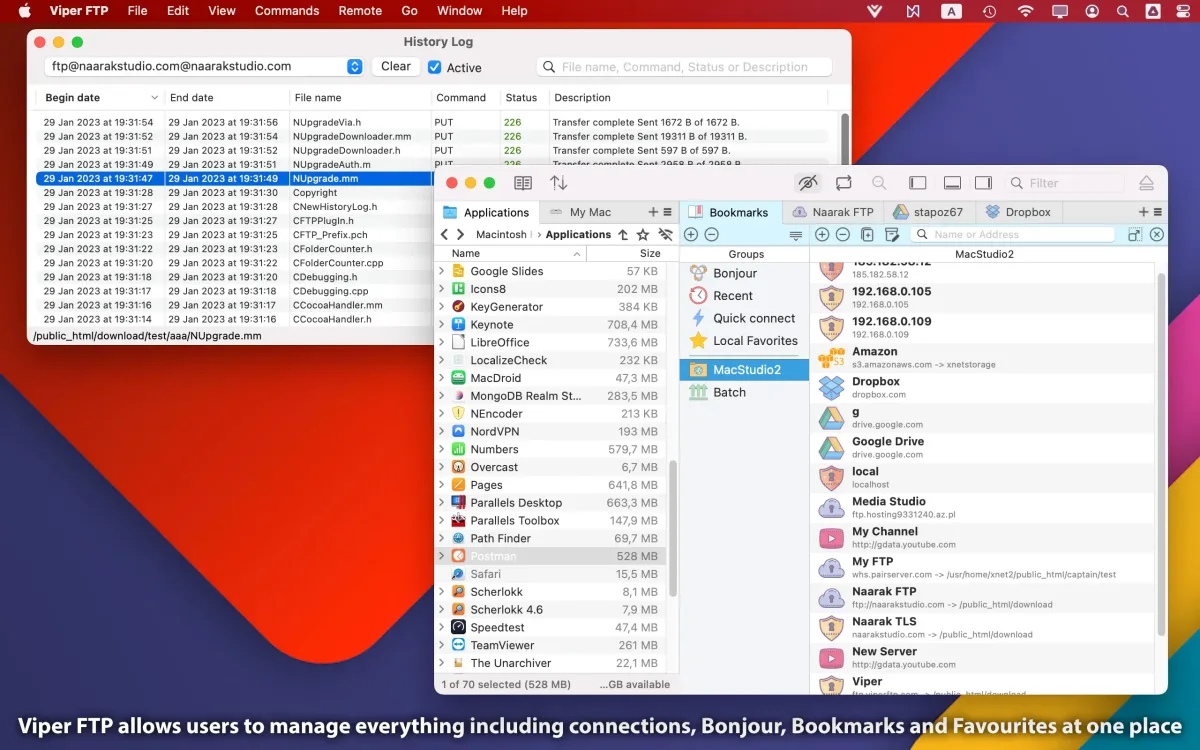
- Bonjour network scanning: discovers active FTP servers and workstations on the local network automatically.
- Remote file editing: opens a remote file in a chosen local editor, saving changes back to the server automatically.
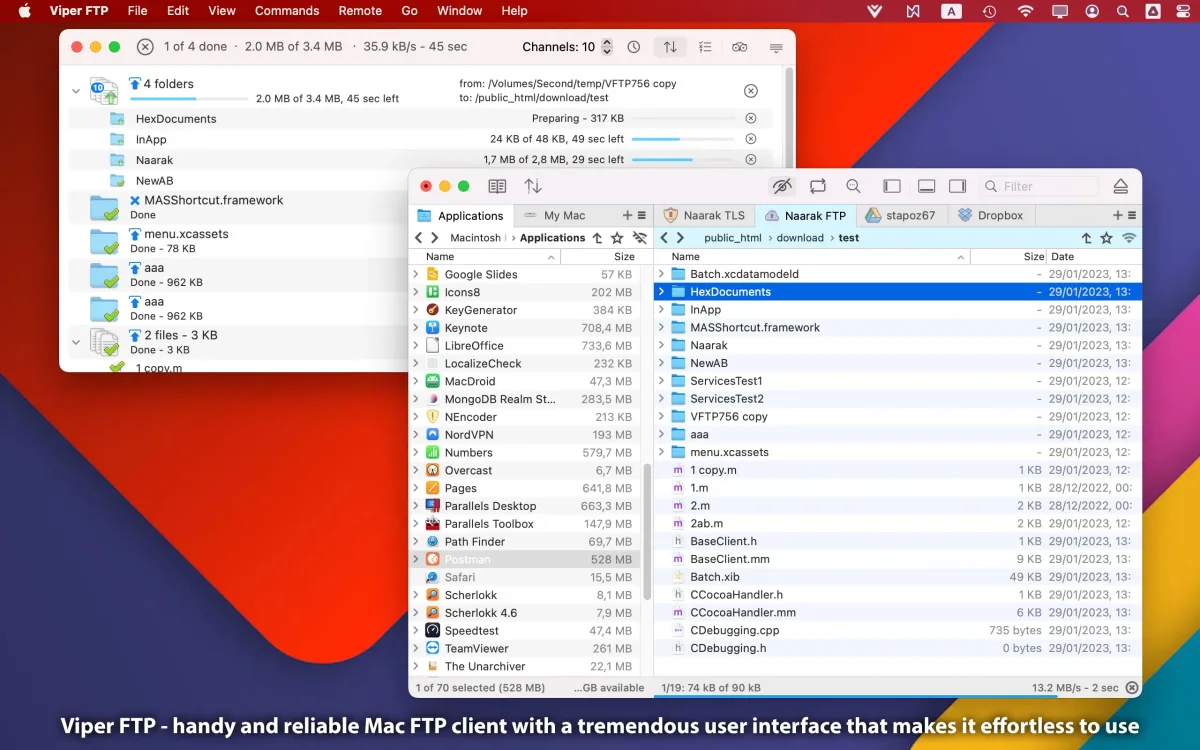
- Transfer Queue: tracks every active transfer with its own real-time trace log.
- History Log: records a complete history of file changes made across connected servers.
- File and folder comparison: highlights differences between two files or folders quickly.
Screenshots
What's New in Viper FTP 7.2.4 Version
Version 7.2.4, released June 29, 2026, is a maintenance update:
- Compatibility with the newest macOS
- Updated OpenSSL and SSH libraries
- Added SSH/SFTP connection details to the log
- Bug fixes
- The OpenSSL and SSH library update matters more than it might look. Those components handle the encryption behind every secure SFTP connection the app makes.
Supported macOS Versions
Viper FTP requires macOS 10.13 or later and is fully compatible with macOS Tahoe, running natively on Apple Silicon. Recent updates specifically refreshed the app's OpenSSL and SSH libraries, keeping secure connections aligned with current security standards rather than relying on older, potentially outdated versions. File transfer speed depends far more on network conditions and the remote server's own performance than on the Mac's processor. Even an older Mac handles the app's core job comfortably.
How to Download and Install Viper FTP on Mac?
Viper FTP is also available on the Mac App Store. Installing the direct download version only takes a few steps.
- Click the Download button above to securely download the setup file.
- Open the downloaded .dmg file, then drag Viper FTP into your Applications folder.
- Launch Viper FTP from Applications. If macOS shows an "unidentified developer" warning, go to System Settings → Privacy & Security and click Open Anyway.
- Use the QuickConnect panel to enter a server's connection details and connect for the first time.
Viper FTP runs as a trial until a license is purchased and entered through the app's registration window.
How to Use Viper FTP Mac App?
- Open QuickConnect, choose a protocol like FTP, SFTP, or Amazon S3, and enter the connection details.
- Save the connection as a bookmark for one-click reconnecting later.
- Drag files between the local and remote panes to upload or download them.
- Set up a Folder Observer to automatically upload anything added to a chosen local folder.
- Right-click a file to encrypt it with AES-256, generate a shareable HTTP URL, or open it for remote editing.
- Check the Transfer Queue or History Log to monitor active transfers or review past activity.
Alternatives to Viper FTP
FileZilla: Free, open source FTP, FTPS, and SFTP client with a Site Manager and resumable large transfers.
Cyberduck: Free, open source client covering FTP, SFTP, WebDAV, and several cloud storage providers with a native Mac interface.