TwistedWave Overview
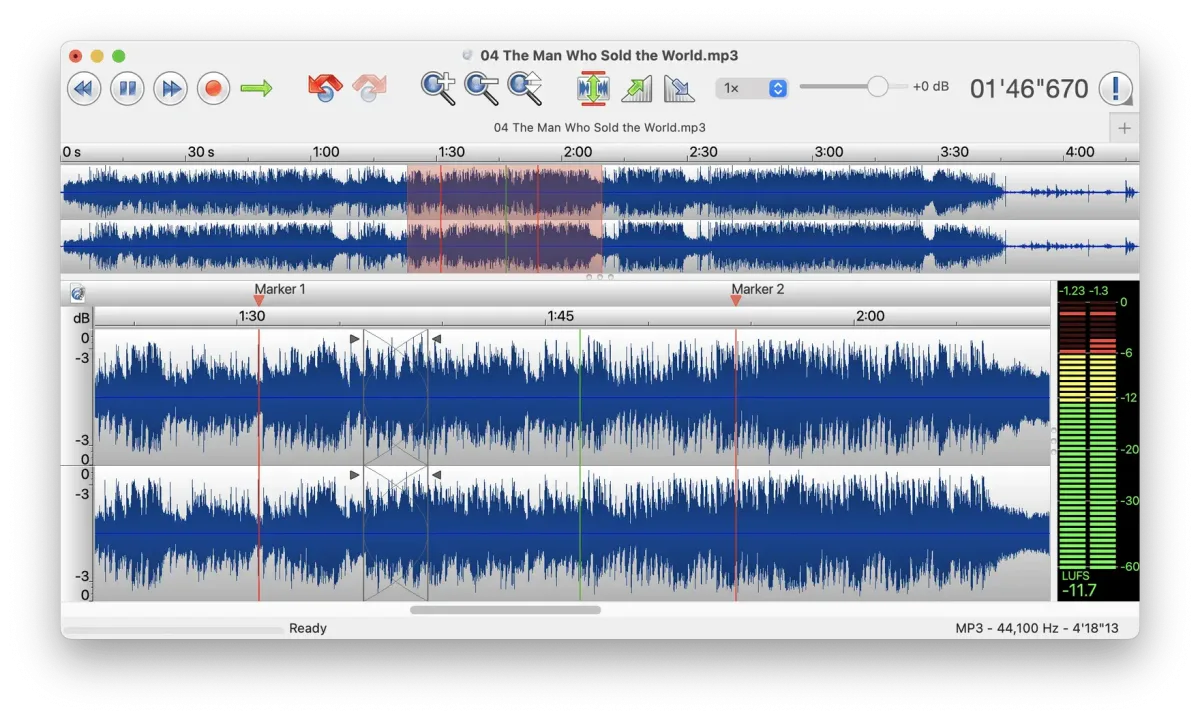
TwistedWave is an audio editor for Mac that records, edits, and converts sound files. It works with WAV, AIFF, MP3, M4A, FLAC, and Ogg Vorbis, among other formats. Speech recognition lets you select words in a transcript to select the matching audio. Silence detection splits long recordings into named parts. Batch processing applies effects and conversions to whole folders. Audio Unit and VST plug-ins run in effect stacks. The editor handles multichannel files and sample rates up to 192 kHz. It is native on Apple silicon. Unlimited undo and background processing keep long sessions moving. Version 34.2 runs on macOS 10.15 or later. It suits podcasters, audiobook narrators, and sound editors who want a focused tool.
Key Features
- Speech recognition editing: selects audio by words and words by audio, for long recordings.
- Silence detection: splits a file into parts that can be named and exported individually.
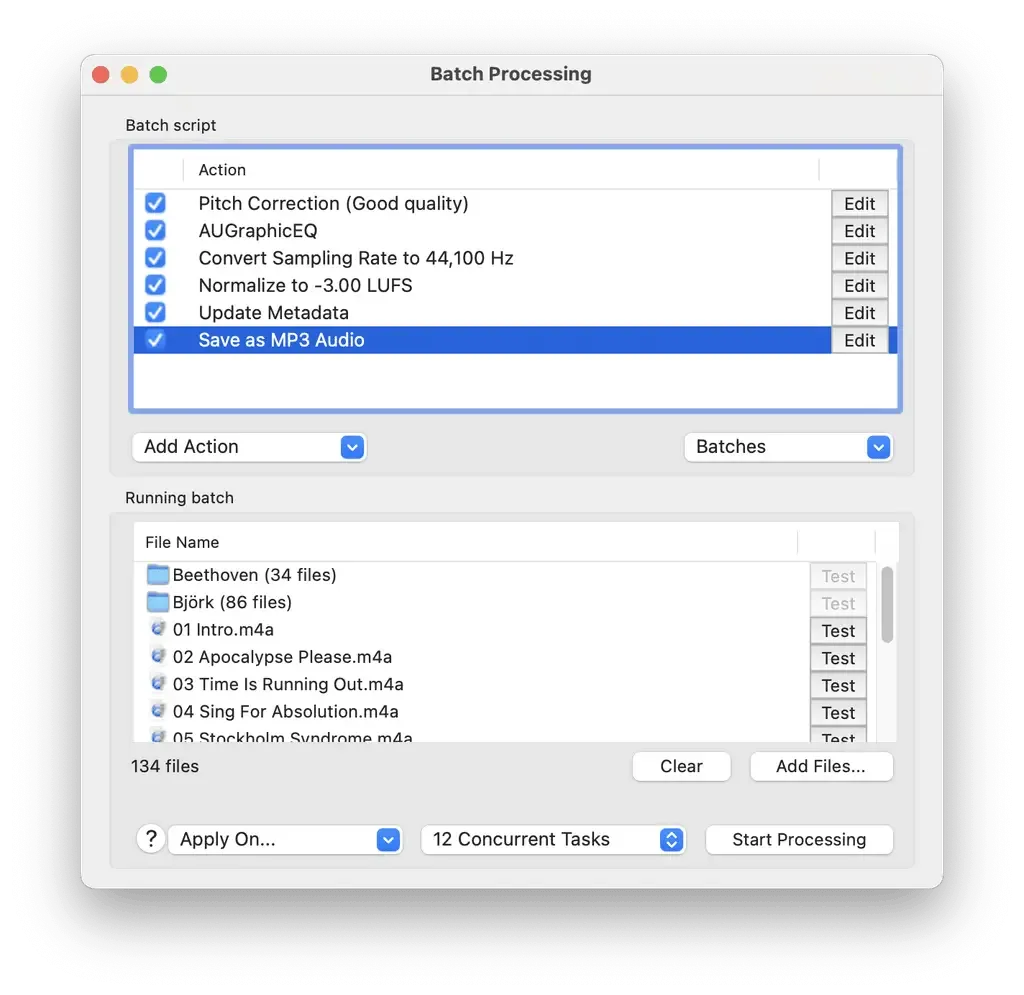
- Batch processing: applies effects, format conversion, and waveform images to many files or folders.
- Audio Unit and VST plug-ins: loads effects into stacks, including multichannel plug-ins.
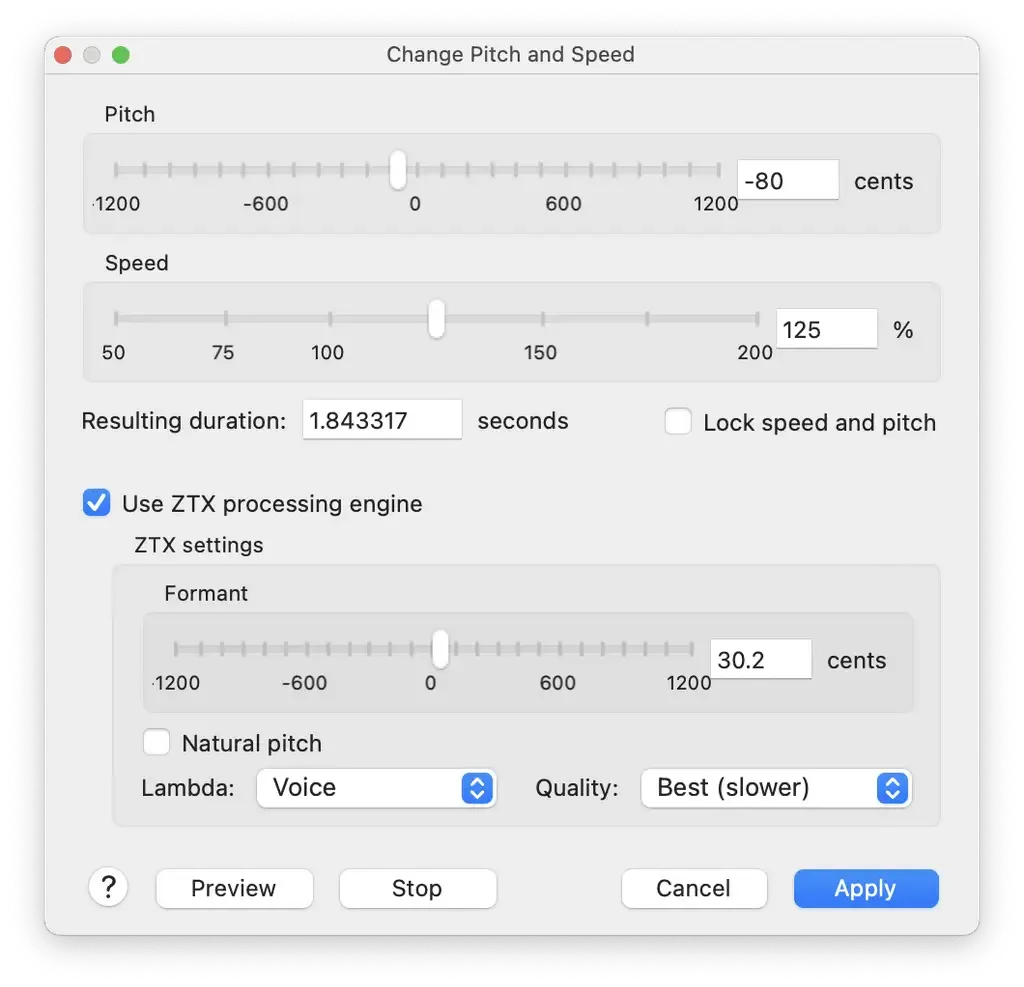
- Time-stretch and pitch-shift: uses ZTX technology with automatic pitch correction.
- Special paste: crossfades clipboard audio into the existing recording.
- Clip List: rearranges audio sections, or acts as a playlist.
- Video sync: applies audio edits to a movie and saves the edited video.
- Wide format support: works with WAV, AIFF, MP3, M4A, M4B, AAC, CAF, FLAC, Ogg, WavPack, and Wave64.
- Metadata editing: edits artist, title, and album art, plus BWAV and Soundminer metadata for WAV and AIFF.
- Multichannel editing: handles up to 32-bit and 192 kHz files.
- Unlimited undo: steps back through every edit.
- Background processing: runs long effects while you work on something else.
Screenshots
What's New in TwistedWave 34.2 Version
New
- On Apple Silicon Macs running macOS 26 and 27, a new and much more accurate Apple speech recognition engine is available.
- The file format and its settings can now be chosen when creating a new document, instead of only the bit depth and channel count.
- Export Selection and Export Individual Channels now remember the last format they used, instead of starting from the format of the document.
Fixed
- Editing the parameters of some VST3 effects could crash TwistedWave.
- On macOS 27, a PDF text script would scroll past the end of the document instead of following the playback.
- A USB audio interface could be reported as unavailable after being plugged into a different port.
- Refreshing the VST list could show a crash report for the VST plug-ins, although the scan had succeeded.
- Clicking an existing file in the save panel could keep its extension, and saving then failed with an error about the extension.
How to Download and Install TwistedWave Mac?
Installing TwistedWave on Mac takes under a minute.
- Click the Download button above to safely download the setup file.
- Open the downloaded file, then move TwistedWave into your Applications folder.
- Launch TwistedWave from Applications. If macOS asks you to confirm opening an app downloaded from the internet, click Open.
- Allow Microphone access if macOS prompts you, so the app can record.
Alternatives to TwistedWave
Audacity: Free, open-source audio editor for macOS with plug-in support for VST3 and Nyquist, a Spectrogram view, and wide format support.
GarageBand: Apple's free music and recording app for Mac, useful for simple voice recordings and multitrack projects. It is not built for batch conversion or audiobook editing. It is listed here from general knowledge, so check its macOS support.