MacCleanse Overview
MacCleanse is a system cleaning app for Mac from Koingo Software. It uninstalls apps completely, catching the logs, caches, and plugins left behind by simply dragging to the Trash. It also erases web and app history, cookies, and old caches to free up disk space and protect your privacy. A built-in Extension Manager lets you toggle login items, browser plugins, and screen savers on or off. Erasure options range from a quick delete to military-grade shredding that resists file recovery tools. A Scheduler can run cleanups automatically on a daily, weekly, or monthly basis.
Why Choose MacCleanse Mac App
Dragging an app to the Trash rarely removes all of it. Logs, caches, preference files, and support folders usually stay behind, quietly taking up space. MacCleanse catches those leftovers during a proper uninstall, and it will even prompt you if it notices you dragging an app to the Trash the old way. Beyond uninstalling, it handles browsing history, duplicate files, unwanted login items, and disabled extensions in the same app, instead of needing a separate tool for each job.
On Mac specifically, MacCleanse 15.0 arrives tuned for the newest system release available this year. It also runs as a universal build across Apple Silicon and Intel Macs, with an interface tuned for Retina displays. One detail worth knowing: this retail version isn't sandboxed, which gives it deeper access to system files than a typical App Store app. Koingo Software offers a separate sandboxed edition through the Mac App Store for anyone who prefers that model instead.
Key Features
- Complete app uninstaller: removes an app along with its logs, caches, plugins, and preference files, not just the app bundle itself.
- Drag-to-Trash training: prompts you to run a proper uninstall if it detects you dragging an app to the Trash directly.
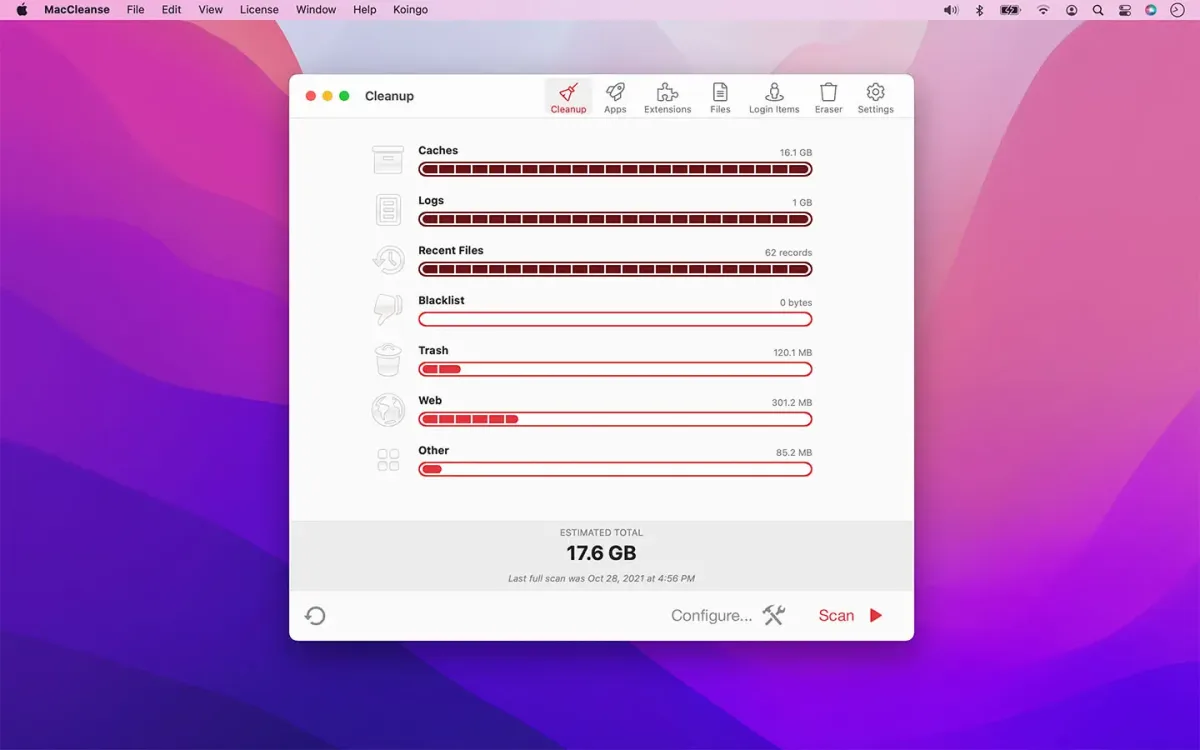
- Web and app history eraser: clears cookies, caches, logs, and autofill values left behind by browsers and apps.
- Extension Manager: toggles screen savers, browser plugins, preference panes, login items, and system plugins on or off.
- Duplicate file finder: scans for and flags duplicate copies of files taking up extra space.
- Login Items manager: finds and disables startup items that slow boot time or run quietly in the background.
- Language and legacy file trimmer: removes unused language packs and leftover legacy binary data from installed apps.
- Orphan file detector: finds junk left behind by apps that were uninstalled incorrectly in the past.
- Installer archive cleanup: locates leftover installer files and disk images no longer needed after setup.
- Scheduler: automates cleanup scans on a daily, weekly, or monthly recurring basis.
- Black and White Lists: protects specific files and folders from ever being erased, or marks others to always be removed.
- Secure Eraser: offers erasure levels from quick deletion to military-grade shredding that resists recovery tools.
Screenshots
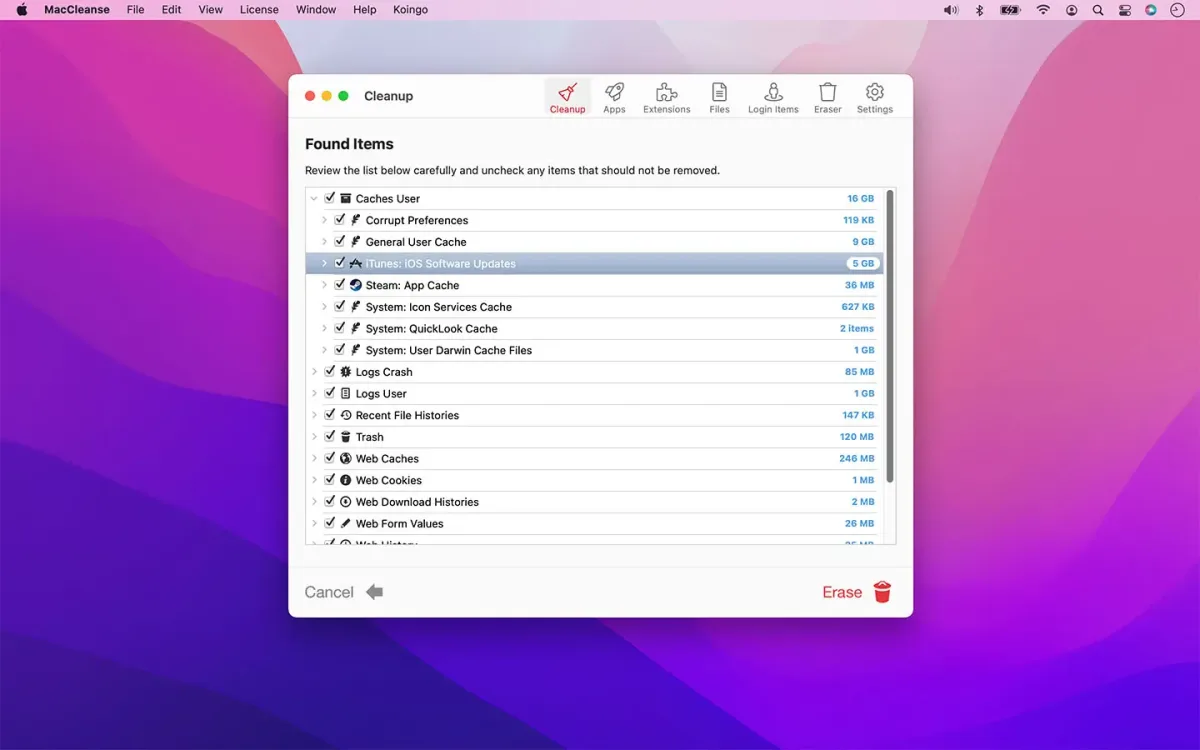
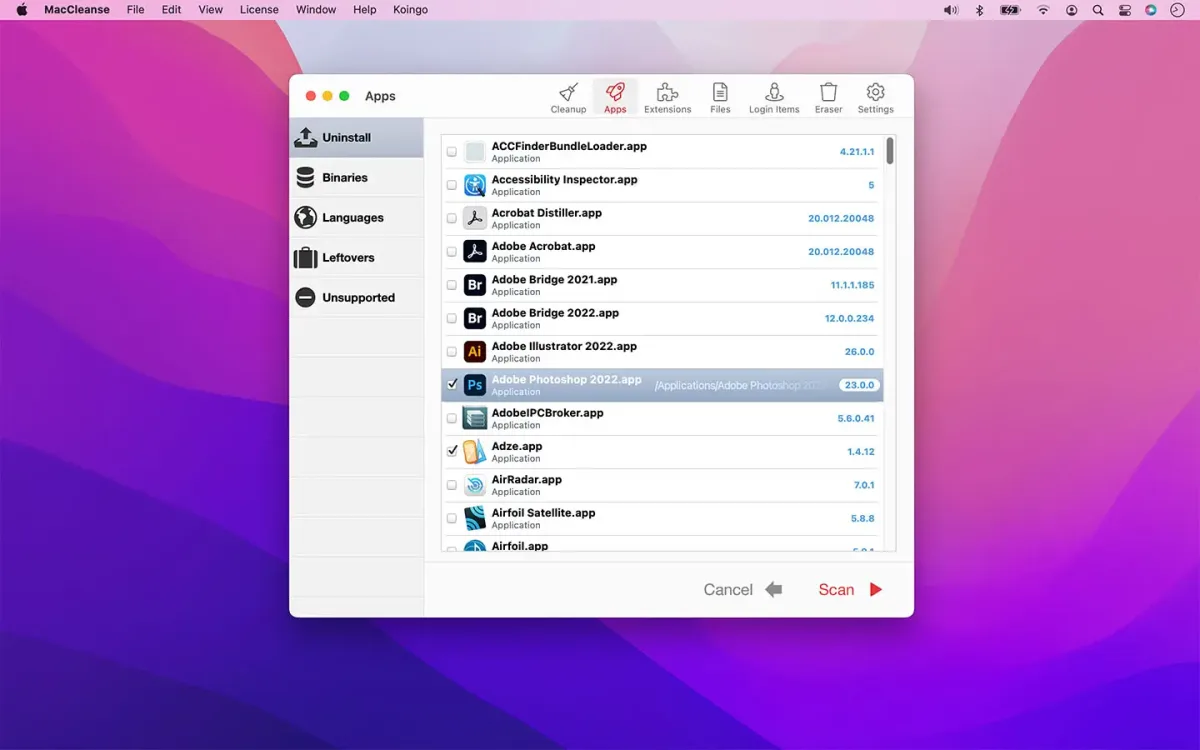
What's New in MacCleanse 15.0 Version
Version 15.0, released August 29, 2026, is a compatibility-focused update:
- Adds support for macOS 27 (Golden Gate), the release this version is specifically designed for
- Koingo Software's release notes for this version don't list additional changes beyond that compatibility update. Anyone owning a current major version, an active subscription, or a lifetime license gets this upgrade at no extra cost.
Supported macOS Versions
MacCleanse 15.0 requires macOS 11 (Big Sur) at minimum, though the current release targets the newest system, macOS 27 (Golden Gate). Older systems aren't left behind either. Koingo Software keeps every past version of MacCleanse available for download, each matched to a specific macOS range. A single license unlocks all of them, so switching to an older Mac or an older OS doesn't mean losing access to a working version. The app runs as a universal build across Apple Silicon and Intel Macs, with interface elements optimized for Retina displays.
How to Download and Install MacCleanse on Mac?
MacCleanse is also available as a sandboxed edition on the Mac App Store. Installing the direct download version only takes a few steps.
- Click the Download button above to safely download the setUp file OR you may get it from official website.
- Open the downloaded file, then drag MacCleanse into your Applications folder.
- Launch MacCleanse from Applications. If macOS shows an "unidentified developer" warning, go to System Settings → Privacy & Security and click Open Anyway.
- Grant Full Disk Access when prompted, so MacCleanse can scan system folders and other apps' data properly.
The app runs in demo mode until unlocked. If you've already purchased a license, enter it through the Unlock menu item.
How to Use MacCleanse Mac App?
- Choose a scan type, such as a full system scan or a specific category like duplicates or login items.
- Click Scan and let MacCleanse search your Mac for matching files.
- Review the detailed results list before removing anything.
- Add any files or folders you want to keep to the White List so future scans skip them automatically.
- Click the erase or clean button to remove the selected items.
- Set up the Scheduler in Preferences if you want scans to run on their own going forward.
Alternatives to MacCleanse
OnyX: Free maintenance and cleaning utility from Titanium Software, with a version built specifically for each macOS release.
Pearcleaner: Free, open source app uninstaller that removes leftover files and caches after deleting an app.
Storage Management (built into macOS): Apple's own tool under About This Mac, offering basic cleanup suggestions at no extra cost.